https://github.com/vtnerd/motrix
Real-time terminal visualizer for the monero daemon
https://github.com/vtnerd/motrix
Last synced: over 1 year ago
JSON representation
Real-time terminal visualizer for the monero daemon
- Host: GitHub
- URL: https://github.com/vtnerd/motrix
- Owner: vtnerd
- License: other
- Created: 2020-08-22T04:30:44.000Z (almost 6 years ago)
- Default Branch: master
- Last Pushed: 2024-08-22T19:06:22.000Z (almost 2 years ago)
- Last Synced: 2025-02-27T07:30:41.496Z (over 1 year ago)
- Language: C++
- Size: 2.44 MB
- Stars: 25
- Watchers: 7
- Forks: 4
- Open Issues: 3
-
Metadata Files:
- Readme: README.md
- License: LICENSE
Awesome Lists containing this project
README
# The Motrix
> Unfortunately, no one can be told what Monero is. You'll have to see it for
> yourself.
Watch real-value exchanges just like our ancestors did - in Matrix terminals.
# About
This is a terminal (ncurses) visualizer for the [monero daemon](https://github.com/monero-project/monero).
Data is pushed in real-time from the daemon, then displayed in the matrix "motif"
(falling text) using z85 encoding. The information displayed depends on the
current state of the local monero daemon.
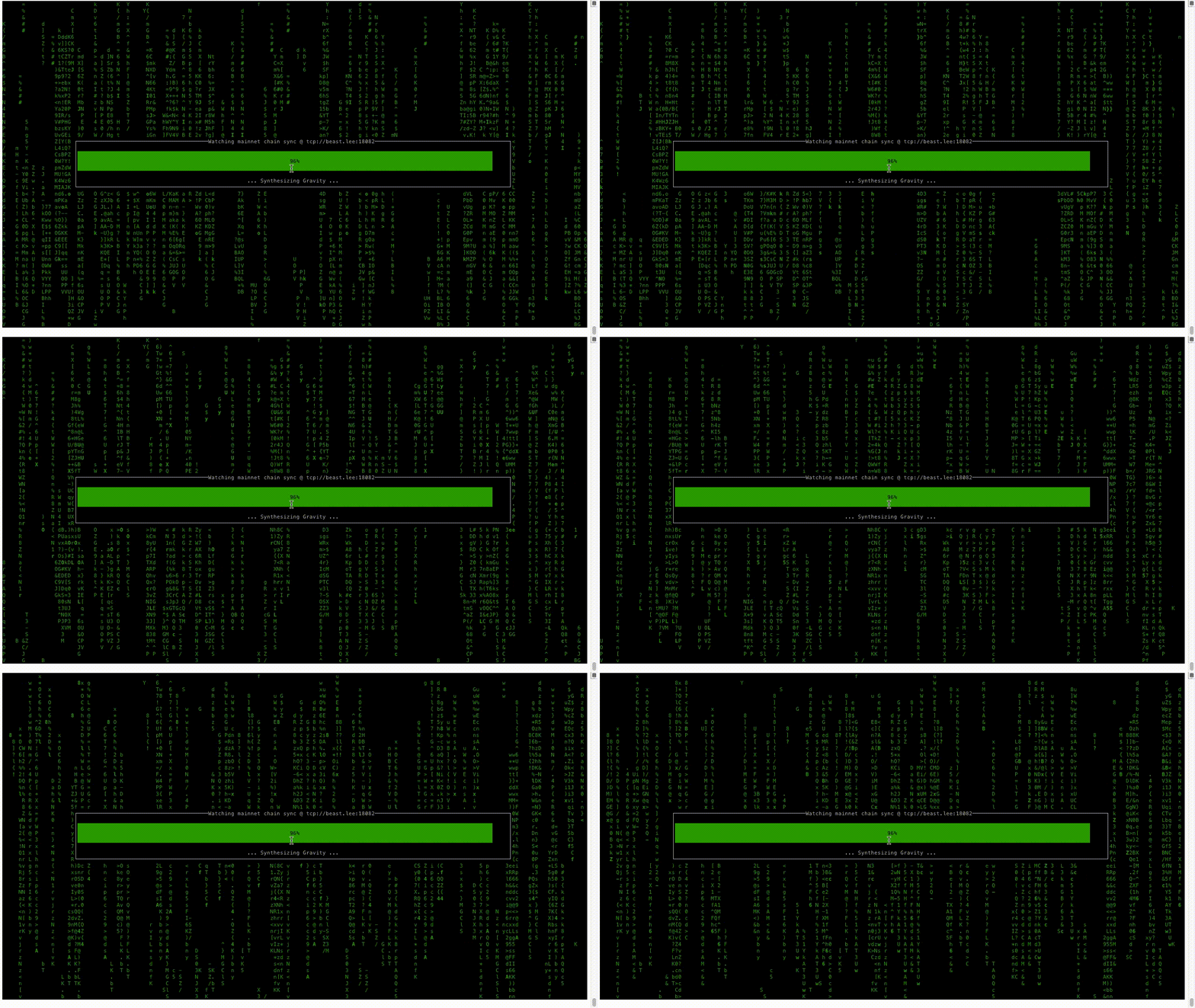
When the monero daemon is synchronizing with the blockchain, the falling text
background contains recently processed block hashes. The foreground is a
progress meter with useless SimCity 3000 loading messages.
When the monero daemon is synchronized, the falling text contains transactions
currently in the mempool with nothing in the foreground. When a new block
arrives, the screen pauses to display information about the latest block, then
unfreezes to continue the mempool display.
This also serves as example application for developers interested in using ZeroMQ
Pub/Sub to get information quickly from the daemon without polling.
## License
See [LICENSE](LICENSE).
## Building
A C++11 compiler, and development libraries for ncurses and ZeroMQ 4.0+ are
required. They should be available in any package manager.
from tarball:
```bash
cd motrix-0.1.1
CXXFLAGS="-O2 -DNDEBUG" ./configure && make
```
from git repo:
```bash
cd motrix
autoreconf -i
mkdir build && cd build
CXXFLAGS="-O2 -DNDEBUG" ../configure && make
```
## Running
A development build of the monero daemon is needed. The daemon should be started
with an additional flag: `--zmq-pub tcp://127.0.0.1:5000` (or any port of your
choice). Unix IPC is also supported: `--zmq-pub ipc:///home/monero`, which has
added security benefits.
The motrix executable can then be started:
```bash
./motrix ipc:///home/monero tcp://127.0.0.1:18082
```
The daemon does not yet support Unix IPC for ZeroMQ RPC. Testnet RPC port
defaults to 28082 instead of 18081
### Docker
A Dockerfile has been provided for those who may run their nodes or tools using Docker containers. Be sure to utilize `host` networking so that you can reach remote nodes.
```
docker build -t motrix .
docker run --rm -it --net=host motrix tcp://127.0.0.1:18081 tcp://127.0.0.1:18082 auto
```
### Color Scheme
Motrix will auto-detect the number of colors available on your terminal. If
the terminal supports 256+ colors, then it defaults to Monero logo colors
for the text. Otherwise it falls back to green (the "matrix" motif).
The current color scheme options: (1) `monero`, (2) `monero_alt`, (3) `standard`
or (4) `auto` and is the third option to the executable.