https://github.com/vwh/telegram-views
Asynchronous fake Telegram post views with auto proxy scraping.
https://github.com/vwh/telegram-views
fake-views telegram telegram-auto-views telegram-fake-post-viewer telegram-fake-posts-viewer telegram-fake-seen telegram-fake-viewer telegram-post telegram-post-viewer telegram-poster telegram-viewer telegram-views telegram-views-increaser
Last synced: about 1 year ago
JSON representation
Asynchronous fake Telegram post views with auto proxy scraping.
- Host: GitHub
- URL: https://github.com/vwh/telegram-views
- Owner: vwh
- Created: 2023-01-26T15:32:09.000Z (over 3 years ago)
- Default Branch: master
- Last Pushed: 2025-04-04T08:20:22.000Z (about 1 year ago)
- Last Synced: 2025-04-04T09:27:09.673Z (about 1 year ago)
- Topics: fake-views, telegram, telegram-auto-views, telegram-fake-post-viewer, telegram-fake-posts-viewer, telegram-fake-seen, telegram-fake-viewer, telegram-post, telegram-post-viewer, telegram-poster, telegram-viewer, telegram-views, telegram-views-increaser
- Language: Python
- Homepage:
- Size: 40 KB
- Stars: 208
- Watchers: 5
- Forks: 109
- Open Issues: 0
-
Metadata Files:
- Readme: README.md
Awesome Lists containing this project
README
# Telegram Views
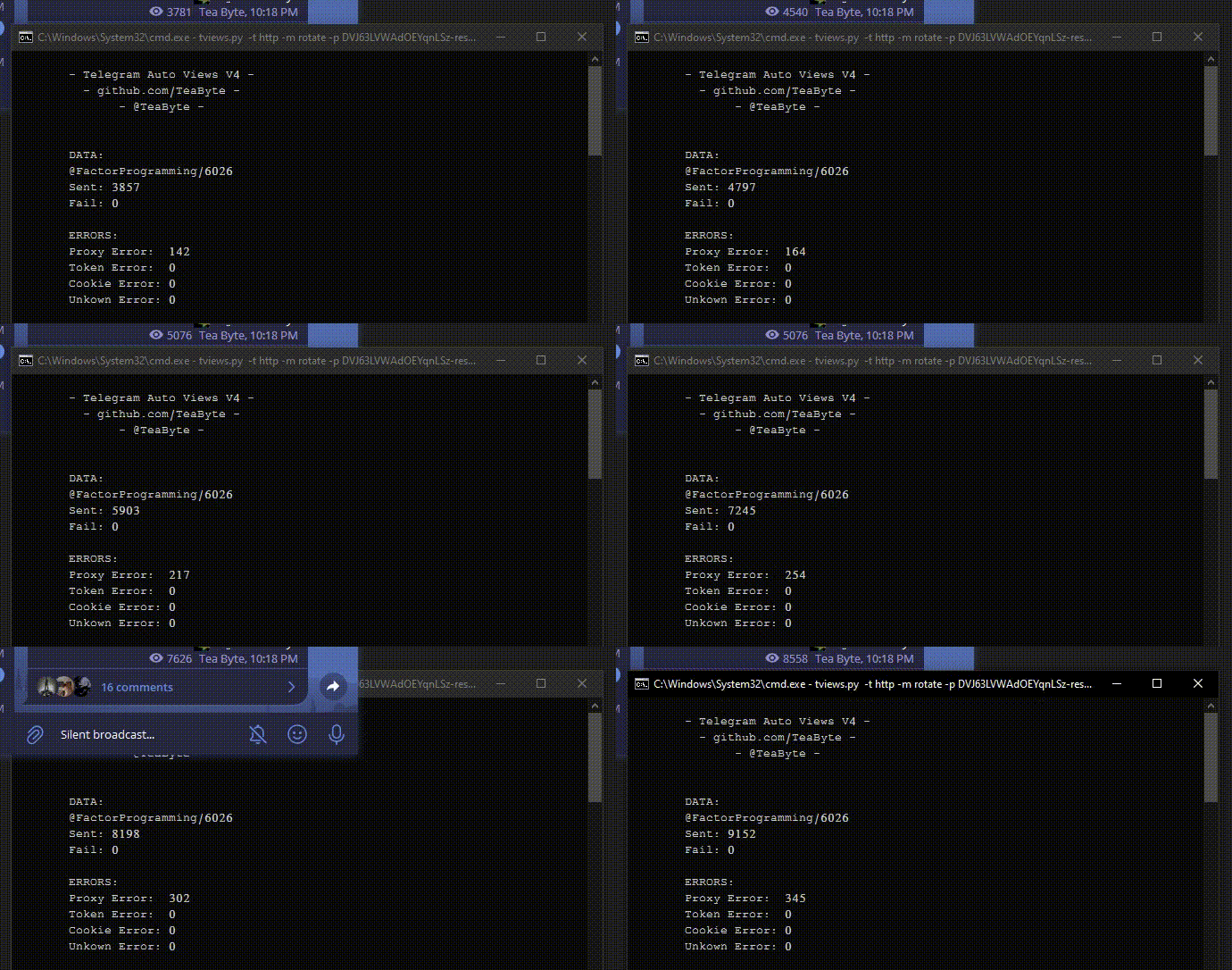
## Features
- **Asynchronous**: Optimized for performance with async tasks.
- **Proxy Support**: Compatible with all proxy types (HTTP/S, SOCKS4, SOCKS5).
- **Auto Proxy Scraping**: Automatically scrapes proxies from various sources.
- **Proxy Rotation**: Supports rotating proxies for added anonymity.
- **Custom Proxy Lists**: Load proxies from files and use them in different modes.
---
## Arguments Overview
### Command-Line Arguments:
- `--channel`: **Required** – Telegram channel to send views to (e.g., `@channel_name`).
- `--post`: **Required** – Post number in the Telegram channel (e.g., `4` for `https://t.me/channel_name/4`).
- `--type`: **Optional** – Proxy type (`http`, `socks4`, `socks5`).
- `--mode`: **Required** – Mode of operation (options: `auto`, `list`, `rotate`).
- `--proxy`: **Optional** – Path to a text file containing a list of proxies or a single proxy in `user:password@host:port` format.
- `--concurrency`: **Optional** – Maximum number of concurrent requests (default: `200`).
---
## Modes
### 1. **Auto Scraping Mode** (No Proxies Required)
In this mode, proxies are automatically scraped from various online sources. You don’t need to provide a list of proxies.
- **Usage**: This mode runs indefinitely and auto-rescrapes proxies after each loop.
```bash
main.py --mode auto --channel tviews --post 4
```
#### Notes:
- Proxies will be scraped from the `auto` directory. You can update the sources in the `auto` directory.
- This mode does not require a proxy list.
### 2. **List Mode** (Load Proxies From File)
This mode allows you to provide a text file containing a list of proxies. Each proxy should be on a new line. It supports multiple proxy types: `http`, `socks4`, and `socks5`.
- **Usage**:
```bash
main.py --mode list --type http --proxy http.txt --channel tviews --post 4
```
#### Notes:
- You need to provide a path to a text file with proxies (`http.txt`, `socks4.txt`, etc.).
- This mode uses the proxies from the file for continuous requests.
### 3. **Rotating Proxy Mode**
In this mode, a single proxy (with rotation) is used for requests. You need to provide a proxy in the `user:password@ip:port` format.
- **Usage**:
```bash
main.py --mode rotate --type http --proxy user:password@ip:port --channel tviews --post 4
```
#### Notes:
- This mode rotates a single proxy across multiple requests.
---
## Example Usage
### **1. Auto Scraping Mode** (No Proxy)
This mode continuously scrapes proxies and sends views to the given post on the Telegram channel.
```bash
python main.py --mode auto --channel tviews --post 4
```
### **2. Load Proxies From File** (Custom Proxies)
If you have a list of proxies (e.g., in a text file `http.txt`), use this mode to send views using those proxies.
```bash
python main.py --mode list --type http --proxy http.txt --channel tviews --post 4
```
### **3. Rotating Proxy Mode** (Single Proxy with Rotation)
This mode allows you to send views using a single rotating proxy. Provide the proxy in `user:password@ip:port` format.
```bash
python main.py --mode rotate --type http --proxy user:password@ip:port --channel tviews --post 4
```
---
## Requirements
Make sure to install the required dependencies before running the script:
```bash
pip install -r requirements.txt
```
---