https://github.com/waahah/vext
🚀构建”一次编写,在任何浏览器上运行“的 Web 扩展启动器🖥Cross-browser and automatic publishing of WebExtension starter templates powered by Vite.
https://github.com/waahah/vext
chrome cross-browser edge extension firefox javascript sass template vext vite webextension
Last synced: 11 months ago
JSON representation
🚀构建”一次编写,在任何浏览器上运行“的 Web 扩展启动器🖥Cross-browser and automatic publishing of WebExtension starter templates powered by Vite.
- Host: GitHub
- URL: https://github.com/waahah/vext
- Owner: waahah
- License: mit
- Created: 2025-03-27T07:04:20.000Z (about 1 year ago)
- Default Branch: main
- Last Pushed: 2025-04-26T14:09:43.000Z (about 1 year ago)
- Last Synced: 2025-05-13T13:44:04.085Z (about 1 year ago)
- Topics: chrome, cross-browser, edge, extension, firefox, javascript, sass, template, vext, vite, webextension
- Language: JavaScript
- Homepage:
- Size: 144 KB
- Stars: 10
- Watchers: 1
- Forks: 0
- Open Issues: 0
-
Metadata Files:
- Readme: README.md
- License: LICENSE
Awesome Lists containing this project
README
🚀 VExt
🖥构建”一次编写,在任何浏览器上运行“的 Web 扩展启动器🔋
🙋♂️ Made by @waahah
### 特性
- ✅ 跨浏览器支持 (Web 扩展 API)
- 🌈 代码更改时自动构建和 HMR 热重载
- 📦 自动打包特定于浏览器的构建文件
- 📄 浏览器定制清单生成
- 🎨 与前端框架无关
- 🤖 自动发布
- ✨ 持续集成
- 🥢 SASS 样式
- 🎯 ES6 模块支持
- 📊 智能重新加载
### 浏览器支持
| [](/) | [](/) | [](/) | [](/) | [](/) | [](/) | [](/) |
| ------------------------------------------------------------ | ------------------------------------------------------------ | ------------------------------------------------------------ | ------------------------------------------------------------ | ------------------------------------------------------------ | ------------------------------------------------------------ | ------------------------------------------------------------ |
| 79 & later ✔ | 52 & later ✔ | 36 & later ✔ | 79 & later ✔ | Latest ✔ | Latest ✔ | Latest ✔ |
### 🚀 快速开始
使用 [vext-cli](https://github.com/waahah/vext-cli) 创建一个新的项目非常简单,只需运行以下命令:
```bash
npm install -g create-vext
# 或者使用 yarn
yarn global add create-vext
# 创建新项目
vext create
```
### 📦 前置要求
- `node >= 18`
- `npm 9.x+`
### 🔧 安装依赖
```bash
git clone https://gitee.com/waahah/VExt.git
cd VExt
npm install
```
### 开发模式
```bash
npm run dev # 启动开发服务器(HMR)
npm run watch:firefox # Firefox热更新构建
npm run watch:chrome # Chrome热更新构建
```
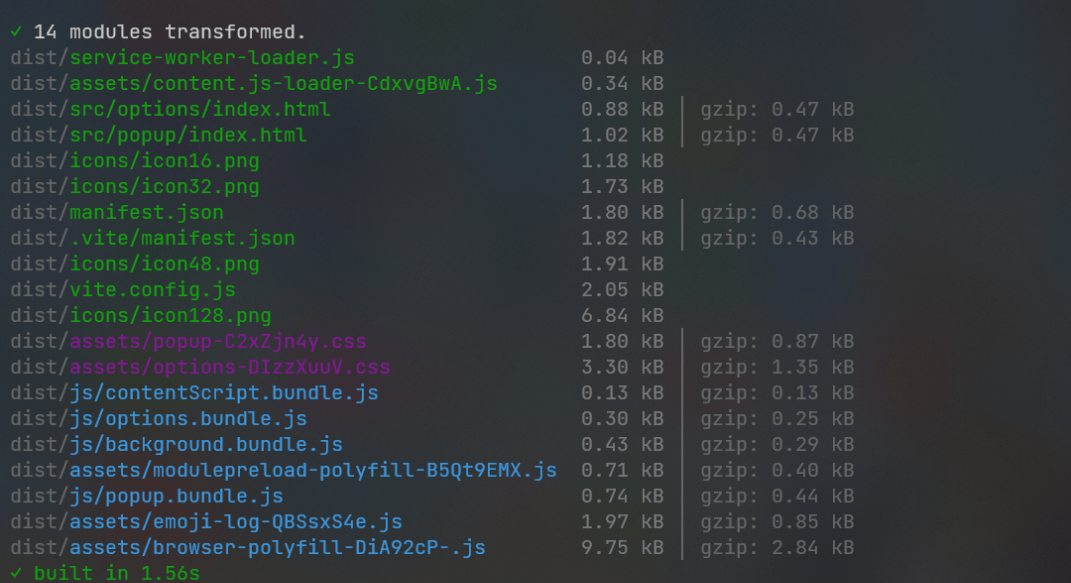
### 生产构建
```bash
npm run build:firefox # Firefox生产构建
npm run build:chrome # Chrome生产构建
```
### 本地运行
```bash
npm run start:firefox # 启动Firefox测试实例
npm run start:chrome # 启动Chrome测试实例
```
运行后会启动对应浏览器,并自动加载运行项目。
### 代码质量
```bash
npm run lint # 执行构建并代码校验
```
### 打包ZIP
```bash
npm run pack:firefox # Firefox打包
npm run pack:chrome # Chrome打包
```
打包后的文件会输出到 `web-ext-artifacts/` 目录。
### CRX打包
```bash
npm run pack:crx # 生成.crx扩展包(需配置scripts/crx-pack.js)
```
### 签名发布
```bash
npm run sign:firefox # 签名发布Firefox扩展(需配置API密钥)
npm run sign:chrome # 签名发布Chrome扩展(需配置Web Store凭据)
```
自动上传扩展商店签名并发布,签名后的.XPI文件会输出到 `web-ext-artifacts/` 目录。
### ⚙️ 配置说明
1. 环境模式:更改manifest文件
2. 构建输出:构建产物默认生成至/dist目录
3. 签名配置:需在package.json中配置以下凭证:
```
Firefox: 和
Chrome:
```
- `firefox`获取API密钥请查看[此指南](https://extensionworkshop.com/documentation/develop/web-ext-command-reference/#web-ext-sign)
- `chrome`获取API密钥请查看[此指南](https://github.com/fregante/chrome-webstore-upload-keys)
### 持续集成
可以通过在 GitHub Actions 中添加以下 secrets 来同时自动发布到 Chrome Web Store 和 Mozilla Addons:
- **CLIENT_ID** 和 **CLIENT_SECRET** 以及来自 Google APIs 的 **REFRESH_TOKEN **和 **EXTENSION-ID**
- **WEB_EXT_API_KEY** 和来自 AMO 的 **WEB_EXT_API_SECRET**
GitHub Actions 工作流将会:
- 构建扩展
- 将扩展部署到两个商店
借助包含的 [GitHub Action](https://github.com/waahah/VExt/actions) 工作流,CI可以:
- 在有新的 tag 提交时触发
- 手动触发,只需点击 Actions 标签页中的 “Run workflow”
> 立即开始构建跨浏览器扩展项目! ✨
### 🧹使用此项目构建的扩展
- [Meow](https://github.com/waahah/Meow)

