https://github.com/wagiminator/attiny13-continuitytester
Simple Continuity Tester
https://github.com/wagiminator/attiny13-continuitytester
arduino attiny attiny13a avr diy pcb project
Last synced: about 1 year ago
JSON representation
Simple Continuity Tester
- Host: GitHub
- URL: https://github.com/wagiminator/attiny13-continuitytester
- Owner: wagiminator
- License: other
- Created: 2020-12-14T20:13:45.000Z (over 5 years ago)
- Default Branch: main
- Last Pushed: 2022-12-12T19:40:04.000Z (over 3 years ago)
- Last Synced: 2025-03-26T06:20:02.958Z (about 1 year ago)
- Topics: arduino, attiny, attiny13a, avr, diy, pcb, project
- Language: C++
- Homepage: https://oshwlab.com/wagiminator/attiny13-continuity-tester
- Size: 1.32 MB
- Stars: 24
- Watchers: 1
- Forks: 7
- Open Issues: 1
-
Metadata Files:
- Readme: README.md
- License: LICENSE
Awesome Lists containing this project
README
# Continuity Tester based on ATtiny13A
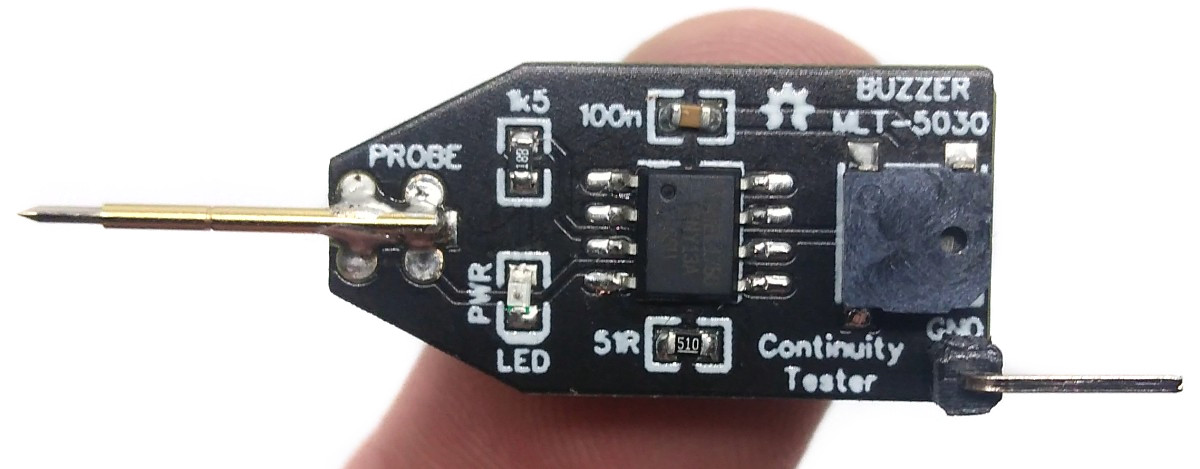
The simple yet effective Continuity Tester is just a conversion of the original one by [David Johnson-Davies](http://www.technoblogy.com/show?1YON) from the ATtiny85 to the ATtiny13A. It is designed to check circuit wiring and PCB tracks.
- Design Files (EasyEDA): https://easyeda.com/wagiminator/attiny13-continuity-tester
# Hardware
The basic wiring is shown below:

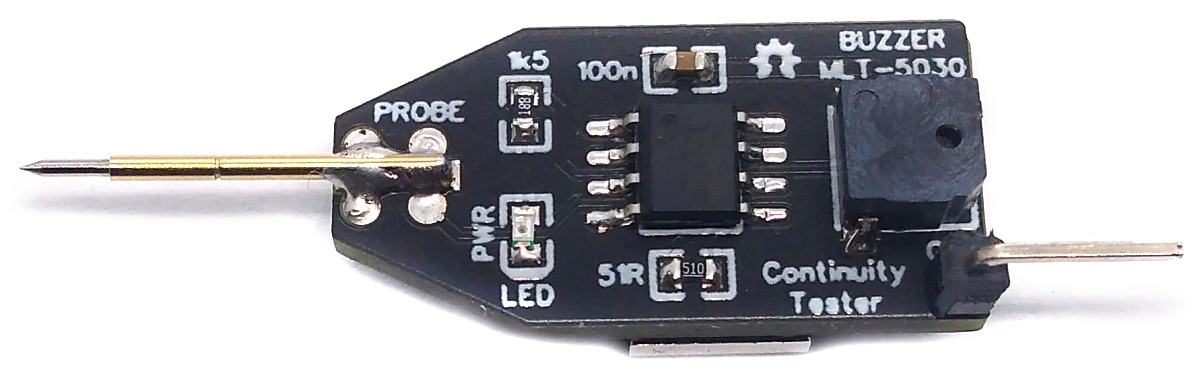
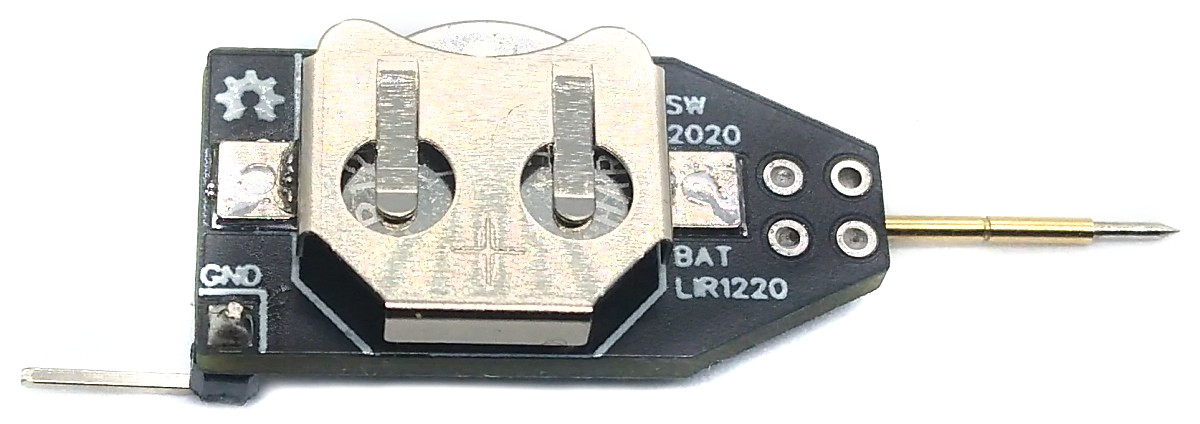
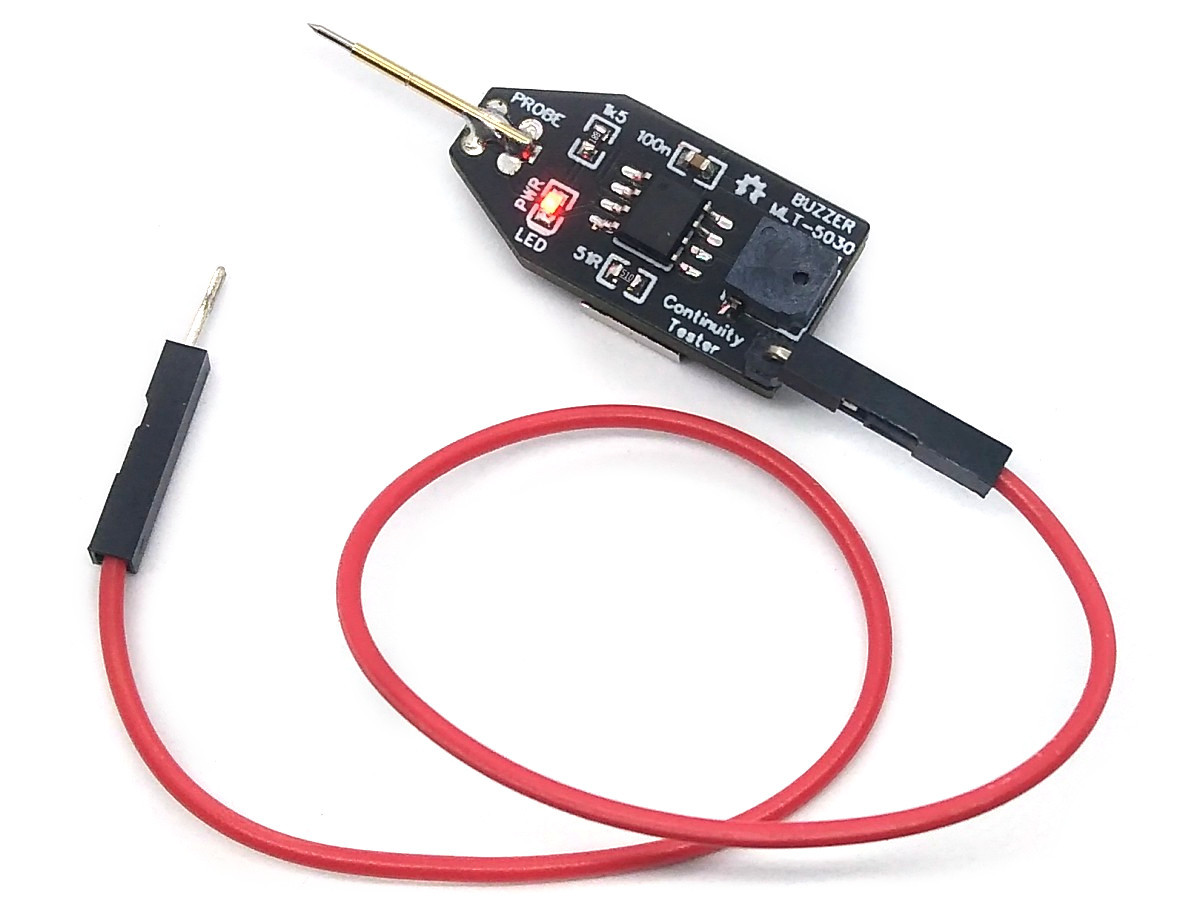
Connect one end of a wire to the GND terminal and use the other end together with the pogo pin to check the continuity of wires and traces. The device is powered by a 1220 coin cell battery. Please remember that only the rechargeable LIR1220 Li-Ion batteries work. The "normal" CR1220s don't deliver enough power for the buzzer.
# Software
## Implementation
The code is using the internal analog comparator of the ATtiny. By using the internal pullup resistors on both inputs of the comparator and by using a 51 Ohm pulldown resistor to form a voltage divider on the positive input, the comparator output becomes high if the resistance between both probes is less then 51 Ohms. This indicates a continuity between the probes and the buzzer will be turned on. For a more precise explanation refer to [David's project](http://www.technoblogy.com/show?1YON). Timer0 is set to CTC mode with a TOP value of 127 and no prescaler. At a clockspeed of 128 kHz it fires every millisecond the compare match A interrupt which is used as a simple millis counter. In addition the compare match interrupt B can be activated to toggle the buzzer pin at a frequency of 1000 Hz, which creates a "beep". If no continuity between the probes is detected for 10 seconds, the ATtiny is put into sleep, consuming almost no power. The device can be reactivated by holding the two probes together. The LED lights up when the device is activated and goes out when the ATtiny is asleep. The code needs only 280 bytes of flash if compiled with LTO.
```c
// Libraries
#include // for GPIO
#include // for sleep mode
#include // for interrupts
// Pin definitions
#define REF PB0 // reference pin
#define PROBE PB1 // pin connected to probe
#define LED PB2 // pin connected to LED
#define EMPTY PB3 // unused pin
#define BUZZER PB4 // pin connected to buzzer
// Firmware parameters
#define TIMEOUT 10000 // sleep timer in ms
#define DEBOUNCE 50 // buzzer debounce time in ms
// Global variables
volatile uint16_t tmillis = 0; // counts milliseconds
// Main function
int main(void) {
set_sleep_mode(SLEEP_MODE_PWR_DOWN); // set sleep mode to power down
PRR = (1< DEBOUNCE) // no continuity detected?
TIMSK0 &= ~(1< TIMEOUT) { // go to sleep?
PORTB &= ~(1< Board -> MicroCore** and select **ATtiny13**.
- Go to **Tools** and choose the following board options:
- **Clock:** 128 kHz internal osc.
- **BOD:** BOD disabled
- **Timing:** Micros disabled
- Connect your programmer to your PC and to the ATtiny.
- Go to **Tools -> Programmer** and select your ISP programmer (e.g. [USBasp](https://aliexpress.com/wholesale?SearchText=usbasp)).
- Go to **Tools -> Burn Bootloader** to burn the fuses.
- Open ContinuityTester.ino and click **Upload**.
### If using the precompiled hex-file
- Make sure you have installed [avrdude](https://learn.adafruit.com/usbtinyisp/avrdude).
- Connect your programmer to your PC and to the ATtiny.
- Open a terminal.
- Navigate to the folder with the hex-file.
- Execute the following command (if necessary replace "usbasp" with the programmer you use):
```
avrdude -c usbasp -p t13 -U lfuse:w:0x3b:m -U hfuse:w:0xff:m -U flash:w:continuitytester.hex
```
### If using the makefile (Linux/Mac)
- Make sure you have installed [avr-gcc toolchain and avrdude](http://maxembedded.com/2015/06/setting-up-avr-gcc-toolchain-on-linux-and-mac-os-x/).
- Connect your programmer to your PC and to the ATtiny.
- Open a terminal.
- Navigate to the folder with the makefile and sketch.
- Run `PROGRMR=usbasp make install` to compile, burn the fuses and upload the firmware (change PROGRMR accordingly).
# References, Links and Notes
1. [Original Project by David Johnson-Davies](http://www.technoblogy.com/show?1YON)
2. [ATtiny13A Datasheet](http://ww1.microchip.com/downloads/en/DeviceDoc/doc8126.pdf)
# License

This work is licensed under Creative Commons Attribution-ShareAlike 3.0 Unported License.
(http://creativecommons.org/licenses/by-sa/3.0/)