https://github.com/walid-official/earn-money
This MERN-based project provides a seamless experience for users to perform, create, and manage micro-tasks while earning and managing coins. The platform supports three distinct user roles: Worker, Buyer, and Admin, each with tailored functionalities for an engaging
https://github.com/walid-official/earn-money
expressjs firebase jwt mongodb motion nodejs reactjs
Last synced: 3 months ago
JSON representation
This MERN-based project provides a seamless experience for users to perform, create, and manage micro-tasks while earning and managing coins. The platform supports three distinct user roles: Worker, Buyer, and Admin, each with tailored functionalities for an engaging
- Host: GitHub
- URL: https://github.com/walid-official/earn-money
- Owner: walid-official
- Created: 2025-01-27T08:57:01.000Z (over 1 year ago)
- Default Branch: main
- Last Pushed: 2025-07-08T06:03:35.000Z (about 1 year ago)
- Last Synced: 2026-01-03T14:29:58.202Z (6 months ago)
- Topics: expressjs, firebase, jwt, mongodb, motion, nodejs, reactjs
- Language: JavaScript
- Homepage: https://earnify-life210.surge.sh/
- Size: 3.04 MB
- Stars: 0
- Watchers: 1
- Forks: 0
- Open Issues: 0
-
Metadata Files:
- Readme: README.md
Awesome Lists containing this project
README
# Project Name :
## Earnify - Micro-Task and Earning Platform
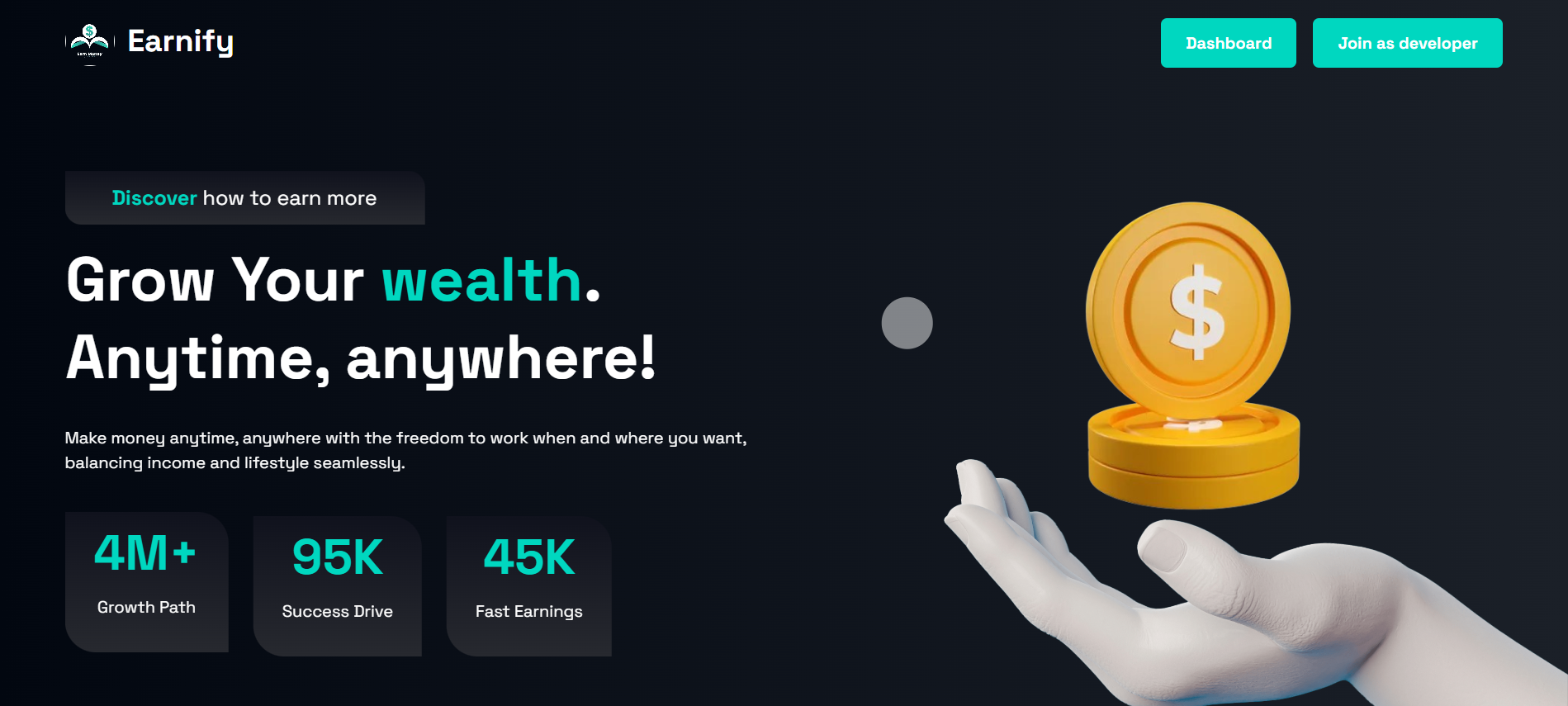
Welcome to the Micro-Task and Earning Platform! This MERN-based project provides a seamless experience for users to perform, create, and manage micro-tasks while earning and managing coins. The platform supports three distinct user roles: Worker, Buyer, and Admin, each with tailored functionalities for an engaging and efficient tasking ecosystem.
##
# Admin Username and Password :
UserName : walid.official90@gmail.com
Password: WalidOfficial90
# 🌟 Live Site URL
https://earn-money-742d2.web.app
# 🚀 Features:
## 1. Three User Roles:
* Worker: Completes tasks, earns rewards, and withdraws earnings.
* Buyer: Creates tasks, reviews submissions, and purchases coins for task management.
* Admin: Oversees platform operations, user management, and handles reported issues.
## 2. Authentication System:
* Secure registration with role selection (Worker/Buyer).
* Login using email/password or Google Sign-In.
* Access tokens stored securely in local storage for session persistence.
## 3. Dynamic Homepage:
* Hero section with an animated slider or background video.
* "Best Workers" section showcasing top contributors by earnings.
* Testimonial slider for user feedback.
* Additional three creative sections for enhanced user engagement.
## 4. Responsive Design:
* Fully responsive for mobile, tablet, and desktop views, including the dashboard.
## 5. Worker Dashboard:
* View total submissions, pending tasks, and total earnings.
* Access approved submissions and available tasks in a card format.
* Task detail view with a submission form to complete tasks.
## 6. Buyer Dashboard:
* Overview of task count, pending tasks, and payment history.
* Task management with update, delete, and review capabilities.
* Purchase coins using a Stripe-based payment system.
## 7. Admin Dashboard:
* Manage users and their roles.
* Address reports and ensure platform integrity.
## 8. Secure Data Handling:
* Environment variables used to hide sensitive Firebase and MongoDB credentials.
* Validations for secure user input during registration and login.
## Payment
* Stripe integration for purchasing coins.
* Dummy payment system as fallback.
## 10. Notifications and Real-Time Updates:
* Workers receive notifications about task updates and payments.
* Buyers get alerts for task submissions and approvals/rejections.
## Dependencies
This project requires the following dependencies:
| Package | Version | Description |
|---------------------------------|----------|-------------|
| `@headlessui/react` | ^2.2.0 | UI components for headless design |
| `@smastrom/react-rating` | ^1.5.0 | Star rating component for React |
| `@stripe/react-stripe-js` | ^3.1.1 | React bindings for Stripe.js |
| `@stripe/stripe-js` | ^5.5.0 | Official Stripe.js library |
| `@tanstack/react-query` | ^5.64.1 | Data-fetching and state management |
| `apexcharts` | ^4.3.0 | JavaScript charting library |
| `axios` | ^1.7.9 | Promise-based HTTP client |
| `firebase` | ^11.1.0 | Firebase SDK for web apps |
| `localforage` | ^1.10.0 | Offline storage library |
| `match-sorter` | ^8.0.0 | String sorting and filtering |
| `motion` | ^11.18.0 | Animation library for React |
| `react` | ^18.3.1 | JavaScript library for building UI |
| `react-apexcharts` | ^1.7.0 | React wrapper for ApexCharts |
| `react-countup` | ^6.5.3 | Animated number counter |
| `react-datepicker` | ^7.6.0 | Date picker component |
| `react-dom` | ^18.3.1 | React library for DOM rendering |
| `react-hook-form` | ^7.54.2 | Form management library |
| `react-hot-toast` | ^2.5.1 | Notifications for React |
| `react-icons` | ^5.4.0 | Icons library for React |
| `react-router-dom` | ^7.1.1 | Routing library for React apps |
| `react-scroll-trigger` | ^0.6.14 | Detect scroll events in React |
| `recharts` | ^2.15.0 | Charting library for React |
| `sort-by` | ^1.2.0 | Utility for sorting arrays |
| `swiper` | ^11.2.1 | Modern touch slider library |
To install all dependencies, run:
npm install
Here’s the **full setup guide** that you can **copy and paste** into your `README.md` file:
# 🛠️ Run the Project Locally
Follow the steps below to set up and run the **Earnify - Micro-Task and Earning Platform** on your local machine.
---
## **📌 Prerequisites**
Ensure you have the following installed before proceeding:
- **Node.js** (Latest LTS version recommended) → [Download here](https://nodejs.org/)
- **MongoDB** (If using a local database) → [Download here](https://www.mongodb.com/try/download/community)
- **Git** (For cloning the repository) → [Download here](https://git-scm.com/downloads)
- **Firebase Account** (For authentication & database, if required)
- **Stripe Account** (For payment functionality)
---
## **🚀 Steps to Run Locally**
### **1️⃣ Clone the Repository**
Open your terminal and run:
```sh
git clone https://github.com/walid-official/earn-money.git
cd earn-money
```
---
### **2️⃣ Install Dependencies**
Run the following command to install all required packages:
```sh
npm install
```
If using **Yarn**, run:
```sh
yarn install
```
---
### **3️⃣ Configure Environment Variables**
Create a **`.env`** file in the root of the project and add the required credentials:
```sh
# Firebase Config
VITE_FIREBASE_API_KEY=your_firebase_api_key
VITE_FIREBASE_AUTH_DOMAIN=your_firebase_auth_domain
VITE_FIREBASE_PROJECT_ID=your_firebase_project_id
VITE_FIREBASE_STORAGE_BUCKET=your_firebase_storage_bucket
VITE_FIREBASE_MESSAGING_SENDER_ID=your_firebase_messaging_sender_id
VITE_FIREBASE_APP_ID=your_firebase_app_id
# Stripe Config
VITE_STRIPE_PUBLIC_KEY=your_stripe_public_key
# Backend API URL
VITE_BACKEND_URL=http://localhost:5000
```
> **Note:** Replace `your_firebase_api_key`, `your_stripe_public_key`, etc., with actual values from your Firebase and Stripe dashboard.
---
### **4️⃣ Start the Development Server**
Once dependencies are installed and environment variables are set, start the app:
```sh
npm run dev
```
> The app should now be running on **http://localhost:5173/** (or as specified in your terminal).
---
### **5️⃣ (Optional) Running the Backend Server**
If the project includes a backend (Node.js/Express/MongoDB), follow these steps:
1. **Navigate to the backend directory** (if separate):
```sh
cd backend
```
2. **Install backend dependencies:**
```sh
npm install
```
3. **Start the backend server:**
```sh
npm start
```
4. **Ensure MongoDB is running**
- If using a local database, run:
```sh
mongod
```
- If using **MongoDB Atlas**, set up the connection in your `.env` file:
```sh
MONGO_URI=your_mongodb_connection_string
```
---
## **🎯 Access the App**
Once everything is up and running, open your browser and visit:
👉 **Frontend:** [`http://localhost:5173`](http://localhost:5173)
👉 **Backend (API, if applicable):** [`http://localhost:5000`](http://localhost:5000)
---
### **✅ Admin Login Credentials**
Use the following credentials to log in as an admin:
- **Username:** `walid.official90@gmail.com`
- **Password:** `WalidOfficial90`
---
## **🔥 Troubleshooting**
If you face issues:
- **Check logs for errors** using `npm run dev` or `npm start`
- **Ensure all environment variables are set correctly**
- **Verify MongoDB is running** (`mongod`)
- **Restart the server** if necessary
---
### **🎉 You're now ready to use Earnify locally!** 🚀
```
This guide provides **step-by-step** instructions with **clear formatting** so users can easily follow along. Let me know if you need any modifications! 😊