https://github.com/wallter/demo-google-keep-clone
(Demo) Google Keep clone using Next.js 13 + React + Pocketbase
https://github.com/wallter/demo-google-keep-clone
Last synced: over 1 year ago
JSON representation
(Demo) Google Keep clone using Next.js 13 + React + Pocketbase
- Host: GitHub
- URL: https://github.com/wallter/demo-google-keep-clone
- Owner: wallter
- Created: 2023-10-20T17:21:11.000Z (over 2 years ago)
- Default Branch: main
- Last Pushed: 2023-11-04T17:24:20.000Z (over 2 years ago)
- Last Synced: 2025-01-21T21:31:44.035Z (over 1 year ago)
- Language: TypeScript
- Size: 15.9 MB
- Stars: 0
- Watchers: 1
- Forks: 0
- Open Issues: 3
-
Metadata Files:
- Readme: README.md
Awesome Lists containing this project
README
# Google Keep Clone (Notes App)
## About The Notes App
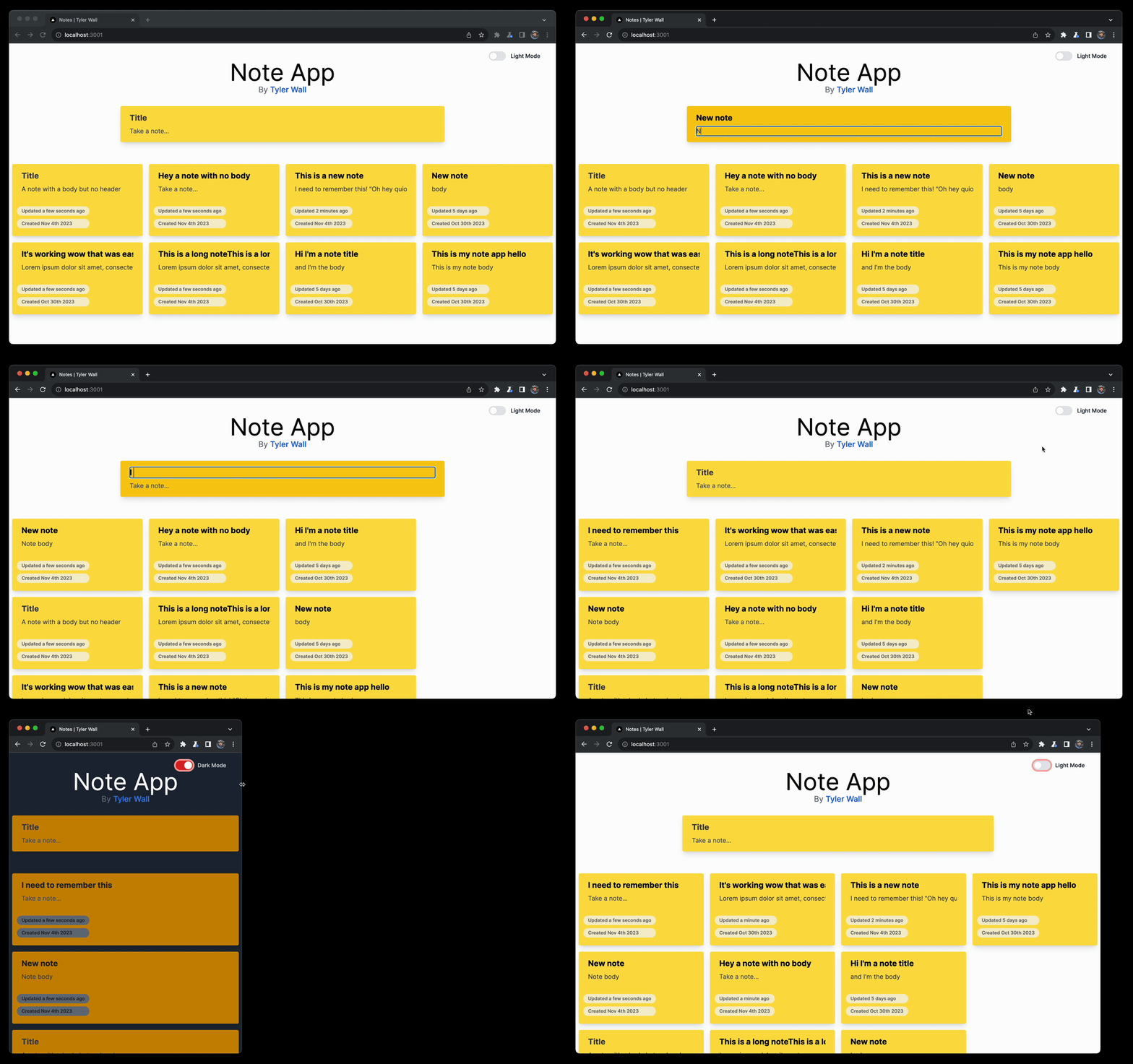
This demo application leverages features of NextJS v13 including both SSR and Client rendered React components. Tailwind is used for styling. Simplistic use of React Hooks are used for debounced/throttled persistance events to a local PocketBase SQLite DB.
## TLDR;
```sh
# install dependencies
npm i
# OSX Standalone Pocketbase binary included
# Start the pocketbase DB server (in the background)
./pocketbase serve &
# Run the application (in the background)
npm run dev &
# or yarn dev &
# Open in browser (port may change due to conflict)
open http://localhost:3000
# ... To stop
kill %1
kill %2
```
## Features
- [ ] Drag & Drop
- [ ] Media/Images
- [x] Note Ordering
- [x] Light/Dark Mode
- [x] Responsive Layout (tailwind)
- [x] Persistence (`onBlur` & throttled `onChange`)
- [x] SSR & React Components
## Local Dev Env
### [Pocketbase](https://github.com/pocketbase/pocketbase)
PocketBase is an open source Go backend, consisting of:
- embedded database (SQLite) with realtime subscriptions
- built-in files and users management
- convenient Admin dashboard UI
- and simple REST-ish API
### How to Run:
*Mac Notes: Must enable in settings > security (unknown developer)
```sh
# Run the included standalone executable
$ ./pocketbase serve
Server started at http://127.0.0.1:8090
├─ REST API: http://127.0.0.1:8090/api/
└─ Admin UI: http://127.0.0.1:8090/_/
```
This is a [Next.js](https://nextjs.org/) project bootstrapped with [`create-next-app`](https://github.com/vercel/next.js/tree/canary/packages/create-next-app).
## Getting Started
First, run the development server:
```bash
npm run dev
# or
yarn dev
# or
pnpm dev
```
Open [http://localhost:3000](http://localhost:3000) with your browser to see the result.
You can start editing the page by modifying `app/page.tsx`. The page auto-updates as you edit the file.
This project uses [`next/font`](https://nextjs.org/docs/basic-features/font-optimization) to automatically optimize and load Inter, a custom Google Font.