https://github.com/wang-zerui/XidianFileSystem
https://github.com/wang-zerui/XidianFileSystem
Last synced: over 1 year ago
JSON representation
- Host: GitHub
- URL: https://github.com/wang-zerui/XidianFileSystem
- Owner: wang-zerui
- License: apache-2.0
- Created: 2022-05-16T14:38:04.000Z (about 4 years ago)
- Default Branch: main
- Last Pushed: 2022-05-20T08:34:43.000Z (about 4 years ago)
- Last Synced: 2024-10-20T13:35:16.175Z (almost 2 years ago)
- Language: Java
- Size: 236 KB
- Stars: 1
- Watchers: 1
- Forks: 0
- Open Issues: 0
-
Metadata Files:
- Readme: README.md
- License: LICENSE
Awesome Lists containing this project
README
## 环境
- 环境:windows
- jdk: 1.7 (只试用了1.7)
- Hadoop2.7.3
## 使用步骤
1. 解压缩
2. 将jar包放到`hadoop-2.7.3\share\hadoop\hdfs\lib`下
3. 编辑`hadoop-2.7.3/etc/hadoop/core-site.xml`
```xml
fs.xidian.impl
org.apache.hadoop.fs.xd.XdFileSystem
```
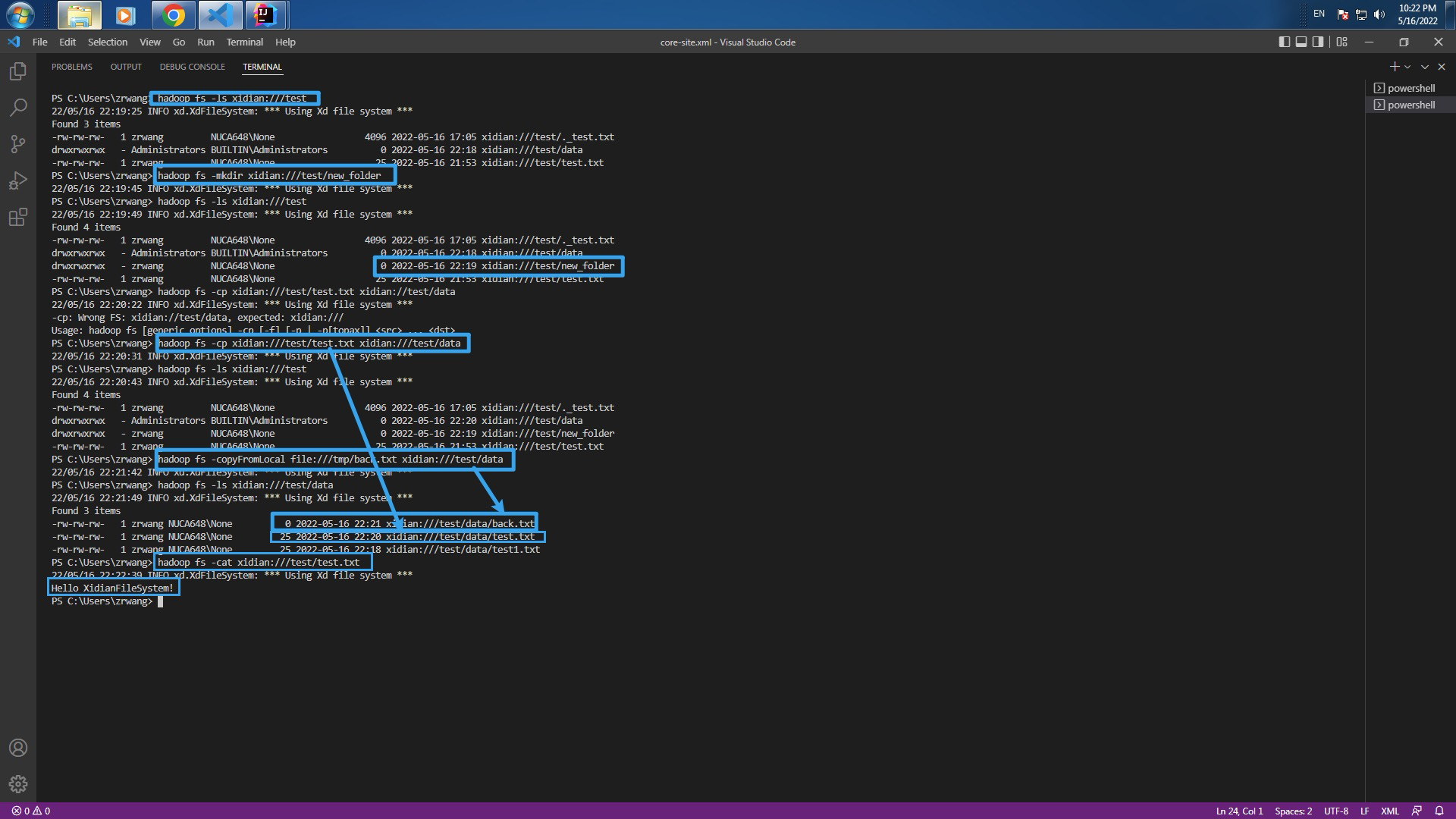
1. 命令行操作测试
测试时保证有对应文件存在
文件路径格式`xidian://`+`路径`,`路径`不包含分卷名(c盘d盘等),注意用斜杠分割不要用`\`
```git
hadoop fs -ls xidian:///test
hadoop fs -mkdir xidian:///test/new_folder
hadoop fs -cp xidian:///test/test.txt xidian://test/data
hadoop fs -cp xidian:///test/test.txt xidian:///test/data
hadoop fs -copyFromLocal file:///tmp/back.txt xidian:///test/data
hadoop fs -cat xidian:///test/test.txt
```
我的目录
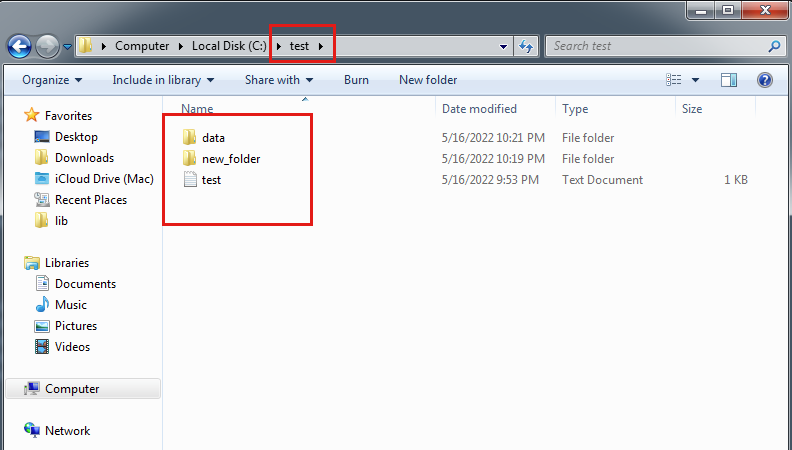
运行结果截图