https://github.com/waveshareteam/ugv_ws
https://github.com/waveshareteam/ugv_ws
Last synced: about 1 year ago
JSON representation
- Host: GitHub
- URL: https://github.com/waveshareteam/ugv_ws
- Owner: waveshareteam
- Created: 2024-09-04T12:35:43.000Z (almost 2 years ago)
- Default Branch: ros2-humble-develop
- Last Pushed: 2025-02-25T09:28:25.000Z (over 1 year ago)
- Last Synced: 2025-04-03T17:11:13.368Z (over 1 year ago)
- Language: C
- Size: 18.7 MB
- Stars: 25
- Watchers: 2
- Forks: 9
- Open Issues: 3
-
Metadata Files:
- Readme: README.md
Awesome Lists containing this project
README
# ugv_ws Workspace Description (Stable)
1.Environment
- pc software:VMware Workstation 17Pro、mobarxterm
- ugv Version:UGV ROVER、UGV BEAST
2.Architecture
- project:https://github.com/DUDULRX/ugv_ws/tree/ros2-humble
```jsx
git clone -b ros2-humble-develop https://github.com/DUDULRX/ugv_ws.git
```
- First compilation on the virtual machine (compiling one by one on the robot)
```jsx
cd /home/ws/ugv_ws
. build_first.sh
```
build_first.sh content
```jsx
cd /home/ws/ugv_ws
colcon build --packages-select apriltag apriltag_msgs apriltag_ros cartographer costmap_converter_msgs costmap_converter emcl2 explore_lite openslam_gmapping slam_gmapping ldlidar rf2o_laser_odometry robot_pose_publisher teb_msgs teb_local_planner vizanti vizanti_cpp vizanti_demos vizanti_msgs vizanti_server ugv_base_node ugv_interface
colcon build --packages-select ugv_bringup ugv_chat_ai ugv_description ugv_gazebo ugv_nav ugv_slam ugv_tools ugv_vision ugv_web_app --symlink-install
echo "source /opt/ros/humble/setup.bash" >> ~/.bashrc
echo "eval "$(register-python-argcomplete ros2)"" >> ~/.bashrc
echo "eval "$(register-python-argcomplete colcon)"" >> ~/.bashrc
echo "source /home/ws/ugv_ws/install/setup.bash" >> ~/.bashrc
source ~/.bashrc
```
- Daily compilation of virtual machines (one by one on the car)
```jsx
cd /home/ws/ugv_ws
. build_common.sh
```
build_common.sh content
```jsx
cd /home/ws/ugv_ws
colcon build --packages-select apriltag apriltag_msgs apriltag_ros cartographer costmap_converter_msgs costmap_converter emcl2 explore_lite openslam_gmapping slam_gmapping ldlidar rf2o_laser_odometry robot_pose_publisher teb_msgs teb_local_planner vizanti vizanti_cpp vizanti_demos vizanti_msgs vizanti_server ugv_base_node ugv_interface
colcon build --packages-select ugv_bringup ugv_chat_ai ugv_description ugv_gazebo ugv_nav ugv_slam ugv_tools ugv_vision ugv_web_app --symlink-install
source install/setup.bash
```
- Compile apriltag
```jsx
cd /home/ws/ugv_ws
. build_apriltag.sh
```
build_apriltag.sh content
```jsx
cd /home/ws/ugv_ws/src/ugv_else/apriltag_ros/apriltag
cmake -B build -DCMAKE_BUILD_TYPE=Release
cmake --build build --target install
cd /home/ws/ugv_ws
```
- Ubuntu software:
**Install according to wiki install ros2 humble**
```jsx
apt-get update
apt-get upgrade
apt install python3-pip
apt-get install alsa-utils
apt install python3-colcon-argcomplete
apt install ros-humble-cartographer-*
apt install ros-humble-desktop-*
apt install ros-humble-joint-state-publisher-*
apt install ros-humble-nav2-*
apt install ros-humble-rosbridge-*
apt install ros-humble-rqt-*
apt install ros-humble-rtabmap-*
apt install ros-humble-usb-cam
apt install ros-humble-depthai-*
#Simulation virtual machine installation
apt install gazebo
apt install ros-humble-gazebo-*
```
- Python3 Library:
domestic
```jsx
cd ~/ugv_ws
python3 -m pip install -r requirements.txt -i https://pypi.tuna.tsinghua.edu.cn/simple
```
foreign
```jsx
cd ~/ugv_ws
python3 -m pip install -r requirements.txt
```
requirements.txt content
```jsx
pyserial
flask
mediapipe
requests
```
- Feature pack ugv_ws
> ugv_main Main functions
>
>
> > ugv_base_node Two-wheel differential kinematics
> >
>
> > ugv_bringup drive, control
> >
>
> > ugv_chat_ai web ai interaction
> >
>
> > ugv_description Model
> >
>
> > ugv_gazebo simulation
> >
>
> > ugv_interface Information interface
> >
>
> > ugv_nav navigation
> >
>
> > ugv_slam Mapping
> >
>
> > ugv_tools tool
> >
>
> > ugv_vision visual interaction
> >
>
> > ugv_web_app web
> >
> ugv_else ( ugv_main dependence)
>
>
> > apriltag_ros
> >
>
> > cartographer
> >
>
> > costmap_converter
> >
>
> > emcl_ros2
> >
>
> > explore_lite
> >
>
> > gmapping
> >
>
> > ldlidar
> >
>
> > rf2o_laser_odometry
> >
>
> > robot_pose_publisher
> >
>
> > teb_local_planner
> >
>
> > vizanti
> >
3.Use (ros packages on the car are all executed in docker)
use_rviz optional true, false (default)
car model optional rasp_rover, ugv_rover, ugv_beast
lidar model optional ld06, ld19 (default), stl27l
- Start the car and turn off the auto-start script.
```jsx
sudo killall -9 python
```
Enter docker and start ssh to remotely access docker and the visual interface
- Car settings docker
- Set up docker remote login
Execute on the host and enter the directory
```jsx
cd /home/ws/ugv_ws
sudo chmod +x ros2_humble.sh remotessh.sh
./ros2_humble.sh
```
1进入docker

- Exit docker
Execute within docker
```jsx
exit
```
- Remote to docker


```jsx
#username
root
#Password needs to be set in advance
ws
```
Enter workspace
```jsx
cd /home/ws/ugv_ws
```
- View model joints
- rasp_rover
```jsx
export UGV_MODEL=rasp_rover
```
start up
```jsx
ros2 launch ugv_description display.launch.py use_rviz:=true
```

- ugv_rover
```jsx
export UGV_MODEL=ugv_rover
```
start up
```jsx
ros2 launch ugv_description display.launch.py use_rviz:=true
```

- ugv_beast
```jsx
export UGV_MODEL=ugv_beast
```
start up
```jsx
ros2 launch ugv_description display.launch.py use_rviz:=true
```

- Drive the car (can control the pan/tilt and LED lights)
```jsx
ros2 run ugv_bringup ugv_driver
```
Drag the slider related to the joint angle publisher to control the gimbal
[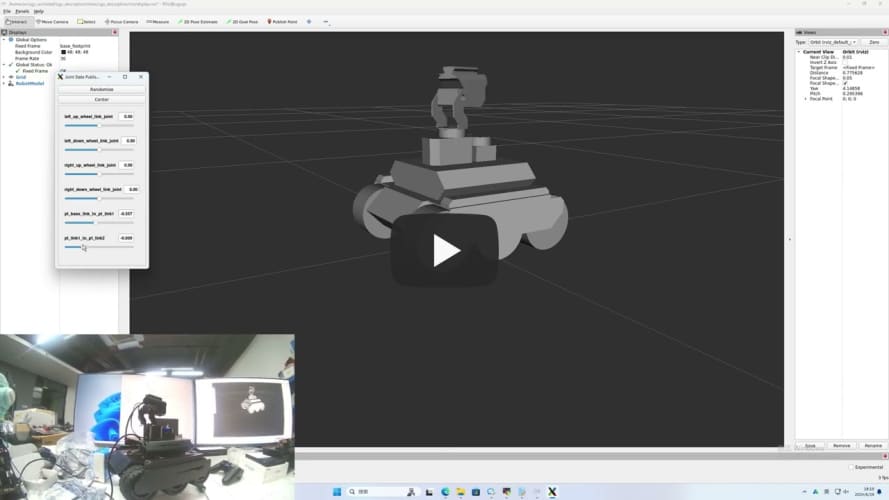](https://youtu.be/jA9LJTBRQqY "")
Control the light data 0-255 data[0] control the light IO4 near the oak camera data[1] control the light IO5 near the usb camera
```jsx
ros2 topic pub /ugv/led_ctrl std_msgs/msg/Float32MultiArray "{data: [0, 0]}" -1
```
- Chassis driver (executed within docker)
If you switch to another radar, modify
```jsx
export LDLIDAR_MODEL=
```
- Use radar as imu sensor data (more stable)
```jsx
ros2 launch ugv_bringup bringup_lidar.launch.py use_rviz:=true
```
Rotate the car in place to check the posture
[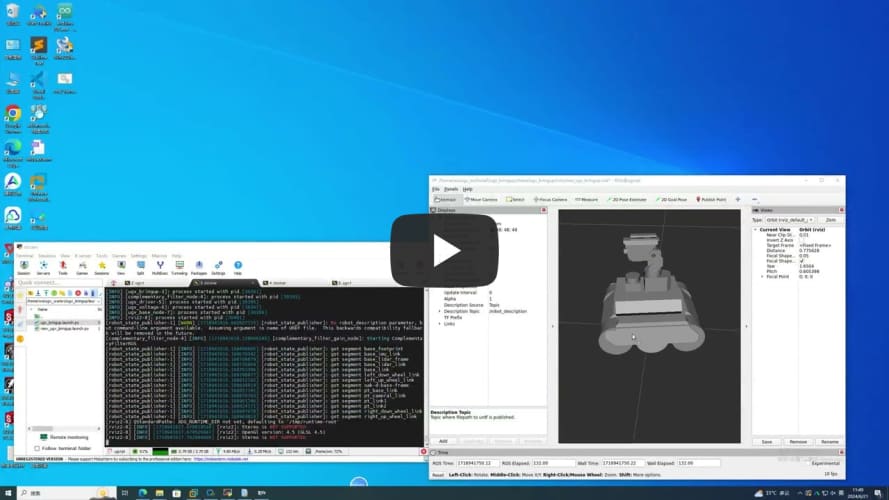](https://youtu.be/5neLr1Q2ddM "")
- Joystick, keyboard control
Start the car
```jsx
ros2 launch ugv_bringup bringup_lidar.launch.py use_rviz:=true
```
- Joystick control (the joystick USB interface needs to be connected to the car or virtual machine)
```jsx
ros2 launch ugv_tools teleop_twist_joy.launch.py
```
- keyboard control
```jsx
ros2 run ugv_tools keyboard_ctrl
```

- Visual interaction
Start the car
```jsx
ros2 launch ugv_bringup bringup_lidar.launch.py use_rviz:=true
```
- Start related interfaces
control car
```jsx
ros2 run ugv_tools behavior_ctrl
```
Turn on the camera, easy
```jsx
ros2 run usb_cam usb_cam_node_exe
```
Turn on the camera and remove distortion
```jsx
ros2 launch ugv_vision camera.launch.py
```
- Monocular
- Apriltag control
apriltag only sets tag36h11, which can be modified by yourself
- Apriltag control
1 2 3 4 Right, left, front and rear, other stops
```jsx
ros2 run ugv_vision apriltag_ctrl
```
- Apriltag Simple tracking
Select the left and right according to the x coordinate of the center point of the ar tag. After centering, select the front and rear according to the y coordinate. If the y is upward, the front is forward, and if the y is downward, the rear is
```jsx
ros2 run ugv_vision apriltag_track_0
```
- Apriltag Target tracking (AR code needs to specify size 0.08)
pose recognition
Here, the previous command to turn on the camera is turned off and replaced with the following
```jsx
ros2 launch ugv_vision apriltag_track.launch.py
```

- Simply drive to the target point (rotate, go straight)
Turn on tracking
```jsx
ros2 run ugv_vision apriltag_track_1
```
command line
```jsx
ros2 topic pub /apriltag/track std_msgs/msg/Int8 -1
```
- Combine nav2 to drive to the target point (you need to close the previous startup file and change to open nav)
Turn on navigation
```jsx
ros2 launch ugv_nav nav.launch.py use_rviz:=true
```
Turn on tracking
```jsx
ros2 run ugv_vision apriltag_track_2
```
- Mapping
- 2D (LiDAR)
- Gmapping
```jsx
ros2 launch ugv_slam gmapping.launch.py use_rviz:=true
```
[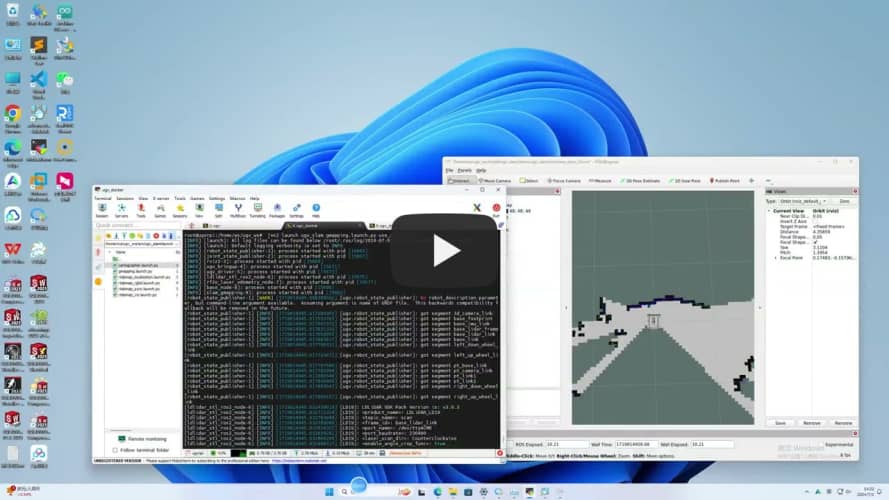](https://youtu.be/cBiuYmxGWks "")
control car
```jsx
ros2 run ugv_tools keyboard_ctrl
```
save map
```jsx
./save_2d_gmapping_map.sh
```

save_2d_gmapping_map.sh内容
```jsx
cd /home/ws/ugv_ws/src/ugv_main/ugv_nav/maps
ros2 run nav2_map_server map_saver_cli -f ./map
```
- Cartographer
```jsx
ros2 launch ugv_slam cartographer.launch.py use_rviz:=true
```
[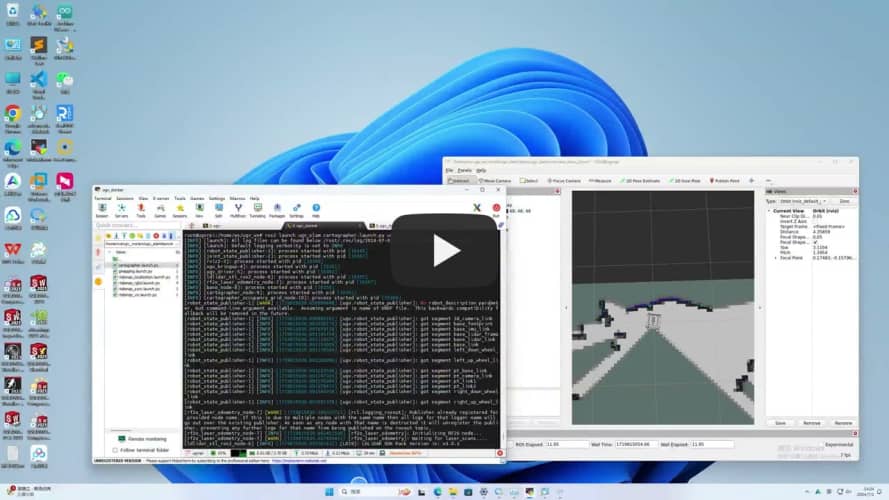](https://youtu.be/dHyNeuJ0k3U "")
control car
```jsx
ros2 run ugv_tools keyboard_ctrl
```
save map
```jsx
./save_2d_cartographer_map.sh
```

save_2d_cartographer_map.sh内容
```jsx
cd /home/ws/ugv_ws/src/ugv_main/ugv_nav/maps
ros2 run nav2_map_server map_saver_cli -f ./map && ros2 service call /write_state cartographer_ros_msgs/srv/WriteState "{filename: '/home/ws/ugv_ws/src/ugv_main/ugv_nav/maps/map.pbstream'}"
```
- 3D (lidar + depth camera)
- Rtabmap
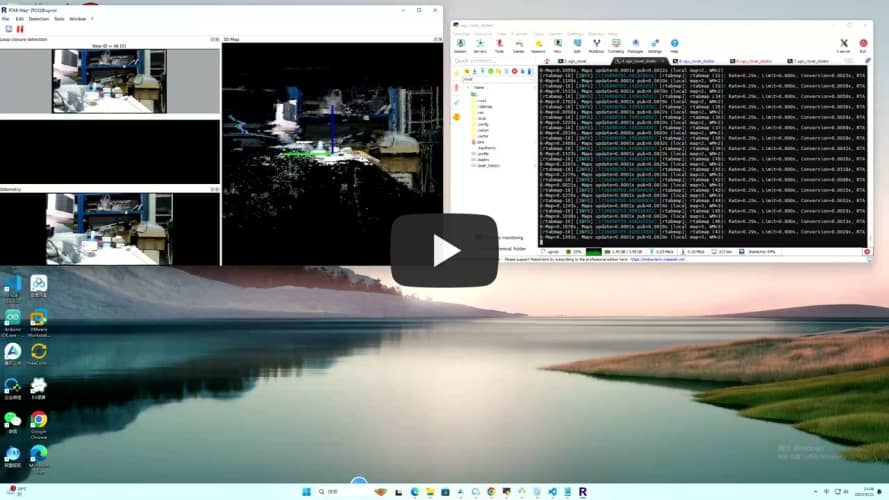
- Rtabmap_viz Visualization
```jsx
ros2 launch ugv_slam rtabmap_rgbd.launch.py use_rviz:=false
```
[](https://youtu.be/J3_QCGVF7Jc "")
control car
```jsx
ros2 run ugv_tools keyboard_ctrl
```
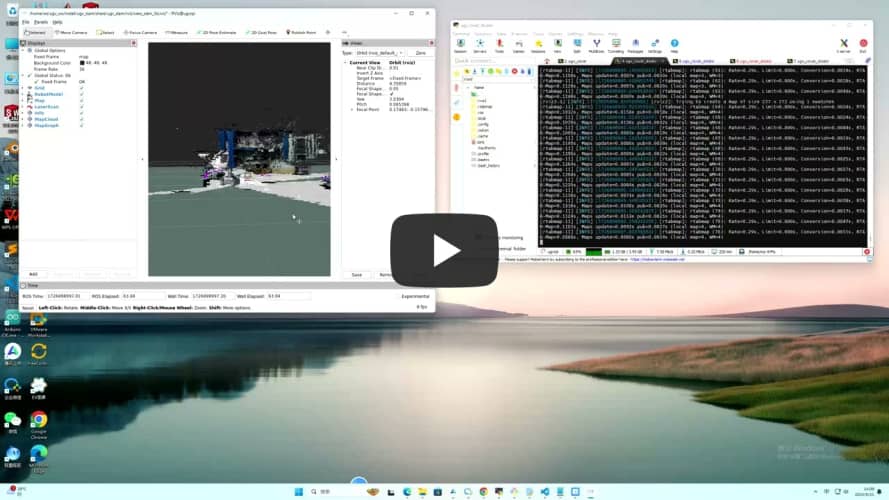
- Rviz Visualization
```jsx
ros2 launch ugv_slam rtabmap_rgbd.launch.py use_rviz:=true
```
[](https://youtu.be/dxey_90tdFI "")
control car
```jsx
ros2 run ugv_tools keyboard_ctrl
```
After the mapping is completed, directly press ctrl+c to exit the mapping node, and the system will automatically save the map. Map default save path ~/.ros/rtabmap.db
- Navigation
- 2D
- Local localization
use_localization amcl(default),emcl,cartographer
- amcl
Start first, you need to manually specify the approximate initial position
```jsx
ros2 launch ugv_nav nav.launch.py use_localization:=amcl use_rviz:=true
```
Then by controlling the car, simply move and rotate to assist in initial positioning.
```jsx
ros2 run ugv_tools keyboard_ctrl
```
- emcl
After startup, you need to manually specify the approximate initial position
```jsx
ros2 launch ugv_nav nav.launch.py use_localization:=emcl use_rviz:=true
```
- cartographer
Note that you need to use Cartographer to build the map before you can proceed.
```jsx
ros2 launch ugv_nav nav.launch.py use_localization:=cartographer use_rviz:=true
```

After startup, if the accurate position has not been located, you can control the car and simply move it to assist in the initial positioning.
```jsx
ros2 run ugv_tools keyboard_ctrl
```
- Local navigation
use_localplan dwa,teb(default)
- dwa
```jsx
ros2 launch ugv_nav nav.launch.py use_localplan:=dwa use_rviz:=true
```
- teb
```jsx
ros2 launch ugv_nav nav.launch.py use_localplan:=teb use_rviz:=true
```
- 3D
- Rtabmap
- Local navigation
Turn on positioning
```jsx
ros2 launch ugv_nav rtabmap_localization_launch.py
```
Turn on nav (you can wait slowly until the 3D data is loaded before navigating, it will take a while)
use_localplan dwa,teb(default)
- dwa
```jsx
ros2 launch ugv_nav nav_rtabmap.launch.py use_localplan:=dwa use_rviz:=true
```
- teb
```jsx
ros2 launch ugv_nav nav_rtabmap.launch.py use_localplan:=teb use_rviz:=true
```
- Mapping and navigation are enabled at the same time (two-dimensional)
```jsx
ros2 launch ugv_nav slam_nav.launch.py use_rviz:=true
```
- Rviz manually publishes navigation points for exploration (you can also use the keyboard, handle, and web side for remote exploration)

- Automatic exploration (to be in a closed rule area)
```jsx
ros2 launch explore_lite explore.launch.py
```
- Save map
```jsx
./save_2d_gmapping_map.sh
```
- Web ai interaction
- Start the car
```jsx
ros2 launch ugv_bringup bringup_lidar.launch.py use_rviz:=true
```
- Start related interfaces
```jsx
ros2 run ugv_tools behavior_ctrl
```
- Web ai Interaction (requires relevant ai interface, currently ollama local deployment)
```jsx
ros2 run ugv_chat_ai app
```
- Web side control
Drive the car first, refer to the above chassis drive, map construction and navigation, and start mapping and navigation at the same time.
- ugv web
```jsx
ros2 launch ugv_web_app bringup.launch.py host:=ip
```
- Command interaction
```jsx
ros2 run ugv_tools behavior_ctrl
```
- Basic control (you need to put the car down and run, and judge whether the goal has been completed based on the odometer)
```jsx
ros2 launch ugv_bringup bringup_lidar.launch.py use_rviz:=true
```
Forward data unit meters
```jsx
ros2 action send_goal /behavior ugv_interface/action/Behavior "{command: '[{\"T\": 1, \"type\": \"drive_on_heading\", \"data\": 0.1}]'}"
```
Back data unit meters
```jsx
ros2 action send_goal /behavior ugv_interface/action/Behavior "{command: '[{\"T\": 1, \"type\": \"back_up\", \"data\": 0.1}]'}"
```
Rotation data unit degree ,positive number left rotation, negative number right rotation
```jsx
ros2 action send_goal /behavior ugv_interface/action/Behavior "{command: '[{\"T\": 1, \"type\": \"spin\", \"data\": -1}]'}"
```
Stop
```jsx
ros2 action send_goal /behavior ugv_interface/action/Behavior "{command: '[{\"T\": 1, \"type\": \"stop\", \"data\": 0}]'}"
```
Navigation needs to be enabled below
```jsx
ros2 launch ugv_nav nav.launch.py use_rviz:=true
```
- Get current point position
```elm
ros2 topic echo /robot_pose --once
```
- Save as navigation point
data Navigation point name, optional a-g
```jsx
ros2 action send_goal /behavior ugv_interface/action/Behavior "{command: '[{\"T\": 1, \"type\": \"save_map_point\", \"data\": \"a\"}]'}"
```
- Move to navigation point
data Navigation point name, optional a-g
```jsx
ros2 action send_goal /behavior ugv_interface/action/Behavior "{command: '[{\"T\": 1, \"type\": \"pub_nav_point\", \"data\": \"a\"}]'}"
```
The saved points will also be stored in the file.

- Gazebo comprehensive simulation (executed on virtual machine)
```jsx
cd ~/.gazebo/
git clone https://github.com/osrf/gazebo_models.git models
cp -r /home/ws/ugv_ws/src/ugv_main/ugv_gazebo/models/world models
cp /home/ws/ugv_ws/ugv_description.zip models
cd ~/.gazebo/models/
unzip ugv_description.zip
rm -rf ugv_description.zip
```
- View model
- rasp_rover
```jsx
export UGV_MODEL=rasp_rover
```
start up
```jsx
ros2 launch ugv_gazebo display.launch.py
```
- ugv_rover
```jsx
export UGV_MODEL=ugv_rover
```
start up
```jsx
ros2 launch ugv_gazebo display.launch.py
```
- ugv_beast
```jsx
export UGV_MODEL=ugv_beast
```
start up
```jsx
ros2 launch ugv_gazebo display.launch.py
```
- Load model
- Empty
```elm
ros2 launch ugv_gazebo bringup_test.launch.py
```

- House
```jsx
ros2 launch ugv_gazebo bringup.launch.py
```

The following takes ugv_rover as an example
Specify model
```jsx
export UGV_MODEL=ugv_rover
```
start up
```jsx
ros2 launch ugv_gazebo bringup.launch.py
```
- Joystick, keyboard control
- Joystick control (the joystick USB interface needs to be connected to the virtual machine)
```jsx
ros2 launch ugv_tools teleop_twist_joy.launch.py
```
- Keyboard control
```jsx
ros2 run ugv_tools keyboard_ctrl
```

- Mapping
- 2D (LiDAR)

- Gmapping
```elm
ros2 launch ugv_gazebo gmapping.launch.py
```
control car
```jsx
ros2 run ugv_tools keyboard_ctrl
```
save map
```jsx
./save_2d_gmapping_map_gazebo.sh
```
save_2d_gmapping_map_gazebo.sh content
```jsx
cd /home/ws/ugv_ws/src/ugv_main/ugv_gazebo/maps
ros2 run nav2_map_server map_saver_cli -f ./map
```
- Cartographer
```elm
ros2 launch ugv_gazebo cartographer.launch.py
```
control car
```jsx
ros2 run ugv_tools keyboard_ctrl
```
save map
```jsx
./save_2d_cartographer_map_gazebo.sh
```
save_2d_cartographer_map_gazebo.sh content
```jsx
cd /home/ws/ugv_ws/src/ugv_main/ugv_gazebo/maps
ros2 run nav2_map_server map_saver_cli -f ./map && ros2 service call /write_state cartographer_ros_msgs/srv/WriteState "{filename: '/home/ws/ugv_ws/src/ugv_main/ugv_gazebo/maps/map.pbstream'}"
```
- 3D (lidar + depth camera)
- Rtabmap
- Rtabmap_viz Visualization
```jsx
ros2 launch ugv_gazebo rtabmap_rgbd.launch.py
```

control car
```jsx
ros2 run ugv_tools keyboard_ctrl
```
- Rviz Visualization
```jsx
ros2 launch ugv_gazebo rtabmap_rgbd.launch.py use_rviz:=true
```
control car
```jsx
ros2 run ugv_tools keyboard_ctrl
```
After the mapping is completed, directly press ctrl+c to exit the mapping node, and the system will automatically save the map. Map default save path ~/.ros/rtabmap.db
- Navigation
- 2D
- Local positioning
use_localization amcl(default),emcl,cartographer
- amcl
Start first, you need to manually specify the approximate initial position
```jsx
ros2 launch ugv_gazebo nav.launch.py use_localization:=amcl
```
Then by controlling the car, simply move and rotate to assist in initial positioning.
```jsx
ros2 run ugv_tools keyboard_ctrl
```
- emcl
After startup, you need to manually specify the approximate initial position
```jsx
ros2 launch ugv_gazebo nav.launch.py use_localization:=emcl
```
- cartographer
Note that you need to use Cartographer to build the map before you can proceed.
```jsx
ros2 launch ugv_gazebo nav.launch.py use_localization:=cartographer
```
After startup, if the accurate position has not been located, you can control the car and simply move it to assist in the initial positioning.
```jsx
ros2 run ugv_tools keyboard_ctrl
```
- Local navigation
use_localplan dwa,teb(默认)
- dwa
```jsx
ros2 launch ugv_gazebo nav.launch.py use_localplan:=dwa
```
- teb
```jsx
ros2 launch ugv_gazebo nav.launch.py use_localplan:=teb
```
- 3D
- Rtabmap
- Local navigation
Turn on positioning
```jsx
ros2 launch ugv_gazebo rtabmap_localization_launch.py
```
Turn on nav (you can wait slowly until the 3D data is loaded before navigating, it will take a while)

use_localplan dwa,teb(默认)
- dwa
```jsx
ros2 launch ugv_gazebo nav_rtabmap.launch.py use_localplan:=dwa
```
- teb
```jsx
ros2 launch ugv_ngazebo nav_rtabmap.launch.py use_localplan:=teb
```
- Mapping and navigation are enabled at the same time (two-dimensional)
```jsx
ros2 launch ugv_gazebo slam_nav.launch.py
```
- Automatic exploration (to be in a closed rule area)
```jsx
ros2 launch explore_lite explore.launch.py
```
- Web ai interaction
- Start related interfaces
```jsx
ros2 run ugv_tools behavior_ctrl
```
- web ai Interaction (requires relevant ai interface, currently ollama local deployment)
```jsx
ros2 run ugv_chat_ai app
```
- Web control
- ugv web
```jsx
ros2 launch ugv_web_app bringup.launch.py host:=ip
```
- Command interaction
```jsx
ros2 run ugv_tools behavior_ctrl
```
- Basic control (you need to put the car down and run, and judge whether the goal has been completed based on the odometer)
Forward data unit meters
```jsx
ros2 action send_goal /behavior ugv_interface/action/Behavior "{command: '[{\"T\": 1, \"type\": \"drive_on_heading\", \"data\": 0.5}]'}”
```
Back data unit meters
```jsx
ros2 action send_goal /behavior ugv_interface/action/Behavior "{command: '[{\"T\": 1, \"type\": \"back_up\", \"data\": 0.5}]'}”
```
Rotation data unit degree positive number rotate right, negative number rotate left
```jsx
ros2 action send_goal /behavior ugv_interface/action/Behavior "{command: '[{\"T\": 1, \"type\": \"spin\", \"data\": -1}]'}”
```
Stop
```jsx
ros2 action send_goal /behavior ugv_interface/action/Behavior "{command: '[{\"T\": 1, \"type\": \"spin\", \"data\": 0}]'}”
```
Navigation needs to be enabled below
```jsx
ros2 launch ugv_gazebo nav.launch.py use_rviz:=true
```
- Get current point position
```elm
ros2 topic echo /robot_pose --once
```
- Save as navigation point
data navigation point name, optional a-g
```jsx
ros2 action send_goal /behavior ugv_interface/action/Behavior "{command: '[{\"T\": 1, \"type\": \"save_map_point\", \"data\": \"a\"}]'}"
```
- Move to navigation point
data navigation point name, optional a-g
```jsx
ros2 action send_goal /behavior ugv_interface/action/Behavior "{command: '[{\"T\": 1, \"type\": \"pub_nav_point\", \"data\": \"a\"}]'}"
```
The saved points will also be stored in the file.
