https://github.com/waynechang65/demo-swarm
demo-swarm is a simple project for testing or demonstrating features of docker swarm.
https://github.com/waynechang65/demo-swarm
demo dockerswarm hostname hostname-monitor-service show swarm
Last synced: over 1 year ago
JSON representation
demo-swarm is a simple project for testing or demonstrating features of docker swarm.
- Host: GitHub
- URL: https://github.com/waynechang65/demo-swarm
- Owner: WayneChang65
- License: mit
- Created: 2021-07-17T16:03:52.000Z (about 5 years ago)
- Default Branch: master
- Last Pushed: 2021-07-24T02:21:12.000Z (about 5 years ago)
- Last Synced: 2024-10-19T11:16:25.269Z (almost 2 years ago)
- Topics: demo, dockerswarm, hostname, hostname-monitor-service, show, swarm
- Language: JavaScript
- Homepage:
- Size: 273 KB
- Stars: 1
- Watchers: 2
- Forks: 0
- Open Issues: 0
-
Metadata Files:
- Readme: README.MD
- License: LICENSE
Awesome Lists containing this project
README
# demo-swarm
demo-swarm 是一個測試或展示Docker Swarm的專案。
demo-swarm is a simple project for testing or demonstrating features of docker swarm.
## 這專案能做什麼事? (What can it do ?)
* 利用visualizer.yml佈屬stack [visualizer](https://hub.docker.com/r/dockersamples/visualizer)到master node.
Depoly stack [visualizer](https://hub.docker.com/r/dockersamples/visualizer) to a master node of the swarm.
* 利用show-hostname.yml佈屬stack [show-hostname](https://hub.docker.com/repository/docker/waynechang65/show-hostname)到swarm中任一node.
Depoly stack [show-hostname](https://hub.docker.com/repository/docker/waynechang65/show-hostname) to an arbitrary node of the swarm.
## 如何跑範例程式? (How to run the example ?)
* 從Github下載demo-swarm專案程式碼。
Clone demo-swarm project from Github
```bash
git clone https://github.com/WayneChang65/demo-swarm.git
```
* 進入demo-swarm專案目錄
Get into the demo-swarm directory
```bash
cd demo-swarm
```
* 執行佈屬指令
Input deploy command
```bash
docker stack deploy -c visualizer.yml vizApp
docker stack deploy -c show-hostname.yml showHN
```
* 打開防火牆port 9000以及2222。因為Visualizer用port 9000,show-hostname用port 2222.
Open tcp port 9000 and 2222. port 9000 for visualizer and port 2222 for show-hostname.
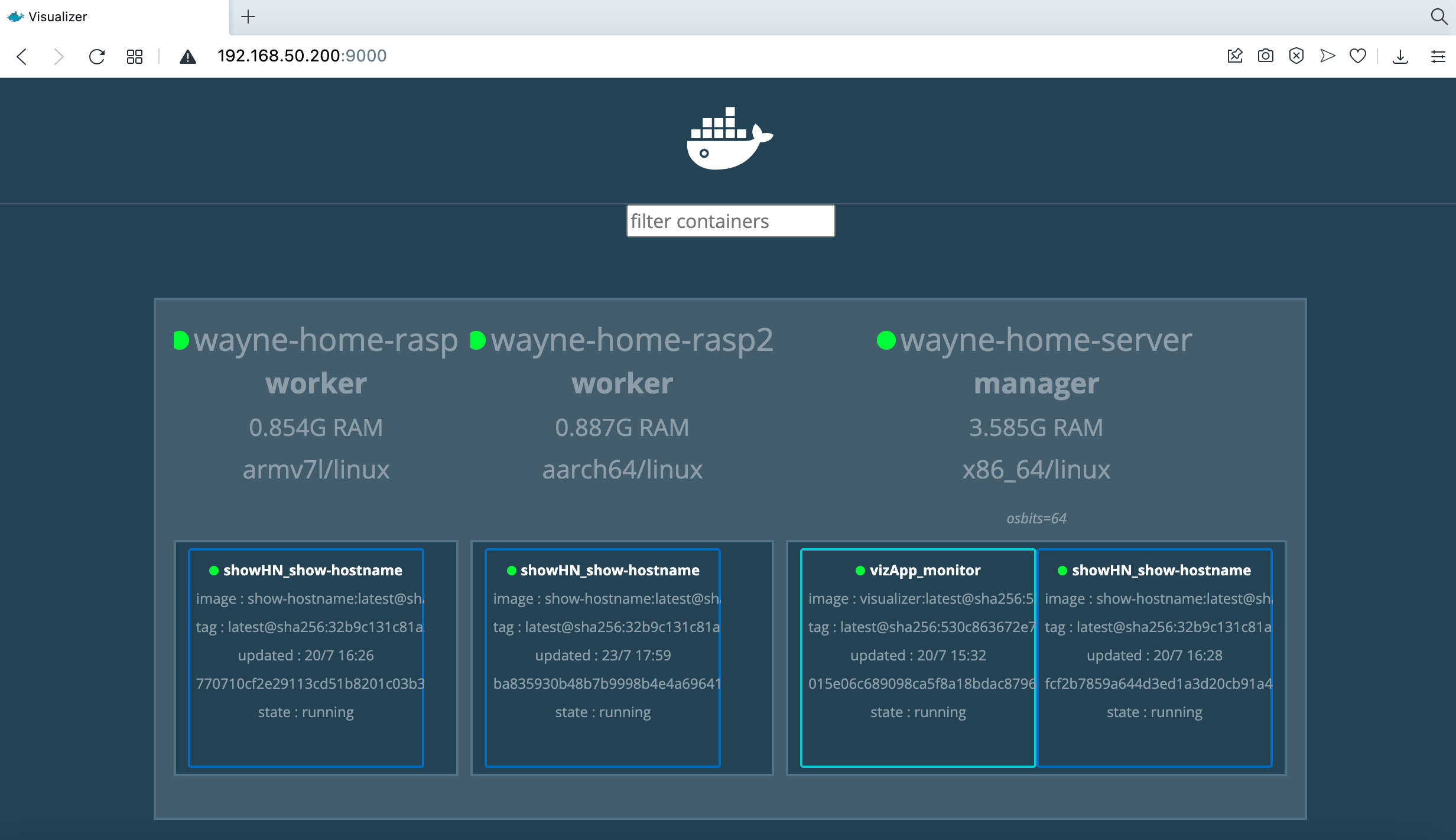
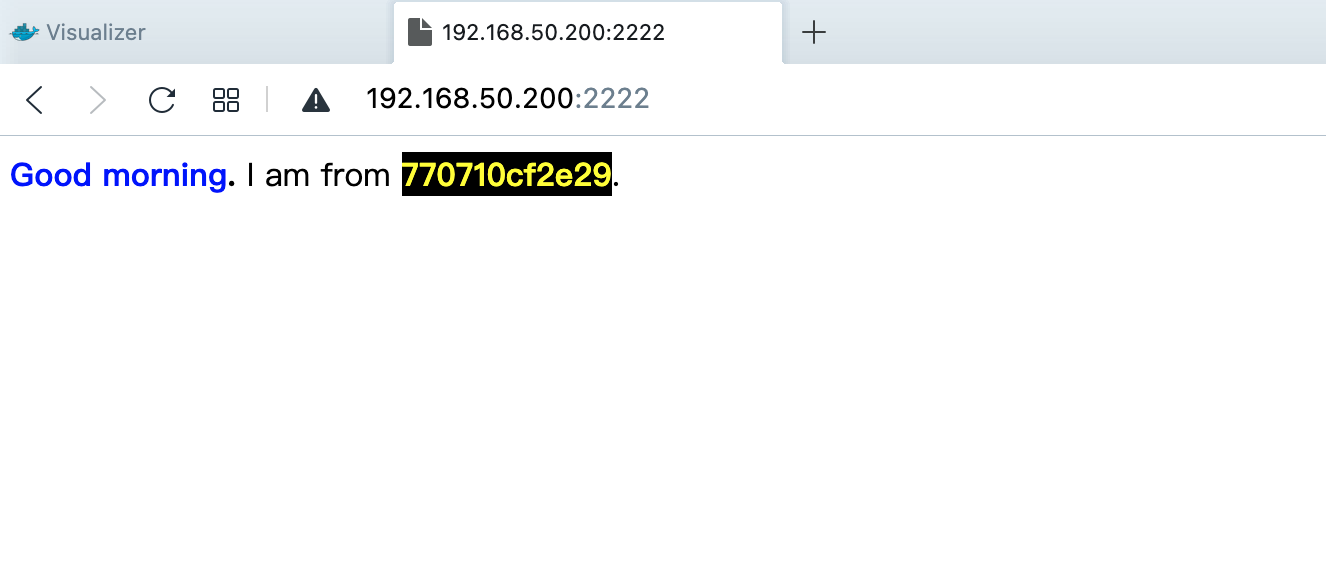
* 用browser進入swarm所提供的IP(如果default狀態,應該有routing mesh,任何node ip都可連入),即可顯示以下畫面。
Nevigate any node ip of the swarm and show as below.