https://github.com/waynechang65/fake-device
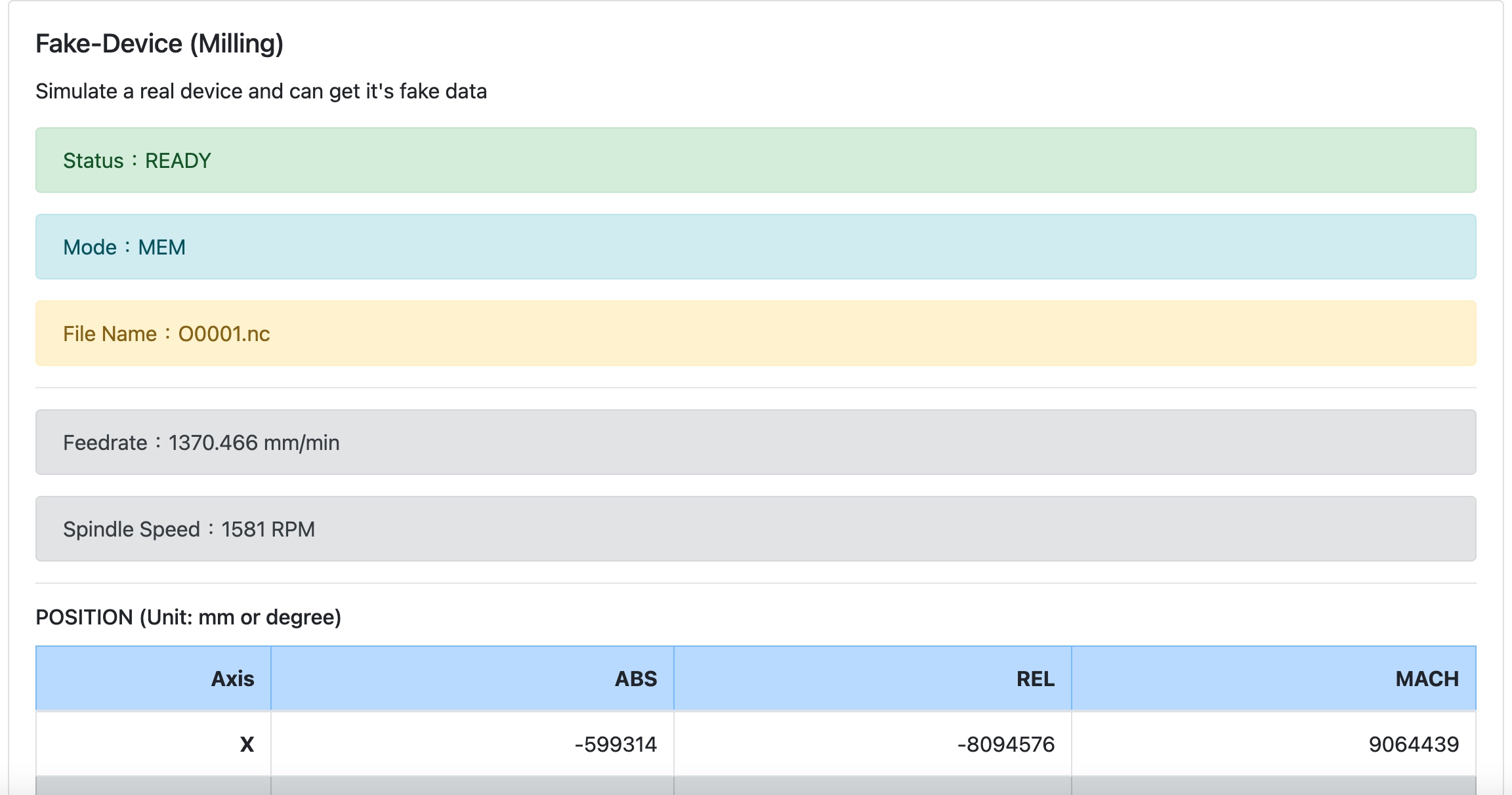
A FAKE device that provides data to be connected for testing and demo by WEB API.
https://github.com/waynechang65/fake-device
cnc device fake webapi
Last synced: 10 months ago
JSON representation
A FAKE device that provides data to be connected for testing and demo by WEB API.
- Host: GitHub
- URL: https://github.com/waynechang65/fake-device
- Owner: WayneChang65
- License: mit
- Created: 2021-03-20T07:28:14.000Z (almost 5 years ago)
- Default Branch: master
- Last Pushed: 2022-10-23T02:15:02.000Z (about 3 years ago)
- Last Synced: 2024-10-19T11:16:23.697Z (about 1 year ago)
- Topics: cnc, device, fake, webapi
- Language: JavaScript
- Homepage:
- Size: 490 KB
- Stars: 1
- Watchers: 2
- Forks: 0
- Open Issues: 0
-
Metadata Files:
- Readme: README.MD
- License: LICENSE
Awesome Lists containing this project
README
## fake-device
模擬「假的」設備,提供設備資訊讓其他程式串接測試或展示之用。
### 可模擬的設備 (未來有空再擴充其他的)
* milling (銑削中心機)
### 使用方式(建議方式二)
* **方式一:直接執行原程式**。這種方式自己要有Web Server(e.g. Ngnix, Apache,...)以及node.js(建議14.16.0版)環境。
1. 從github把程式碼下載回來本機端
```
git clone https://github.com/WayneChang65/fake-device.git
```
2. 把fake-device的API Server執行起來
```
cd fake-device
npm install
npm start
```
3. 在browser(firefox, chrome,...)打以下網址,即可看到以Swagger呈現的fake-device WEB API了。
```
http://localhost:3338/api/doc/
```
4. 把webUI程式放在自己機器的Web Server路徑(一般會在/var/www/html,不過這個要看各位是用哪一種Web Server)。
```
cp -r ./web_ui/ /var/www/html
```
5. 在browser(firefox, chrome,...)打以下網址,即可看到fake-device的webUI。
```
http://localhost:8008
```
* **方式二:使用Docker執行**。安裝Docker以及docker-compose(1.27.4以上)
1. 安裝docker以及docker-compose。
2. 從github把程式碼下載回來本機端
```
git clone https://github.com/WayneChang65/fake-device.git
```
3. 執行docker-compose。第一次執行因為會pull以及build image,所以比較慢,後續就會快很多了。
```
cd fake-device
docker-compose up -d
```
4. 在browser(firefox, chrome,...)打以下網址,即可看到以Swagger呈現的fake-device WEB API了。
```
http://localhost:3338/api/doc/
```

5. 在browser(firefox, chrome,...)打以下網址,即可看到fake-device的webUI。
```
http://localhost:8008
```