https://github.com/waynechang65/try-mqtt
Try to write a pretty "simple" MQTT client which includes publish and subscribe in node.js
https://github.com/waynechang65/try-mqtt
client mqtt mqtt-client nodejs
Last synced: 5 months ago
JSON representation
Try to write a pretty "simple" MQTT client which includes publish and subscribe in node.js
- Host: GitHub
- URL: https://github.com/waynechang65/try-mqtt
- Owner: WayneChang65
- License: mit
- Created: 2020-05-23T09:17:42.000Z (about 6 years ago)
- Default Branch: master
- Last Pushed: 2025-07-07T07:02:50.000Z (12 months ago)
- Last Synced: 2025-07-07T08:22:19.604Z (12 months ago)
- Topics: client, mqtt, mqtt-client, nodejs
- Language: JavaScript
- Homepage:
- Size: 709 KB
- Stars: 1
- Watchers: 1
- Forks: 0
- Open Issues: 1
-
Metadata Files:
- Readme: README.md
- License: LICENSE
Awesome Lists containing this project
README
# try-mqtt
try-mqtt 是一個超簡單的MQTT client,其中包含subscribe以及簡易publish功能。主要是自己寫來測試MQTT連線而使用。
try-mqtt is a quite simple MQTT client, which includes subscribe and publish functions. It is designed and used to test the MQTT connection.
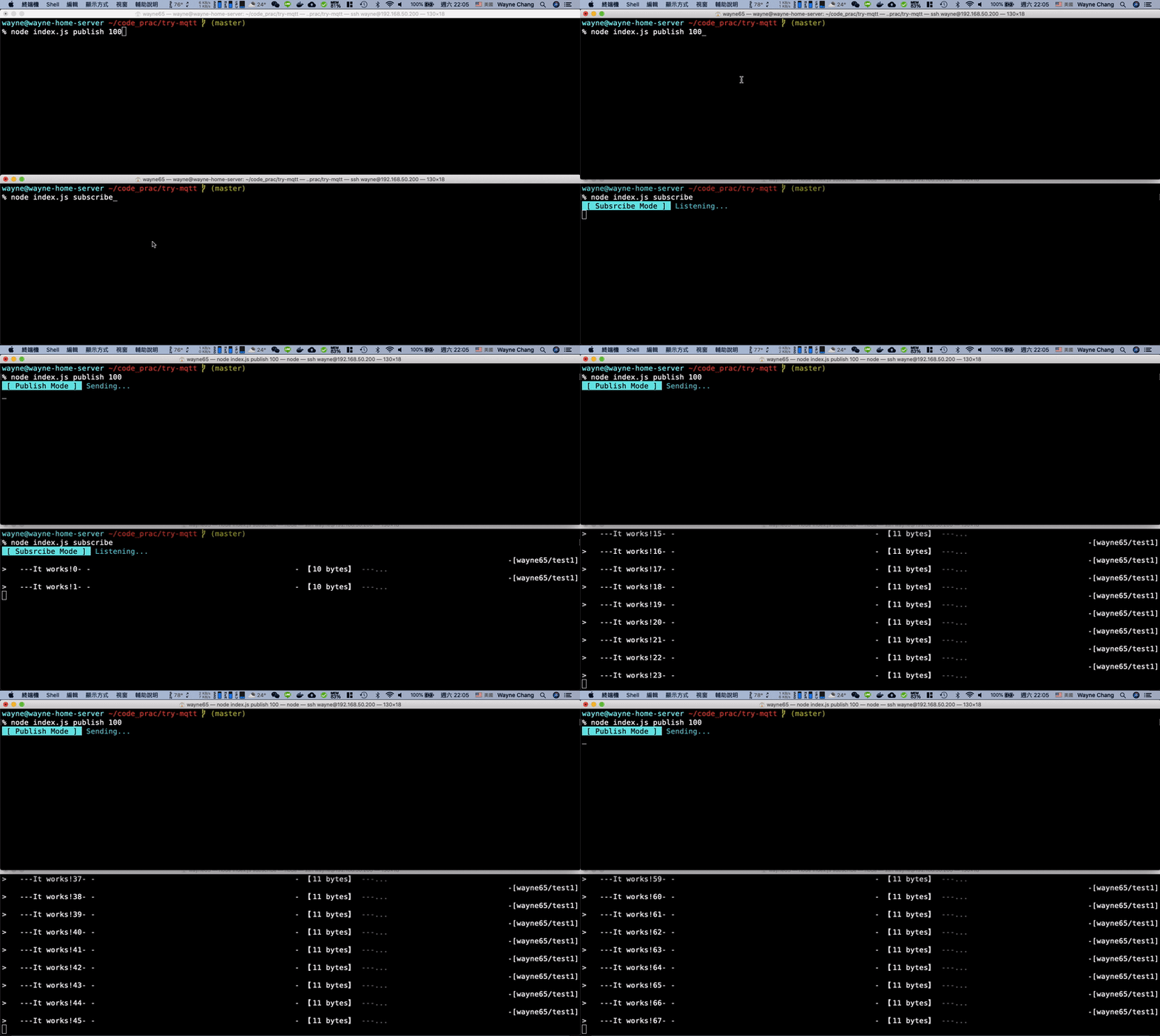
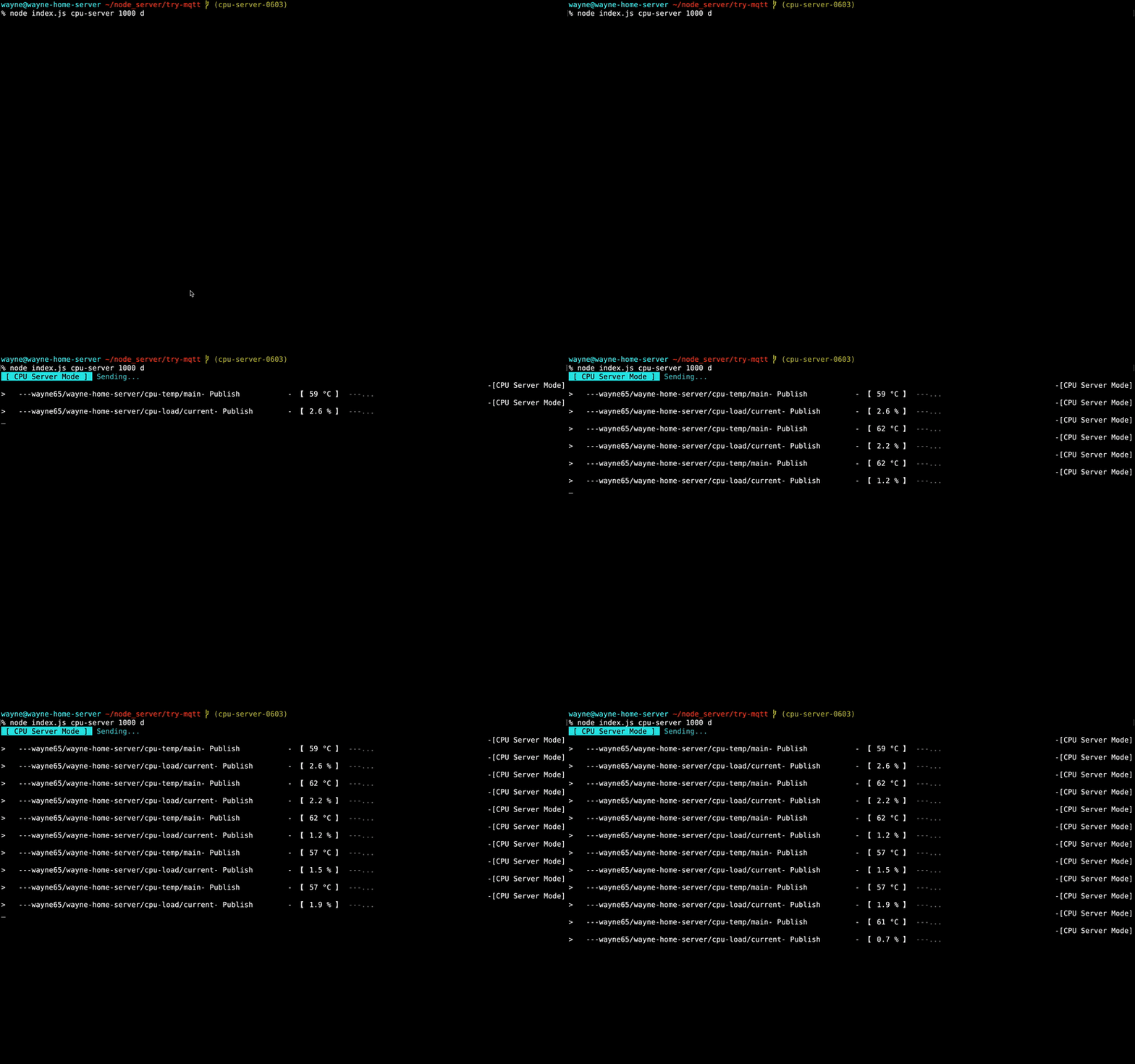
## 這專案能做什麼事? (What can it do ?)
* **Subscribe Mode**:Subscribe某個MQTT Broker的某個Topic (目前Topic已在程式裏寫死,連到自己架設的Broker裏的 wayne65/# )
Subscribe Mode:Subscribe to a topic of a MQTT Broker (Currently the topic has been hard-coded in the program and connected to the broker in my home)
* **Publish Mode**:Publish測試訊息到某個Broker。(目前Publish "It works!"到wayne65/test1 topic裏)
Publish Mode:Publish test messages to a broker. (Currently publish "It works!" In wayne65/test1 topic)
* **Server Mode**:固定時間Publish到特定Broker。(目前Publish自己家裏的一台主機加一台樹莓派的CPU溫度跟負載)
Server Mode:publish messages to a broker. (Currently publish CPU temperature and load of my home servers)
## 如何跑範例程式? (How to run the example ?)
* 從Github下載try-mqtt專案程式碼。
Clone try-mqtt project from Github
```bash
git clone https://github.com/WayneChang65/try-mqtt.git
```
* 進入try-mqtt專案目錄
Get into the try-mqtt directory
```bash
cd try-mqtt
```
* 下載跑範例程式所需要的環境組件
Install depedencies
```bash
npm install
```
* 針對MQTT Broker設定以下環境變數(IP, Port, 使用者ID, 密碼)
Set ENV variables to the MQTT Broker (IP, Port, User ID, Password)
```
BROKER_IP
BROKER_PORT
BROKER_UID
BROKER_UPWD
```
* 透過以下格式輸入指令,執行Subscribe功能
Run it for subscribe mode
```bash
node index.js subscribe
```
* 透過以下格式輸入指令,執行Publish功能。(後面100代表100ms publish一筆,數字可換)
Run it for publish mode (100 means sampling time, 100ms. Can be changed.)
```bash
node index.js publish 100
```
* 透過以下格式輸入指令,執行Server功能。(後面1000代表1000ms publish一筆,數字可換。d代表debug mode,會顯示publish訊息,可省略)
Run it for server mode (1000 means sampling time, 100ms. Can be changed. d stands for debug mode and show publish messages which can be skiped)
```bash
node index.js cpu-server 1000 d
```