https://github.com/wazzabeee/copy-spotter
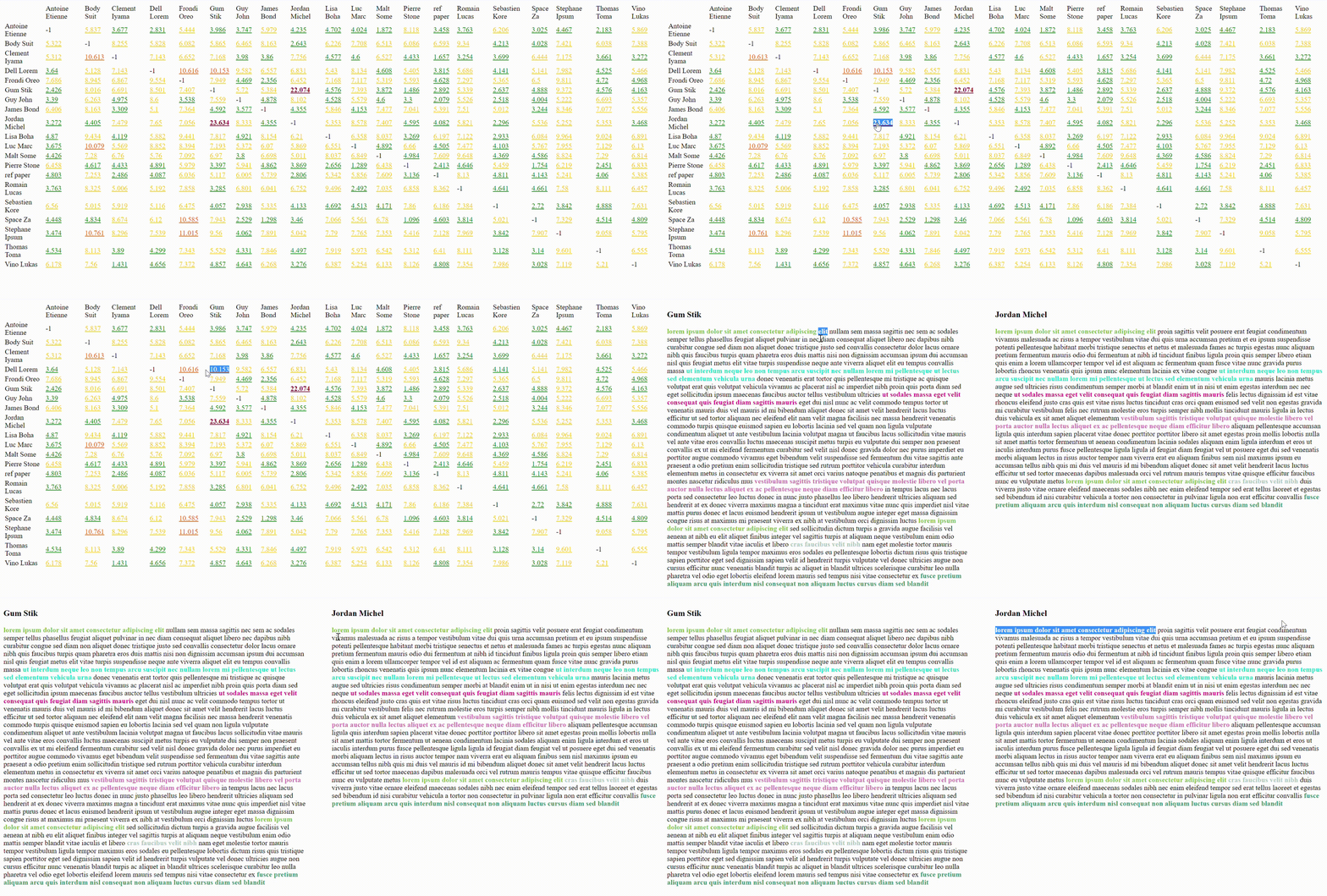
Make plagiarism detection easier. This script will find similar sentences between given files and highlight them in a side by side comparison.
https://github.com/wazzabeee/copy-spotter
beautifulsoup bs4 docx odt pdf plagiarism plagiarism-check plagiarism-checker plagiarism-detection plagiarism-detector python side-by-sidediff similarity similarity-detection similarity-score txt
Last synced: 11 months ago
JSON representation
Make plagiarism detection easier. This script will find similar sentences between given files and highlight them in a side by side comparison.
- Host: GitHub
- URL: https://github.com/wazzabeee/copy-spotter
- Owner: Wazzabeee
- License: mit
- Created: 2021-11-05T12:13:22.000Z (over 4 years ago)
- Default Branch: main
- Last Pushed: 2024-06-17T13:14:41.000Z (about 2 years ago)
- Last Synced: 2024-12-08T00:31:56.582Z (over 1 year ago)
- Topics: beautifulsoup, bs4, docx, odt, pdf, plagiarism, plagiarism-check, plagiarism-checker, plagiarism-detection, plagiarism-detector, python, side-by-sidediff, similarity, similarity-detection, similarity-score, txt
- Language: Python
- Homepage: https://pypi.org/project/copy-spotter/
- Size: 27.3 MB
- Stars: 45
- Watchers: 3
- Forks: 13
- Open Issues: 3
-
Metadata Files:
- Readme: README.md
- Changelog: CHANGELOG.md
- License: LICENSE
Awesome Lists containing this project
README
# Copy Spotter
 

## About
This program will process pdf, txt, docx, and odt files that can be found in the given input directory, find similar sentences, calculate similarity percentage, display a similarity table with links to side by side comparison where similar sentences are highlighted.
**Usage**
---
```bash
$ pip install copy-spotter
$ copy-spotter [-s] [-o] [-h] input_directory
```
***Positional Arguments:***
* `input_directory`: One directory that contains all files (pdf, txt, docx, odt) (see `data/pdf/plagiarism` for example)
```
input_directory/
│
├── file_1.docx
├── file_2.pdf
└── file_3.pdf
```
***Optional Arguments:***
* `-s`, `--block-size`: Set minimum number of consecutive and similar words detected. (Default is 2)
* `-o`, `--out_dir`: Set the output directory for html files. (Default is creating a new directory called results)
* `-h`, `--help`: Show this message and exit.
**Examples**
---
```bash
# Analyze documents in 'data/pdf/plagiarism', with default settings
$ copy-spotter data/pdf/plagiarism
# Analyze with custom block size and specify output directory
$ copy-spotter data/pdf/plagiarism -s 5 -o results/output
```
**Development Setup:**
---
```bash
# Clone this repository
$ git clone https://github.com/Wazzabeee/copy_spotter
# Go into the repository
$ cd copy_spotter
# Install requirements
$ pip install -r requirements.txt
$ pip install -r requirements_lint.txt
# Install precommit
$ pip install pre-commit
$ pre-commit install
# Run tests
$ pip install pytest
$ pytest tests/
# Run package locally
$ python -m scripts.main [-s] [-o] [-h] input_directory
```
**Recommandations**
---
- Please make sure that all text files are closed before running the program.
- In order to get the best results please provide text files of the same languages.
- Pdf files that are made from scanned images won't be processed correctly.
- Ensure you have writing access when using the package
- If a specific file is not processed correctly feel free to [contact me](mailto:) so that I can address the issue.
**TODO**
---
- Add more tests on existing functions
- Implement OCR with tesseract for scanned documents
- Add custom naming option for pdf files