https://github.com/weaviate-tutorials/demo-image-search-dishes
https://github.com/weaviate-tutorials/demo-image-search-dishes
hacktoberfest
Last synced: over 1 year ago
JSON representation
- Host: GitHub
- URL: https://github.com/weaviate-tutorials/demo-image-search-dishes
- Owner: weaviate-tutorials
- Created: 2023-10-30T13:57:05.000Z (over 2 years ago)
- Default Branch: main
- Last Pushed: 2024-03-28T08:40:58.000Z (over 2 years ago)
- Last Synced: 2025-03-29T06:11:24.453Z (over 1 year ago)
- Topics: hacktoberfest
- Language: Python
- Homepage:
- Size: 321 MB
- Stars: 3
- Watchers: 1
- Forks: 1
- Open Issues: 0
-
Metadata Files:
- Readme: README.md
Awesome Lists containing this project
README
# Similar images search
## Overview
The project aims to highlight the diverse search capabilities of Weaviate, empowered by the CLIP model.
It demonstrates the potential to create robust AI applications capable of multilingual understanding
and visual perception with just a few lines of code.
In particular, we will index a collection of random pictures featuring various foods from around the world.
Subsequently, we'll be able to search through them using three different inputs:
1. User-provided text
1. Selected image from the indexed collection
1. Any uploaded image
These scenarios in Weaviate terms correspond to the following operators:
1. [nearText](https://weaviate.io/developers/weaviate/api/graphql/search-operators#neartext)
2. [nearObject](https://weaviate.io/developers/weaviate/api/graphql/search-operators#nearobject)
3. [nearImage](https://weaviate.io/developers/weaviate/search/image)
### CLIP model
CLIP, or Contrastive Language-Image Pre-training, is a multimodal deep learning model
[by OpenAI](https://openai.com/research/clip)
that is designed to understand and generate meaningful representations of images and text,
allowing it to perform tasks that involve both modalities.
CLIP is trained to learn a joint embedding space
where images and text representations are aligned.
This means that similar concepts in images and text are close to each other in the embedding space.
In this demo we will use a multilingual CLIP model
## Technology stack
- Python
- Weaviate
- Streamlit
- Docker
### Used Weaviate modules/models
[multi2vec-clip vectorizer](https://weaviate.io/developers/weaviate/modules/retriever-vectorizer-modules/multi2vec-clip)
The multi2vec-clip module enables Weaviate to obtain vectors locally
from text or images using a Sentence-BERT CLIP model.
To be able to use it you need to enable it in the [docker compose file](docker-compose.yml)
[sentence-transformers/clip-ViT-B-32-multilingual-v1](https://huggingface.co/sentence-transformers/clip-ViT-B-32-multilingual-v1)
The particular model that we'll use is `sentence-transformers/clip-ViT-B-32-multilingual-v1` model. It supports
encoding of text in 50+ languages. The model is based on Multilingual Knowledge Distillation, which uses the original
clip-ViT-B-32 model as the teacher and trains a multilingual DistilBERT model as the student. As mentioned above, the
model can map text and images to a common vector space such that the distance between the
two represents their semantic similarity.
## Prerequisites
1. Python3 interpreter installed
1. Ability to execute docker compose
(The most straightforward way to do it on Windows/Mac is to install
[Docker Desktop](https://www.docker.com/products/docker-desktop/))
## Setup instructions
### Start up
1. Clone this repository
1. Download the dataset (you need to be logged in to Kaggle to be able to do it)
[from this link](https://www.kaggle.com/datasets/abhijeetbhilare/world-cuisines/download?datasetVersionNumber=3)
and unzip it to the project root
1. Create a virtual environment and activate it
> **Note**
> This was tested using python 3.10
```shell
python3 -m venv venv
source venv/bin/activate
```
1. Install all required dependencies
```shell
pip install -r requirements.txt
```
1. Run containerized instance of Weaviate. It also includes vectorizer module to compute the embeddings.
> **Note**
> Make sure you don't have anything occupying port 8080
> If you do, you have the option to either stop that process or change the port that Weaviate is using.
```shell
docker compose up
```
1. Index the dataset in Weaviate. By default, 1000 pictures will be ingested
```shell
python add_data.py
```
If you want to have a bigger dataset you can use `--image-number` parameter to set the number of pictures to ingest:
```shell
python add_data.py --image-number 3000
```
1. Run the Streamlit demo
```shell
streamlit run app.py
```
Now you can open the app on http://localhost:8501/ and also play with changing [app.py](app.py) on the fly
### Shut down
1. Both streamlit app and docker compose can be stopped with `Ctrl+C` in the corresponding terminal window
2. To remove created docker containers and volumes use
```shell
docker compose down -v
```
## Usage instructions
[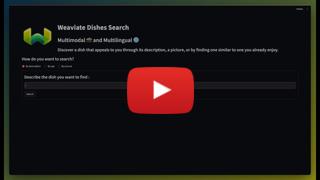](https://youtu.be/lxZegTVduqQ)
## Dataset license
The dataset used for this example is available on Kaggle:
https://www.kaggle.com/datasets/abhijeetbhilare/world-cuisines/