https://github.com/web-dev-sam/bonza-commit
This mini-program uses PyLint and ESLint to check for style-guide issues before each commit, keeping code clean.
https://github.com/web-dev-sam/bonza-commit
code-style eslint pre-commit pylint
Last synced: 4 months ago
JSON representation
This mini-program uses PyLint and ESLint to check for style-guide issues before each commit, keeping code clean.
- Host: GitHub
- URL: https://github.com/web-dev-sam/bonza-commit
- Owner: web-dev-sam
- Created: 2021-01-05T18:29:58.000Z (over 5 years ago)
- Default Branch: main
- Last Pushed: 2024-11-12T13:31:18.000Z (over 1 year ago)
- Last Synced: 2025-08-09T04:33:09.739Z (11 months ago)
- Topics: code-style, eslint, pre-commit, pylint
- Language: Python
- Homepage:
- Size: 203 KB
- Stars: 1
- Watchers: 1
- Forks: 1
- Open Issues: 2
-
Metadata Files:
- Readme: README.md
Awesome Lists containing this project
README
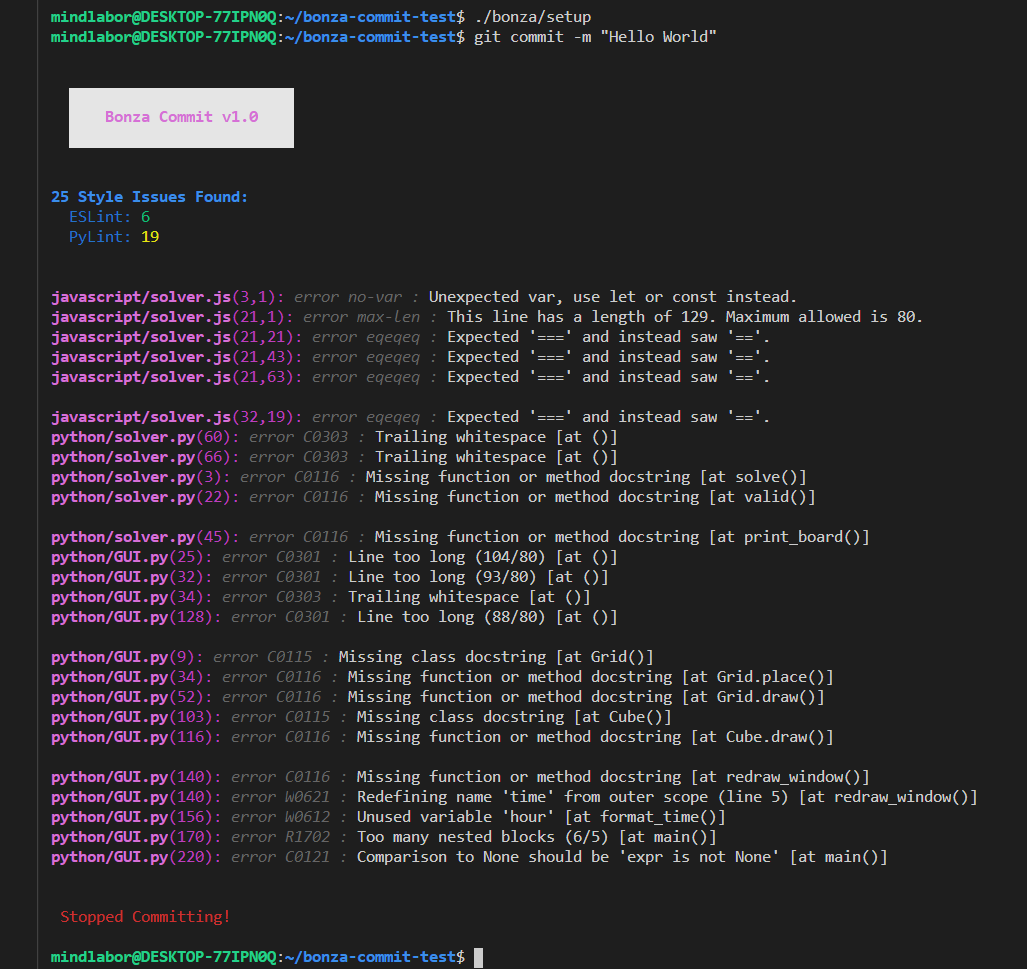
    Bonza Commit


  This mini-program uses pylint and eslint to check for coding-style issues before each commit, keeping the code clean.


## Installation (Ubuntu)

 * Install Python 3 and pip

 * Install npm if you want to check javascript code

 * Run `pip3 install inquirer`

 * Run `git clone https://github.com/MindLaborDev/bonza-commit.git .bonza` in your repositories root directory (in same directory as `.git`).

 * Run `python3 .bonza/install`.

When you are about to commit, it will abort the commit if it finds coding-style issues (based on the configurations). If you want to enforce a commit use `git commit --no-verify`.


## Workflow

 * Run `./.bonza/check` for coding-style analysis (if you have checked *Only changed files* during installation stage your files first using the `git add` command).

 * Use `./.bonza/check --fix` to fix some of the issues automatically (Saves the fixes to your files).

 * Use `./.bonza/check --dryfix` to fix some of the issues automatically (Doesn't save the fixes; just shows analysis with fixes applied).

 * Use `./.bonza/check --compact` to output issues in a more compact way.

 * Edit `.eslintrc.json` and `pylintrc` to change eslint and pylint rules. You can find more about them at [pylint](http://pylint.pycqa.org/en/latest/technical_reference/features.html) and [eslint](https://eslint.org/docs/rules/).


## Ignoring folders and files

#### Javascript (ESLint)

Create a `.eslintignore` file in your repository root directory and add the files and folders that you want to exclude from Javascript analysis in there. The syntax is the same as for a `.gitignore` file.


## Troubleshooting

 * If you get a _pylint syntax error_ even though your code works perfectly fine. Try running pylint with a newer python version. Just edit the `.bonza/install` file or your git hook so pylint gets called using a newer version: `... python3 -m pylint ...`.