https://github.com/webdiscus/github-readme-preview
Markdown file preview in GitHub makeup on localhost.
https://github.com/webdiscus/github-readme-preview
github markdown preview pug pug-plugin readme theme
Last synced: 3 months ago
JSON representation
Markdown file preview in GitHub makeup on localhost.
- Host: GitHub
- URL: https://github.com/webdiscus/github-readme-preview
- Owner: webdiscus
- Created: 2022-06-04T13:01:07.000Z (about 4 years ago)
- Default Branch: master
- Last Pushed: 2025-03-19T16:52:42.000Z (over 1 year ago)
- Last Synced: 2025-08-18T03:39:59.710Z (11 months ago)
- Topics: github, markdown, preview, pug, pug-plugin, readme, theme
- Language: SCSS
- Homepage:
- Size: 495 KB
- Stars: 0
- Watchers: 2
- Forks: 0
- Open Issues: 0
-
Metadata Files:
- Readme: README.md
- Changelog: CHANGELOG.md
Awesome Lists containing this project
README
# github-readme-preview
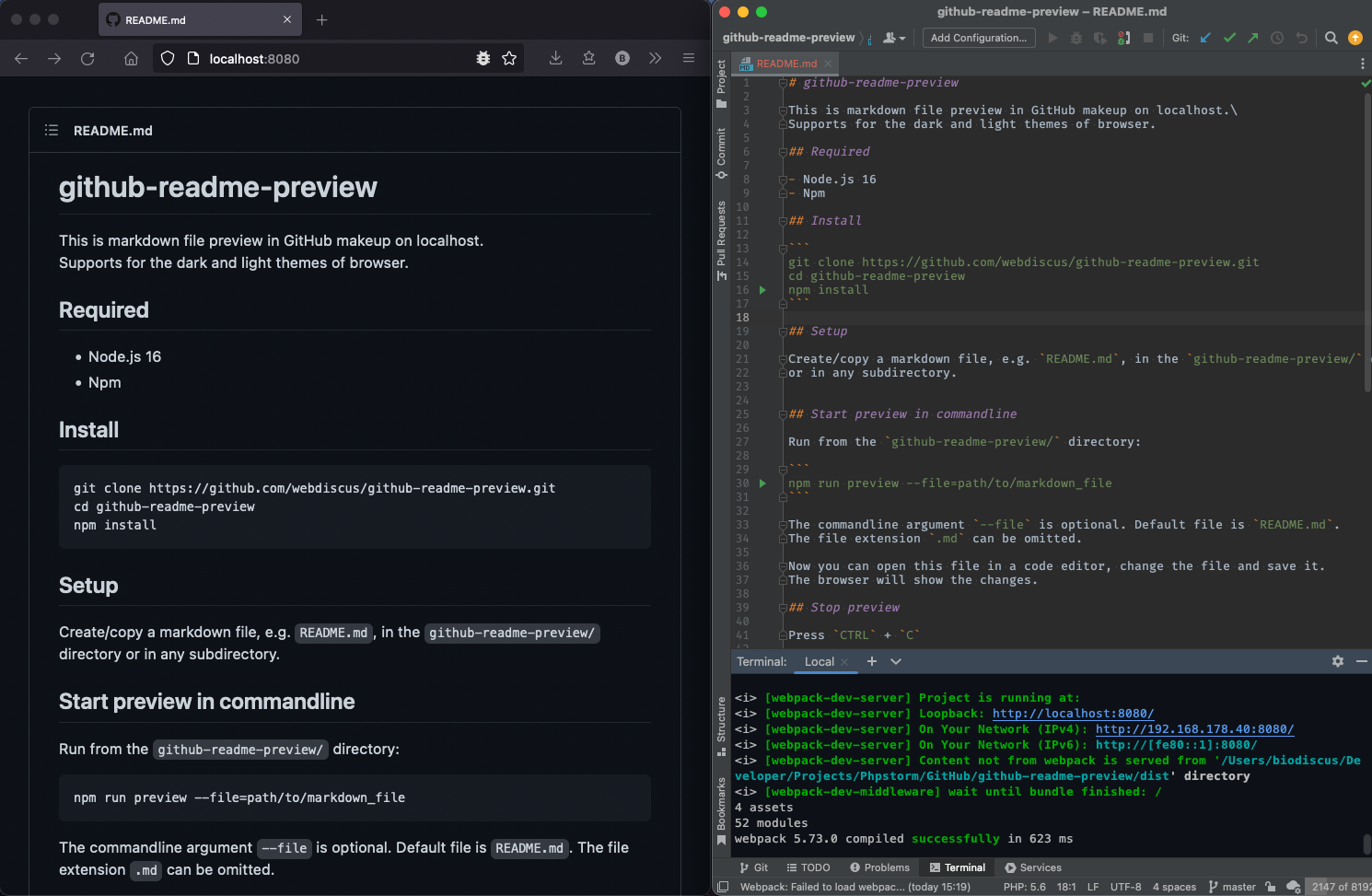
This is markdown file preview in GitHub makeup on localhost.\
Supports for the dark and light themes of browser.
## Required
- Node.js 16
- Npm
## Install
```
git clone https://github.com/webdiscus/github-readme-preview.git
cd github-readme-preview
npm install
```
## Setup
Create/copy a markdown file, e.g. `README.md`, in the `github-readme-preview/` directory
or in any subdirectory.
## Start preview in commandline
Run from the `github-readme-preview/` directory:
```
npm start --file=path/to/markdown_file
```
The commandline argument `--file` is optional. Default file is `README.md`.
The file extension `.md` can be omitted.
Now you can open this file in a code editor, change the file and save it.
The browser will show the changes.
## Stop preview
Press `CTRL` + `C`
## Usage examples
Preview the `./README.md` file:
```
npm start
```
Preview the `./CHANGELOG.md` file:
```
npm start --file=CHANGELOG
```
Preview the `./docs/myMarkdownFile.md` file:
```
npm start --file=docs/myMarkdownFile
```
Preview a file with absolute path, like `/absolute/path/to/README.md`:
```
npm start --file=/absolute/path/to/README
```
## Switch dark / light themes
Open the browser settings and change browser theme to `dark` or `light`.
For example, in Firefox, open the address `about:preferences`.\
On the settings site go to `General > Language and Appearence > Web site appearence`.\
Then select theme: `Light` or `Dark`.
## Syntax highlighting example
_HTML_
```html
Paragraph
```
_JavaScript_
```js
const arr = [1, 2, 'banana'];
```
## ⚠️ Limitation
Relative image path is not supported, use URL, e.g.:
```

```