https://github.com/webscopeio/screenshot
Build engaging screenshots faster
https://github.com/webscopeio/screenshot
react typescript
Last synced: 4 months ago
JSON representation
Build engaging screenshots faster
- Host: GitHub
- URL: https://github.com/webscopeio/screenshot
- Owner: webscopeio
- License: mit
- Created: 2023-05-08T10:11:44.000Z (about 3 years ago)
- Default Branch: main
- Last Pushed: 2025-07-21T08:30:59.000Z (12 months ago)
- Last Synced: 2025-07-21T10:20:49.556Z (12 months ago)
- Topics: react, typescript
- Language: TypeScript
- Homepage: https://usescreenshot.app
- Size: 8.13 MB
- Stars: 66
- Watchers: 3
- Forks: 12
- Open Issues: 3
-
Metadata Files:
- Readme: README.md
- License: LICENSE.md
Awesome Lists containing this project
README
# Screenshot








## Description
Screenshot is an open-source tool to manage backgrounds and clipboard images to create screenshots with ease.
## Keyboard Shortcuts
Keyboard shortcuts have been enabled to make your workflow faster.
| Action | Shortcut |
| ----------------- | ----------------- |
| Upload Background | ⌘ O |
| Delete Background | ⌘ shift backspace |
| Paste Image | ⌘ V |
| Delete Image | ⌘ backspace |
## How does it work?
To use Screenshot, go to [usescreenshot.app](https://usescreenshot.app), (1.) upload your background, (2.) paste your image and then (2.) adjust the settings as needed.
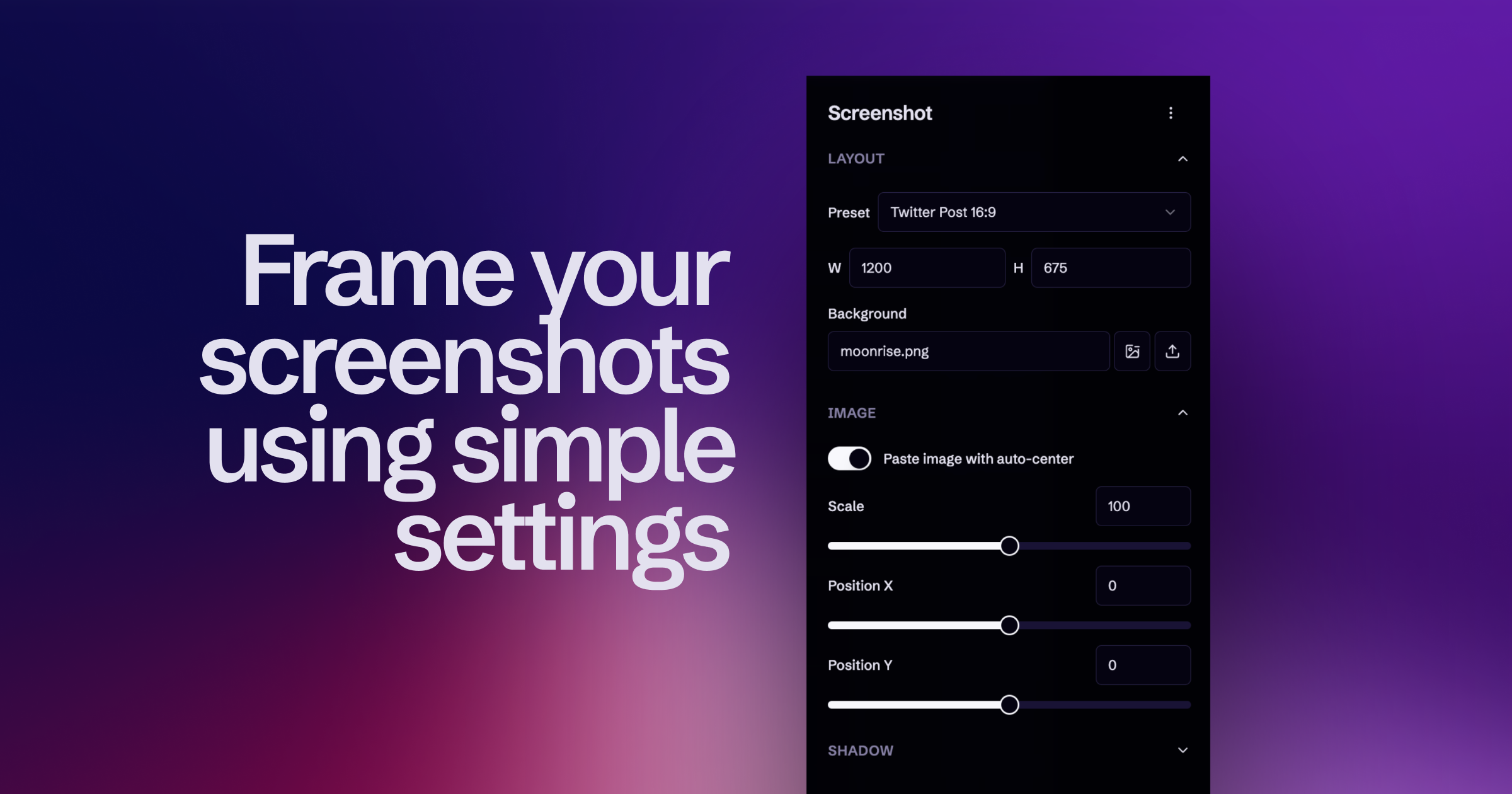
**Current backgrounds and images are stored in your browser using IndexDB.**
## Installation
Screenshot is a web-application being built with React in TypeScript, bootstrapped with [`create-next-app`](https://github.com/vercel/next.js/tree/canary/packages/create-next-app), and styled with [TailwindCSS](https://tailwindcss.com/) and [Radix UI](https://www.radix-ui.com/) + [ui.shadcn.com](https://ui.shadcn.com/) components.
To install and run locally, using `node@20.10.0` and `pnpm@8.11.0` follow these steps:
1. Clone the repository
```bash
git clone https://github.com/webscopeio/screenshot.git
```
2. Navigate to the project's directory and install its dependencies
```bash
cd screenshot
pnpm i
```
3. Start the development server, open your web browser and visit http://localhost:3000
- Using NPM:
```bash
pnpm dev
```
## Share your feedback
If you encounter an issue or would like to suggest a new feature, please feel free to reach out using our GitHub Repository at [usescreenshot.app/github](https://usescreenshot.app/github).
## Contributing
Contributing to Screenshot is **a great opportunity to join OSS**. Specially at this early pre-release stage, we are actively looking to engage with users and developers to learn more together about Screenshot.
Issues, Pull requests, and Discussions are welcomed! For more information about our project visit: GitHub Repository at [usescreenshot.app/github](https://usescreenshot.app/github)
If you find Screenshot helpful, we'd appreciate giving it a [Star in GitHub](https://github.com/webscopeio/screenshot/stargazers).
### Report an issue
Open a [GitHub Issue](https://github.com/webscopeio/screenshot/issues/new) and provide as much detail as possible about the issue, including any error messages or steps to reproduce the problem. We'll review the issue together and work to resolve it as quickly as possible.
### Suggesting features
Open a [GitHub Discussion](https://github.com/webscopeio/screenshot/discussions/new/choose) and explain the proposed feature, what it should do, why it is useful, how users should use it. Give us as much info as possible so it will be easier to discuss, access and implement the proposed feature. If you’re unsure about a certain aspect of the feature, feel free to leave it open for others to discuss and find an appropriate solution.
## Contributors


