https://github.com/wiewaldi/.dotfiles
My personal .dotfiles
https://github.com/wiewaldi/.dotfiles
dotfiles shell
Last synced: about 2 months ago
JSON representation
My personal .dotfiles
- Host: GitHub
- URL: https://github.com/wiewaldi/.dotfiles
- Owner: WieWaldi
- License: mit
- Created: 2019-11-11T13:12:40.000Z (over 6 years ago)
- Default Branch: master
- Last Pushed: 2026-05-13T17:04:40.000Z (about 2 months ago)
- Last Synced: 2026-05-13T19:09:25.628Z (about 2 months ago)
- Topics: dotfiles, shell
- Language: Vim Script
- Homepage:
- Size: 10.3 MB
- Stars: 1
- Watchers: 1
- Forks: 1
- Open Issues: 0
-
Metadata Files:
- Readme: README.md
- License: LICENSE
Awesome Lists containing this project
README

### .dotfiles by WieWaldi
*My personal set of .dotfiles for bash, Zsh, tmux, screen, Vim and even PowerShell.*
[](https://opensource.org/licenses/mit-license.php)

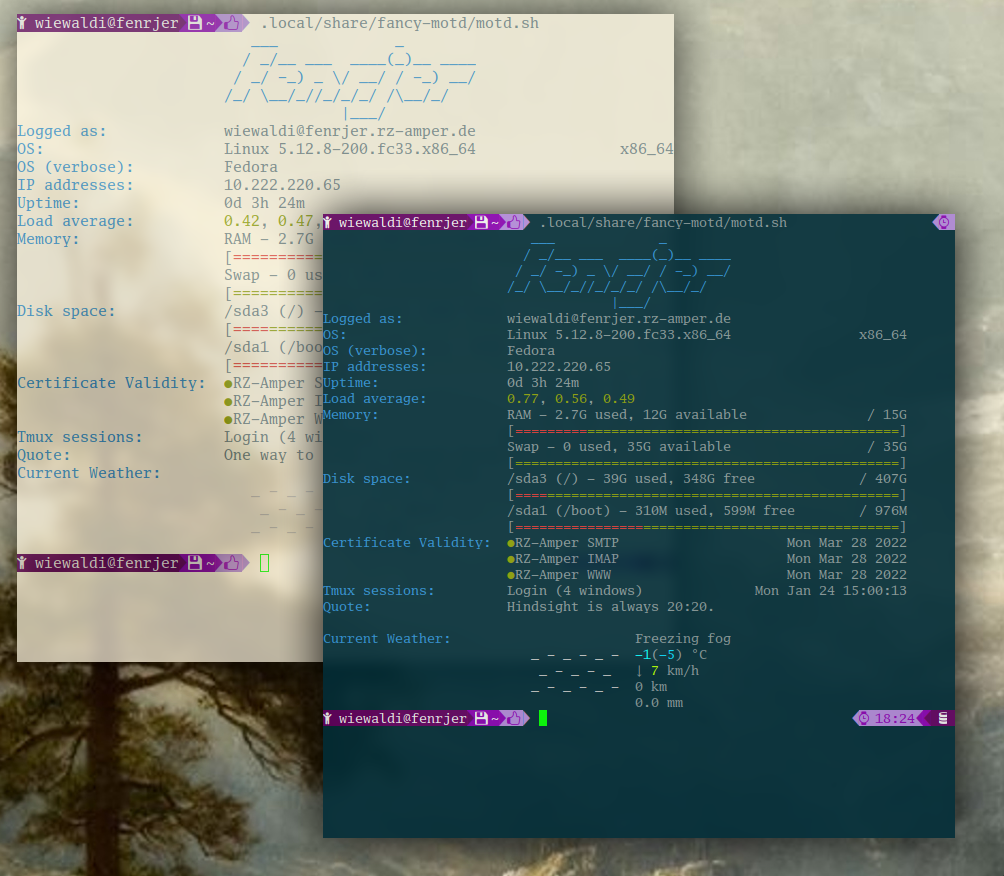
## Requirements
### Color Scheme
Don't try to run these .dotfiles through a terminal which isn't driven by Ethan
Schoonover's Solarized X Resource Fils. I can't stress this enough. Vim will
look awfull if no solarized theme is applied to the terminal. You my use my
.Xresourse file from [WieWaldi/suckless.X11](https//:github.com/WieWaldi/suckless.X11),
or directly from [Ethan Schoonover](https://github.com/altercation).
- [Solarized](https://github.com/altercation/solarized)
- [Solarized Colorscheme for Vim](https://github.com/altercation/vim-colors-solarized)
- [Solarized - Precision colors for machines and people](https://github.com/solarized)
- [Solarized Xresources](https://github.com/solarized/xresources)
- [Solarize color theme tmux configuration](https://github.com/solarized/tmux-colors-solarized)
- [Solarized for Gedit](https://github.com/solarized/solarized-gedit)
### Nerd Fonts
You will encounter loads of characters not being displayed correctly if you
don't use [Nerd Fonts](https://github.com/ryanoasis/nerd-fonts) or a font with
correct glyphs patched in. The repository contains the following patched fonts.
- FiraMono
- Go-Mono
## Setup
You may hand pick the parts you like or simply run the setup script. It will
put everything in place. Next time you open your shell, you'll be amazed. The
setup script will create a backup folder and move existing files to it.
```
git clone https://github.com/WieWaldi/.dotfiles.git ~/.dotfiles
~/.dotfiles/setup.sh
```
## Version
The option to create releases on GitHub is pretty nice. I really do like it since it give me easy access to all the files
without git cloning the complete repository.
Version 2.5