https://github.com/willfarrell/middy-rds
Middy middleware for creating a db connection using knex
https://github.com/willfarrell/middy-rds
Last synced: 8 months ago
JSON representation
Middy middleware for creating a db connection using knex
- Host: GitHub
- URL: https://github.com/willfarrell/middy-rds
- Owner: willfarrell
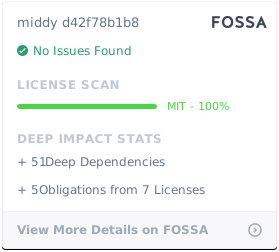
- License: mit
- Created: 2021-01-10T22:33:40.000Z (over 5 years ago)
- Default Branch: main
- Last Pushed: 2024-07-14T21:31:04.000Z (almost 2 years ago)
- Last Synced: 2025-04-02T05:03:39.993Z (about 1 year ago)
- Language: JavaScript
- Size: 678 KB
- Stars: 8
- Watchers: 2
- Forks: 3
- Open Issues: 0
-
Metadata Files:
- Readme: README.md
- License: LICENSE
Awesome Lists containing this project
README
# Middy RDS Middleware

Simple database manager for the middy framework




RDS provides seamless connection with database of your choice.
After initialization your database connection is accessible under:
```javascript
middy((event, context) => {
const { sql } = context
})
```
Mind that if you use knex you will also need driver of your choice ([check docs](http://knexjs.org/#Installation-node)), for PostgreSQL that would be:
```
yarn add {pg,postgres}
// or
npm install {pg,postgres}
```
## Install
To install this middleware you can use NPM:
```bash
npm install --save middy-rds
npm install --save-dev @aws-sdk/rds-signer
```
Requires: @middy/core:>=4.0.0
## Options
- `client` (function) (required): client that you want to use when connecting to database of your choice. Designed to be used by knex.js. However, as long as your client is run as client(config), you can use other tools.
- `config` (object) (required): configuration object passed as is to client (knex.js recommended), for more details check [knex documentation](http://knexjs.org/#Installation-client)
- `internalData` (object) (optional): Pull values from middy internal storage into `config.connection` object.
- `cacheKey` (string) (default `rds`): Cache key for the fetched data responses. Must be unique across all middleware.
- `cachePasswordKey` (string) (default `rds`):Cache key for the fetched data response related to the password. Must match the `cacheKey` for the middleware that stores it.
- `cacheExpiry` (number) (default `-1`): How long fetch data responses should be cached for. `-1`: cache forever, `0`: never cache, `n`: cache for n ms.
**Note:**
- `config.connection` defaults to:
```javascript
{
ssl: {
rejectUnauthorized: true,
ca, // readFile(process.env.NODE_EXTRA_CA_CERTS)
checkServerIdentity: (host, cert) => {
const error = tls.checkServerIdentity(host, cert)
if (error && !cert.subject.CN.endsWith('.rds.amazonaws.com')) {
return error
}
}
}
}
```
If your lambda is timing out, likely your database connections are keeping the event loop open. Check out [do-not-wait-for-empty-event-loop](https://github.com/middyjs/middy/tree/master/packages/do-not-wait-for-empty-event-loop) middleware to resolve this.
## Sample usage
Minimal configuration
### pg
```javascript
import rdsMiddleware from 'middy-rds/pg'
import capturePostgres from 'aws-xray-sdk-postgres'
import pgClient from 'pg'
const pg = capturePostgres(pgClient)
const handler = middy(async (event, context) => {
const { sql } = context
const records = await sql.select('*').from('my_table')
console.log(records)
}).use(
rdsMiddleware({
client: pg.Pool,
config: {
host: '*.ca-central-1.rds.amazonaws.com',
user: 'iam_role',
database: 'postgres',
application_name: process.env.AWS_LAMBDA_FUNCTION_NAME
}
})
)
```
### knex
```javascript
import rdsMiddleware from 'middy-rds/knex'
import knex from 'knex'
import capturePostgres from 'aws-xray-sdk-postgres'
import pgClient from 'pg'
const pg = capturePostgres(pgClient)
const handler = middy(async (event, context) => {
const { sql } = context
const records = await sql.select('*').from('my_table')
console.log(records)
}).use(
rdsMiddleware({
client: knex,
config: {
client: 'pg',
connection: {
host: '*.ca-central-1.rds.amazonaws.com',
user: 'iam_role',
database: 'postgres',
port: 5432,
application_name: process.env.AWS_LAMBDA_FUNCTION_NAME
}
}
})
)
```
### postgres
```javascript
import rdsMiddleware from 'middy-rds/postgres'
import postgresClient from 'postgres'
const handler = middy(async (event, context) => {
const { sql } = context
const records = await sql`SELECT * FROM my_table`
console.log(records)
}).use(
rdsMiddleware({
client: postgresClient,
config: {
host: '*.ca-central-1.rds.amazonaws.com',
user: 'iam_role',
database: 'postgres',
connection: {
application_name: process.env.AWS_LAMBDA_FUNCTION_NAME
}
}
})
)
```
## Middy documentation and examples
For more documentation and examples, refers to the main [Middy monorepo on GitHub](https://github.com/middyjs/middy) or [Middy official website](https://middy.js.org).
## Contributing
Everyone is very welcome to contribute to this repository. Feel free to [raise issues](https://github.com/middyjs/middy/issues) or to [submit Pull Requests](https://github.com/middyjs/middy/pulls).
## License
Licensed under [MIT License](LICENSE). Copyright (c) 2017-2022 will Farrell and the [Middy team](https://github.com/middyjs/middy/graphs/contributors).