https://github.com/willtheorangeguy/apache-file-directory
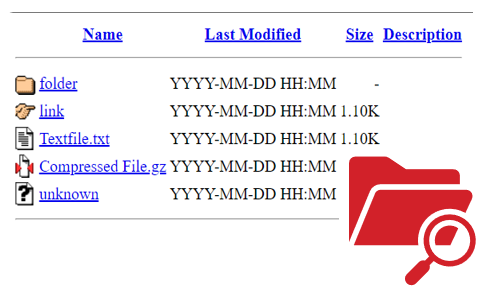
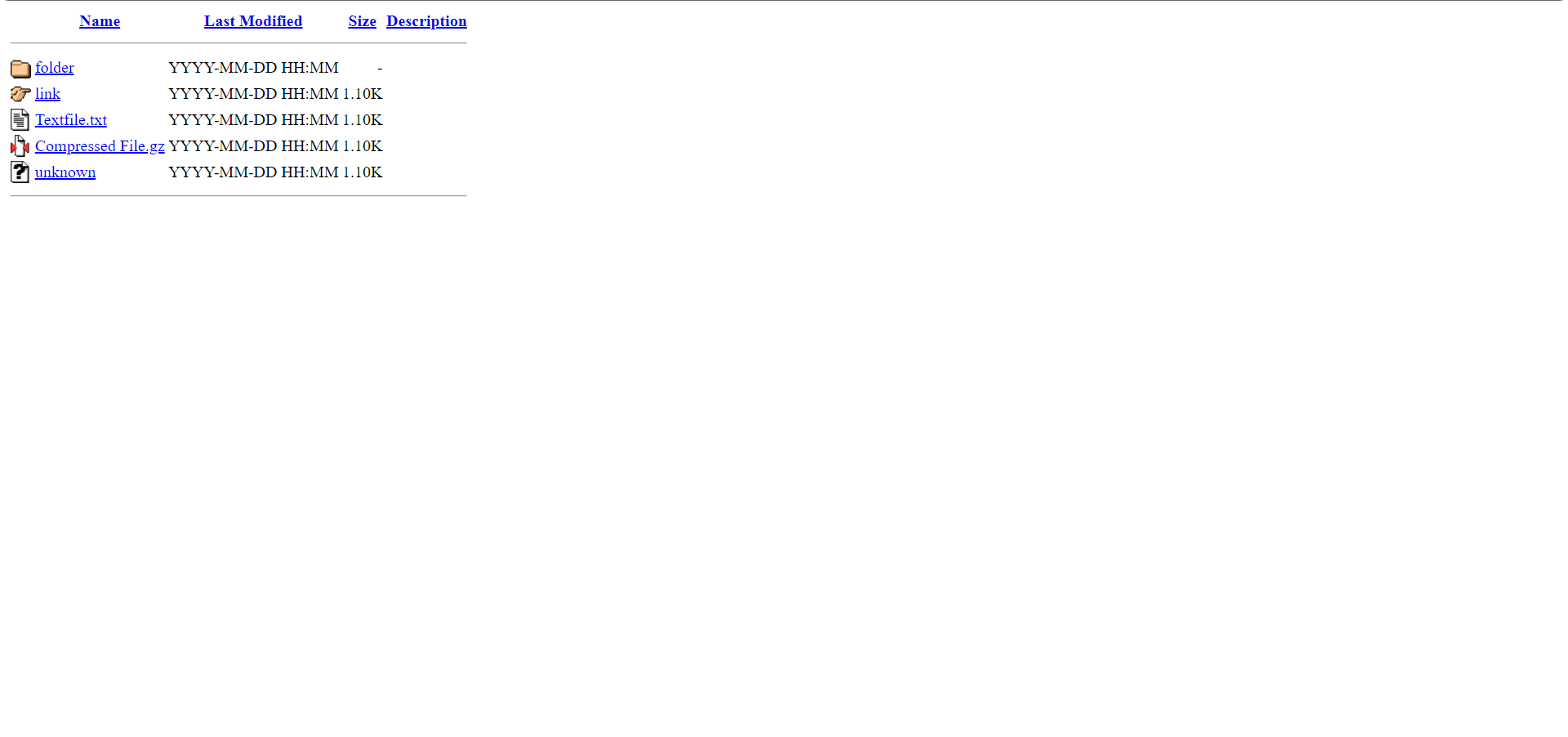
The basic Apache file directory page, as a simple HTML page.
https://github.com/willtheorangeguy/apache-file-directory
apache directory file hacktoberfest server
Last synced: 9 months ago
JSON representation
The basic Apache file directory page, as a simple HTML page.
- Host: GitHub
- URL: https://github.com/willtheorangeguy/apache-file-directory
- Owner: willtheorangeguy
- License: apache-2.0
- Created: 2021-09-29T01:27:17.000Z (almost 5 years ago)
- Default Branch: main
- Last Pushed: 2025-09-29T22:04:43.000Z (9 months ago)
- Last Synced: 2025-09-30T00:11:42.608Z (9 months ago)
- Topics: apache, directory, file, hacktoberfest, server
- Language: HTML
- Homepage: https://willtheorangeguy.github.io/Apache-File-Directory/
- Size: 454 KB
- Stars: 5
- Watchers: 2
- Forks: 0
- Open Issues: 0
-
Metadata Files:
- Readme: README.md
- Changelog: CHANGELOG.md
- Contributing: CONTRIBUTING.md
- Funding: .github/FUNDING.yml
- License: LICENSE.md
- Code of conduct: CODE_OF_CONDUCT.md
- Security: SECURITY.md
Awesome Lists containing this project
README
Apache File Directory
The basic Apache file directory page, as a simple HTML page.







Key Features •
Download •
How To Use •
Support •
Contributing •
Changelog •
Credits & Contributors
## Key Features
- Basic file directory view.
- Name, modified date, size and description fields.
- Folder and file links.
- Icons for folders, links, text files, compressed files and unknown files.
- Compatible with all web servers and websites.
- Cross platform.
## Download
You can **[download](https://github.com/willtheorangeguy/Apache-File-Directory/releases/latest) the source code** to modify the code and create your own file directory page.
You can also access the **production version the website**, available on all platforms, **[here](https://willtheorangeguy.github.io/Apache-File-Directory/)**.
## How To Use
To clone and run this website, you'll need [Git](https://git-scm.com/downloads) installed on your computer. If you would rather not use Git, you can just download the code from GitHub above. From your command line:
```bash
# Clone this repository
$ git clone https://github.com/willtheorangeguy/Apache-File-Directory.git
# Go into the repository
$ cd Apache-File-Directory
# Run the webpage
$ index.html
```
You can also pull the [Docker](https://www.docker.com/) image from GitHub Packages. From your command line:
```bash
# Pull image
$ docker pull ghcr.io/willtheorangeguy/apache-file-directory:main
# Run container
$ docker run -d -p 8000:80 ghcr.io/willtheorangeguy/apache-file-directory:main
# Now, navigate to localhost in your browser to see the webpage
```
However, **if you want to edit the file directory and make it your own**, follow the steps below:
### Basics
1. _Line 6:_ Update the `directory` placeholder text between the `` tags with the actual directory name. This will be the title of the webpage.
```html
Index of /directory
```
2. _Line 12:_ If this is a directory inside of another directory, remove the comments (``).
```html
```
3. _Line 12, Column 88:_ Change the `../` with the actual link to the folder above, or leave it as `../` to use a relative path rather than an absolute one.
```html
```
4. When you have customized the title, and added folder and file listings following the tutorials below, save the files and upload them to your web server.
5. You're all set!
### Adding Folders
```html
![[DIR]](icons/folder.gif)
folder
YYYY-MM-DD HH:MM
-
```
- Replace the `folder` placeholder value (between the `...` tags) with the real name of the folder.
- Replace the `folder/` (between the `href="..."` tag) link with the actual link to the folder.
- Replace the `YYYY-MM-DD HH:MM` placeholder date with the date the folder was last modified. Leave the space behind the date!
- Replace the `-` placeholder with the the size of the folder.
- Replace the ` ` placeholder with a description if you would like, or leave it as it is to just show a blank space.
- Add more of these rows as necessary.
### Adding Files
This tutorial shows how to add basic file listings to the Apache File Directory page, but you can also add links, compressed files and unknown files. See the [Support](#support) section below to add these!
```html
![[TXT]](icons/text.gif)
Textfile.txt
YYYY-MM-DD HH:MM
1.10K
```
- Replace the `Textfile.txt` placeholder value (between the `...` tags) with the real name and file extension of the file.
- Replace the `text.txt` link (between the `href="..."` tag) with the actual link to the file.
- Replace the `YYYY-MM-DD HH:MM` placeholder date with the date the file was last modified. Leave the space behind the date!
- Replace the `1.10K` placeholder with the the size of the file.
- Replace the ` ` placeholder with a description if you would like, or just leave it as it is to just show a blank space.
- Add more of these rows as necessary.
## Support
Further customization options for different types of files and folder structures can be found in [`CUSTOMIZATION`](https://github.com/willtheorangeguy/Apache-File-Directory/blob/main/docs/CUSTOMIZATION.md). More documentation is available in the **[Documentation](https://github.com/willtheorangeguy/Apache-File-Directory/tree/main/docs)** and on the **[Wiki](https://github.com/willtheorangeguy/Apache-File-Directory/wiki)**. If more support is required, please open a **[GitHub Discussion](https://github.com/willtheorangeguy/Apache-File-Directory/discussions/new)** or join our **[Discord](https://discord.gg/hegWM3W4kw)**.
## Contributing
Please contribute using [GitHub Flow](https://guides.github.com/introduction/flow). Create a branch, add commits, and [open a pull request](https://github.com/willtheorangeguy/Apache-File-Directory/compare).
Please read [`CONTRIBUTING`](CONTRIBUTING.md) for details on our [`CODE OF CONDUCT`](CODE_OF_CONDUCT.md), and the process for submitting pull requests to us.
## Changelog
See the [`CHANGELOG`](CHANGELOG.md) file for details.
## Credits
This software uses the following open source packages, projects, services or websites:



GitHub
W3C
W3Schools
Apache
Web - Plans
Web - Donate
Web - Pro
Web - Donate
## Contributors
- [@willtheorangeguy](https://github.com/willtheorangeguy) - Sponsor on [PayPal](https://paypal.me/wvdg44?country.x=CA&locale.x=en_US)
## You may also like...
- [Running Calculator](https://github.com/willtheorangeguy/Running-Calculator) - A running speed calculator for any unit of distance.
- [PyWorkout](https://github.com/willtheorangeguy/PyWorkout) - A minimal CLI to keep you inspired during your workout! Easily used and customized, with support for multiple workout plans, different muscle groups and video workouts.
- [PyAvatar](https://github.com/willtheorangeguy/PyAvatar) - Easily display all of your creative avatars to keep them consistent across websites.
## License
**The website code in this repository is created by the [Apache HTTP Server Development Team](https://httpd.apache.org/contributors/) and owned by the Apache Software Foundation. The HTTP server is released under the Apache License 2.0, and this project follows those licensing guidelines.**
This project is licensed under the [Apache License 2.0](https://choosealicense.com/licenses/apache-2.0/) - see the [`LICENSE`](LICENSE.md) file for details. See the [Privacy Policy](https://github.com/willtheorangeguy/Apache-File-Directory/blob/main/docs/legal/PRIVACY.md) and [Terms and Conditions](https://github.com/willtheorangeguy/Apache-File-Directory/blob/main/docs/legal/TERMS.md) for legal information.
![[PARENTDIR]](icons/back.gif)