https://github.com/willtheorangeguy/chrome-file-directory
The basic Chromium file directory page, as a simple HTML page.
https://github.com/willtheorangeguy/chrome-file-directory
chrome directory file hacktoberfest server
Last synced: 10 months ago
JSON representation
The basic Chromium file directory page, as a simple HTML page.
- Host: GitHub
- URL: https://github.com/willtheorangeguy/chrome-file-directory
- Owner: willtheorangeguy
- License: bsd-2-clause
- Created: 2021-09-26T03:13:58.000Z (almost 5 years ago)
- Default Branch: main
- Last Pushed: 2025-08-28T03:24:51.000Z (10 months ago)
- Last Synced: 2025-08-28T10:29:17.609Z (10 months ago)
- Topics: chrome, directory, file, hacktoberfest, server
- Language: HTML
- Homepage: https://willtheorangeguy.github.io/Chrome-File-Directory/
- Size: 346 KB
- Stars: 3
- Watchers: 2
- Forks: 0
- Open Issues: 0
-
Metadata Files:
- Readme: README.md
- Changelog: CHANGELOG.md
- Contributing: CONTRIBUTING.md
- Funding: .github/FUNDING.yml
- License: LICENSE.md
- Code of conduct: CODE_OF_CONDUCT.md
- Security: SECURITY.md
Awesome Lists containing this project
README
Chrome File Directory
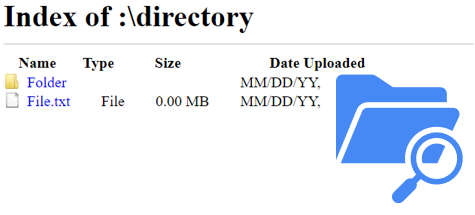
The basic Chrome file directory page, as a simple HTML page.





Key Features •
Download •
How To Use •
Support •
Contributing •
Changelog •
Credits & Contributors
## Key Features
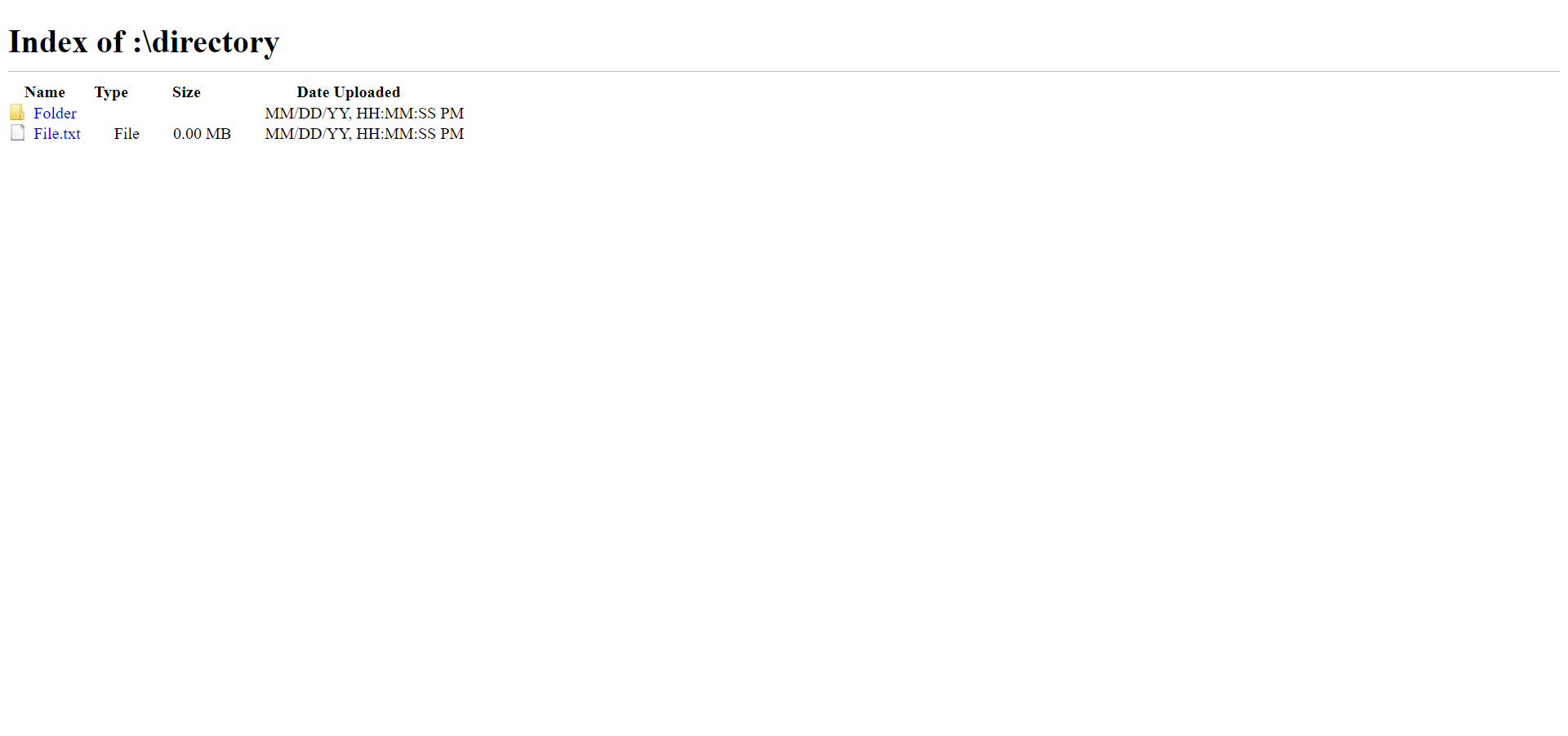
- Basic file directory view.
- Name, type, size and upload date.
- Folder and file links.
- Icons for folders and files.
- Compatible with all web servers and websites.
- Includes an automatically generated file listing.
- Cross platform.
## Download
You can **[download](https://github.com/willtheorangeguy/Chrome-File-Directory/releases/latest) the source code** to modify the code and create your own file directory page.
You can also access the **production version the website**, available on all platforms, **[here](https://willtheorangeguy.github.io/Chrome-File-Directory/)**.
## How To Use
To clone and run this website, you'll need [Git](https://git-scm.com/downloads) installed on your computer. If you would rather not use Git, you can just download the code from GitHub above. From your command line:
```bash
# Clone this repository
$ git clone https://github.com/willtheorangeguy/Chrome-File-Directory.git
# Go into the repository
$ cd Chrome-File-Directory
# Run the webpage
$ index.html
```
You can also pull the [Docker](https://www.docker.com/) image from GitHub Packages. From your command line:
```bash
# Pull image
$ docker pull ghcr.io/willtheorangeguy/chrome-file-directory:main
# Run container
$ docker run -d -p 8000:80 ghcr.io/willtheorangeguy/chrome-file-directory:main
# Now, navigate to localhost in your browser to see the webpage
```
However, **to make this your own directory**, either use the `index_chromium.html` file to create a self generating directory - or use the `index.html` file to create a custom directory listing with custom links.
### Basics
1. If you would rather have the styling for the page in its own separate location, copy the `style.css` file to that location and link it in the top of the `index.html` file. More instructions can be found in [CUSTOMIZATION](https://github.com/willtheorangeguy/Chrome-File-Directory/tree/main/docs/CUSTOMIZATION.md).
2. _Line 69_: Update the `example` placeholder text between the `` tags with the actual directory name. This will be the title of the webpage.
```html
Index of example
```
3. _Line 73_: Update the `:\directory` placeholder text between the `
` tags with the actual directory path. This will be the title displayed on the page.
```html
Index of :\directory
```
4. _Line 74_: If this is a directory inside of another directory, remove the `style="display:none"` placeholder in the `div` tag.
```html
```
5. _Line 75_: If this is a directory inside of another directory, change the `up/level` placeholder in the `href="..."` tag with the actual link to the folder above.
6. When you have customized the title, and added folder and file listings following the tutorials below, save the files and upload them to your web server.
7. You're all set!
### For a Folder
```html
Folder
MM/DD/YY, HH:MM:SS PM
```
- Replace the `"Folder"` placeholder value (between the `data-value="..."` tag) with the real name of the folder.
- Replace the `"link/to/folder"` link (between the `href="..."` tag) with the actual link to the folder.
- Replace the `Folder` placeholder name (between the `...` tag) with the real name of the folder.
- Replace the `MM/DD/YY, HH:MM:SS PM` placeholder date with the date the folder was uploaded.
- Add more of these rows as necessary.
### For a File
```html
File.txt
File
0.00 MB
MM/DD/YY, HH:MM:SS PM
```
- Replace the `"File"` placeholder value (between the `data-value="..."` tag) with the real name of the file.
- Replace the `"link/to/file"` link (between the `href="..."` tag) with the actual link to the file.
- Replace the `File.txt` placeholder name (between the `...` tag) with the real name and extension of the file.
- Replace the `File` placeholder text with the actual file type.
- Replace the `0.00 MB` placeholder size with the real size of the file.
- Replace the `MM/DD/YY, HH:MM:SS PM` placeholder date with the date and time the file was uploaded.
- Add more of these rows as necessary.
## Support
Further customization options for different types of files and folder structures can be found in [`CUSTOMIZATION`](https://github.com/willtheorangeguy/Chrome-File-Directory/blob/main/docs/CUSTOMIZATION.md). More documentation is available in the **[Documentation](https://github.com/willtheorangeguy/Chrome-File-Directory/tree/main/docs)** and on the **[Wiki](https://github.com/willtheorangeguy/Chrome-File-Directory/wiki)**. If more support is required, please open a **[GitHub Discussion](https://github.com/willtheorangeguy/Chrome-File-Directory/discussions/new)** or join our **[Discord](https://discord.gg/b7XPBfzZPC)**.
## Contributing
Please contribute using [GitHub Flow](https://guides.github.com/introduction/flow). Create a branch, add commits, and [open a pull request](https://github.com/willtheorangeguy/Chrome-File-Directory/compare).
Please read [`CONTRIBUTING`](CONTRIBUTING.md) for details on our [`CODE OF CONDUCT`](CODE_OF_CONDUCT.md), and the process for submitting pull requests to us.
## Changelog
See the [`CHANGELOG`](CHANGELOG.md) file for details.
## Credits
This software uses the following open source packages, projects, services or websites:



GitHub
W3C
W3Schools
Chromium
Web - Plans
Web - Donate
Web - Pro
Web
## Contributors
- [@willtheorangeguy](https://github.com/willtheorangeguy) - Sponsor on [PayPal](https://paypal.me/wvdg44?country.x=CA&locale.x=en_US)
## You may also like...
- [Running Calculator](https://github.com/willtheorangeguy/Running-Calculator) - A running speed calculator for any unit of distance.
- [PyWorkout](https://github.com/willtheorangeguy/PyWorkout) - A minimal CLI to keep you inspired during your workout! Easily used and customized, with support for multiple workout plans, different muscle groups and video workouts.
- [PyAvatar](https://github.com/willtheorangeguy/PyAvatar) - Easily display all of your creative avatars to keep them consistent across websites.
## License
**The website code in this repository is created by the [Chromium Development Team](https://www.chromium.org/Home/) and maintained by Google. The browser is released under the BSD 3-Clause License, and this project follows those licensing guidelines.**
This project is licensed under the [BSD 2-Clause “Simplified” License](https://choosealicense.com/licenses/bsd-2-clause/) - see the [`LICENSE`](LICENSE.md) file for details. See the [Privacy Policy](https://github.com/willtheorangeguy/Chrome-File-Directory/blob/main/docs/legal/PRIVACY.md) and [Terms and Conditions](https://github.com/willtheorangeguy/Chrome-File-Directory/blob/main/docs/legal/TERMS.md) for legal information.