https://github.com/window5000/suffixchanger
Paper plugin to change LuckPerms suffixes via a GUI.
https://github.com/window5000/suffixchanger
luckperms minecraft minecraft-plugin paper-plugin papermc
Last synced: 4 months ago
JSON representation
Paper plugin to change LuckPerms suffixes via a GUI.
- Host: GitHub
- URL: https://github.com/window5000/suffixchanger
- Owner: Window5000
- License: gpl-2.0
- Created: 2024-03-16T08:48:04.000Z (over 2 years ago)
- Default Branch: master
- Last Pushed: 2025-01-26T16:58:39.000Z (over 1 year ago)
- Last Synced: 2025-04-07T17:47:03.796Z (about 1 year ago)
- Topics: luckperms, minecraft, minecraft-plugin, paper-plugin, papermc
- Language: Kotlin
- Homepage: https://hangar.papermc.io/Window5/SuffixChanger
- Size: 115 KB
- Stars: 2
- Watchers: 1
- Forks: 0
- Open Issues: 0
-
Metadata Files:
- Readme: README.md
- License: LICENSE
Awesome Lists containing this project
README
[ ](https://modrinth.com/plugin/suffixchanger)
# SuffixChanger
[](https://github.com/RichardLitt/standard-readme)
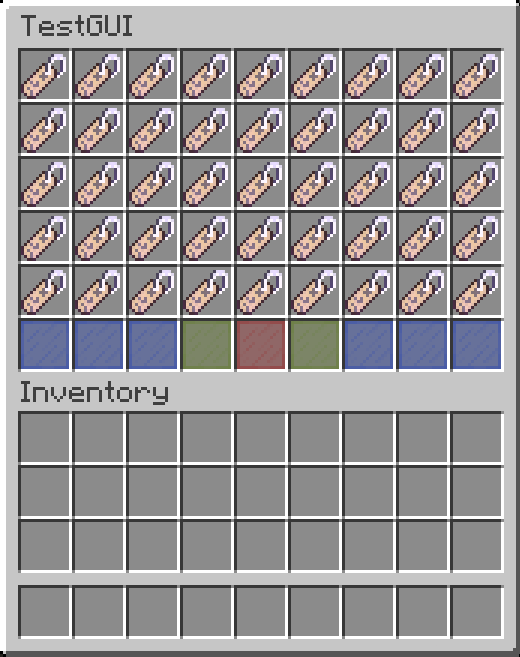
Let players choose their suffix with a simple-to-use GUI. Also contains admin gui for easily creating new suffixes.
## Table of Contents
- [Install](#install)
- [Usage](#usage)
- [Configuration](#configuration)
- [Contributing](#contributing)
- [License](#license)
# Install
[Download the plugin](https://github.com/Window5000/SuffixChanger/releases/latest) and add it to your ``plugins`` folder.
## Dependencies
This plugin obviously requires [LuckPerms](https://luckperms.net/download) to function.
For suffixes to show in chat you need another plugin to format the chat, for a simplistic formatter you can use [Vault](https://www.spigotmc.org/resources/vault.34315) and [VaultChatFormatter](https://www.spigotmc.org/resources/vaultchatformatter.49016)
# Usage
Create a group for each of your suffixes, then add them all to a track called ``suffixes``. Before players can change their suffix, you need to give them the permissions ``suffix.[group name of suffix]`` of every suffix they're allowed to use.
New suffixes can be easily created with either ``/addsuffix`` or the orange button in ``/suffix``.
## Commands:
- ``/suffix`` Open the SuffixChanger GUI
- ``/reloadsuffixchanger`` Reloads the SuffixChanger config
- ``/addsuffix `` Add a group with the specified suffix to luckperms
## Permissions:
- ``suffix.[group name of suffix]`` for every suffix the player is allowed to use
- ``suffixchanger.suffix`` to open the GUI
- ``suffixchanger.addsuffix`` deprecated, use ``suffixchanger.admin`` instead
- ``suffixchanger.reload`` to reload the SuffixChanger config
- ``suffixchanger.admin`` to access add, edit, and remove suffixes
# Configuration
- ``title`` changes the title that is used for the GUI, supports [MiniMessage](https://docs.advntr.dev/minimessage/format.html)
- ``watermark`` set to false to disable the watermark under the leftover buttons
- ``obfuscate`` set to true to obfuscate suffixes that the players isn't allowed to use
- ``track`` advanced, determines which track to use for suffixes
- ``group_weight`` advanced, determines what weight the group should have in Luckperms when using /addsuffix
# Contributing
PRs accepted.
Small note: If editing the Readme, please conform to the [standard-readme](https://github.com/RichardLitt/standard-readme) specification.
# License
[GNU GPL](LICENSE) © Window5