https://github.com/wiseplat/meteor-package-elements
https://github.com/wiseplat/meteor-package-elements
Last synced: 3 months ago
JSON representation
- Host: GitHub
- URL: https://github.com/wiseplat/meteor-package-elements
- Owner: WISEPLAT
- Created: 2018-02-09T19:25:21.000Z (over 8 years ago)
- Default Branch: master
- Last Pushed: 2018-02-09T19:27:44.000Z (over 8 years ago)
- Last Synced: 2025-01-15T10:26:27.453Z (over 1 year ago)
- Language: JavaScript
- Size: 711 KB
- Stars: 0
- Watchers: 1
- Forks: 0
- Open Issues: 0
-
Metadata Files:
- Readme: README.md
Awesome Lists containing this project
README
# Wiseplat elements
A collection of basic Meteor templates/components to make dapps faster to build.
Its recommended to use these elements along with the [Ðapp styles](https://github.com/wiseplat/dapp-styles).
You can find a [demo here](http://wiseplat-elements.meteor.com).
## Installation
$ meteor add wiseplat:elements
## Usage
The following elements can be use anywhere in your dapp.
Additionally this package exposes the following packages:
- [wiseplat:tools](https://atmospherejs.com/wiseplat/tools), which gives you `WshTools`.
- [frozeman:template-var](https://atmospherejs.com/frozeman/template-var), which gives you the `TemplateVar.set()/.get()` functions which can be used to get values from the select account, or address input element.
Note that these packages will only be exposed to your client part of your dapp,
if you want to use e.g. `WshTools` on the server side add the package manually using `$ meteor add wiseplat:tools`.
***
### Identicon

Shows an identicon.
You can add the class `dapp-tiny`, `dapp-small`, `dapp-medium` to make it smaller. Default size is to 64px.
```html
{{> dapp_identicon identity='0x922a519ac926f69856fcfc1b2b8b846cfb3f6b4e' class="dapp-small"}}
```
Additionally you can provide a URL, which the identicon will link to.
```html
{{> dapp_identicon identity='0x922a519ac926f69856fcfc1b2b8b846cfb3f6b4e' link="/mypath/"}}
```
***
### Address Input

Creates a input field, with an identicon, which will change based on the input value.
You can add the class `dapp-large` to make it a larger input.
```html
{{> dapp_addressInput placeholder="0x000000.." value="0x1234..."}}
```
**Setting size**
By passing `class="dapp-large"` you can have a larger version of the input:
```html
{{> dapp_addressInput placeholder="0x000000.." class="dapp-large"}}
```
Additional Properties are:
- `autofocus="true"`
- `disabled="true"`
**Getting values reactively**
Getting the value using `TemplateVar` you can grap the templates reactive var using:
```js
TemplateVar.getFrom('.my-container-element .dapp-address-input', 'value');
// 0xe5f2f0a5ff3f889856c85b3a255501d1d291467d
// or when used in an event
'change .dapp-address-input input': function(e) {
var value = TemplateVar.getFrom(e.currentTarget, 'value');
}
```
**Note** The `value` won't be set until the content of the input is valid.
***
### Data Textarea
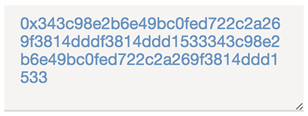
Creates a textarea field, which only accepts HEX data as input.
You can add the class `dapp-large` to make it a larger input.
```html
{{> dapp_dataTextarea cols="20" rows="4" value="0x1234"}}
```
**Setting size**
By passing `class="dapp-large"` you can have a larger version of the input:
```html
{{> dapp_dataTextarea class="dapp-large"}}
```
Additional Properties are:
- `autofocus="true"`
- `disabled="true"`
**Getting values reactively**
Getting the value using `TemplateVar` you can grap the templates reactive var using:
```js
TemplateVar.getFrom('.my-container-element .dapp-data-textarea', 'value');
// 0x1bff2
// or when used in an event
'change textarea.dapp-data-textarea': function(e) {
var value = TemplateVar.getFrom(e.currentTarget, 'value');
}
```
**Note** The `value` won't be set until the content of the textarea is valid.
***
### Select account

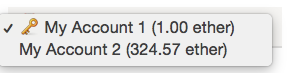
Creates a select, which can allow to select accounts. The provided array needs to have at least the follwing properties:
```js
var myAccounts = [{
type: "account",
name: 'My Account 1',
balance: '1000000000000000000', // in wei
address: '0x922a519ac926f69856fcfc1b2b8b846cfb3f6b4e'
},
{
name: 'My Other Address',
balance: '324567543200000013456', // in wei
address: '0x1f93d965f60faee1085a93e99562945c1bd97be0'
}]
```
```html
{{> dapp_selectAccount accounts=myAccounts}}
```
This element works also well with the [wiseplat:accounts](https://atmospherejs.com/wiseplat/accounts) package, which provides you with `WshAccounts.find().fetch()` to get all current accounts.
**Setting size**
By passing `class="dapp-large"` you can have a larger version of the select box:
```html
{{> dapp_selectAccount accounts=myAccounts class="dapp-large"}}
```
**Show icon**
If you add the `showAccountTypes=true` property it will show a key unicode icon for all accounts with the `type='account'` property (set for `WshAccounts` accounts).
```html
{{> dapp_selectAccount accounts=myAccounts showAccountTypes=true}}
```
**Getting values reactively**
Getting the value using `TemplateVar` you can grap the templates reactive var using:
```js
TemplateVar.getFrom('.my-container-element .dapp-select-account', 'value');
// or when used in an event
'change .dapp-select-account select': function(e) {
var value = TemplateVar.getFrom(e.currentTarget, 'value');
}
```
***
### Gas price selection
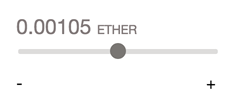
This element allows you users to adjust the fee (gas * gas price) of a transaction, and gives you back either the `gasInWei` or the selected `gasPrice`.
You need to provide a gas estimation which you can get using e.g. `web3.wsh.estimateGas({from: .., to: .., data: ..})` or `myContract.myMethod.estimateGas({from: ..})`
and the tool will display whats the current medium gas price based on the given `gasPrice` * your gas usage estimation.
The user then can adjust the fee up and down by a factor of ~1.8.
*Hint*: To get the gas price reactivly you can use the [wiseplat:blocks](https://atmospherejs.com/wiseplat/blocks) package's `WshBlocks.latest.gasPrice` and pass it to the `gasPrice` property.
```html
{{> dapp_selectGasPrice gas=21000 gasPrice=50000000000 unit="wise"}}
```
*Note*: If you don't set the `unit` property it will use `WshTools.getUnit()`, like the `{{> dapp_formatBalance}}` element.
**Getting values reactively**
To get the `gasInWei` (gas * adjusted gas price) or the adjusted `gasPrice` use:
```js
TemplateVar.getFrom('.my-container-element .dapp-select-gas-price', 'gasPrice');
// "56258440003" ~ 56 gwei
// or the total fee when providing a estimated gas usage of 21000
TemplateVar.getFrom('.my-container-element .dapp-select-gas-price', 'gasInWei');
// "1181427240063000" which is "0.001181427240063" wise
// or when used in an event
'change .dapp-select-gas-price input': function(e) {
var value = TemplateVar.getFrom(e.currentTarget, 'gasInWei');
}
```
**Localization**
The element can replace the - and + texts below the range selection using the `tap:i18n` package.
If the `TAPi18n` helper is available it will use `TAPi18n.__('elements.selectGasPrice.high')` and `TAPi18n.__('elements.selectGasPrice.low')` for the texts.
***
### Modals
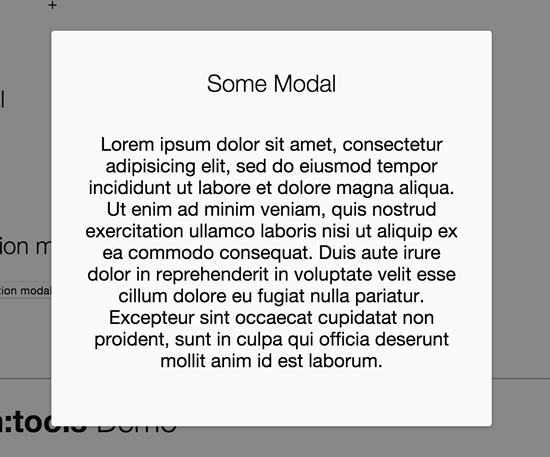
Just place a modal placeholder before the closing body tag.
```html
{{> dapp_modalPlaceholder}}
```
#### Render without route
Render the modal:
```js
WshElements.Modal.show('myContentTemplate');
// Or
WshElements.Modal.show({
template: 'myContentTemplate',
data: {
myData: 'some data'
}
});
```
Additional options:
- `closeable` - Prevents the default behaviour, which closes the modal when the overlay is clicked.
- `class` - A class, which will be add to the modal section element
```js
WshElements.Modal.show('myContentTemplate', {
closeable: false,
class: 'my-modal-class'
});
```
Navigate to a path on close.
This will only work when the [kadira:flow-router](https://atmospherejs.com/kadira/flow-router) or [iron:router](https://atmospherejs.com/iron/router) package is installed:
```js
WshElements.Modal.show('myContentTemplate', {closePath: '/dashboard'});
```
#### Close modal
```js
WshElements.Modal.hide();
```
***
### Modal Question
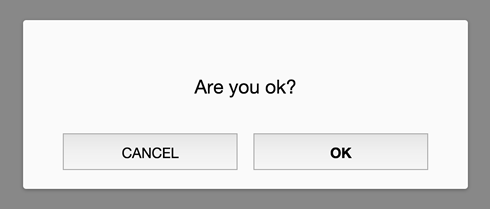
The question modal is a modal content template, which can be used to display a text and allow OK and Cancel options.
You basically just can pass a `text`, `ok` and/or `cancel` property as a data context to set callbacks, which will be fired when the button is pressed.
Additional you can:
- Set the `ok` or `cancel` property to `true`, it will just close the modal without any action.
- Pass `false` or leave the `ok` or `cancel` property empty and it won't show that buttons.
```js
WshElements.Modal.question({
text: 'Do you want to ...',
ok: function(){
// do something on ok
},
cancel: true // simply show th cancel button and close the modal on click
});
```
#### Using a template
Instead of passing a text you can also pass a template, which will be shown above the ok/cancel buttons
```js
WshElements.Modal.question({
template: 'myTemplate',
data: {
my: 'template data'
},
ok: function(){
// do something on ok
},
cancel: function(){
// do something on cancel
}
});
```
#### Close question modal
```js
WshElements.Modal.hide();
```
Additional you can pass the same options as the modal as the second parameter:
```js
WshElements.Modal.question({
text: 'Alright?',
ok: function(){
// do something on ok
}
}, {
closeable: false
});
```
#### Localization
The modal question can use the `tap:i18n` package for the ok and cancel button texts.
If the `TAPi18n` helper is available it will use `TAPi18n.__('buttons.ok')` and `TAPi18n.__('buttons.cancel')` for the buttons.