https://github.com/witt-bit/fcitx5-theme-mint
薄荷输入法同款fcitx5皮肤
https://github.com/witt-bit/fcitx5-theme-mint
fcitx-skins fcitx5-skin fcitx5-theme
Last synced: 2 months ago
JSON representation
薄荷输入法同款fcitx5皮肤
- Host: GitHub
- URL: https://github.com/witt-bit/fcitx5-theme-mint
- Owner: witt-bit
- License: apache-2.0
- Created: 2025-03-01T18:13:46.000Z (over 1 year ago)
- Default Branch: master
- Last Pushed: 2025-03-01T18:31:14.000Z (over 1 year ago)
- Last Synced: 2025-03-01T19:25:52.079Z (over 1 year ago)
- Topics: fcitx-skins, fcitx5-skin, fcitx5-theme
- Language: Shell
- Homepage: https://www.mintimate.cc/
- Size: 460 KB
- Stars: 0
- Watchers: 1
- Forks: 0
- Open Issues: 0
-
Metadata Files:
- Readme: README.md
- License: LICENSE
Awesome Lists containing this project
README
薄荷输入法
同款fcitx5皮肤
### 来源
* [oh-my-rime输入法](https://www.mintimate.cc/)
* [薄荷输入法仓库](https://github.com/Mintimate/oh-my-rime)
* [薄荷输入法小狼毫配置](https://github.com/Mintimate/oh-my-rime/blob/main/weasel.yaml)
* [薄荷输入法鼠须管配置](https://github.com/Mintimate/oh-my-rime/blob/main/symbols.yaml)
### 原效果图
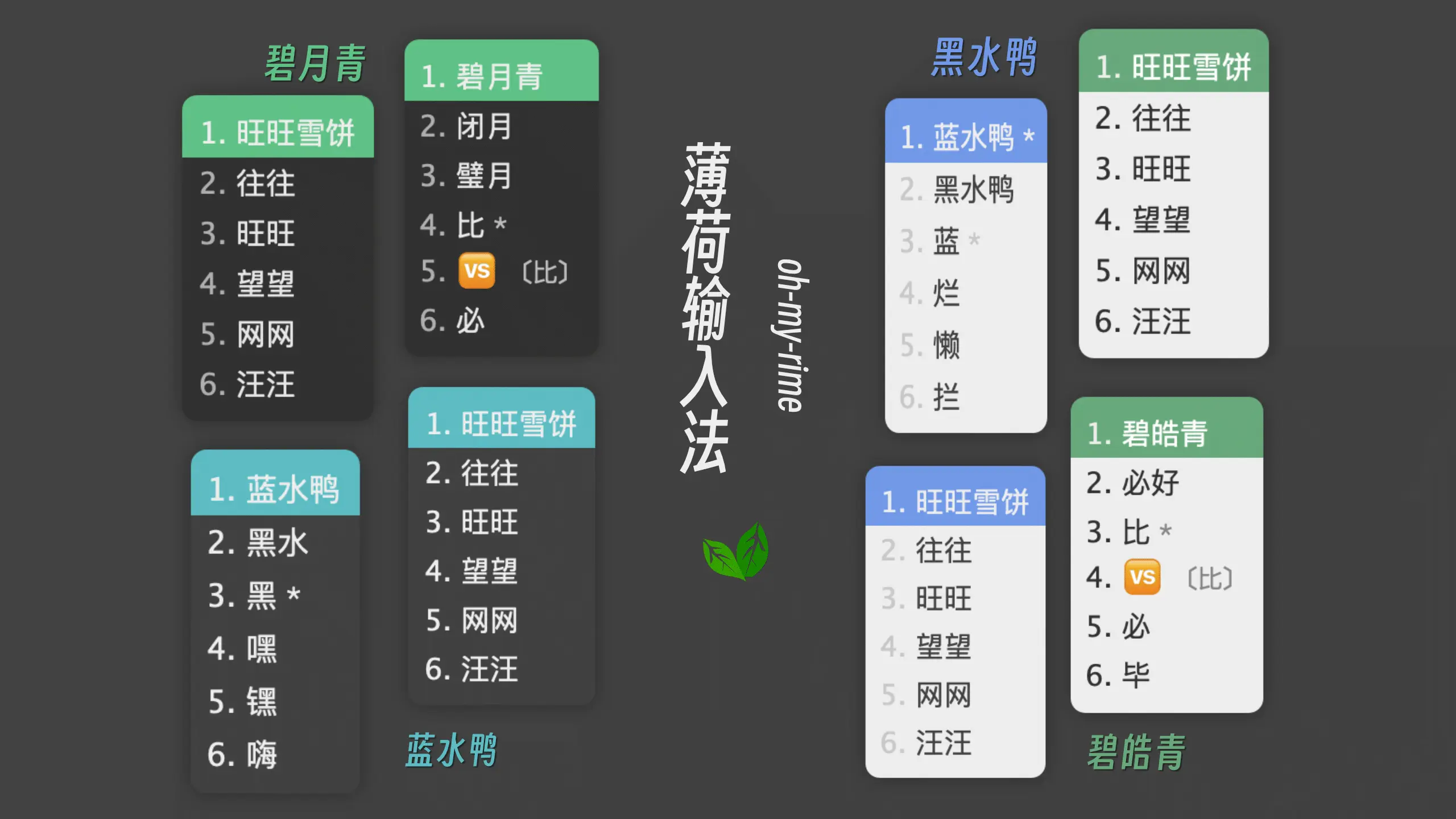
### 效果图
* 黑水鸭

* 蓝水鸭

* 碧月青

* 碧皓青

### 安装
#### 1.源码安装
> 适用所有发行版
```shell
git clone https://github.com/witt-bit/fcitx5-theme-mint.git
# 安装
./install.sh
```
#### 2.AUR安装
> 适用Arch Linux和Manjaro
```shell
yay -S fcitx5-theme-mint
```
### 使用
在**系统设置**-->**输入法**-->**配置附加组件**-->**经典用户界面**-->**主题/深色主题**选择启用
