https://github.com/wode490390/signeditor
Sign editor plugin for Nukkit
https://github.com/wode490390/signeditor
editor minecraft nukkit plugin sign tool
Last synced: about 1 month ago
JSON representation
Sign editor plugin for Nukkit
- Host: GitHub
- URL: https://github.com/wode490390/signeditor
- Owner: wode490390
- License: gpl-3.0
- Created: 2019-01-09T06:51:31.000Z (over 7 years ago)
- Default Branch: master
- Last Pushed: 2022-09-16T12:16:14.000Z (almost 4 years ago)
- Last Synced: 2025-03-21T14:24:16.843Z (over 1 year ago)
- Topics: editor, minecraft, nukkit, plugin, sign, tool
- Language: Java
- Homepage:
- Size: 35.2 KB
- Stars: 3
- Watchers: 1
- Forks: 0
- Open Issues: 2
-
Metadata Files:
- Readme: README.md
- License: LICENSE
Awesome Lists containing this project
README
# Sign Editor
[](https://github.com/NukkitX/Nukkit)
[](https://circleci.com/gh/wode490390/SignEditor/tree/master)
[](https://github.com/wode490390/SignEditor/releases)
[](https://github.com/wode490390/SignEditor/releases)
Sign editor plugin for Nukkit.
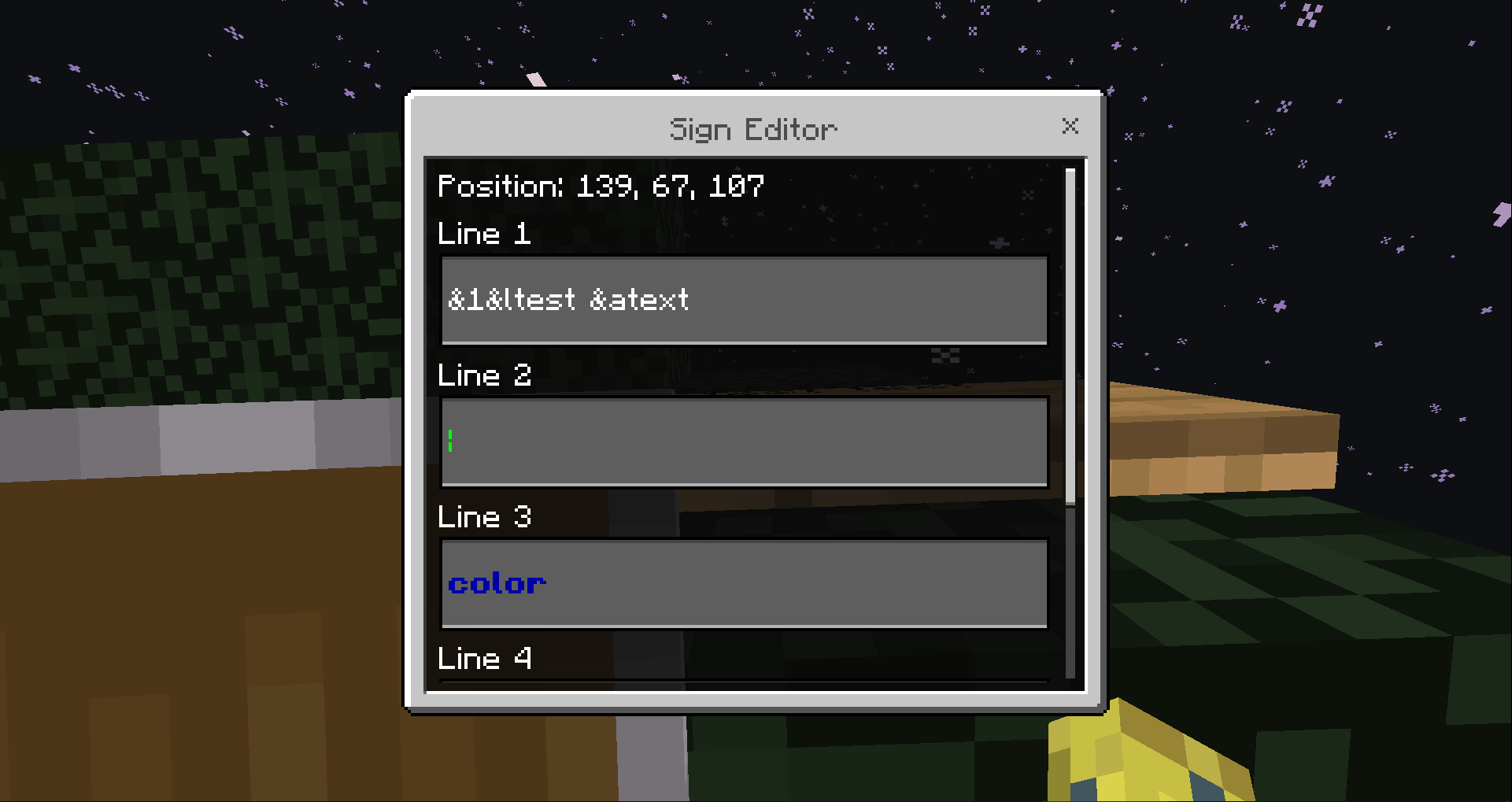
If you found any bugs or have any suggestions, please open an issue on [GitHub Issues](https://github.com/wode490390/SignEditor/issues).
If you like this plugin, please star it on [GitHub](https://github.com/wode490390/SignEditor).
## Download
- [Releases](https://github.com/wode490390/SignEditor/releases)
- [Snapshots](https://circleci.com/gh/wode490390/SignEditor)
## Usage
1. Click a sign.
2. Send the `/sign` command to open the editor.
## Commands
| Command | Permission | Description | Default |
| - | - | - | - |
| `/sign [line] [text]` | sign.command | Changes the text of a sign | OP |
*Use `/sign 0` to emptying a sign.*
## Compiling
1. Install [Maven](https://maven.apache.org/).
2. Run `mvn clean package`. The compiled JAR can be found in the `target/` directory.
## Metrics Collection
This plugin uses [bStats](https://github.com/wode490390/bStats-Nukkit). You can opt out using the global bStats config; see the [official website](https://bstats.org/getting-started) for more details.
###### If I have any grammar and/or term errors, please correct them :)