https://github.com/wolfsilver/gkd-sub
https://github.com/wolfsilver/gkd-sub
Last synced: 11 months ago
JSON representation
- Host: GitHub
- URL: https://github.com/wolfsilver/gkd-sub
- Owner: wolfsilver
- Created: 2025-07-09T01:03:59.000Z (12 months ago)
- Default Branch: main
- Last Pushed: 2025-07-09T04:52:47.000Z (12 months ago)
- Last Synced: 2025-07-09T05:23:44.335Z (12 months ago)
- Language: TypeScript
- Size: 8.79 KB
- Stars: 0
- Watchers: 0
- Forks: 0
- Open Issues: 0
-
Metadata Files:
- Readme: README.md
Awesome Lists containing this project
README
# subscription-template
GKD 订阅模板, 此仓库方便您直接构建自己订阅, 点击右上角 [Use this template](https://github.com/new?template_name=subscription-template&template_owner=gkd-kit) 即可使用
## 配置环境
请安装最新版 nodejs 和 pnpm 运行, 以及使用 vscode 打开项目
> [!IMPORTANT]
> 选择器需要使用 nodejs@22 的 WasmGc 来校验 Java/Kotlin 正则表达式, 确保使用 nodejs>=22
- nodejs>=**22**
- pnpm>=9
- vscode
安装好后使用模板, 假设您刚刚使用 `Use this template` 创建的仓库是 `https://github.com/username/subscription`
接下来下载并初始化环境
```shell
git clone https://github.com/username/subscription
cd subscription
pnpm install
```
如果因为网络问题安装失败, 将上面的 `pnpm install` 换成下面命令使用 阿里镜像源 重新安装即可
```sh
pnpm install --registry=https://registry.npmmirror.com
```
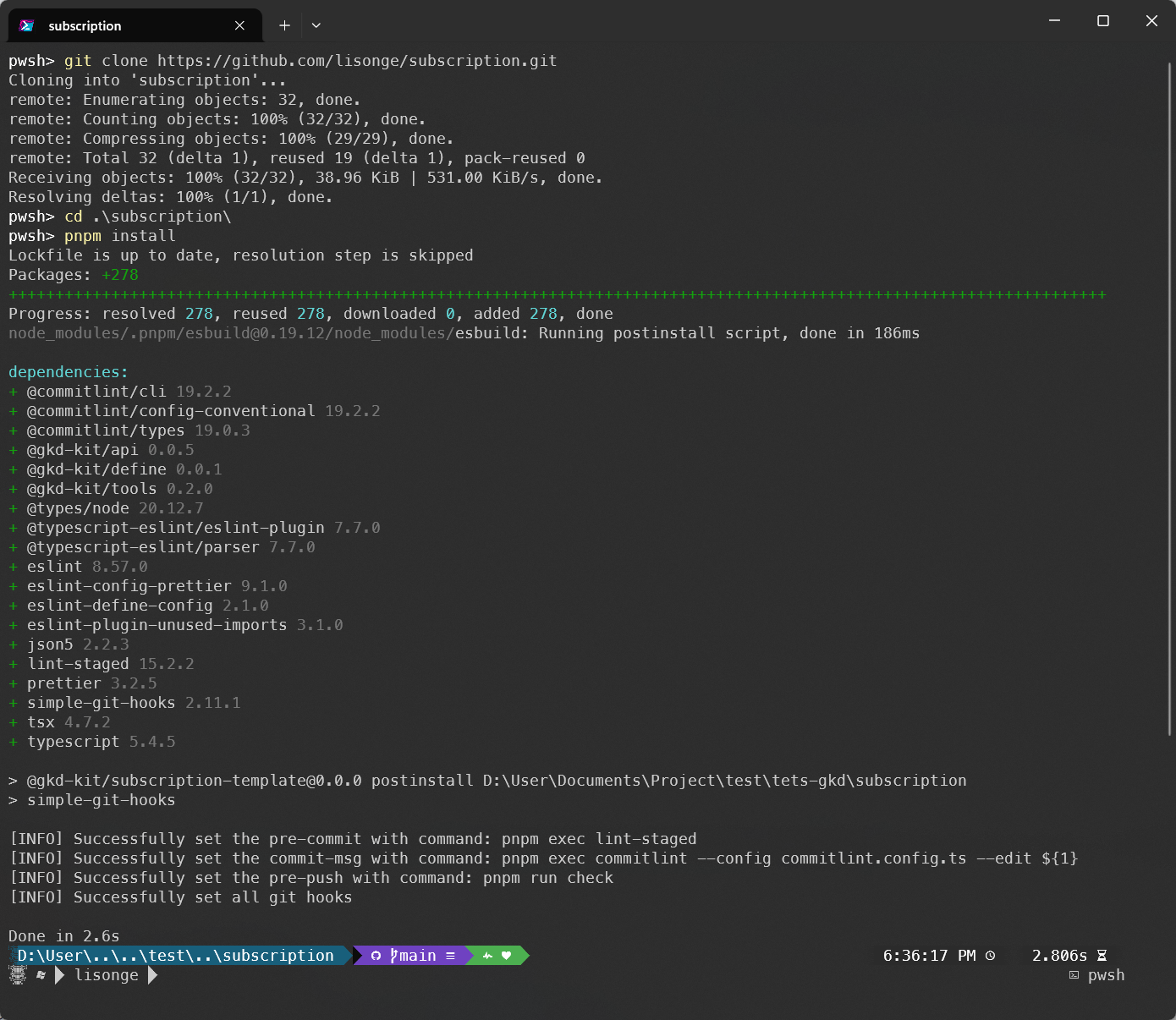
至此环境已在 `subscription` 目录下初始化完毕, 使用 vscode 打开目录即可开始开发
接下来下面所有的示例链接都基于 `username/subscription`, 请自行替换后打开
`pnpm install` 用于安装依赖, 如果您的 [./package.json](./package.json) 发生变化, 则需要再次运行 `pnpm install`
---
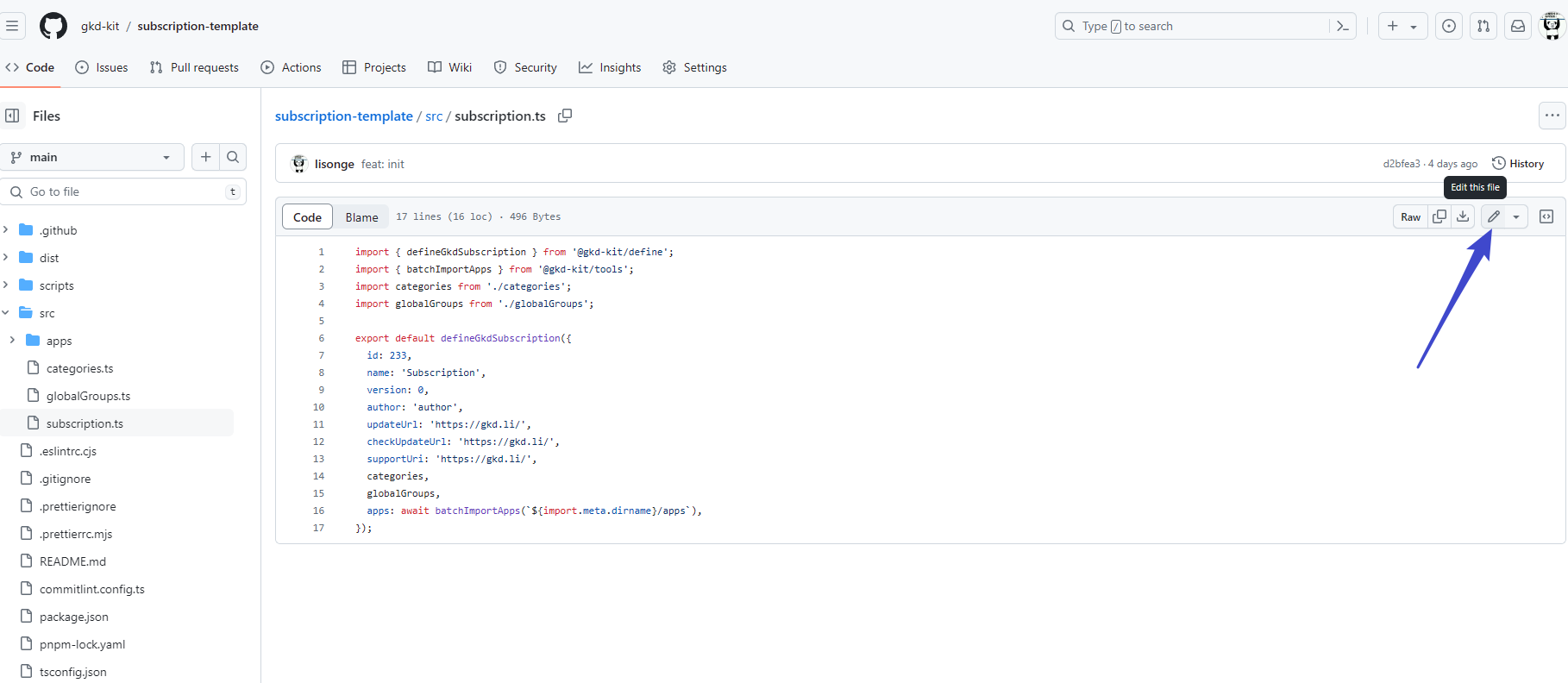
如果您无法初始化 nodejs 环境, 那可以直接使用 github 网页编辑文件后在线提交, 点击下面链接即可在线编辑
## 目录结构
- 订阅详情 [./src/subscription.ts](./src/subscription.ts)
- 全局规则 [./src/globalGroups.ts](./src/globalGroups.ts)
- 规则分类 [./src/categories.ts](./src/categories.ts)
- 应用规则 [./src/apps](./src/apps/)
在 vscode 内使用鼠标悬浮在任意字段上即可查看注释说明, 也可在 搜索查看
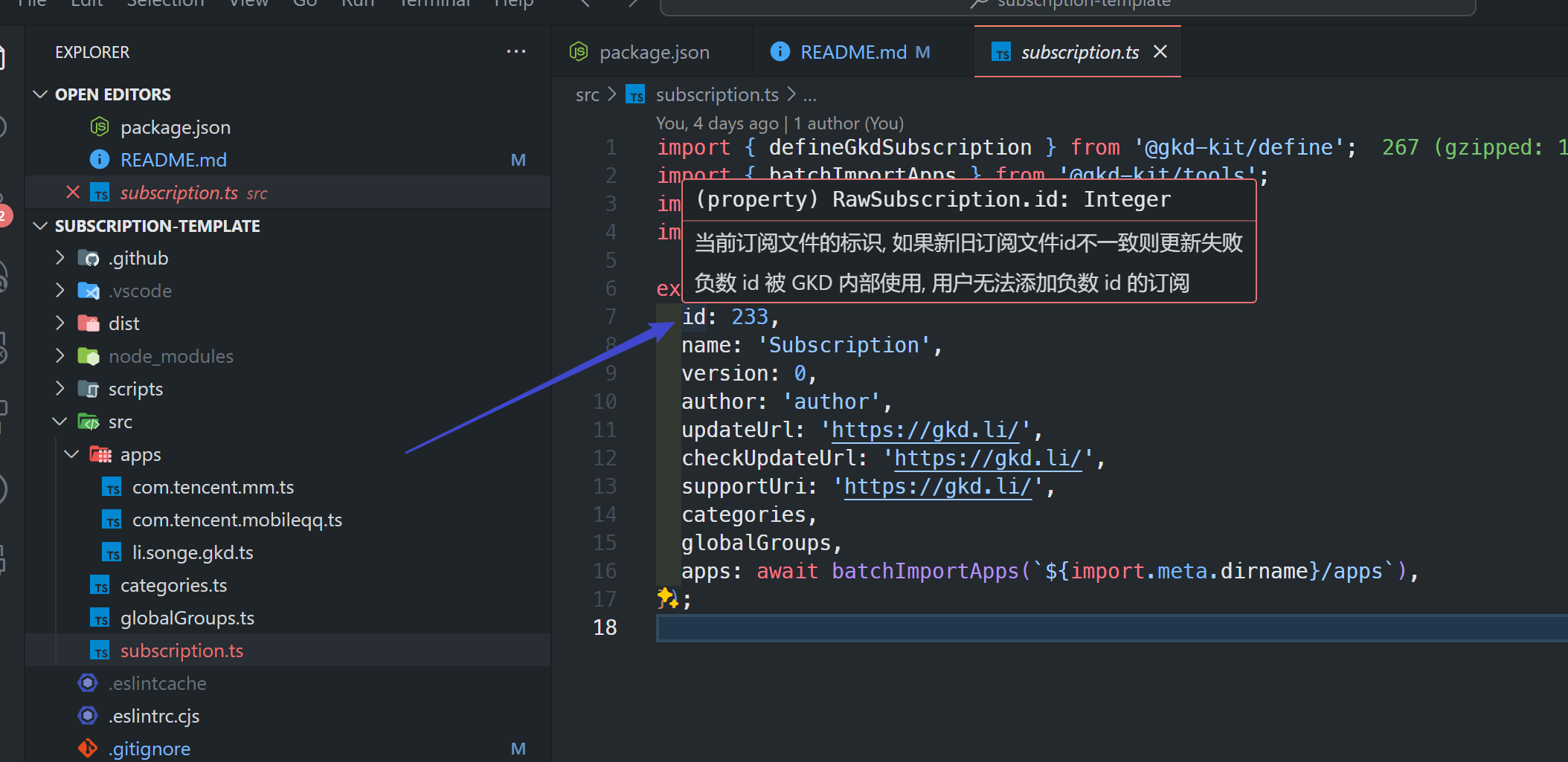
现在您可编辑 [./src](./src/) 下的文件来自定义您的订阅, 构建后的订阅文件处于 [./dist](./dist/) 目录下
另外您必须修改 订阅详情 [./src/subscription.ts](./src/subscription.ts) 下的 id 字段, 否则可能会和其它订阅冲突, 填一个较大的随机数字即可
## 格式修复
我们使用 [prettier](https://github.com/prettier/prettier) 来格式化代码 和 [eslint](https://github.com/eslint/eslint) 来检测并修复代码错误
同时使用 [simple-git-hooks](https://github.com/toplenboren/simple-git-hooks) 在您提交代码时运行格式化和代码检测修复脚本
当您的代码存在错误时, 它会阻止您提交代码并输出具体错误以供您手动修复后再次提交
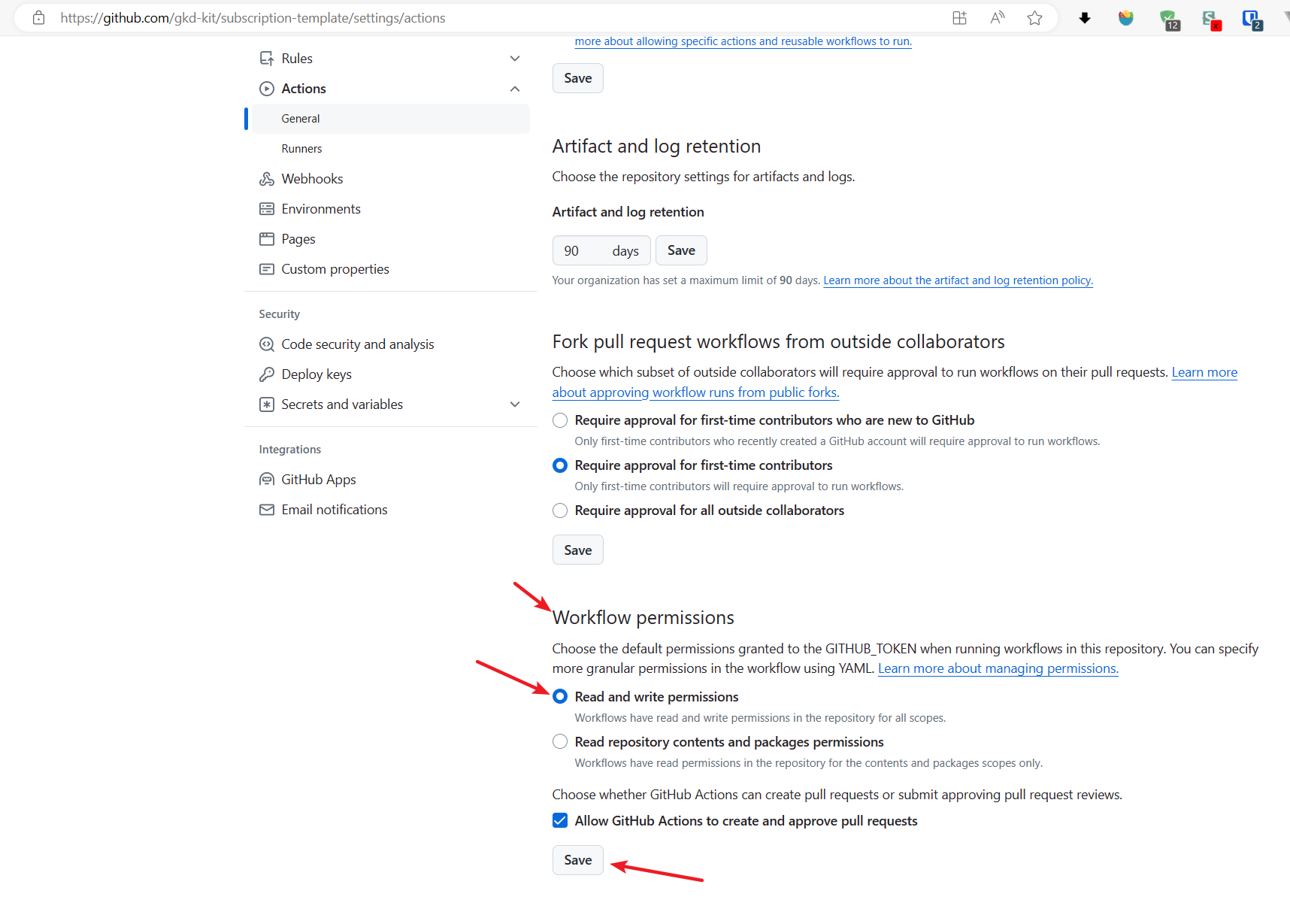
当提交代码到仓库时, 我们也需要使用 github actions 来帮助自动格式化并修复代码, 因此您需要开启仓库的此项权限
打开
然后找到 Workflow permissions 点击 Read and write permissions 然后点击下方的 Save 即可
## 构建订阅
我们需要将 [./src](./src/) 分散的文件合并为一个 gkd.json5 的最终订阅文件并输出到 [./dist](./dist/) 目录下
推荐使用 github actions 进行构建, 在 [./.github/workflows](./.github/workflows) 下有 3 个工作流
我们使用其中的 `build_release.yml` 构建并发布
打开
然后点击右侧的 `Run workflow` 即可运行并发布
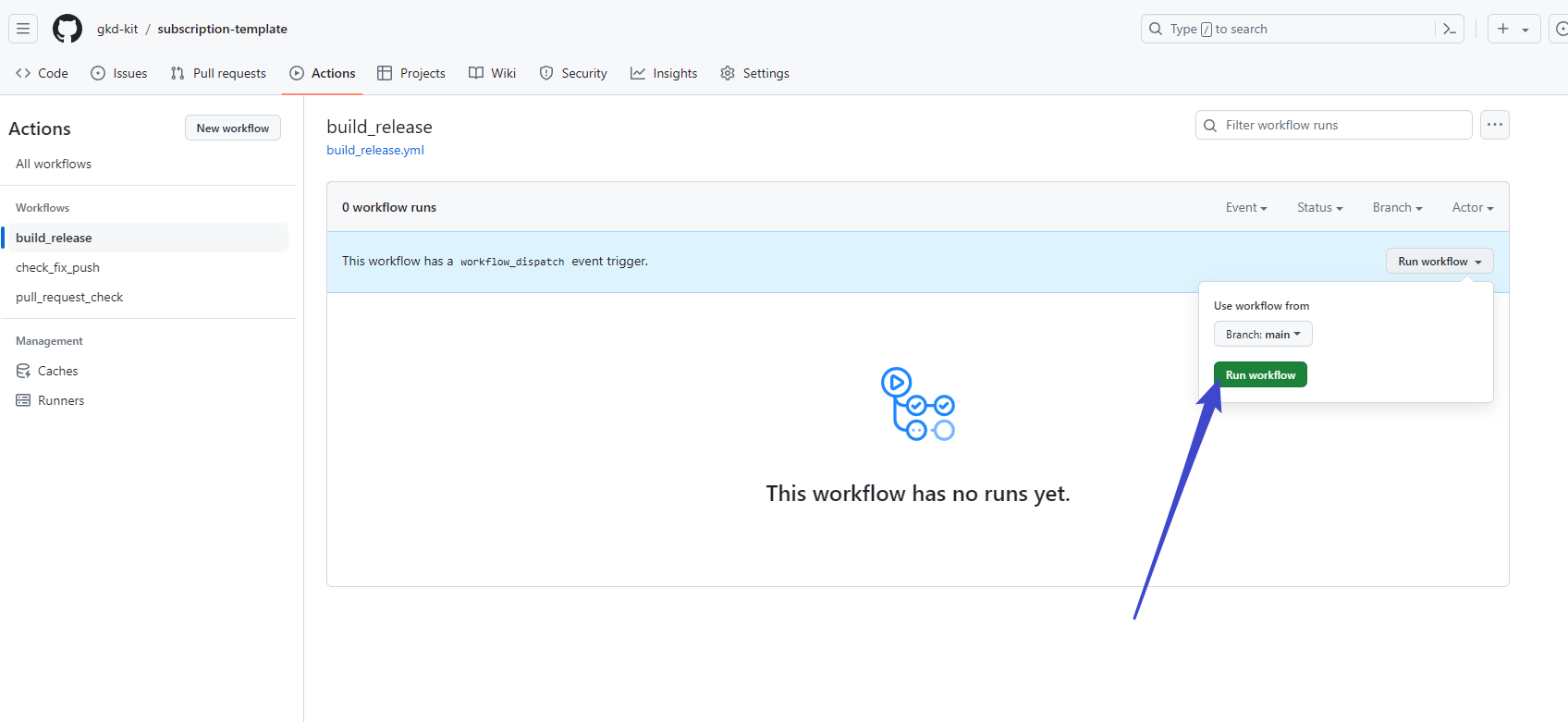
构建后订阅将输出到 dist 目录下, gkd.json 的文件订阅地址如下, 复制后到 GKD 添加即可
```txt
https://raw.githubusercontent.com/username/subscription/main/dist/gkd.json5
```
## 镜像加速
raw.githubusercontent.com 在大陆的访问常常无法访问
您可以换成 加速访问
如果无法访问 raw.githubusercontent.com 和 fastly.jsdelivr.net
您可以将本仓库发布到 npm 上, 然后通过 registry.npmmirror.com 加速访问
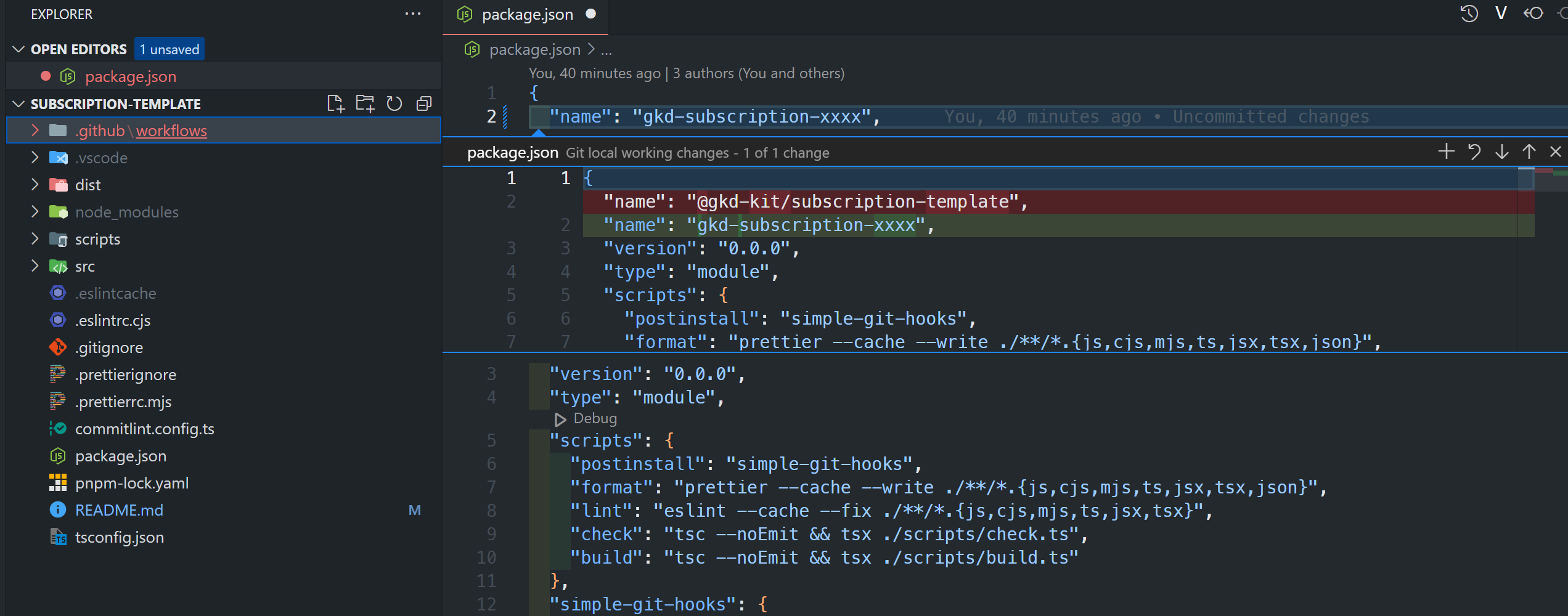
要发布到 npm 上, 必须先将 [./package.json](./package.json) 的 name 字段改成未使用的包名, 否则发布失败
您可以改成 `gkd-subscription-xxxx` 其中 `xxxx` 是订阅的 id 或者随机字母数字, 总之不冲突就行
或者改成 `@your_npm_name/subscription`, 这种类型是 scope 名称, 其中 `your_npm_name` 是你下面要注册的 npm 用户名
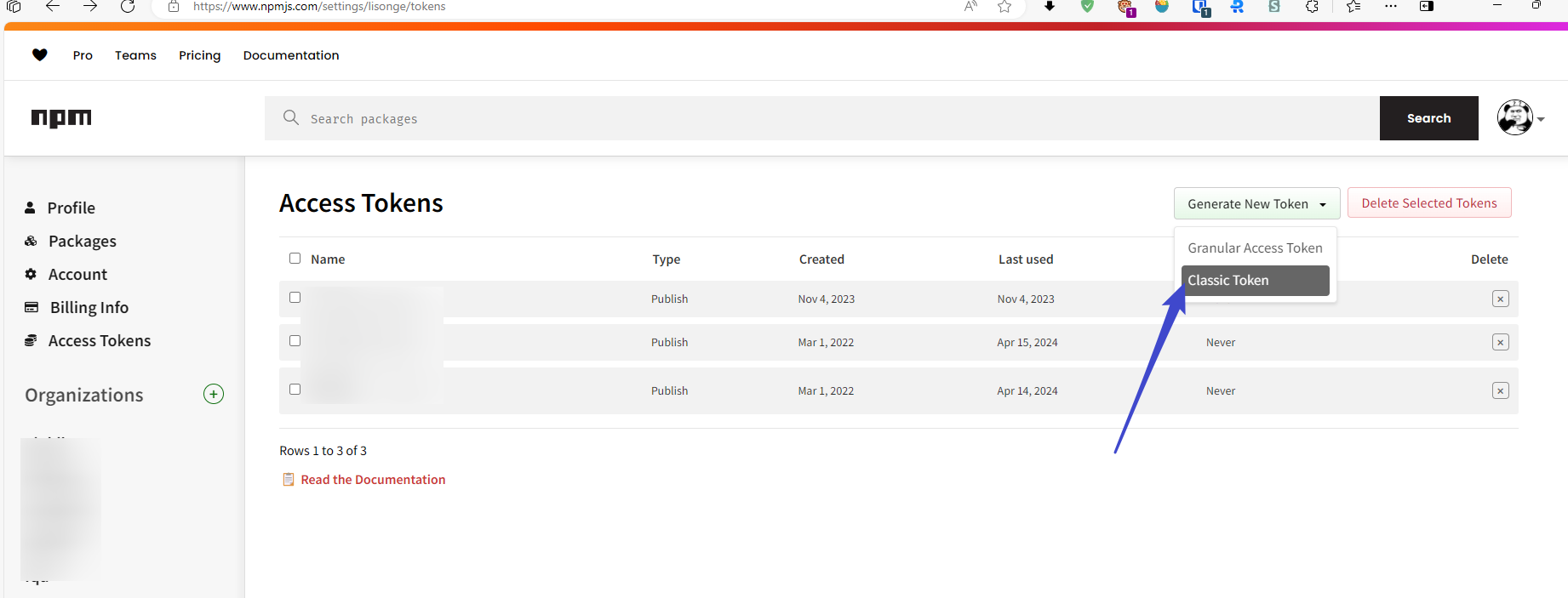
接下来获取 token, 你需要先注册 , 然后到 Access Tokens 界面点击 Generate New Token 选择 Classic Token 后随便输入 Name 选择 Publish 即可生成并复制
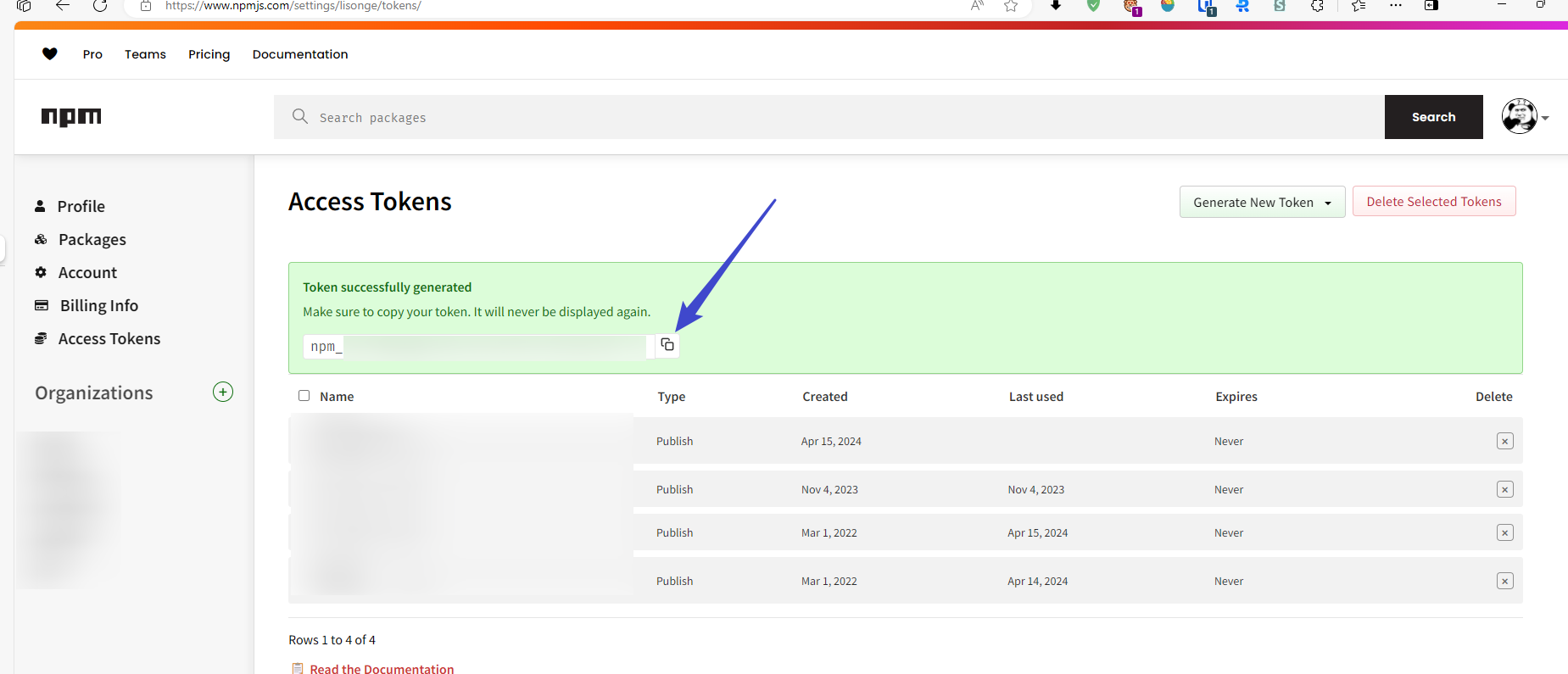
复制后打开
在 Name 输入 `NPM_TOKEN`, 在 Secret 输入刚刚复制的 token, 点击 Add secret 即可添加成功
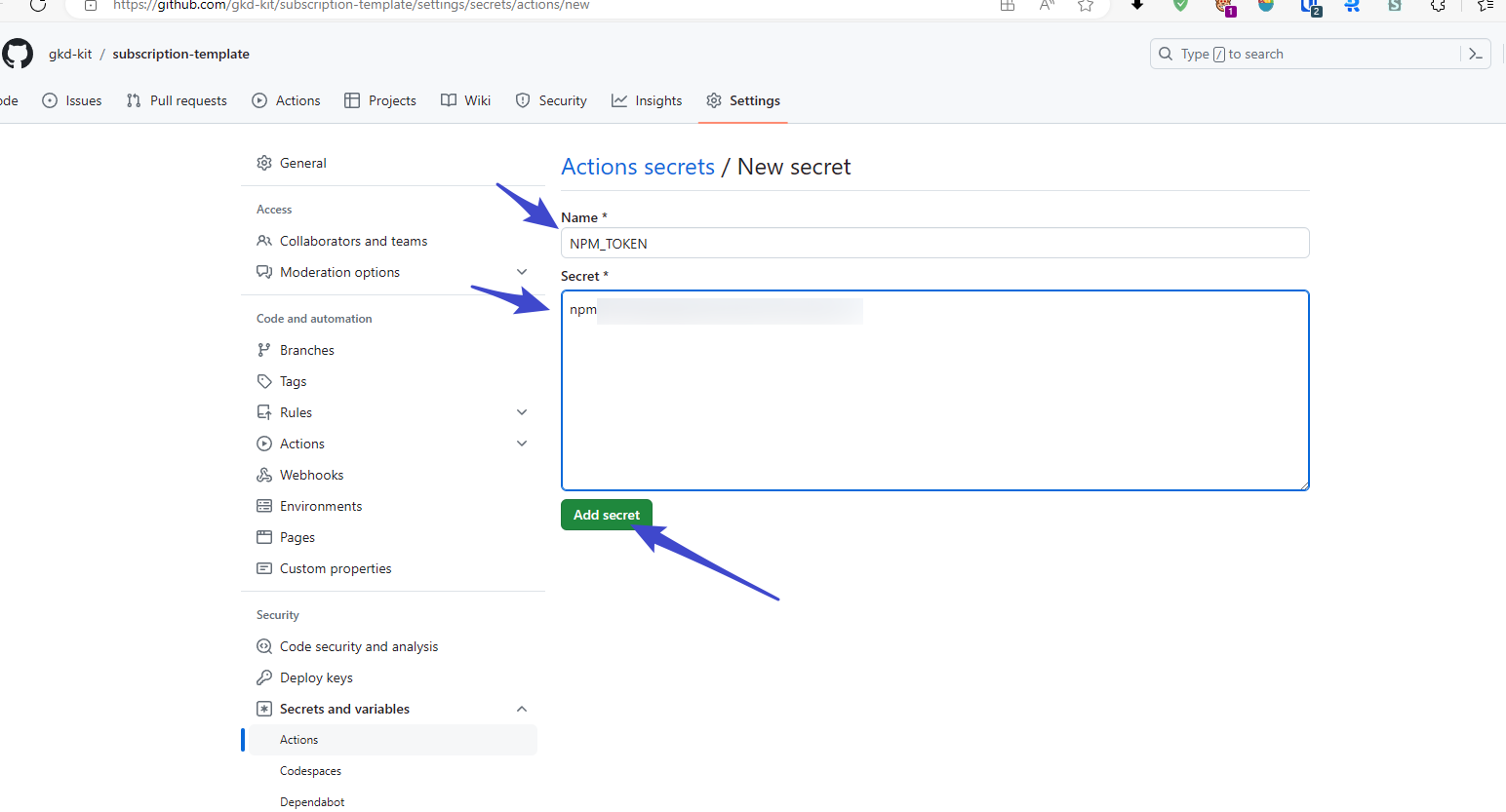
然后只需要重复上面的 构建订阅 步骤即可发布, 发布后得到的镜像加速链接如下
```txt
https://registry.npmmirror.com/gkd-subscription-xxxx/latest/files/dist/gkd.json5
```
注: 将 gkd-subscription-xxxx 换成您的包名
如果你的包名是 `@your_npm_name/subscription` 这种类型, 加速链接是
```txt
https://registry.npmmirror.com/@your_npm_name/subscription/latest/files/dist/gkd.json5
```
由于 npmmirror 被恶意刷流量后已经改为白名单模式, 不在白名单内的包, 上面的链接无法正常加速访问
因此要使上面的链接被正常访问, 你需要向 提交 pr 将你的包添加到白名单
## 自定义配置文件
注意: **大多数情况下, 你不需要自定义, 使用默认配置时, 下面此节教程无需了解**
你可以在 [./package.json](./package.json) 下添加 gkd 属性配置自定义构建选项
```json
{
"gkd": {
"outDir": "dist",
"file": "gkd.json5",
"versionFile": "gkd.version.json5",
"changelog": "CHANGELOG.md",
"README.md": "README.md"
}
}
```
这个 gkd 属性的类型如下
```ts
/**
* @default package.json.gkd
*/
type GkdConfig = {
/**
* @default 'dist'
*/
outDir?: string;
/**
* @default 'gkd.json5'
*/
file?: string;
/**
* @default 'gkd.version.json5'
*/
versionFile?: string;
/**
* @default 'CHANGELOG.md'
*/
changelog?: string;
/**
* @default 'README.md'
*/
readme?: string;
};
```
如果不想写配置文件, 也可以将这个参数直接传递给 `@gkd-kit/tools` 的 `updateDist` 函数
手动传递参数的时候, 你必须显式将路径(非文件名)参数传递给 [./.github/workflows/build_release.yml](./.github/workflows/build_release.yml) 下的 `updatePkgVersion` 和 `stdoutGkdVersion` 函数