https://github.com/wow-actions/use-app-token
🔑 Run GitHub Actions as a GitHub App by using the app's authentication token
https://github.com/wow-actions/use-app-token
github-actions github-token
Last synced: about 1 year ago
JSON representation
🔑 Run GitHub Actions as a GitHub App by using the app's authentication token
- Host: GitHub
- URL: https://github.com/wow-actions/use-app-token
- Owner: wow-actions
- License: mit
- Created: 2020-09-24T13:36:21.000Z (almost 6 years ago)
- Default Branch: master
- Last Pushed: 2024-10-12T09:31:02.000Z (over 1 year ago)
- Last Synced: 2025-04-21T01:01:26.677Z (about 1 year ago)
- Topics: github-actions, github-token
- Language: TypeScript
- Homepage:
- Size: 1.77 MB
- Stars: 30
- Watchers: 1
- Forks: 6
- Open Issues: 0
-
Metadata Files:
- Readme: README.md
- Changelog: CHANGELOG.md
- License: LICENSE
Awesome Lists containing this project
README
🔑 Use App Token
Run GitHub Actions as a GitHub App by using the app's authentication token





This GitHub Action can be used to **impersonate** a GitHub App when `secrets.GITHUB_TOKEN`'s limitations are too restrictive and a personal access token is not suitable. [`secrets.GITHUB_TOKEN`](https://help.github.com/en/actions/configuring-and-managing-workflows/authenticating-with-the-github_token) has limitations such as [not being able to triggering a new workflow from another workflow](https://github.community/t5/GitHub-Actions/Triggering-a-new-workflow-from-another-workflow/td-p/31676). A workaround is to use a [personal access token](https://help.github.com/en/github/authenticating-to-github/creating-a-personal-access-token-for-the-command-line) from a [personal user/bot account](https://help.github.com/en/github/getting-started-with-github/types-of-github-accounts#personal-user-accounts). However, for organizations, GitHub Apps are [a more appropriate automation solution](https://developer.github.com/apps/differences-between-apps/#machine-vs-bot-accounts).
We can also use an app token to [custom an action's name and avatar](https://github.community/t/change-bots-name-avatar/18349).
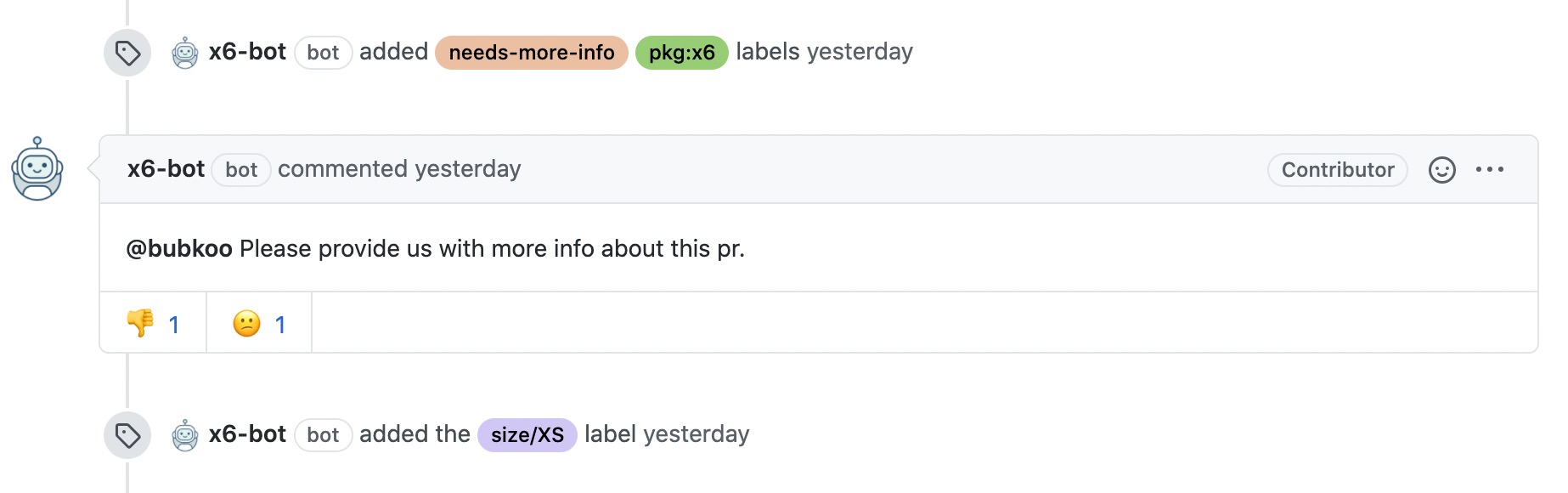
## Usage
Before staring, we should get the _"APP ID"_ and _"Private Key"_ in the app's setting page. For example, find the two values in my app's setting page [https://github.com/settings/apps/wow-actions-bot](https://github.com/settings/apps/wow-actions-bot).
Get the app's _"APP ID"_
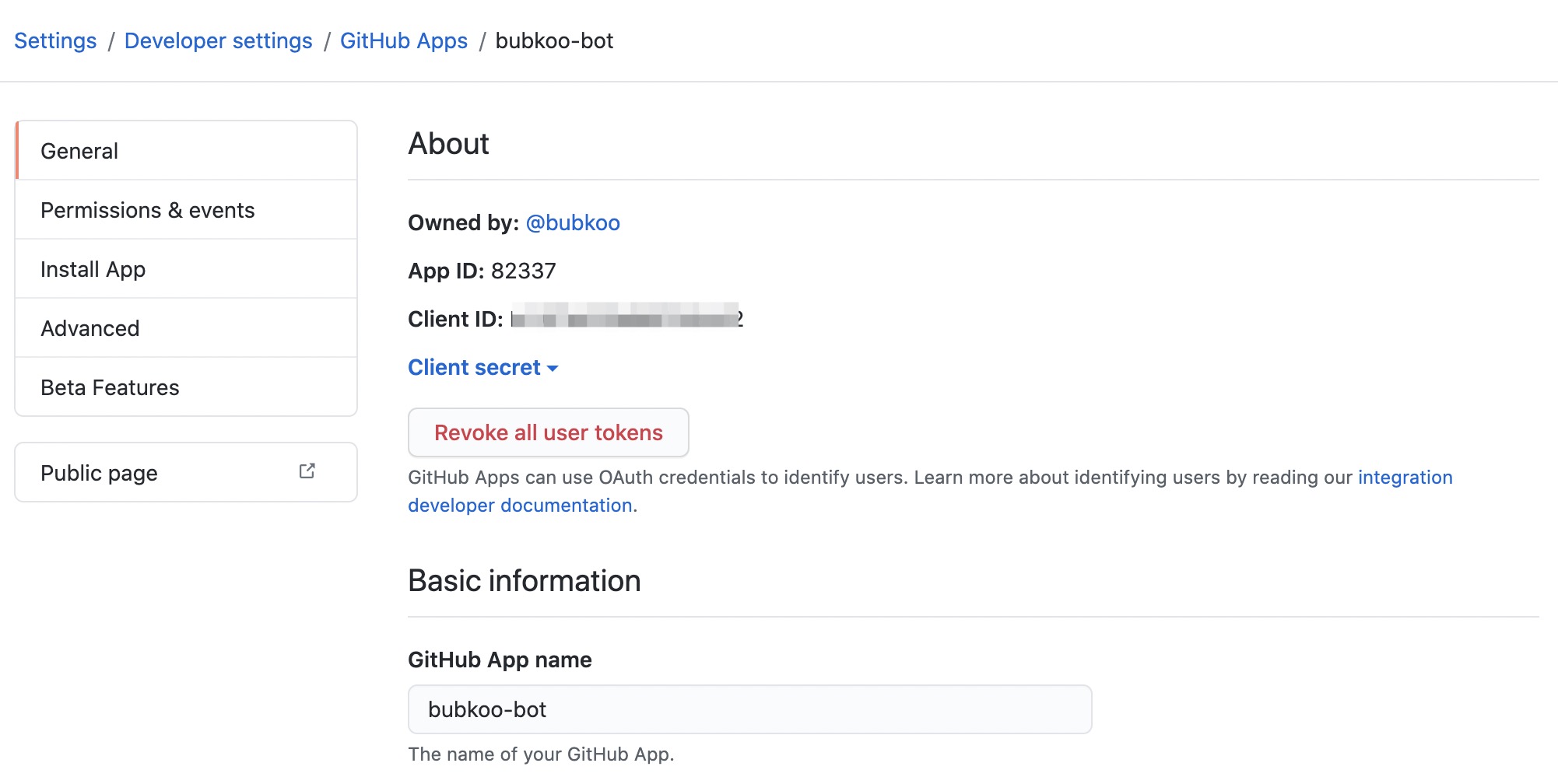
Get or create a _"Private Key"_

**Do not have a Github App? Get a quick start with [probot](https://probot.github.io/).**
Then add _"APP ID"_ and _"Private Key"_ to the target [repo's secrets](https://docs.github.com/en/free-pro-team@latest/actions/reference/encrypted-secrets). For example, we can add two secrets named `APP_ID` and `PRIVATE_KEY` with corresponding values.
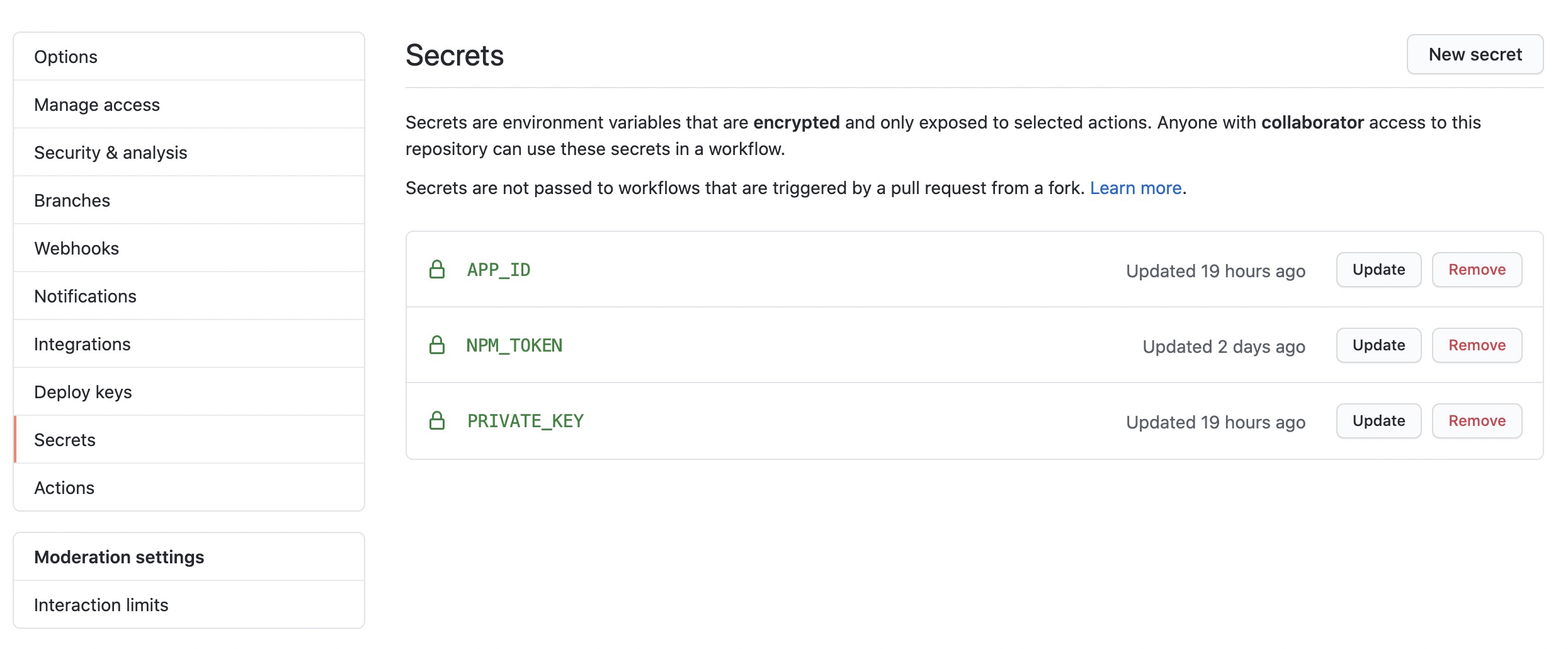
Now we can config our workflows.
### Method 1: Use action's output in the next steps
```yml
jobs:
run:
runs-on: ubuntu-latest
steps:
- uses: wow-actions/use-app-token@v2
id: generate_token
with:
app_id: ${{ secrets.APP_ID }}
private_key: ${{ secrets.PRIVATE_KEY }}
# Use token in next steps
- uses: 'any other action'
with:
# Use app token in outpus of the 'generate_token' step
GITHUB_TOKEN: ${{ steps.generate_token.outputs.BOT_TOKEN }}
env:
# Use app name in outpus of the 'generate_token' step
GIT_AUTHOR_NAME: ${{ steps.generate_token.outputs.BOT_NAME }}[bot]
GIT_AUTHOR_EMAIL: ${{ steps.generate_token.outputs.BOT_NAME }}[bot]@users.noreply.github.com
GIT_COMMITTER_NAME: ${{ steps.generate_token.outputs.BOT_NAME }}[bot]
GIT_COMMITTER_EMAIL: ${{ steps.generate_token.outputs.BOT_NAME }}[bot]@users.noreply.github.com
```
### Method 2: Use environment variables in the next steps
```yml
jobs:
run:
runs-on: ubuntu-latest
steps:
- uses: wow-actions/use-app-token@v2
with:
app_id: ${{ secrets.APP_ID }}
private_key: ${{ secrets.PRIVATE_KEY }}
# Use token in next steps
- uses: 'any other action'
with:
# Use app token in the environment variable named "BOT_TOKEN"
GITHUB_TOKEN: ${{ env.BOT_TOKEN }}
env:
# Use app name in the environment variable named "BOT_NAME"
GIT_AUTHOR_NAME: ${{ env.BOT_NAME }}[bot]
GIT_AUTHOR_EMAIL: ${{ env.BOT_NAME }}[bot]@users.noreply.github.com
GIT_COMMITTER_NAME: ${{ env.BOT_NAME }}[bot]
GIT_COMMITTER_EMAIL: ${{ env.BOT_NAME }}[bot]@users.noreply.github.com
```
### Method 3: Use secrets in the next steps
```yml
jobs:
run:
runs-on: ubuntu-latest
steps:
- uses: wow-actions/use-app-token@v2
with:
app_id: ${{ secrets.APP_ID }}
private_key: ${{ secrets.PRIVATE_KEY }}
# Specify true to save app token and app slug into the secrets of current repository
secret: true
# Specify true to clean saved secrets when workflow run completed
clean: true
- uses: 'any other action'
with:
GITHUB_TOKEN: ${{ secrets.BOT_TOKEN }}
env:
GIT_AUTHOR_NAME: ${{ secrets.BOT_NAME }}[bot]
GIT_AUTHOR_EMAIL: ${{ secrets.BOT_NAME }}[bot]@users.noreply.github.com
GIT_COMMITTER_NAME: ${{ secrets.BOT_NAME }}[bot]
GIT_COMMITTER_EMAIL: ${{ secrets.BOT_NAME }}[bot]@users.noreply.github.com
```
### Inputs
Various inputs are defined to let you configure the action:
> Note: [Workflow command and parameter names are not case-sensitive](https://docs.github.com/en/free-pro-team@latest/actions/reference/workflow-commands-for-github-actions#about-workflow-commands).
| Name | Description | Default |
|------------------|-----------------------------------------------------------------------------------------------------------------------------------------------------------------------------------------------------------------------------------------------------------------------------------------------------------------------------------|:-------------:|
| `app_id` | The ID of the GitHub App. [Create an secret](https://help.github.com/en/actions/configuring-and-managing-workflows/creating-and-storing-encrypted-secrets#creating-encrypted-secrets-for-a-repository) named `'APP_ID'` to store your app ID, then used by `${{ secrets.APP_ID }}` | N/A |
| `private_key` | The private key of the GitHub App (can be Base64 encoded). [Create an secret](https://help.github.com/en/actions/configuring-and-managing-workflows/creating-and-storing-encrypted-secrets#creating-encrypted-secrets-for-a-repository) named `'PRIVATE_KEY'` to store your app private key, then used by `${{ secrets.APP_ID }}` | N/A |
| `fallback` | The fallback token when app token generate failed | N/A |
| `app_slug_name` | The app slug name exported to `env` or saved to `secrets` | `"BOT_NAME"` |
| `app_token_name` | The app token name exported to `env` or saved to `secrets` | `"BOT_TOKEN"` |
| `secret` | Specify `true` to save app token and app slug into the secrets of current repository | `false` |
| `clean` | Specify `true` to clean saved secrets when workflow run completed. Only used when `secret` specfiied to `true` | `true` |
## License
The scripts and documentation in this project are released under the [MIT License](LICENSE)