https://github.com/wpdas/weather-app
This is a project developed using React, Rehoc, NodeJS, Express, Chai, Mocha, Nock and Supertest. Some APIs were used as well.
https://github.com/wpdas/weather-app
Last synced: over 1 year ago
JSON representation
This is a project developed using React, Rehoc, NodeJS, Express, Chai, Mocha, Nock and Supertest. Some APIs were used as well.
- Host: GitHub
- URL: https://github.com/wpdas/weather-app
- Owner: wpdas
- Created: 2019-05-20T09:59:57.000Z (about 7 years ago)
- Default Branch: master
- Last Pushed: 2023-01-03T22:12:08.000Z (over 3 years ago)
- Last Synced: 2025-01-13T01:11:44.262Z (over 1 year ago)
- Language: JavaScript
- Homepage:
- Size: 5.22 MB
- Stars: 0
- Watchers: 3
- Forks: 0
- Open Issues: 27
-
Metadata Files:
- Readme: README.md
Awesome Lists containing this project
README
# Weather App
This is a project developed using React, Rehoc, NodeJS and Express. Some APIs were used as well.
Screenshoot of the app working:
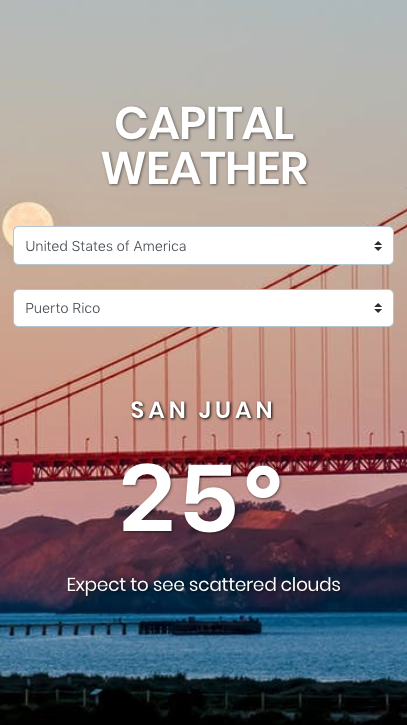
The technology chosen to develop the interface of this application was React and Rehoc for state management using ES6. NodeJS and Express was used to develop the backend side. The tests were made using Chai, Mocha, Nock and Supertest.
## Running the Application
Open the terminal in the project's root directory and type `yarn` to install the dependencies. If you do not have yarn installed, you can run the `npm i -g yarn` command on the terminal. After this step, just run the command `yarn run app`. This command will simultaneously execute both the server and the web application.
The app will be runnig on port 3000. Example: http://localhost:3000 or http://10.0.0.2:3000
## Running tests
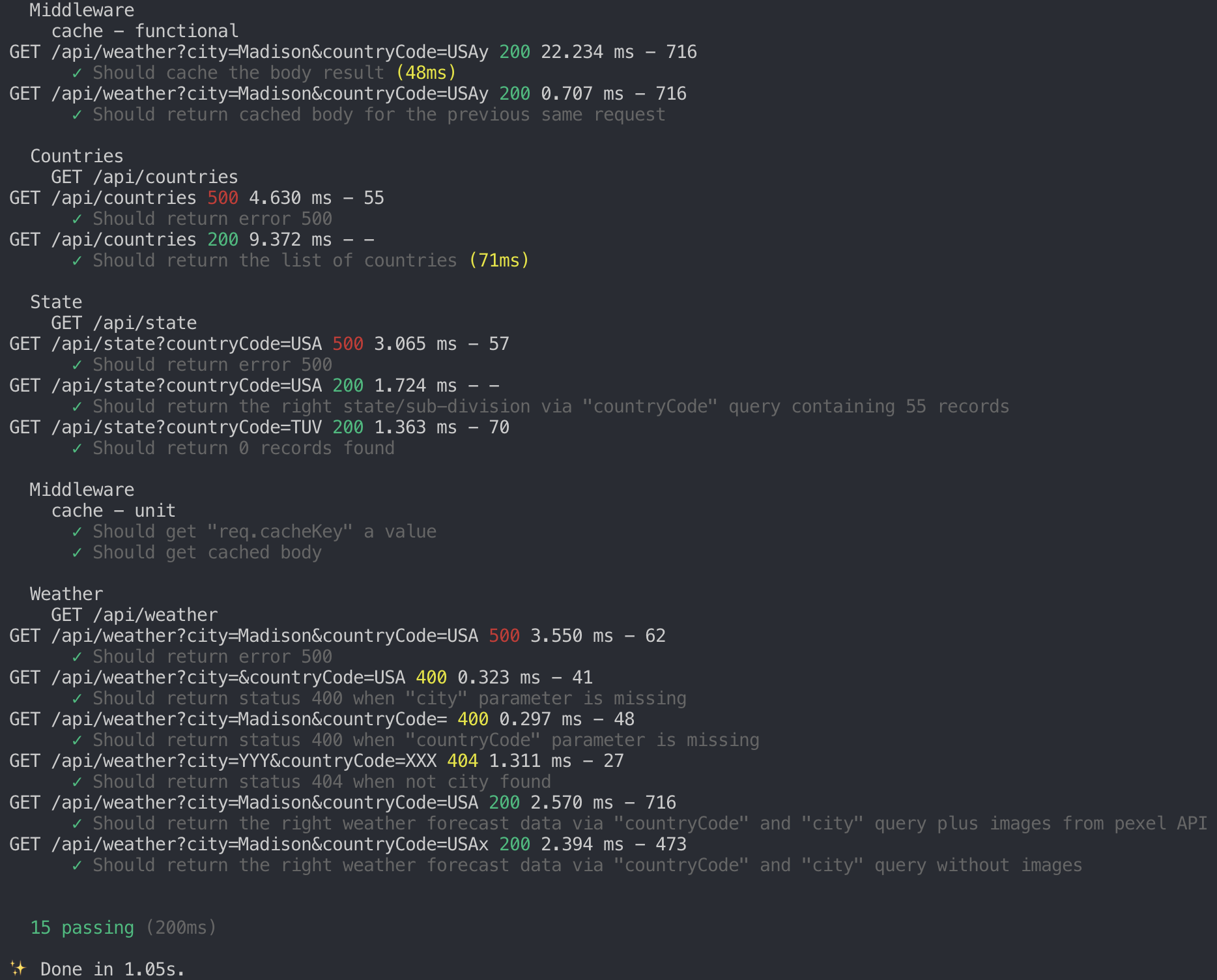
Open the terminal in the project's root directory and type `yarn run test_server` to run the tests.
You should see something like this: