https://github.com/wrogistefan/desktop-2fa
A secure offline desktop application for generating and managing TOTP 2FA codes. Features encrypted vault storage, modern cryptography (Argon2 + AES‑GCM), modular architecture, and a local‑first approach with no cloud dependencies. Designed for reliability, extensibility, and future cross‑platform UI.
https://github.com/wrogistefan/desktop-2fa
2fa aes-gcm argon2 authenticator cryptography desktop-app local-first offline open-source privacy security totp vault
Last synced: 6 months ago
JSON representation
A secure offline desktop application for generating and managing TOTP 2FA codes. Features encrypted vault storage, modern cryptography (Argon2 + AES‑GCM), modular architecture, and a local‑first approach with no cloud dependencies. Designed for reliability, extensibility, and future cross‑platform UI.
- Host: GitHub
- URL: https://github.com/wrogistefan/desktop-2fa
- Owner: wrogistefan
- License: apache-2.0
- Created: 2025-12-27T16:40:35.000Z (6 months ago)
- Default Branch: main
- Last Pushed: 2026-01-13T12:10:40.000Z (6 months ago)
- Last Synced: 2026-01-13T22:58:53.419Z (6 months ago)
- Topics: 2fa, aes-gcm, argon2, authenticator, cryptography, desktop-app, local-first, offline, open-source, privacy, security, totp, vault
- Language: Python
- Homepage: https://desktop-2fa.lukasz-perek.workers.dev/
- Size: 617 KB
- Stars: 26
- Watchers: 0
- Forks: 0
- Open Issues: 0
-
Metadata Files:
- Readme: README.md
- Changelog: CHANGELOG.md
- Funding: .github/FUNDING.yml
- License: LICENSE
- Notice: NOTICE
Awesome Lists containing this project
README
# 🛡️ Desktop-2FA
A secure, offline two-factor authentication (2FA) manager for desktop environments. Built with Python, featuring strong encryption and no cloud dependencies.
🌐 **Landing Page**: [desktop-2fa.lukasz-perek.workers.dev](https://desktop-2fa.lukasz-perek.workers.dev/)

[](https://pypi.org/project/desktop-2fa/)



[](https://codecov.io/gh/wrogistefan/desktop-2fa)
---
## ✨ Features
| Feature | Description |
|---------|-------------|
| 🔐 **Vault Security** | AES-256-GCM encryption with Argon2id key derivation |
| ⏱️ **TOTP Generation** | RFC 6238 compliant code generation |
| 💻 **Full CLI** | Complete command-line interface for managing tokens |
| 🔓 **Stateless Design** | Every command requires explicit password authentication |
| 🛡️ **Password Policy** | Configurable password strength enforcement |
| 🧪 **Well Tested** | 180+ tests passing with comprehensive coverage |
---
## 📸 Screenshots
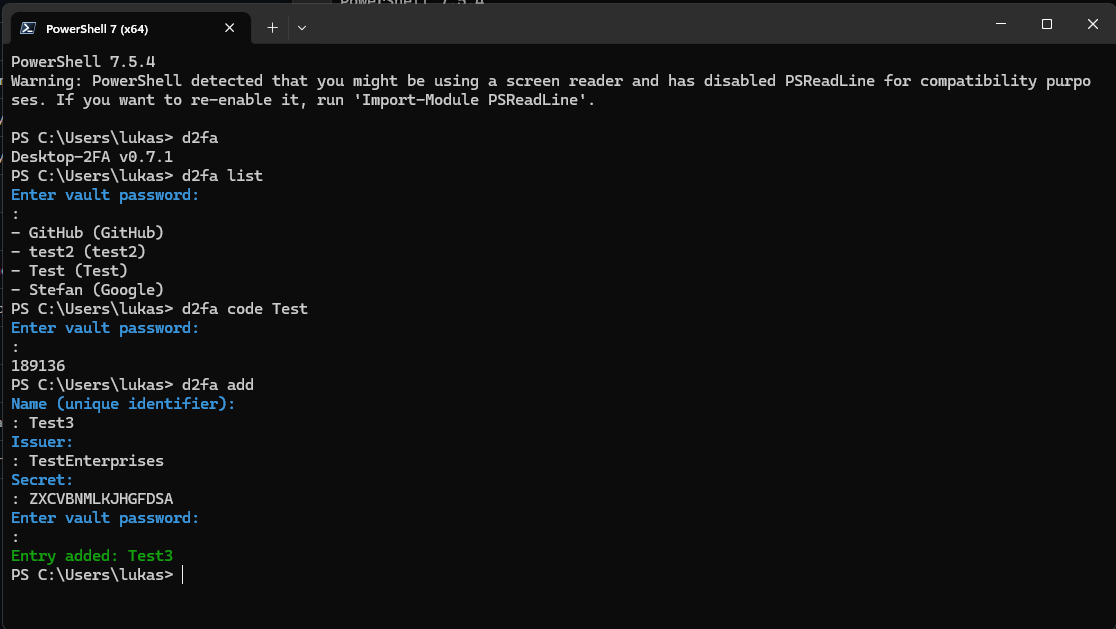
*Adding a new TOTP entry interactively*
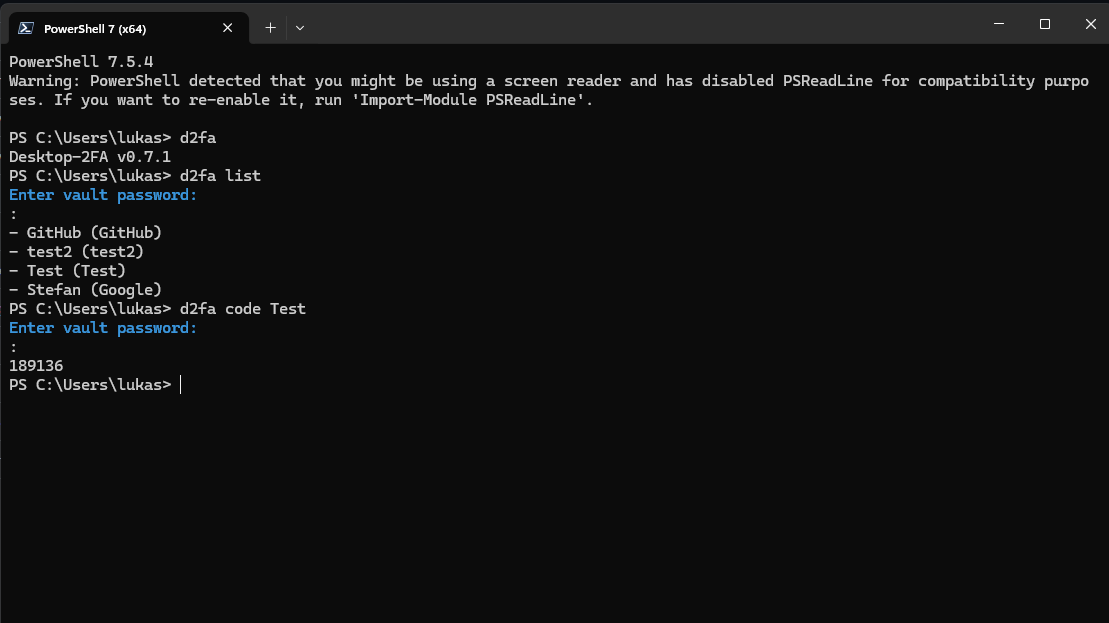
*Generating a TOTP code for an entry*
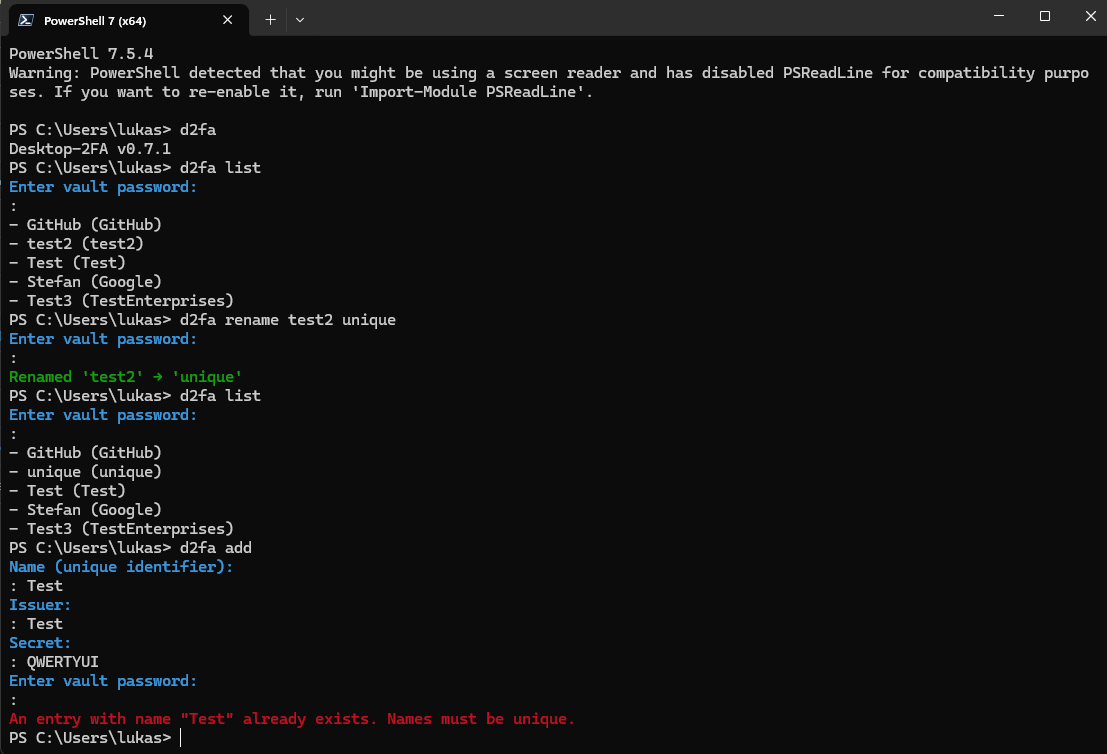
*Renaming an entry with duplicate detection*
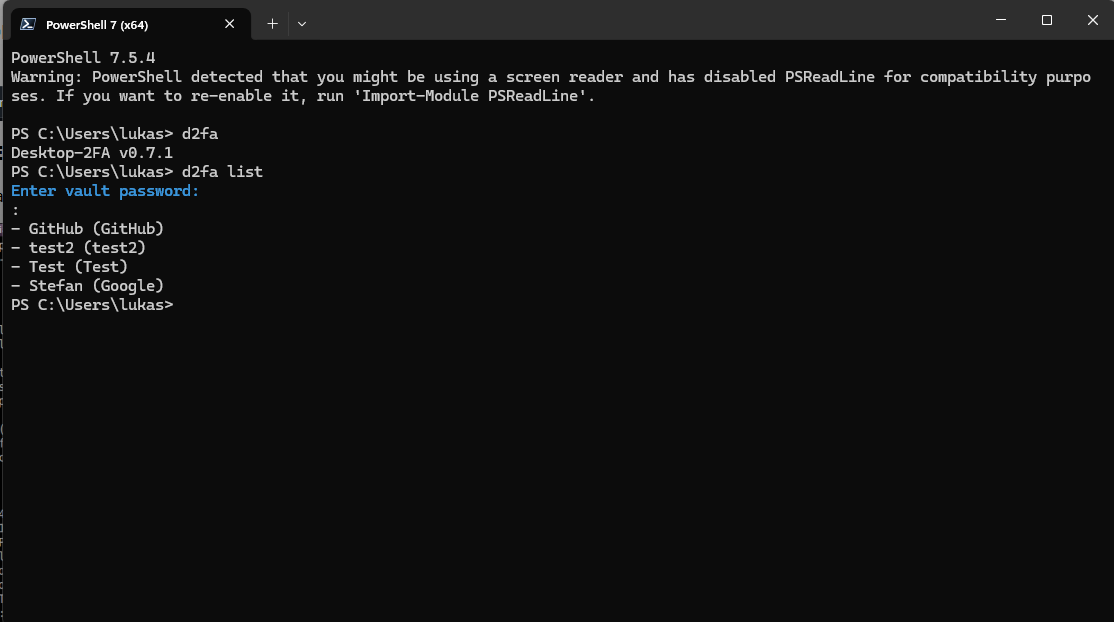
*Viewing version info and listing all entries*
---
## 🚀 Quick Start
### Installation
```bash
pip install desktop-2fa
```
Verify installation:
```bash
python -c "import desktop_2fa; print(desktop_2fa.__version__)"
# Output: 0.7.3
```
### Basic Usage
```bash
# Add a new TOTP token
d2fa add GitHub GitHub JBSWY3DPEHPK3PXP
# List all entries
d2fa list
# Generate a code
d2fa code GitHub
# Initialize a new vault
d2fa init-vault
```
### Non-Interactive Usage
```bash
# Provide password via command line
d2fa --password mypassphrase add GitHub GitHub JBSWY3DPEHPK3PXP
# Provide password via file
d2fa --password-file /path/to/passphrase.txt add GitHub GitHub JBSWY3DPEHPK3PXP
```
---
## 📁 Vault Lifecycle
The vault is an encrypted storage file located at `~/.desktop-2fa/vault`.
### Vault Creation
When a command requires a vault and none exists:
1. The CLI prompts for a new password (interactive mode) or requires `--password`/`--password-file` (non-interactive mode)
2. An empty encrypted vault is created
3. **A confirmation message is always printed:** `Vault created at `
### Vault Loading
When a command requires a vault and it exists:
1. The CLI prompts for the existing password (interactive mode) or requires credentials (non-interactive mode)
2. The vault is decrypted and loaded
3. If the password is invalid, the CLI exits with `typer.Exit(1)`
### Duplicate Entry Handling
The `rename` command enforces deterministic behavior when multiple entries match the target name:
- If **multiple entries** match the provided name (issuer or account_name), the rename is **aborted**
- Error message: `Error: Multiple entries named '' exist. Operation aborted. Resolve duplicates first.`
- No entry is renamed in this case
- This check occurs **before** any mutation
---
## 📖 CLI Commands
| Command | Description |
|---------|-------------|
| `d2fa add ` | Add a new TOTP entry |
| `d2fa list` | List all entries |
| `d2fa code ` | Generate TOTP code |
| `d2fa rename ` | Rename an entry |
| `d2fa remove ` | Remove an entry |
| `d2fa export ` | Export vault to JSON |
| `d2fa import ` | Import from JSON |
| `d2fa backup` | Create a backup |
| `d2fa init-vault` | Initialize new vault |
---
## 🔒 Security
The vault uses:
- **AES-256-GCM** for authenticated encryption
- **Argon2id** for key derivation (time_cost=4, memory_cost=128MiB, parallelism=2)
- **Versioned header** for forward compatibility
Every command requires explicit password authentication. No session-based access.
### Security Hardening (v0.7.3)
Version 0.7.3 includes additional DEF-02 fixes that ensure PermissionDenied exceptions are properly caught during vault creation:
- Empty passwords are immediately rejected with a clear error message
- Permission errors are distinguished from missing vault files
- No Python stack traces are shown to users
- User-friendly error messages for filesystem permission issues
---
## 📚 Documentation
| Document | Description |
|----------|-------------|
| [User Manual](docs/user_manual.md) | Complete usage guide |
| [CLI UX Specification](docs/ux.md) | UX contract and behavior |
| [Cryptography](docs/crypto.md) | Security details |
---
## 🧪 Testing
```bash
pytest tests/ # Run all tests
pytest --cov=src/desktop_2fa # Run with coverage
```
---
## 🏗️ Project Structure
```
src/desktop_2fa/
├── cli/ # Command-line interface
├── crypto/ # Encryption utilities
├── totp/ # TOTP generation
├── vault/ # Vault management
├── ui/ # Desktop GUI
└── utils/ # Utilities
```
---
## 📄 License
Apache License 2.0. See [LICENSE](LICENSE) file.
---
## 👤 Author
Łukasz Perek
---
## 💖 Support the Project
Desktop‑2FA is an independent open‑source tool built with a focus on autonomy, transparency, and offline security.
If you find it useful and want to support ongoing development, you can do so through the platforms below:
- **Ko‑fi**: https://ko-fi.com/lukaszperek
- **Buy Me a Coffee**: https://buymeacoffee.com/lukaszperek
- **AirTM**: https://airtm.me/lukper