https://github.com/xapier14/gengine-r
2D Game Engine built on SDL2
https://github.com/xapier14/gengine-r
2d-game-engine dotnet gengine sdl2 sdl2-cs velcrophysics
Last synced: 2 months ago
JSON representation
2D Game Engine built on SDL2
- Host: GitHub
- URL: https://github.com/xapier14/gengine-r
- Owner: Xapier14
- License: mit
- Created: 2021-04-01T10:10:42.000Z (about 5 years ago)
- Default Branch: master
- Last Pushed: 2022-02-07T06:30:36.000Z (over 4 years ago)
- Last Synced: 2025-06-11T22:12:05.826Z (about 1 year ago)
- Topics: 2d-game-engine, dotnet, gengine, sdl2, sdl2-cs, velcrophysics
- Language: C#
- Homepage:
- Size: 1.37 MB
- Stars: 2
- Watchers: 2
- Forks: 2
- Open Issues: 0
-
Metadata Files:
- Readme: README.md
- License: LICENSE
Awesome Lists containing this project
README
# GEngine | Re
[](https://app.fossa.com/projects/git%2Bgithub.com%2FXapier14%2FGEngine-R?ref=badge_shield)
A 2D Game Engine built on SDL2.
A Rewrite of an old project of mine.
*This is a __work-in-progress__ project, expect no support.*
## Important Notes:
- Use Direct3D or Software mode only as OpenGL will crash the engine when loading textures.
- Using Metal is still untested.
- Behavior is sometimes inconsistent depending on what GPU is being used.
## Getting Started
1. Clone the project and initialize the submodules
```
git clone --recurse-submodules https://github.com/Xapier14/GEngine-R.git
```
1. Run the script `build.bat` to build the project.
1. Create a new **.NET 5+** console project.
1. Add the GEngine-R project to your solution file.
1. Create a project reference with your game project to the GEngine-R project.
1. Copy and paste the program boilerplate to your `program.cs`.
```c#
using System;
using System.Threading;
using GEngine;
using GEngine.Engine;
namespace
{
public class Program
{
private static GameEngine _game;
public static void Main(string[] args)
{
// create the engine
_game = new();
// change engine properties here
_game.Properties.Title = "GAME_TITLE";
_game.Properties.EnableFramelimiter = true;
_game.Properties.TargetFPS = 60;
_game.Properties.TargetTPS = 128;
_game.Properties.WindowResolution = new(800, 600);
_game.Properties.InternalResolution = new(800, 600);
_game.Properties.HideConsoleWindow = false;
_game.Properties.EnableDebug = true;
_game.Properties.RenderScaleQuality = RenderScaleQuality.Linear;
_game.Properties.AllowResize = false;
_game.Properties.AutoOffset = true;
/* Handle Window Close
* Set AllowClose to true to enable interaction with the close window button.
* Set HandleClose to true to use the default behavior for the close button.
* The default behavior will be to call GameEngine.ForceStop(). */
_game.AllowClose = true;
_game.HandleClose = true;
/* Handle Window Resize
* Setting this to true results in the internal resolution
* being set to what the new window size is.
* Recommended to be set to false if your game is using a fixed resolution (retro remakes).
*
* NOTE:
* If you are using Gerui, set this to false; if not, ignore this.
* Hook the GameEngine.OnResize event to WindowController.WindowResizeEventHook.
* Gerui handles resize events differently for some components. */
_game.HandleResize = false;
// start game
_game.Start();
// load resources
_game.ResourcesLoaded = true;
// keep alive
while (_game.Running)
Thread.Sleep(500);
}
}
}
```
1. Create & set your configuration to either x86 or x64 and use the appropriate native libraries.
## To-Do:
- [x] Base Engine Loop
- [x] Frame/Logic Timing
- [x] Input Handler
- [x] Object/Scene based rendering
- [x] Object/Instances
- [x] Audio Module
- [x] Resources/Texture loading
- [x] Resources/Audio loading
- [x] Resource Manager
- [x] GameObject Event System
- [x] Scene Instancing
- [x] Physics System (Incomplete)
- [x] Animations
- [x] Object Texture Offsets
- [x] TCP Server/Client
- [x] Dynamic FPS & TPS Offset adjustment
- [ ] CLI Dev Kit
- [ ] Visual Studio Item Templates (GameObject & Scene)
- [ ] Visual Studio Project Template
## Known Issues
- OpenGL & Textures with transparency.
- Memory leak on Scene reinstancing.
- Missing checks on adding GameObjects to scenes.
- Initial RenderClearColor not being set on OpenGL backend.
- Only WAV files are supported for audio.
- Missing dependency check on launch
## Dependencies
* SDL2
* SDL_Mixer
* SDL_Image
* SDL_TTF
* SDL2-CS.Core
* Genbox.VelcroPhysics
* .Net 5.0 ([x86](https://dotnet.microsoft.com/download/dotnet/thank-you/runtime-5.0.6-windows-x86-installer))
## License
[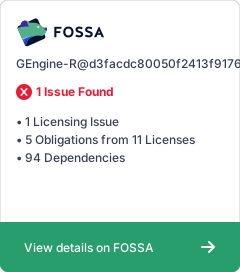](https://app.fossa.com/projects/git%2Bgithub.com%2FXapier14%2FGEngine-R?ref=badge_large)