https://github.com/xenioushk/user-vote-tracker
This addon performs the task of diligently monitoring and counting votes on each post.
https://github.com/xenioushk/user-vote-tracker
user-vote-tracker wordpress wordpress-plugin
Last synced: about 2 months ago
JSON representation
This addon performs the task of diligently monitoring and counting votes on each post.
- Host: GitHub
- URL: https://github.com/xenioushk/user-vote-tracker
- Owner: xenioushk
- Created: 2022-10-21T12:55:43.000Z (over 3 years ago)
- Default Branch: main
- Last Pushed: 2024-12-08T17:37:03.000Z (over 1 year ago)
- Last Synced: 2025-01-12T13:26:52.677Z (over 1 year ago)
- Topics: user-vote-tracker, wordpress, wordpress-plugin
- Language: PHP
- Homepage: https://bluewindlab.net/product/user-vote-tracker-addon/
- Size: 1.97 MB
- Stars: 0
- Watchers: 2
- Forks: 0
- Open Issues: 0
-
Metadata Files:
- Readme: README.md
Awesome Lists containing this project
README
## User Vote Tracker - Pro Voting Manager Addon
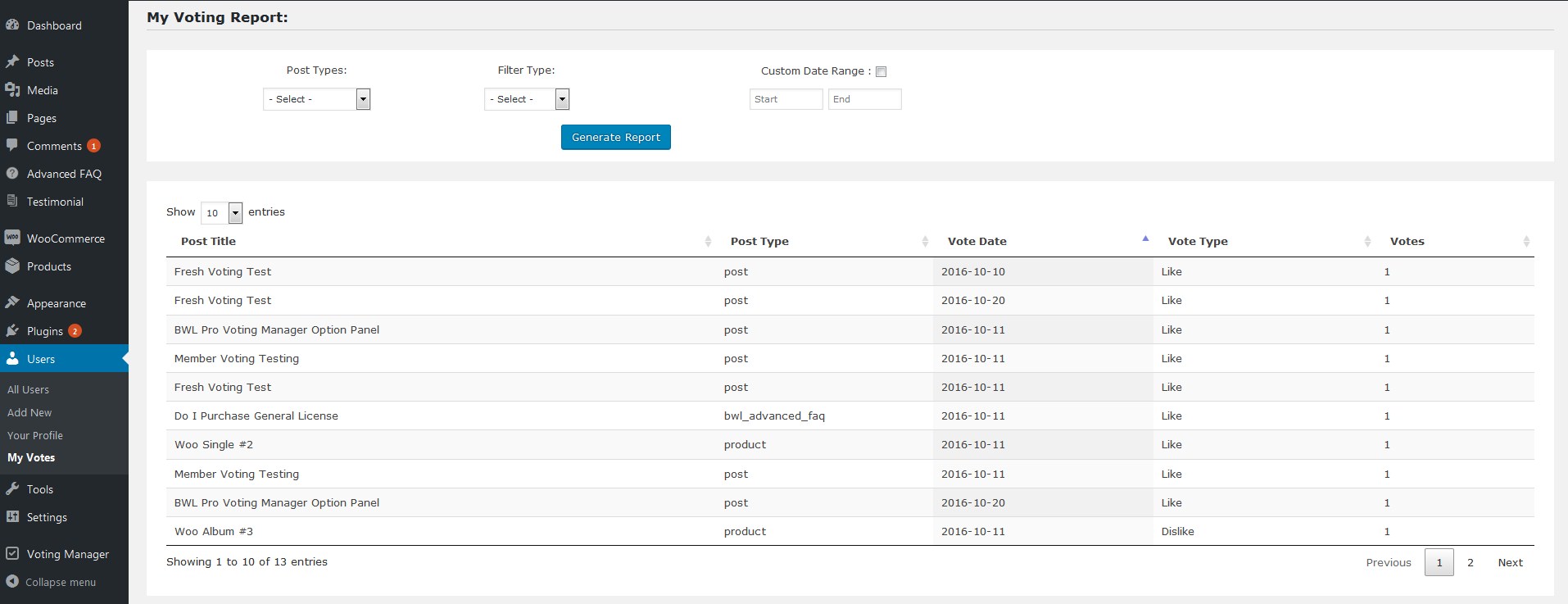
This addon performs the task of diligently monitoring and counting votes on each post. It then compiles these vote records into user-friendly lists readily accessible on the individual user profile pages. This feature simplifies reviewing one's voting history and encourages user engagement with post-voting.
[Demo](https://projects.bluewindlab.net/wpplugin/bpvm/) | [Download](https://bluewindlab.net/product/user-vote-tracker-addon/) | [Documentation](https://xenioushk.github.io/docs-plugins-addon/bpvm-addon/uvta/index.html)
## Addon requirements
You need to install [BWL Pro Voting Manager WordPress plugin](https://1.envato.market/bpvm-wp) to use the addon.
You need at least WordPress version 4.8+ installed for this plugin to work properly. It is strongly recommended that you always use the latest stable version of WordPress to ensure all known bugs and security issues are fixed.
## Technical requirements
- WordPress 5.6 or greater.
- PHP version 7.4 or greater.
- MySQL version 5.5.51 or greater.
## Installation
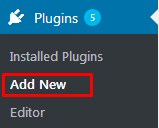
1. Go to plugins section in your WordPress admin panel and click `Add New` to install plugin.
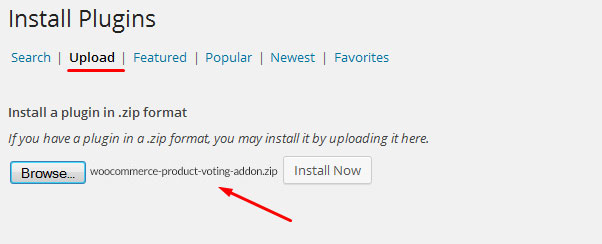
2. Now, upload the `user-vote-tracker.zip` file.
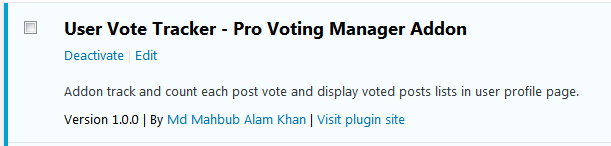
3. Once plugin successfully uploaded in your server you will get an message to activate it. Click on `Activate Plugin` Link and plugin will be ready to use.
4. After activating plugins, you will redirect in plugins section of wp-admin panel and show new installed plugins information in there.
## How to use
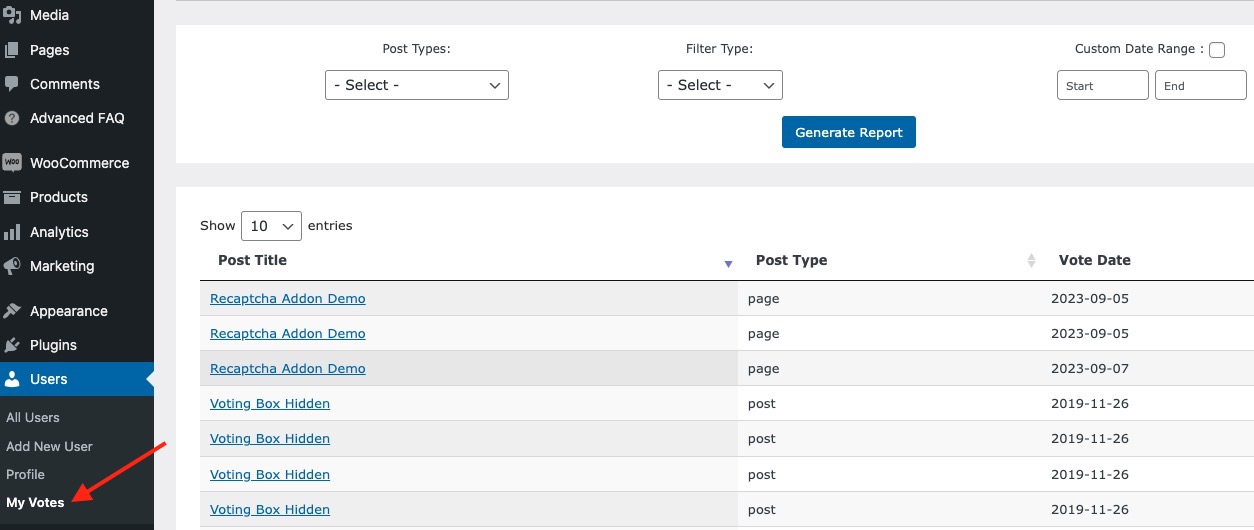
- Once you completed installation process, plugin will automatically added a "My Votes" submenu in USER menu section. In `My Votes` page you will able to access all of your previously voted information. You can filter them by post type/ date / vote types (liked/disliked).
## Shortcodes
You can also display voting report page any where of your site using shrotcode. Here goes list of shortcode-
```bash
[uvt_front filter="1" limit="5" pagination="1"]
```
#### Parameters
```
// filter= 1 or 2 . 1= Liked, 2= Disliked
// limit = 5 ; No of items you like to show.
// pagination = 1 or 0 . 1= Show, 0=Hide.
```
### PHP Example
```php
echo do_shortcode('[uvt_front filter="1" limit="5" pagination="1"]');
```
## Widget
- Addon comes with built-in widget to display top voted products. Go to WordPress `Admin Panel>Appearance> widgets section`. There you will get the
**User Vote Tracker Widget**.
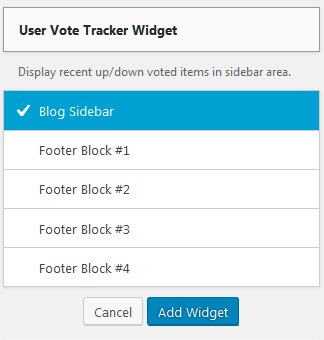
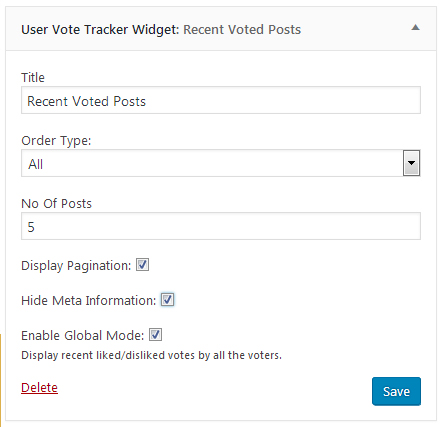
- Configure it according to your need.
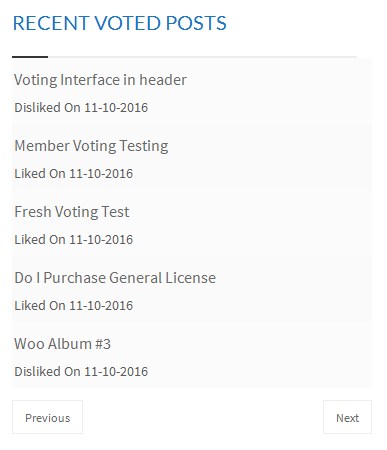
**Widget output**
## Translation
- The addon text-domain is `bpvm_uvt`
- Inside of addon `languages` folder you will get a file named `user-vote-tracker.pot` file. To edit this file you need to install "poedit" software in your computer.
- Open that `user-vote-tracker.pot'`, and start adding translated texts.
- Suppose you want to translate plugin in to "German" language. So,".po" file name will be `bpvm_uvt-de_DE.po`. That's all.
## Change log
- [Change log](https://xenioushk.github.io/docs-plugins-addon/bpvm-addon/uvta/index.html#changelog)
### Acknowledgement
- [bluewindlab.net](https://bluewindlab.net)
- [BWL Pro Voting Manager WordPress plugin](https://1.envato.market/bpvm-wp)