https://github.com/xiaohange/idcardrecognition
🇨🇳中国大陆第二代身份证 🆔 识别,自动读出身份证上的信息(姓名、性别、民族、住址、身份证号码)并截取身份证照片, iOS开发者交流:①群:446310206 ②群:426087546
https://github.com/xiaohange/idcardrecognition
distinguished-name idcard objective-c recognition recognition-color recognizes-images swift
Last synced: 11 months ago
JSON representation
🇨🇳中国大陆第二代身份证 🆔 识别,自动读出身份证上的信息(姓名、性别、民族、住址、身份证号码)并截取身份证照片, iOS开发者交流:①群:446310206 ②群:426087546
- Host: GitHub
- URL: https://github.com/xiaohange/idcardrecognition
- Owner: xiaohange
- License: mit
- Created: 2017-04-19T03:06:35.000Z (about 9 years ago)
- Default Branch: master
- Last Pushed: 2017-08-18T09:10:46.000Z (almost 9 years ago)
- Last Synced: 2025-05-24T15:03:25.444Z (about 1 year ago)
- Topics: distinguished-name, idcard, objective-c, recognition, recognition-color, recognizes-images, swift
- Language: Objective-C
- Homepage:
- Size: 3.79 MB
- Stars: 208
- Watchers: 6
- Forks: 50
- Open Issues: 2
-
Metadata Files:
- Readme: README.md
- License: LICENSE
Awesome Lists containing this project
README
# IDCardRecognition

## 简介
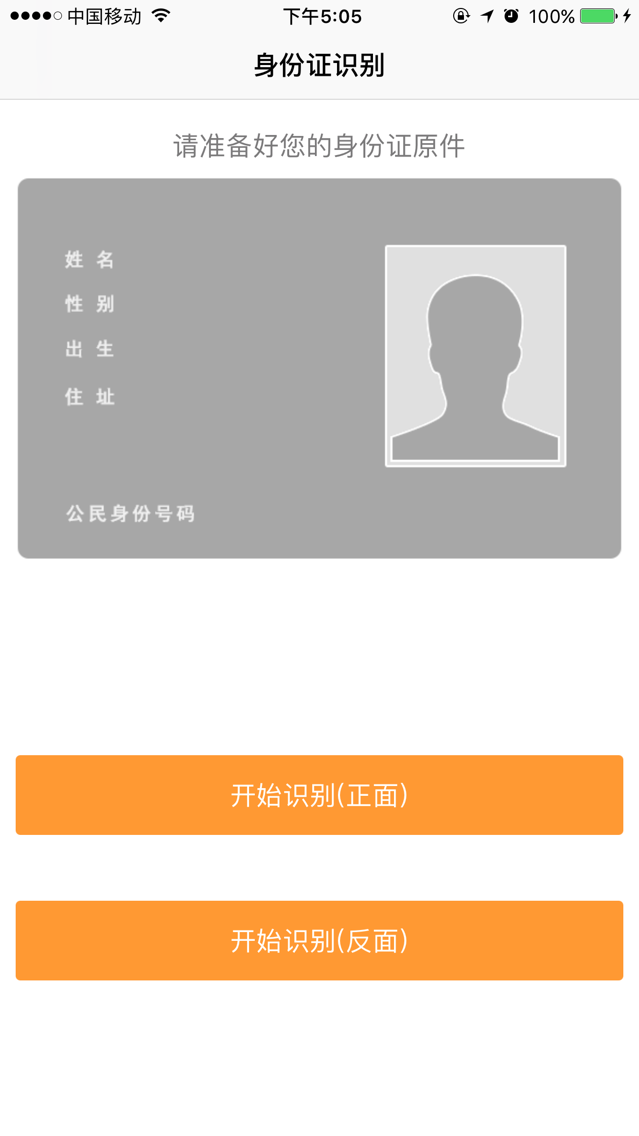
一个近乎完整的可识别中国身份证信息的Demo
可自动快速读出身份证上的信息(姓名、性别、民族、住址、身份证号码)并截取到身份证图像
## 实现原理
经实践发现,只要身份证号码处于摄像头预览图层中时,即不用完全对准身份证也可以读取到身份证号码,但此时截取到的身份证图像并不完整。
为获取到比较完整的身份证图像,经多次实践发现,当身份证人像大约位于拍摄框中的右上区域时,此时可获取到比较完整的身份证图像。
因此,在拍摄框中右上区域加了一个人像区域提示框,并将该区域设为扫描人脸的区域,只有该区域扫描到身份证上的人脸时(确保用户的确将身份证人像对准了拍摄框中的人像框),才执行读取身份证信息的操作。
## Usage
将该功能集成到你开发的app里:
```
1、请把Category、Tool、libexidcard、Model、View、Controller这六个文件夹拖入到你的项目里;
2、将idcard_first.png、idcard_first_head.png、idcard_back.png、nav_back.png、nav_torch_on.png、nav_torch_off.png拖入到你的项目中,或在相应代码处替换为你的素材;
3、在你的项目的Info.plist文件中,添加权限描述(Key Value)
Privacy - Camera Usage Description 是否允许访问相机
Privacy - Photo Library Usage Description 是否允许访问相册
5、在你的项目中的相应处,首先:
`#import "IDAuthViewController.h"`
在使用该功能的地方:
`IDAuthViewController *IDAuthVC = [[IDAuthViewController alloc] init];`
`[self.navigationController pushViewController:IDAuthVC animated:YES];`
```
## Star
>iOS开发者交流群:446310206 喜欢就❤️❤️❤️star一下吧!你的支持是我更新的动力! Love is every every every star! Your support is my renewed motivation!
## License
This code is distributed under the terms and conditions of the [MIT license](LICENSE).