https://github.com/xiaoluoboding/coolshapes-vue
100+ abstract shapes with gradient for design & dev project for Vue
https://github.com/xiaoluoboding/coolshapes-vue
Last synced: 5 months ago
JSON representation
100+ abstract shapes with gradient for design & dev project for Vue
- Host: GitHub
- URL: https://github.com/xiaoluoboding/coolshapes-vue
- Owner: xiaoluoboding
- License: mit
- Created: 2024-05-05T08:29:59.000Z (about 2 years ago)
- Default Branch: main
- Last Pushed: 2024-05-19T07:46:37.000Z (about 2 years ago)
- Last Synced: 2024-05-19T08:32:20.907Z (about 2 years ago)
- Language: Vue
- Homepage: https://coolshapes-vue.vercel.app
- Size: 635 KB
- Stars: 6
- Watchers: 1
- Forks: 0
- Open Issues: 0
-
Metadata Files:
- Readme: README.md
- Changelog: CHANGELOG.md
- Funding: .github/FUNDING.yml
- License: LICENSE
Awesome Lists containing this project
README
[](https://coolshap.es)
#
Coolshapes Vue
[![NPM][npmBadge]][npmUrl]
[![Minzip Package][bundlePhobiaBadge]][bundlePhobiaUrl]
[![NPM Download][npmDtBadge]][npmDtUrl]
[npmBadge]: https://img.shields.io/npm/v/coolshapes-vue.svg?maxAge=2592000
[npmUrl]: https://www.npmjs.com/package/coolshapes-vue
[npmDtBadge]: https://img.shields.io/npm/dt/coolshapes-vue.svg
[npmDtUrl]: https://www.npmjs.com/package/coolshapes-vue
[bundlePhobiaBadge]: https://img.shields.io/bundlephobia/minzip/coolshapes-vue
[bundlePhobiaUrl]: https://bundlephobia.com/package/coolshapes-vue@latest
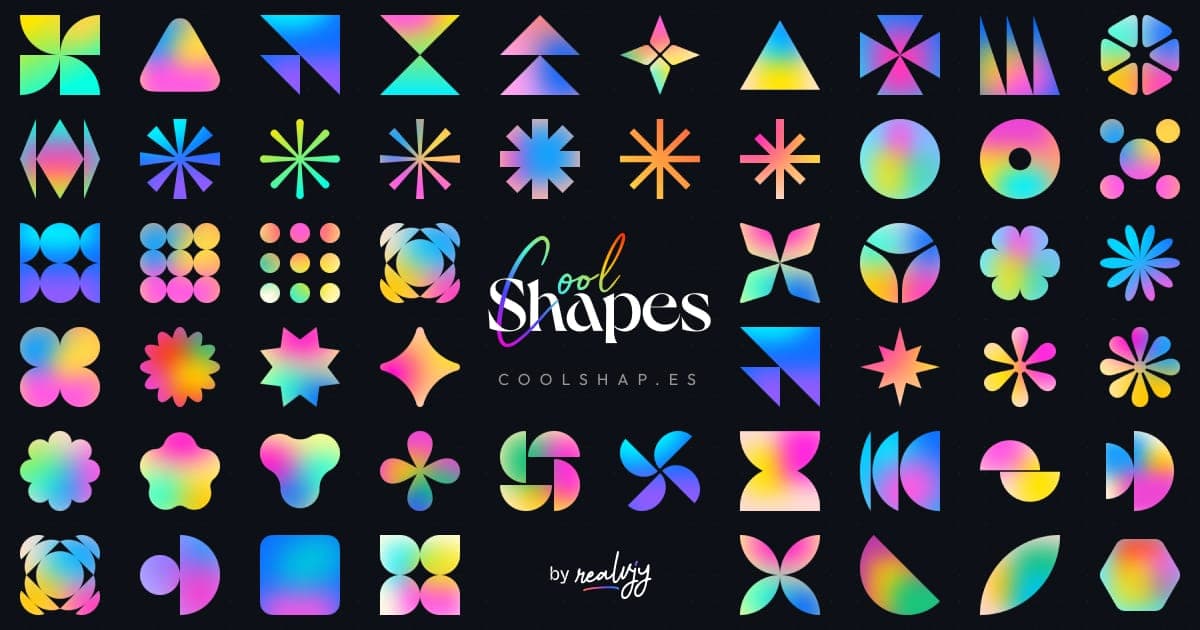
A simple, fun project for the sake of creating some cool-looking abstract shapes with little grainy gradients crafted by [@realvjy](https://x.com/realvjy), ported to [Vue.js](https://vuejs.org/) by [@xiaoluoboding](https://x.com/robert_shaw_x). Coolshapes is a completely open-source set of 100+ abstract shapes crafted for any design and development projects. Free for both commercial and personal use. Licensed under MIT.
## Table of Contents
TOC
- [Coolshapes Vue](#coolshapes-vue)
- [Table of Contents](#table-of-contents)
- [Installation](#installation)
- [How to use](#how-to-use)
- [Global component example](#global-component-example)
- [Component with shape category example](#component-with-shape-category-example)
- [Generating random shapes](#generating-random-shapes)
- [Props](#props)
- [notes](#notes)
- [Categories](#categories)
- [Contributing](#contributing)
- [Thanks to](#thanks-to)
- [License](#license)
## Installation
```sh
pnpm install coolshapes-vue
```
or
```sh
bun add coolshapes-vue
```
## How to use
There are two types of components available in **Coolshapes**, which you can use: **Global component** and **Component
for each category of shapes**. and, you can pass additional [props](#props) to adjust the shapes.
#### Global component example
```vue
import { Coolshape } from 'coolshapes-vue'
```
#### Component with shape category example
You can import the component for specific category - `Star`,`Ellipse`... etc - and simply pass the index of the shape.
```vue
import { Star } from 'coolshapes-vue'
```
#### Generating random shapes
setting the `random` [prop](#props) to true or leaving the `index` or `type` prop empty would replace the shape with a
random shape every time it renders.
```vue
import { Coolshape } from 'coolshapes-vue'
```
### Props
| name | data type | default | description |
| --------------------- | --------- | ------- | -------------------------------------------------------------------------------------------------------------------------------------------------------- |
| `size` | _Number_ | 200 | The dimension of shape |
| [`type`](#categories) | _String_ | random | The category of shapes, if left empty it will randomly select a category. |
| `noise` | _Boolean_ | true | Whether to add noise to the shape or not. |
| `index` | _Number_ | random | The index of shape within the shape [category](#categories), it would randomly select a shape from the category if type prop given. index starts from 0. |
| `random` | _Boolean_ | false | If set true it will select a random component |
#### notes
> Index starts from number 0, so if you want to retrieve the first shape of any category, you would use the index number 0.
> The shapes are SVG components behind the hood, so it's also supports all the props that can be passed in a svg element.
### Categories
There are a total of **115** shapes available in Coolshapes under the following categories.
| name | count |
| ----------- | ----- |
| `star` | 13 |
| `triangle` | 14 |
| `moon` | 15 |
| `polygon` | 8 |
| `flower` | 16 |
| `rectangle` | 9 |
| `ellipse` | 12 |
| `wheel` | 7 |
| `misc` | 11 |
| `number` | 10 |
**Note:** While passing the category name in the component, the name will be in lower case.
## Contributing
If you want to contribute, create a [pull request](https://github.com/xiaoluoboding/coolshapes-vue/pulls).
## Thanks to
[coolshapes-react](https://github.com/realvjy/coolshapes-react)
## License
MIT [@xiaoluoboding](https://github.com/xiaoluoboding)