https://github.com/xissy/vim-taeho-ide
https://github.com/xissy/vim-taeho-ide
Last synced: 4 months ago
JSON representation
- Host: GitHub
- URL: https://github.com/xissy/vim-taeho-ide
- Owner: xissy
- Created: 2017-06-21T21:34:39.000Z (almost 9 years ago)
- Default Branch: master
- Last Pushed: 2018-05-28T23:45:06.000Z (about 8 years ago)
- Last Synced: 2025-10-06T10:57:33.297Z (8 months ago)
- Language: Vim script
- Size: 3.62 MB
- Stars: 1
- Watchers: 1
- Forks: 0
- Open Issues: 0
-
Metadata Files:
- Readme: README.md
Awesome Lists containing this project
README
# vim-taeho-ide
> Get started with rich vim environment in minutes!
### DISCLAIMER: Forked & inspired by [vim-go-ide](https://github.com/farazdagi/vim-go-ide)
### 0. What is this?
Quite simply this is a vim configuration which will setup all the necessary vim dev environment (and plugins), without overwriting your current Vim settings. Basically, you will be able to use amazing [vim-go plugin](https://github.com/fatih/vim-go) (plus number of others), without affecting your system's Vim configuration.
### 1. Install runtime:
Fork the repo, and then clone it to `~/.vim_taeho_runtime`. Once done, just run installation script:
git clone https://git.taeho.io/taeho/vim-taeho-ide.git ~/.vim_taeho_runtime
sh ~/.vim_taeho_runtime/bin/install
**NOTE:** You system's Vim configuration will NOT be changed i.e. it is safe to install.
**REQUIREMENT:** vim-taeho-ide uses [pathogen](https://github.com/tpope/vim-pathogen) to manage plugins. You need to have pathogen installed on your machine (see https://github.com/farazdagi/vim-go-ide/issues/12).
### 2. Run your newly installed Vim configuration:
Remember that your system's Vim config files remain untouched? During installation `.vimrc.go` is created. Let's use it:
vim -u ~/.vimrc.taeho
And btw, nothing prevents you from creation of a handy alias in your `.zshrc`:
alias vimgo='vim -u ~/.vimrc.taeho'
### 3. Setup necessary go tools (godep, gocode, godoc etc):
In order for the [amazing vim-go](https://github.com/fatih/vim-go) to be most useful, run `:GoInstallBinaries` from w/i the Vim.
### 4. End-result:
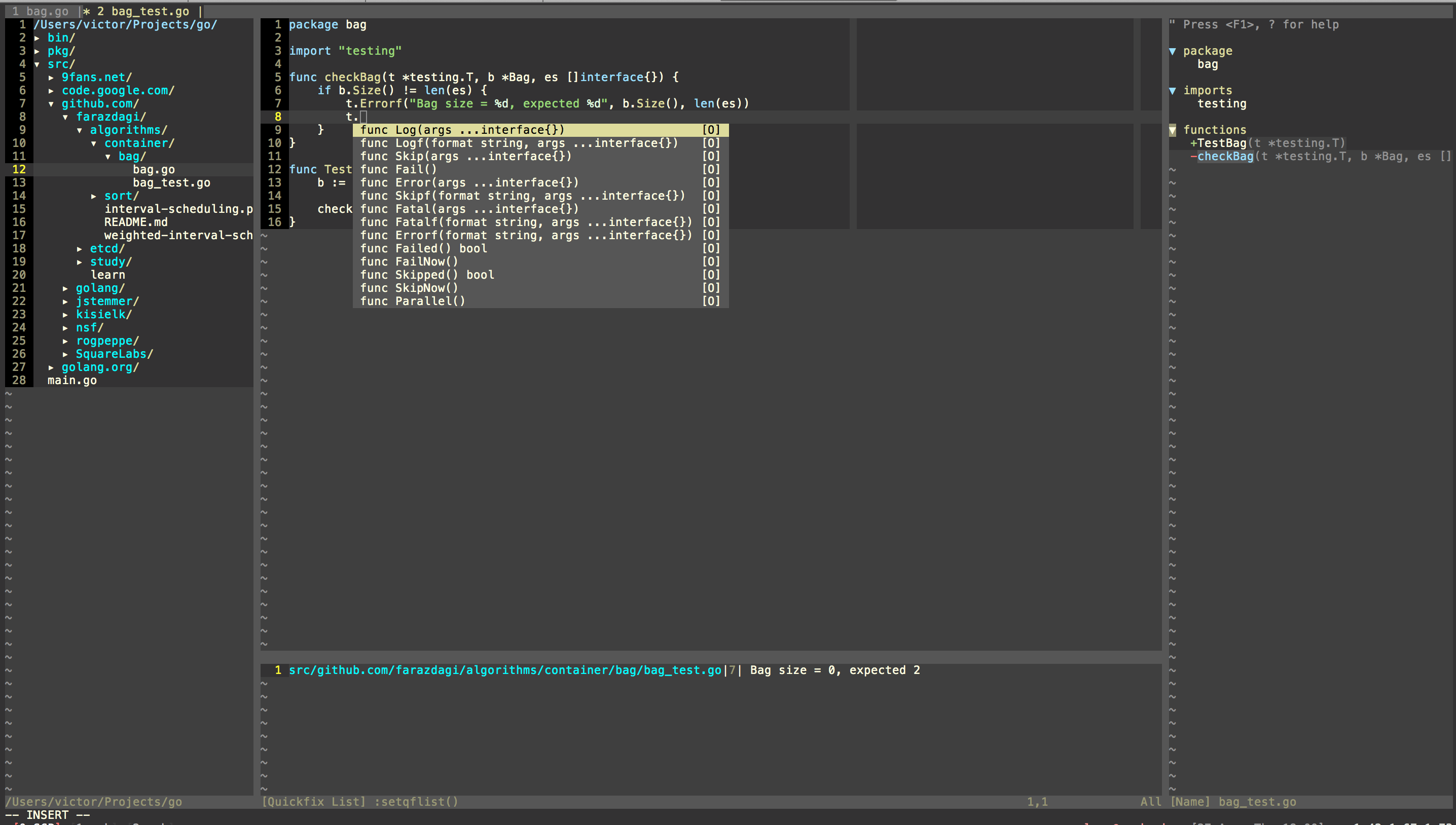
Yep, that's it!
### 5. Where to go from here?
- You can also read a corresponding [blog post](http://farazdagi.com/blog/2015/vim-as-golang-ide/).
- You are highly advised to review [vim-go docs](https://github.com/fatih/vim-go) (just typing `:help vim-go` is also good enough).
- Review list of plugins installed (see [bin/update_plugins](https://github.com/farazdagi/vim-go-ide/blob/master/bin/update_plugins)), and default configuration that comes with this setup (see [vimrc folder](https://github.com/farazdagi/vim-go-ide/tree/master/vimrc)).
- You can also define your custom settings in `~/.vim_taeho_runtime/custom_config.vim` the runtime will try to load this file - so feel free to remap keys as you see necessary!
**If you know some plugin that will enhance this setup and thus should be included - submit a PR**