https://github.com/xpodev/local-history
Visual Studio Code extension for maintaining files versions
https://github.com/xpodev/local-history
Last synced: about 1 year ago
JSON representation
Visual Studio Code extension for maintaining files versions
- Host: GitHub
- URL: https://github.com/xpodev/local-history
- Owner: xpodev
- Created: 2021-03-21T10:15:58.000Z (over 5 years ago)
- Default Branch: main
- Last Pushed: 2022-11-08T16:05:41.000Z (over 3 years ago)
- Last Synced: 2025-03-23T19:51:23.137Z (over 1 year ago)
- Language: TypeScript
- Homepage: https://marketplace.visualstudio.com/items?itemName=xpo.local-history
- Size: 2.54 MB
- Stars: 12
- Watchers: 0
- Forks: 2
- Open Issues: 3
-
Metadata Files:
- Readme: README.md
- Changelog: CHANGELOG.md
Awesome Lists containing this project
README
# Local History
An extension for VS Code for maintaining versions of your files easily without saving all the files content.
Every time a file is saved, Local History will compare the old version to the new version and save the differences.
All differences are saved inside the folder in the configuration (default: `.lh`).
The Local History folder is structured like the root folder for easy navigation.
Ignored files are stored in `.lh/.lhignore` as Regular Expressions.
Local History uses [jsdiff](https://github.com/kpdecker/jsdiff) by Kevin Decker
## Features
- Saving differences between files without copying the whole content.
- Comparing versions side by side with highlighting the changes.
- Graphical User Interface for managing, editing and restoring old versions.
- Adding commits to organize your changes.
### Overview
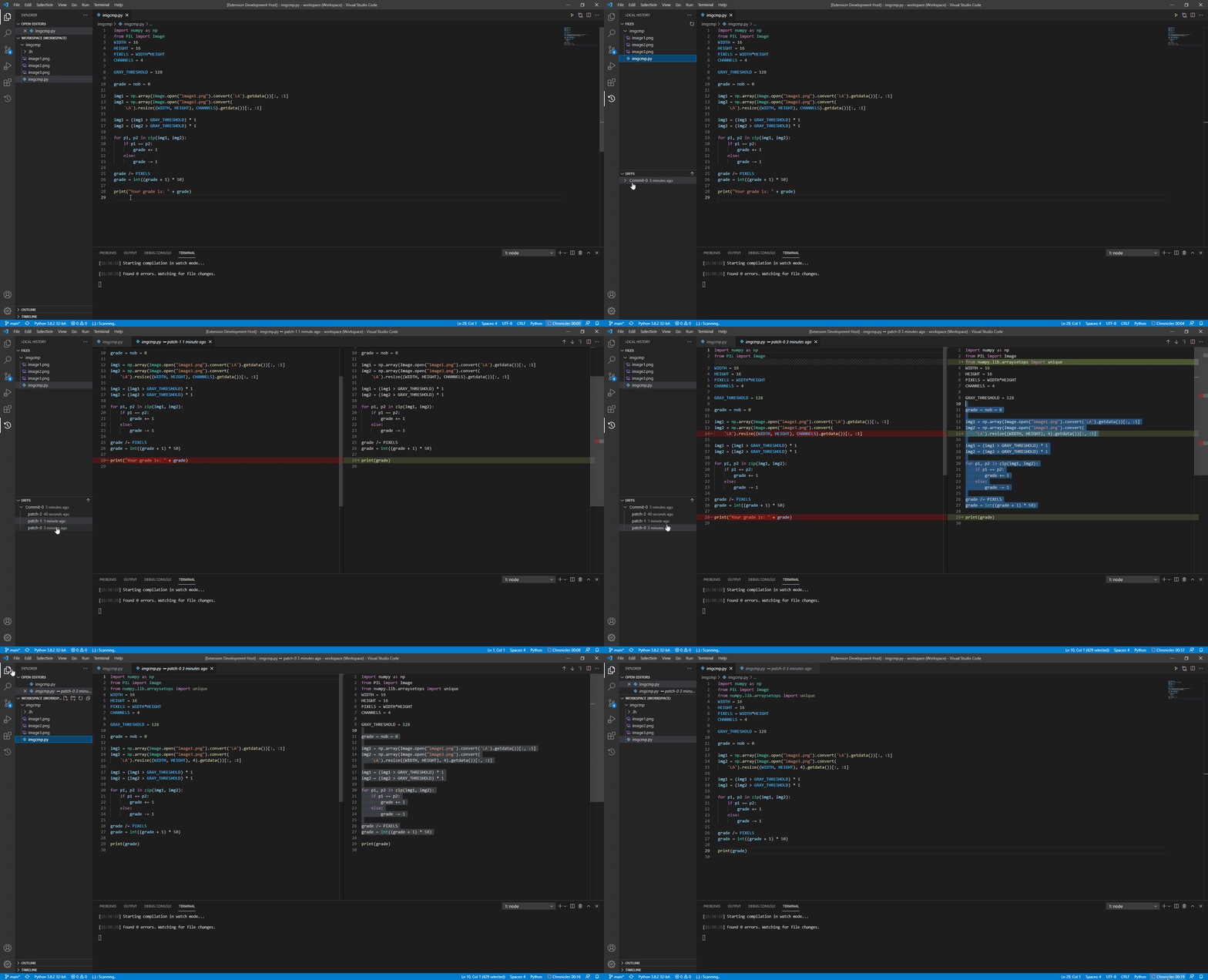
Every time a file is saved, a diff is saved inside the difference folder which can be configured from the extension settings.
You can maintain your versions in the Local History bar.
### Create Commit
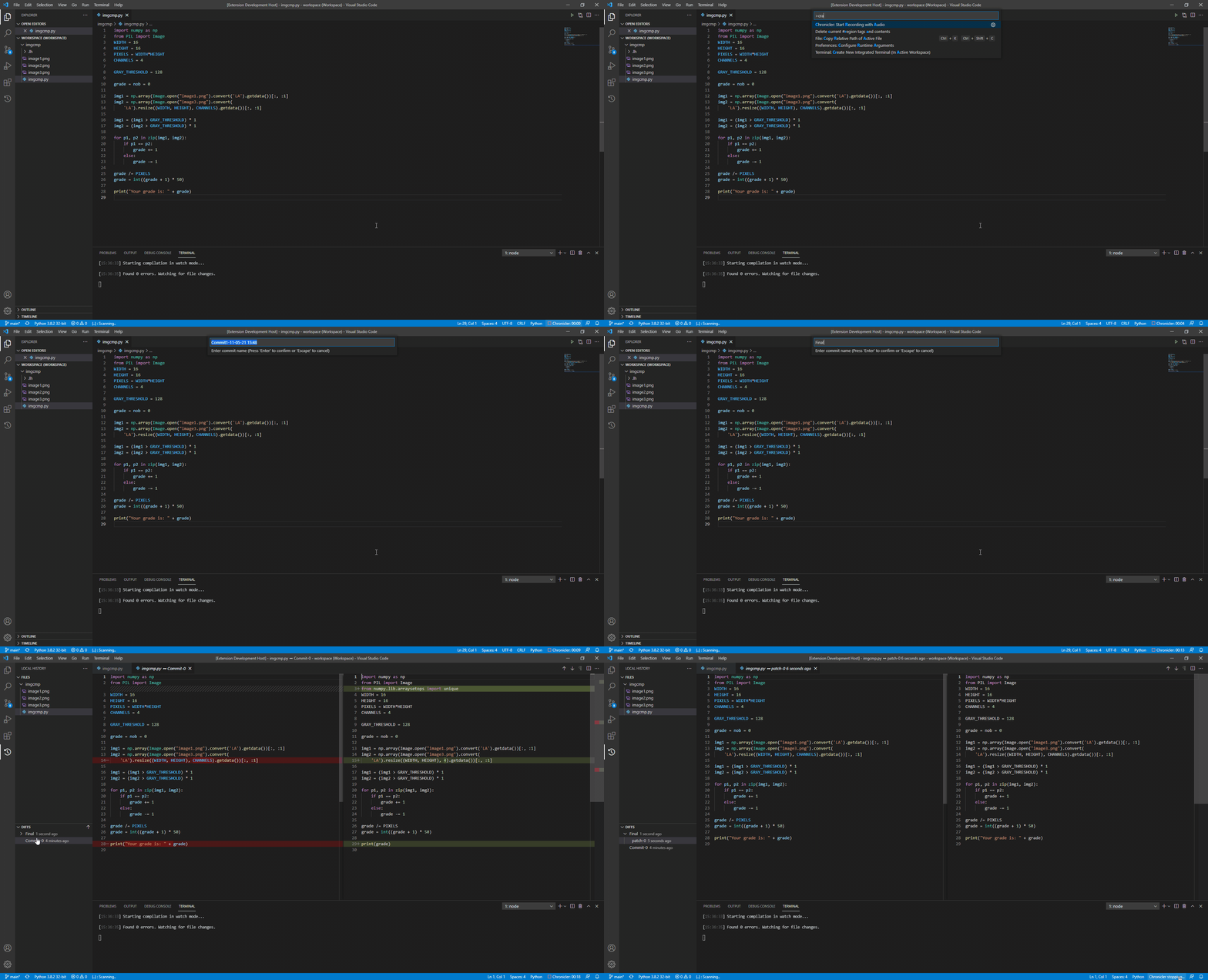
Create commit if you're happy with the current code.
Don't worry, older commits are also saved if you want to go back or compare.
## Extension Settings
```
"local-history.enable": Determine if the extension will be active and track file changes. Can be changed in all scopes (User, Workspace and Folder).
"local-history.localHistoryPath": Local history directory name, relative to the workspace root.
"local-history.browser.descending": Change the diffs order in the Diff View.
"local-history.commits.clearPatchesOnNewCommit": If true, all old patched will be deleted when new commit is being created. This configuration helps save some disk space.
"local-history.commits.patchDelay": The time to wait between saving new diffs. Each file have his own time stamp.
"local-history.date.dateFormat": The format for date representation (see below).
"local-history.date.dateRepresentation": After the time passed the browser will show the date (formatted as date.dateFormat) instead of how much time passed (e.g. 5 minutes ago).
```
## Known Issues
- Some features does not work as expected when using SSH.
- Notebooks differences are not being saved - see [#9](https://github.com/xpodev/local-history/issues/11).
## Release Notes
## 1.6.0
- Added config for the differences folder.
## 1.5.0
- Added global ignored files.
## 1.4.0
- Local History dir is now hidden.
### 1.3.0
- Added support for symbolic links.
### 1.0.6
- Added command to open the diff for the active file.
### 1.0.4
- Added Commit All command.
- Fixed some single root workspace issue.
### 1.0.2
- Changed default extension enablement to false.
- Added enable prompt.
- Added icon :)
### 1.0.0
- Initial release of Local History.
Full changelog can be found [here](https://github.com/xpodev/local-history/blob/main/CHANGELOG.md)