https://github.com/xpressengine/plugin-comment
Comment plugin for XpressEngine.
https://github.com/xpressengine/plugin-comment
xpressengine-plugin
Last synced: 28 days ago
JSON representation
Comment plugin for XpressEngine.
- Host: GitHub
- URL: https://github.com/xpressengine/plugin-comment
- Owner: xpressengine
- Created: 2016-03-03T05:50:37.000Z (over 10 years ago)
- Default Branch: master
- Last Pushed: 2023-04-07T05:19:49.000Z (about 3 years ago)
- Last Synced: 2025-02-24T02:52:31.304Z (over 1 year ago)
- Topics: xpressengine-plugin
- Language: PHP
- Size: 562 KB
- Stars: 1
- Watchers: 7
- Forks: 1
- Open Issues: 11
-
Metadata Files:
- Readme: README.md
Awesome Lists containing this project
README

# XE3 Board Plugin
이 플러그인은 Xpressengine3(이하 XE3)의 플러그인입니다.
이 플러그인을 사용하여, 댓글 기능을 사용할 수 있습니다.
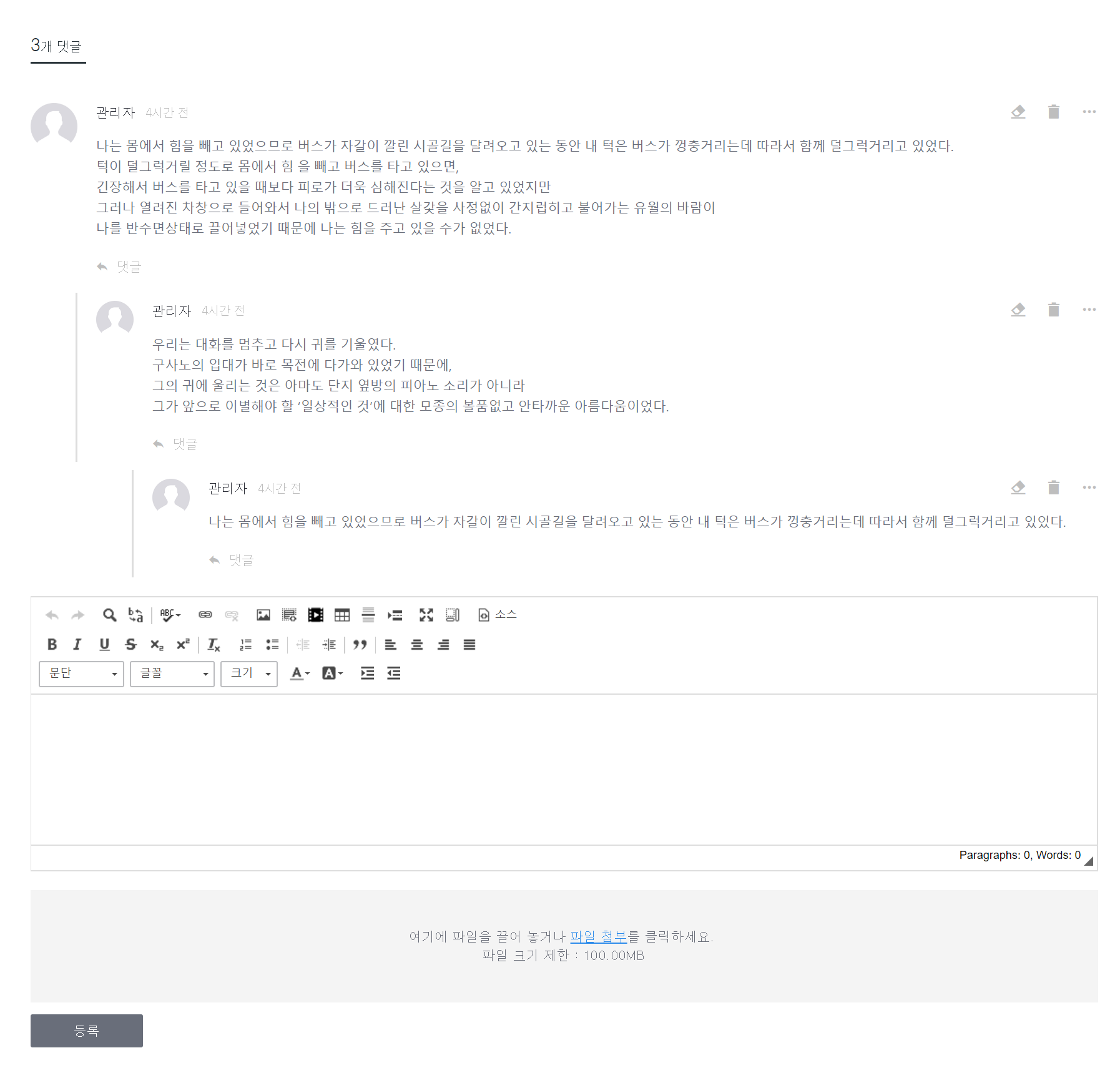
## What can I do?
본 플러그인을 사용하여 커뮤니티를 구축/운영 함에 있어서 기본적인 댓글 기능을 수행할 수 있습니다.
그 이외에도 아래의 기능을 지원합니다.
* 게시판이 아닌 다른 모듈에 사용
## Installation specification
* Minimum installation environment
XE3, PHP 7.0 or later
* Recommended installation environment
XE3, PHP 7.1 or later
# Installation
### Console
```
$ php artisan plugin:install comment
```
### Web install
- 관리자 > 플러그인 & 업데이트 > 플러그인 목록 내에 새 플러그인 설치 버튼 클릭
- `comment` 검색 후 설치하기
### FTP upload
- 다음의 페이지에서 다운로드
* https://store.xpressengine.io/plugins/comment
* https://github.com/xpressengine/plugin-comment/releases
- 프로젝트의 `plugins` 디렉토리 아래 `comment` 디렉토리명으로 압축해제
- `comment` 디렉토리 이동 후 `composer dump` 명령 실행
# Usage
## Interface
특정페이지에 댓글이 표시되기위해서는 해당페이지를 정보를 가지는 객체가 `Xpressengine\Plugins\Comment\CommentUsable` 인터페이스에 의해 구현되어야 합니다.
```php
use Xpressengine\Plugins\Comment\CommentUsable;
class SomeObject implements CommentUsable
{
...
}
```
`Xpressengine\Plugins\Comment\CommentUsable` 는 4개의 메서드로 구성되어 있습니다.
- getUid : 객체의 고유 아이디를 반환해야 합니다.
- getInstanceId : 객체가 속한 인스턴스의 고유 아이디를 반환해야 합니다.
- getAuthor : 객체의 작성자를 반환해야 합니다.
- getLink : 객체가 표시되는 고유 url 주소를 반환해야 합니다.
## View
blade view 에서 댓글을 표시하기 위해 다음 코드를 댓글이 나타나길 원하는 곳에 삽입합니다
```
{!! uio('comment', ['target' => $item]) !!}
```
코드에서 `target` 으로 전달된 `$item` 은 위에서 `Xpressengine\Plugins\Comment\CommentUsable` 의해 구현된 객체입니다.
코드는 이것으로 충분합니다.
# Option
> 관리자 > 플러그인 & 업데이트 > 플러그인 목록 > 댓글 > 설정
위 경로에서 사이트에 존재하는 모든 Comment 인스턴스의 기본 설정을 설정할 수 있습니다.
어떤 페이지는 페이지가 속하는 인스턴스마다 설정이 있을것 입니다. 그리고 이 인스턴마다 사용되는 댓글도 각각 설정을 지정해야 할 것입니다.
설정페이지는 플러그인에 의해 제공됩니다. 사용자는 인스턴스의 고유 아이디를 이용해 댓글의 설정 페이지를 연결하기만 하면 됩니다.
```
댓글 설정으로 이동
```
`인스턴스 아이디` 는 `Xpressengine\Plugins\Comment\CommentUsable::getInstanceId` 에서 반화되는 값과 같은 값입니다.
## License
이 플러그인은 LGPL라이선스 하에 있습니다.