https://github.com/xscriptor/samurai
Samurai: An XWA submodule focused on cybersecurity.
https://github.com/xscriptor/samurai
Last synced: about 1 month ago
JSON representation
Samurai: An XWA submodule focused on cybersecurity.
- Host: GitHub
- URL: https://github.com/xscriptor/samurai
- Owner: xscriptor
- License: other
- Created: 2026-04-12T14:07:46.000Z (3 months ago)
- Default Branch: main
- Last Pushed: 2026-04-15T21:27:09.000Z (3 months ago)
- Last Synced: 2026-04-15T22:26:00.302Z (3 months ago)
- Language: TypeScript
- Homepage:
- Size: 1.54 MB
- Stars: 1
- Watchers: 0
- Forks: 0
- Open Issues: 13
-
Metadata Files:
- Readme: README.md
- License: LICENSE
- Code of conduct: CODE_OF_CONDUCT.md
- Security: SECURITY.md
- Roadmap: ROADMAP.md
Awesome Lists containing this project
README
Samurai

**Language / Idioma**
[English](#) | [Español](./docs/esp/README.md)
Samurai : XWA submodule focused on web cybersecurity — under active development
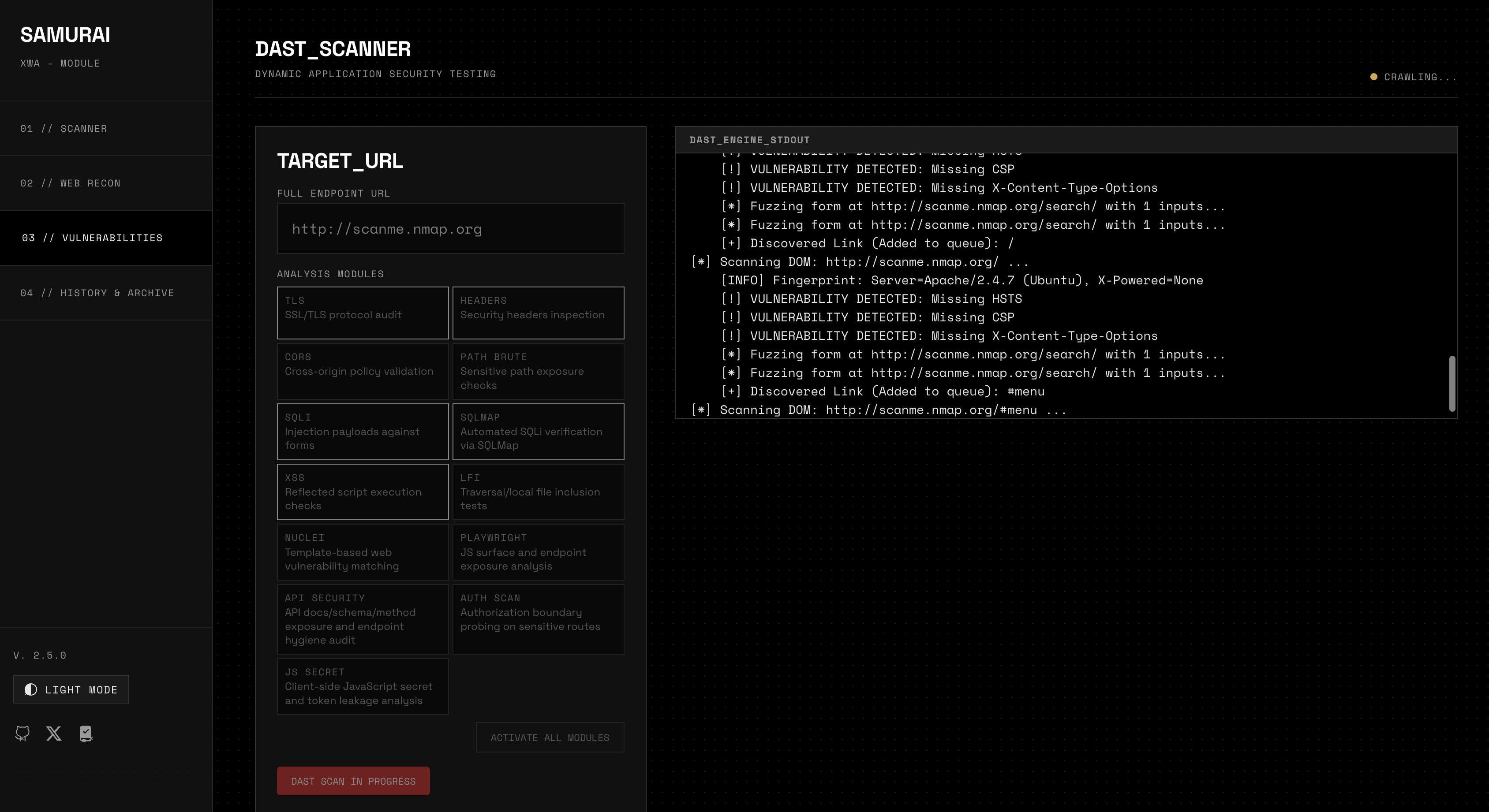
More screenshots...
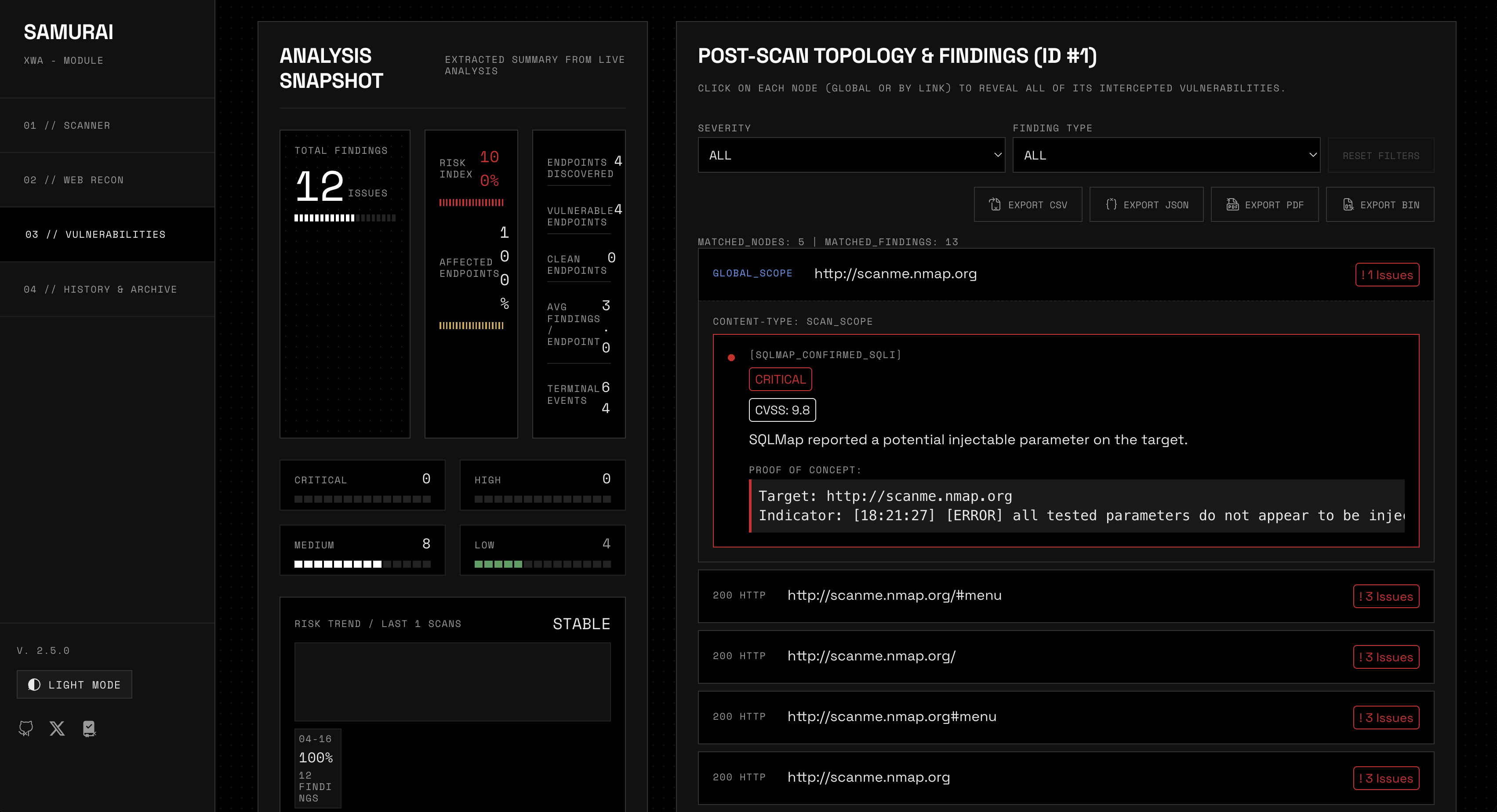
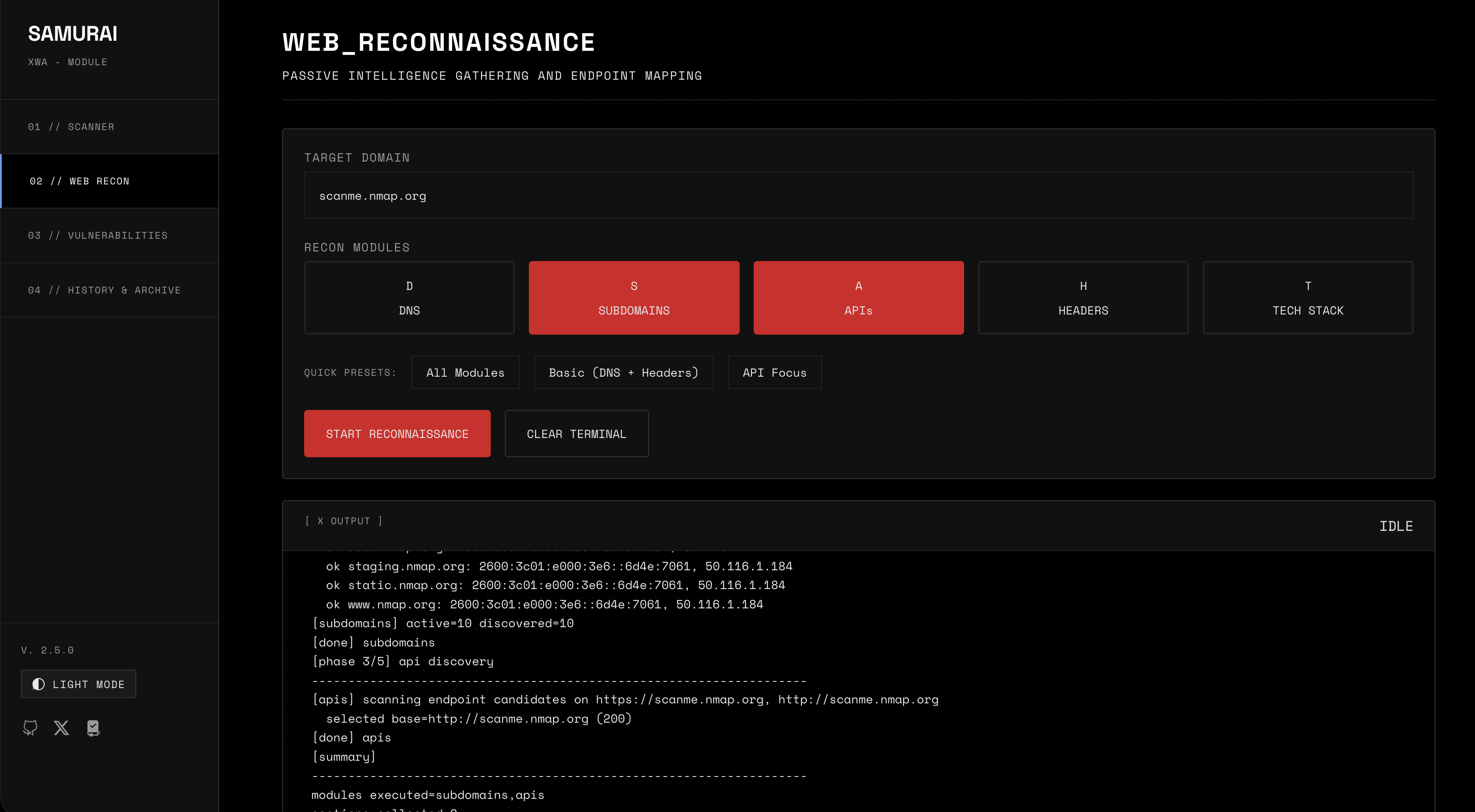
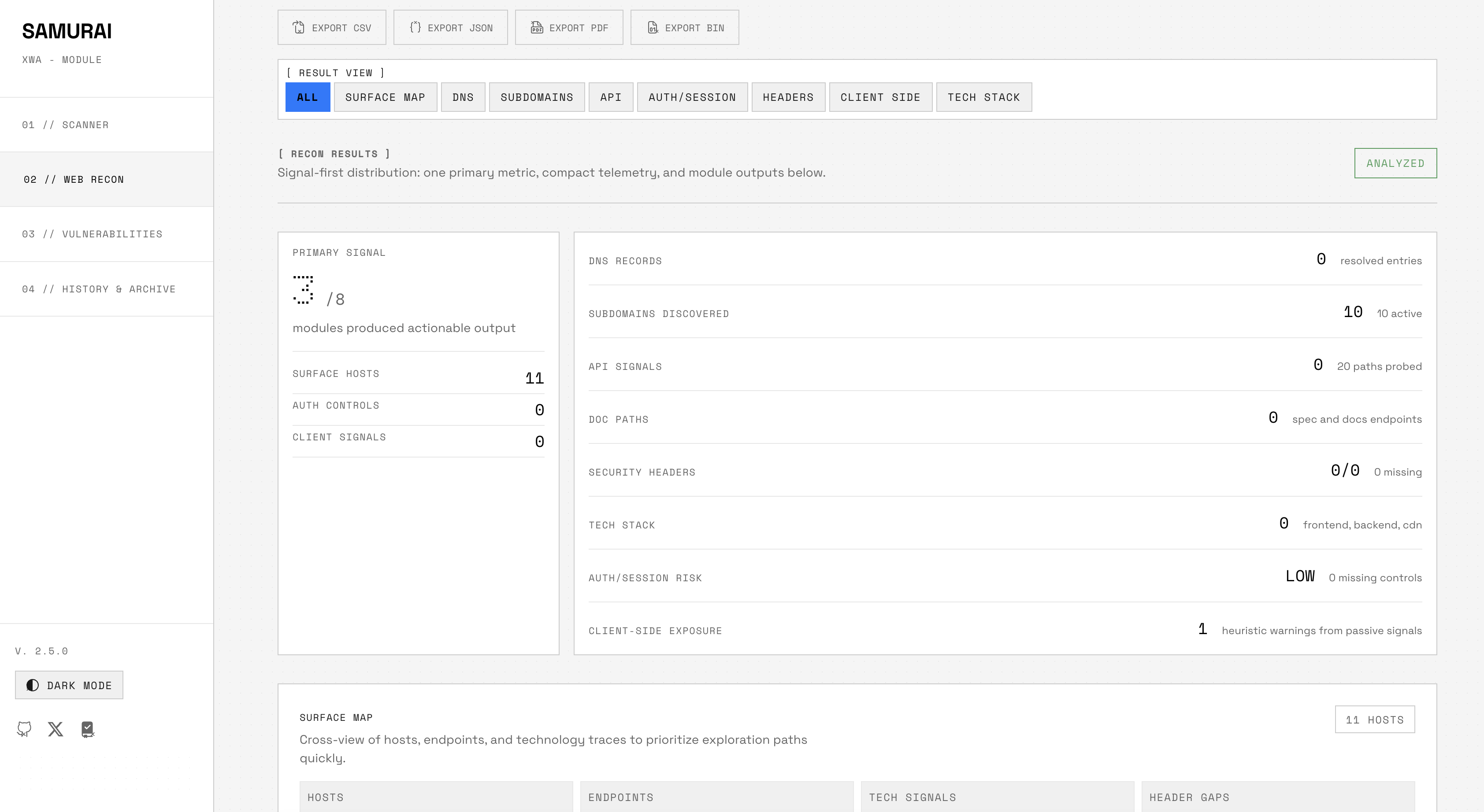
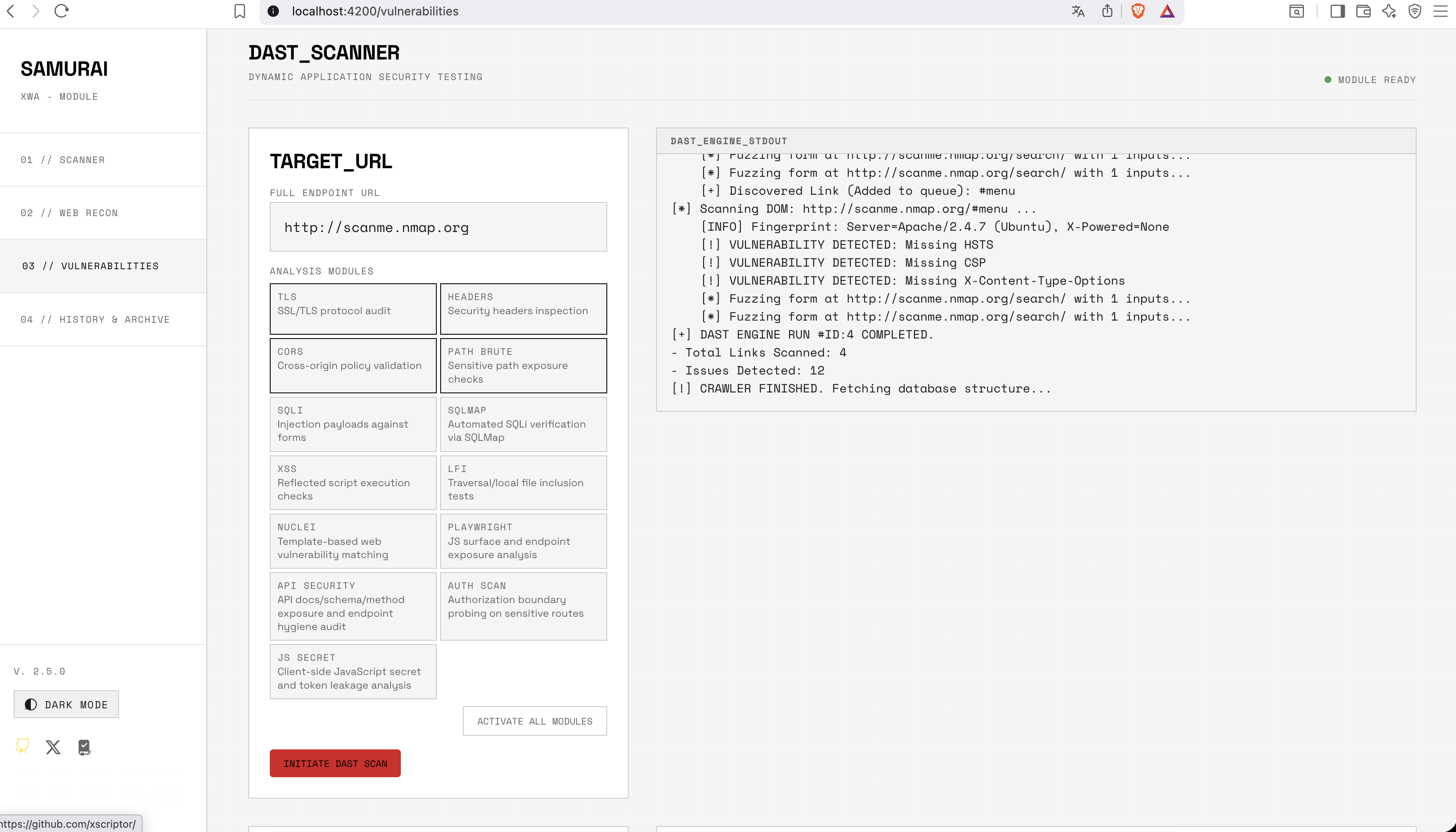
Overview
Samurai is a cybersecurity analysis platform with two interfaces sharing the same database:
Interface
Directory
Language
Type
Samurai Web
/frontend + /backend
Angular 21 + FastAPI/Python
Web application (Docker)
Samurai TUI
/samurai-tui
Rust
Terminal application (standalone or Docker)
Capabilities
-
Port Scanning — Nmap with configurable profiles (quick, balanced, deep, UDP) -
Web Reconnaissance — DNS enumeration, subdomain discovery, API probing, security headers audit, technology fingerprinting -
Vulnerability Crawling (DAST) — Page discovery, HTTP header analysis, link extraction -
Database Export — Full analytics dump as JSON (raw) or AES-256-GCM encrypted binary -
History & Archive — Persistent scan storage with findings and discovered topology
Database Export & Cross-Compatibility
The web backend exports the database via GET /api/database/export/raw (JSON) and POST /api/database/export/encrypted (AES-256-GCM binary). The TUI exports via the Export tab using the same encryption format (SAMURAI_DB_EXPORT_V1). Both interfaces share identical table schemas (scans, findings, discovered_links).
When both point to the same PostgreSQL database, exports are unnecessary — scans appear in both interfaces automatically. The TUI can also run standalone with SQLite, storing data locally in samurai.db.
Quick Start
Web Version (Docker Compose)
docker compose up -d --build- Frontend:
http://localhost:4200 - API docs:
http://localhost:8000/docs
Terminal Version (Standalone)
cd samurai-tui

cargo build --release

cargo run --release
Zero setup. Auto-creates a local SQLite database (samurai.db). No Docker required.
Terminal Version (Docker — Ephemeral Session)
cd samurai-tui

docker compose up --build

# Session is destroyed on exit — no data persisted
See samurai-tui/README.md for full Docker configuration and persistent volume options.
Related Documents
DocumentDescription
docs/manual.mdDevelopment and production deployment guide
docs/ui-architecture.mdFrontend feature-driven architecture specification
docs/python-libraries.mdBackend Python dependency inventory
docs/uses/dast.mdDAST vulnerability scanning usage
samurai-tui/README.mdTerminal application: installation, configuration, Docker, usage
ROADMAP.mdDevelopment phases and milestones
Project Structure
samurai/

├── frontend/              # Angular 21 SPA (standalone components)

├── backend/               # FastAPI Python (REST + WebSocket)

│   └── app/

│       ├── main.py        # API routes and WebSocket endpoints

│       ├── scanner.py     # Nmap port scanning engine

│       ├── crawler.py     # DAST vulnerability crawler

│       ├── db_exporter.py # Database export (raw + encrypted)

│       └── recon/         # Web reconnaissance modules

├── samurai-tui/           # Rust terminal application

│   ├── Dockerfile         # Container build (Rust + nmap)

│   ├── docker-compose.yml # Ephemeral session runner

│   └── src/

│       ├── main.rs        # TUI event loop and keybindings

│       ├── scanner/       # Nmap engine with streaming

│       ├── recon/         # DNS, subdomains, APIs, headers, tech

│       ├── crawler/       # HTTP page discovery

│       ├── export/        # Raw + AES-256-GCM encrypted export

│       ├── db/            # SQLx dual-backend (Postgres + SQLite)

│       └── tui/           # Nothing Design terminal UI

├── docs/                  # Technical documentation

└── docker-compose.yml     # 4 services: frontend, backend, redis, postgres
X

&

&
