https://github.com/xtimmy86x/ha-s7plc
Home Assistant Integration for S7 PLCs
https://github.com/xtimmy86x/ha-s7plc
automation home-assistant integration
Last synced: 4 months ago
JSON representation
Home Assistant Integration for S7 PLCs
- Host: GitHub
- URL: https://github.com/xtimmy86x/ha-s7plc
- Owner: xtimmy86x
- License: mit
- Created: 2025-08-28T20:35:12.000Z (10 months ago)
- Default Branch: main
- Last Pushed: 2026-02-22T17:24:17.000Z (4 months ago)
- Last Synced: 2026-02-22T18:50:08.615Z (4 months ago)
- Topics: automation, home-assistant, integration
- Language: Python
- Homepage:
- Size: 1.07 MB
- Stars: 21
- Watchers: 3
- Forks: 4
- Open Issues: 2
-
Metadata Files:
- Readme: README.md
- License: LICENSE
Awesome Lists containing this project
README
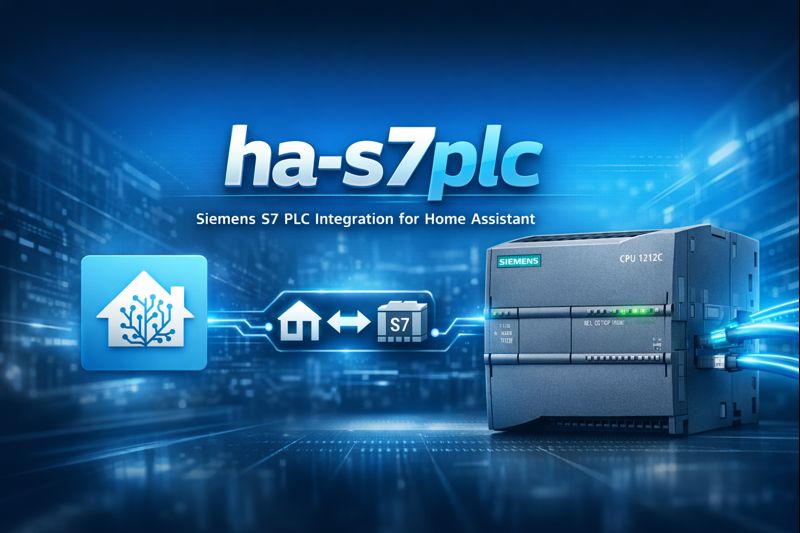
# ha-s7plc
**Home Assistant integration for Siemens S7 PLCs**
Direct + lightweight custom component using `pys7`.
**No MQTT • No REST • No middleware**
[](https://github.com/xtimmy86x/ha-s7plc/releases)
[](https://www.home-assistant.io/)
[](https://www.python.org/)
[](https://github.com/xtimmy86x/pyS7)

**Quick Links**
[✨ Features](#features) •
[🚀 Quick Start](#quick-start) •
[📚 Documentation](#documentation) •
[🧩 Entities](#supported-entities) •
[🛠️ Troubleshooting](#troubleshooting)
---
## Features
- ⚡ **Direct PLC communication** over S7 protocol via `pys7`
- 🧩 **Multiple entity types**: `light`, `dimmer light`, `switch`, `cover`, `button`, `binary_sensor`, `sensor`, `number`, `text`, `climate`, and Entity Sync
- 🔌 **Dual connection modes**: Rack/Slot or TSAP addressing
- 🧮 **Value multipliers**: Scale raw PLC values before Home Assistant sees them
- 🪶 **Lightweight**: Minimal overhead, no broker/services required
- 🛠️ **Full UI configuration**: Set up and manage entirely from Home Assistant's UI
- 🔍 **Optional auto-discovery**: Pre-populates PLCs found on your local network
- 📄 **S7 STRING support** for text sensors
- 🔄 **State synchronization**: Bidirectional sync for switches and lights with physical controls
- 📤 **Entity Sync**: Push any Home Assistant entity state to PLC addresses in real-time
- 🌡️ **Climate control**: Direct control and setpoint modes for HVAC systems
- 📊 **Import/Export**: Backup and restore your entity configurations
---
## Quick Start
### Requirements
- **Home Assistant** installation
- **Siemens S7 PLC** (S7-1200/1500/300/400) reachable over ISO-on-TCP (port 102)
- Network connectivity between Home Assistant and PLC
> ℹ️ For S7-1200/1500: Ensure data blocks have **Optimized block access disabled** if using absolute addressing.
### Installation
**Via HACS (Recommended)**
1. Ensure [HACS](https://hacs.xyz) is installed
2. Open **HACS → Integrations**
3. Search for **"Siemens S7 PLC"** and install
4. Restart Home Assistant
**Manual Installation**
1. Copy `custom_components/s7plc` to your HA config directory
2. Restart Home Assistant
### Basic Setup
1. Go to **Settings → Devices & Services** → **Add Integration**
2. Search for **"S7 PLC"**
3. Choose connection type:
- **Rack/Slot** (default): Standard connection for most PLCs
- **TSAP**: For specific configurations or legacy systems
4. Enter PLC connection details:
- Host, Port
- Rack/Slot (typically `0/1` for S7-1200/1500, `0/2` for S7-300/400)
- or Local/Remote TSAP for TSAP mode
5. Configure timeout and retry settings for your network
6. Add entities through **Configure** → **Add items**
---
## Documentation
Comprehensive documentation is available in the [`docs/`](docs/) directory:
- **[Configuration Guide](docs/configuration.md)** - Complete setup instructions, connection types, entity management
- **[S7 Addressing](docs/addressing.md)** - Address formats, data types, PLC-specific notes
- **[Advanced Features](docs/advanced-features.md)** - State Synchronization and Entity Sync
- **[Examples](docs/examples.md)** - Practical use cases and configuration examples
- **[Troubleshooting](docs/troubleshooting.md)** - Common issues and solutions
### Quick Links
| Topic | Description |
|-------|-------------|
| [Connection Types](docs/configuration.md#connection-types) | Rack/Slot vs TSAP addressing |
| [Entity Types](docs/configuration.md#entity-type-details) | Switch, Light, Dimmer Light, Cover, Sensor, Number, Climate, Entity Sync |
| [State Sync](docs/advanced-features.md#state-synchronization) | Bidirectional synchronization for physical controls |
| [Entity Sync](docs/advanced-features.md#entity-sync) | Push HA entities to PLC addresses |
| [Logo! Support](docs/addressing.md#logo-8-addressing) | Specific notes for Logo! controllers |
| [Export/Import](docs/configuration.md#export-and-import) | Backup and restore configurations |
---
## Supported Entities
| Entity Type | Read | Write | Features |
|-------------|------|-------|----------|
| **Binary Sensor** | ✅ | ❌ | Device classes, bit addressing, state inversion |
| **Sensor** | ✅ | ❌ | Numeric types, strings, multipliers, precision |
| **Switch** | ✅ | ✅ | State sync, pulse command mode, separate state/command addresses |
| **Light (On/Off)** | ✅ | ✅ | State sync, pulse command mode, separate state/command addresses |
| **Dimmer Light** | ✅ | ✅ | Brightness control, configurable scale, optional actuator relay |
| **Cover** | ✅ | ✅ | Open/close commands, position control (0–100%), stop, timing |
| **Button** | ❌ | ✅ | Pulse output with configurable duration (0.1-60s, supports decimals) |
| **Number** | ✅ | ✅ | Min/max/step, separate read/write addresses |
| **Text** | ✅ | ✅ | STRING/WSTRING support, pattern validation, auto-sized limits |
| **Climate** | ✅ | ✅ | Direct control or setpoint mode, HVAC status feedback |
| **Entity Sync** | ❌ | ✅ | Monitor any HA entity, write to PLC on change |
---
## Supported Data Types
| S7 Type | Example | Description |
|---------|---------|-------------|
| Bit | `DB1,X0.0` | Boolean values |
| Byte | `DB1,B0` | Unsigned 8-bit (0-255) |
| Char | `DB1,C0` | Single ASCII character |
| Word | `DB1,W2` | Unsigned 16-bit (0-65535) |
| Int | `DB1,I2` | Signed 16-bit (-32768 to 32767) |
| DWord | `DB1,DW4` | Unsigned 32-bit (0-4294967295) |
| DInt | `DB1,DI4` | Signed 32-bit (-2147483648 to 2147483647) |
| Real | `DB1,R4` | IEEE 754 32-bit float |
| LReal | `DB1,LR8` | IEEE 754 64-bit double precision float |
| String | `DB1,S0.20` | S7 STRING type (ASCII) |
| WString | `DB1,WS0.20` | S7 WSTRING type (Unicode UTF-16) |
**Note**: Use `I`/`DI` for signed integers, `W`/`DW` for unsigned integers.
See [S7 Addressing](docs/addressing.md) for complete details.
---
## Example Use Cases
- **HVAC Control**: Read temperatures, control setpoints, climate entities with direct or setpoint modes
- **Lighting Systems**: Multi-point control with physical switches, dimmer lights with brightness control
- **Conveyor Belts**: Monitor status, control motors
- **Door Access**: Lock control, contact monitoring
- **Data Logging**: Push weather, energy data to PLC
- **Process Control**: Tank levels, valve positions, pump control
See [Examples](docs/examples.md) for detailed configurations.
---
## FAQ
**Q: Is MQTT required?**
A: No. Direct S7 protocol communication to PLC.
**Q: Which PLCs are supported?**
A: Any S7 PLC with ISO-on-TCP (port 102) support: S7-1200, S7-1500, S7-300, S7-400, Logo! 8.
**Q: Can I write values to the PLC?**
A: Yes. `switch`, `light`, `dimmer light`, `cover`, `button`, `number`, `text`, `climate`, and Entity Sync all support writes.
**Q: Do I need to know PLC programming?**
A: Basic knowledge helps. You need to know your data block structure and addresses.
**Q: Can I use symbolic names?**
A: No, only absolute addressing (DB + offset) is supported.
---
## Troubleshooting
Common issues:
- **Connection fails**: Check network, firewall, rack/slot values
- **Wrong values**: Verify address, data type, alignment
- **Slow updates**: Adjust scan interval, check network latency
- **Intermittent disconnects**: Review timeout settings, network stability
See [Troubleshooting Guide](docs/troubleshooting.md) for complete solutions.
---
## Contributing
Contributions welcome! Please:
1. Fork the repository
2. Create a feature branch
3. Make your changes with clear commit messages
4. Add documentation for new features
5. Open a Pull Request
### Development
For local development/testing, install dev dependencies (kept separate from runtime deps):
```bash
pip install -r requirements_dev.txt
```
Run quality checks:
```bash
ruff check custom_components tests
pytest -q
```
This project also uses [pre-commit](https://pre-commit.com/):
```bash
pre-commit run --files [ ...]
```
---
## Roadmap
- [x] Multiple entity types
- [x] UI-only configuration
- [x] State synchronization
- [x] Entity sync (write HA entities to PLC)
- [x] TSAP connection support
- [x] Import/Export configuration
- [x] Climate entities (direct and setpoint control)
- [x] Dimmer light with brightness control
- [x] Position-based cover with stop
- [ ] Additional diagnostics entities
- [ ] Performance optimizations
> Have ideas? Open an **issue** or **PR**!
---
## Releases
See [Releases](https://github.com/xtimmy86x/ha-s7plc/releases) for changelogs and downloads.
---
## Security & Safety
- Use on **trusted networks** only
- Apply standard Home Assistant secrets handling
- Consider read-only DBs for monitoring to prevent accidental writes
- Test thoroughly in non-production environments first
---
## License
This project is licensed under the MIT License - see [LICENSE](LICENSE) for details.
---
## Acknowledgements
- Built on [`pyS7`](https://github.com/xtimmy86x/pyS7) library
- Inspired by the Home Assistant community
- Not affiliated with Siemens AG or Home Assistant
---
## Support
- 📖 Read the [documentation](docs/)
- 🐛 Report bugs via [GitHub Issues](https://github.com/xtimmy86x/ha-s7plc/issues)
- 💬 Discuss in [Home Assistant Community](https://community.home-assistant.io/)
- ☕ [Buy me a coffee](https://www.buymeacoffee.com/xtimmy86x) if this helps you!