https://github.com/xunleif2e/vue-context-menu
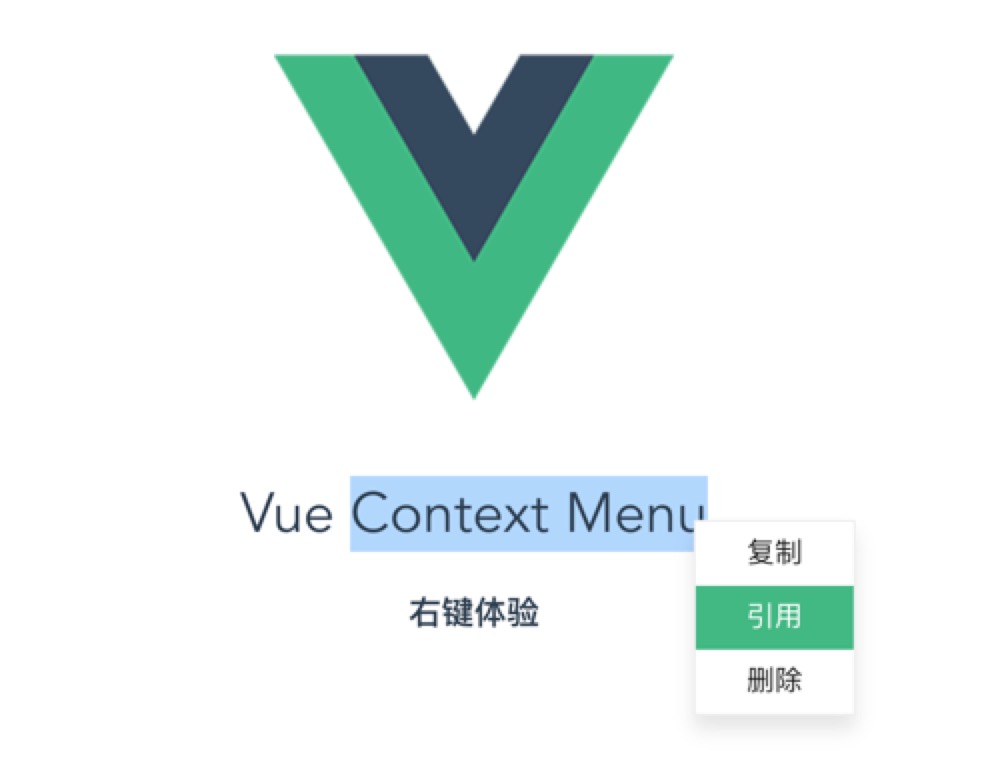
🗃️ Vue 2.x 右键菜单组件,菜单内容可以随意自定义
https://github.com/xunleif2e/vue-context-menu
component context-menu plugin vue
Last synced: about 1 year ago
JSON representation
🗃️ Vue 2.x 右键菜单组件,菜单内容可以随意自定义
- Host: GitHub
- URL: https://github.com/xunleif2e/vue-context-menu
- Owner: xunleif2e
- License: mit
- Created: 2017-06-23T12:37:11.000Z (about 9 years ago)
- Default Branch: master
- Last Pushed: 2021-07-19T08:12:03.000Z (almost 5 years ago)
- Last Synced: 2025-01-01T11:34:25.739Z (over 1 year ago)
- Topics: component, context-menu, plugin, vue
- Language: JavaScript
- Homepage: https://xunleif2e.github.io/vue-context-menu/demo/dist/#/
- Size: 383 KB
- Stars: 336
- Watchers: 7
- Forks: 58
- Open Issues: 14
-
Metadata Files:
- Readme: README.md
- License: LICENSE
Awesome Lists containing this project
README
# vue-context-menu
> Vue 2.0 右键菜单组件,菜单内容可以随意自定义
## 安装
```
npm install @xunlei/vue-context-menu
```
## 在线Demo
https://xunleif2e.github.io/vue-context-menu/demo/dist
## 使用
### 1. 注册组件
#### 方式1 利用插件方式全局注册
```javascript
import VueContextMenu from '@xunlei/vue-context-menu'
import Vue from 'vue'
Vue.use(VueContextMenu)
```
#### 方式2 局部注册
```javascript
import { component as VueContextMenu } from '@xunlei/vue-context-menu'
export default {
// ...
components: {
'vue-context-menu': VueContextMenu
}
}
```
#### 方式3 独立版本引入,自动全局注册
> 前提是 vue 也是独立版本通过script标签引入
```html
```
### 2. 模版语法
```html
contextMenuVisible = show">
复制
引用
删除
```
## Props
| 参数 | 说明 | 类型 | 可选值 | 默认值 |
|-------------------------|-------|------|--------|--------|
| target | 触发右键事件的元素 | Element | - | - |
| show | 是否显示右键菜单 | Boolean | - | false |
## Events
| 事件名 | 说明 | 事件参数
|-------------------------|-------|------|
| update:show | 右键菜单显示/隐藏时触发 | 是否显示 |
## 注意
如果target是某个兄弟元素,可以使用 `$refs`来访问,但是注意请在父组件mounted 之后获取。
参考 https://cn.vuejs.org/v2/guide/components.html#子组件索引
## ChangeLog
- [1.0.1] 2017-07-10
- 修复 target 为空时可能出错的bug
- [1.0.0] 2017-06-23
- 实现右键菜单基本功能
## Development Setup
``` bash
# install deps
npm install
# serve demo at localhost:8080
npm run dev
# build library and demo
npm run build
# build library
npm run build:library
# build demo
npm run build:demo
```
## License
[MIT](http://opensource.org/licenses/MIT)
Copyright (c) 2017 赵兵