https://github.com/yashraj-n/astitva
🖼 Astitva is an AI-driven platform that transforms images into captivating stories, heartfelt poems, and creative captions.
https://github.com/yashraj-n/astitva
ai flask generative-ai nextjs python worqhatai
Last synced: 3 months ago
JSON representation
🖼 Astitva is an AI-driven platform that transforms images into captivating stories, heartfelt poems, and creative captions.
- Host: GitHub
- URL: https://github.com/yashraj-n/astitva
- Owner: yashraj-n
- License: mit
- Created: 2025-01-19T15:33:18.000Z (over 1 year ago)
- Default Branch: master
- Last Pushed: 2025-01-19T17:22:28.000Z (over 1 year ago)
- Last Synced: 2025-12-31T10:40:27.935Z (6 months ago)
- Topics: ai, flask, generative-ai, nextjs, python, worqhatai
- Language: TypeScript
- Homepage: https://astitva-frontend.yashrajn.com/
- Size: 362 KB
- Stars: 0
- Watchers: 1
- Forks: 1
- Open Issues: 0
-
Metadata Files:
- Readme: README.md
- License: LICENSE
Awesome Lists containing this project
README

# Astitva
Astitva is an AI-driven platform that transforms images into captivating stories, heartfelt poems, and creative captions. Built with Python Flask and Next.js/React, it leverages Worqhat APIs to demonstrate the boundless creativity of artificial intelligence. Astitva is designed to inspire and showcase AI's potential in storytelling, poetry, and social media engagement.
> #### ⚠ Due to cloudflare timeout issues, the hosted url will not work. Please Self Host the project to use it.



[](./LICENSE)
---
## Key Features
1. **Image-to-Story Generation**
- Transforms images into immersive, context-aware stories.
- Generates chapters with themes like mystery, thriller, or drama.
- Maintains plot continuity and incorporates character backstories.
2. **Image-to-Poem Generation**
- Creates meaningful poems inspired by the image's mood, theme, and setting.
- Uses cues like solitude, love, or nature to craft unique, emotional expressions.
3. **Image-to-Caption Generation**
- Generates engaging captions tailored to the image.
- Suggests keywords and hashtags for social media visibility.
4. **Context Awareness**
- Ensures continuity across story chapters and thematic alignment in poems.
- Delivers human-like, consistent, and creative outputs.
5. **API Integration**
- Powered by **Worqhat APIs** for accurate and efficient creative processing.
6. **Showcasing AI Creativity**
- Demonstrates AI’s ability to transform static images into stories, poems, and captions.
- Highlights AI as a creative collaborator bridging art and technology.
Astitva redefines creativity by merging artificial intelligence with storytelling, poetry, and content creation.
---
## Workflow
1. **Upload Image:**
- Users provide an image to initiate the creative process.
2. **AI Theme Analysis:**
- The AI identifies themes such as mystery, sadness, or joy based on image context.
3. **Content Generation:**
- **Stories:** Chapter-based narratives crafted from the image’s themes and settings.
- **Poems:** Emotion-rich poetry inspired by the image’s mood.
- **Captions:** Keywords and captions tailored for social media use.
4. **Result Presentation:**
- Generated content is presented in an intuitive and creative format for the user.
---
## Tech Stack
### Backend
- **Python Flask:** Core framework for server-side logic and API handling.
- **WorqHat APIs:** Enables advanced AI capabilities for creative content generation. (Special mention to WorqHat for their support.)
### Frontend
- **Next.js (React):** Provides a seamless and interactive user interface.
- **Tailwind CSS:** Facilitates responsive design and modern styling.
- **Chakra UI:** Offers a component library for consistent design elements.
- **Aceternity:** Provides a clean and aesthetic design theme.
- **Shadcn/ui:** Offers a custom UI library for enhanced user experience.
- **Clerk:** Provides authentication and user management capabilities.
---
## Installation
### Prerequisites
- Python 3.7+
- Node.js 16+
1. **Clone the Repository:**
```bash
git clone https://github.com/yashraj-n/astitva
cd astitva
```
2. **Set Up Backend:**
- Install dependencies:
```bash
pip install -r requirements.txt
```
- Run the Flask server:
```bash
python main.py
```
3. **Set Up Frontend:**
- Navigate to the `frontend` folder:
```bash
cd frontend
```
- Install dependencies:
```bash
npm install
```
- Start the development server:
```bash
npm run dev
```
4. **Configure Environment Variables:**
- Set up API keys and endpoints for WorqHat APIs in a `.env` file.
- Ensure Clerk API key is added in the `.env.local` file for frontend usage.
- Rename `env.example` files to `.env` for backend and `.env.local` for frontend.
---
## Usage
1. Open the application at `http://localhost:3000`.
2. Upload an image of your choice.
3. Choose the desired output type:
- **Story**: Get a detailed narrative.
- **Poem**: Receive a poetic creation.
- **Caption**: Generate social media-ready captions.
4. Enjoy and save your AI-generated content!
---
## Screenshots

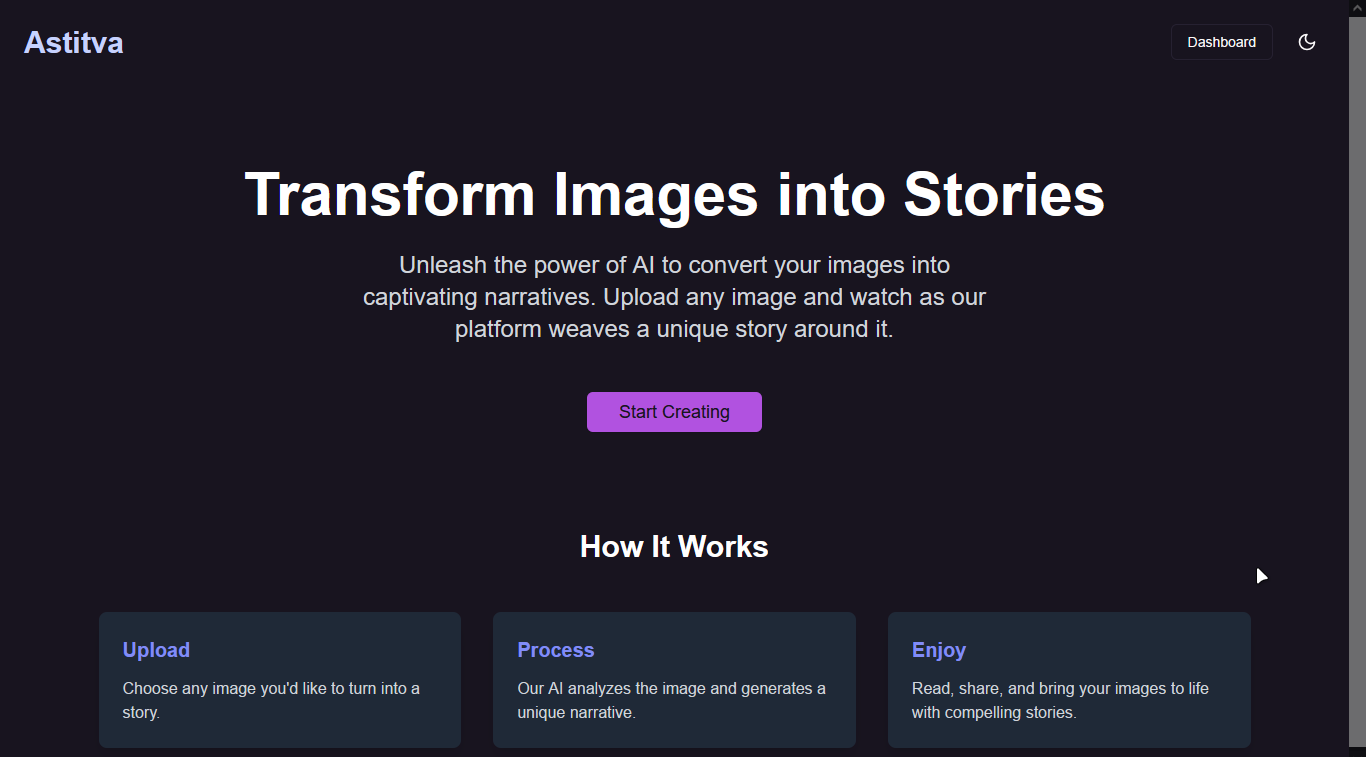
---
## Credits
- **WorqHat APIs:** Acknowledgment for providing robust AI capabilities.
- **CSI @ MIT-WPU:** For organising an amazing hackathon.
---
## License
This project is licensed under the MIT License. See the `LICENSE` file for more details.