https://github.com/yassinebenaid/prompts
Build intuitive CLI prompts with ease
https://github.com/yassinebenaid/prompts
cli go golang library
Last synced: 7 months ago
JSON representation
Build intuitive CLI prompts with ease
- Host: GitHub
- URL: https://github.com/yassinebenaid/prompts
- Owner: yassinebenaid
- License: mit
- Created: 2023-07-18T20:40:30.000Z (almost 3 years ago)
- Default Branch: master
- Last Pushed: 2023-12-18T09:51:51.000Z (over 2 years ago)
- Last Synced: 2024-12-28T20:24:12.078Z (over 1 year ago)
- Topics: cli, go, golang, library
- Language: Go
- Homepage:
- Size: 84 KB
- Stars: 2
- Watchers: 1
- Forks: 0
- Open Issues: 0
-
Metadata Files:
- Readme: README.md
Awesome Lists containing this project
README
# Prompts
Build command line prompts with ease, prompts provides several TUI components to create intuitive CLI applications faster,
## Installation
```bash
go get github.com/yassinebenaid/prompts
```
## API
### Input
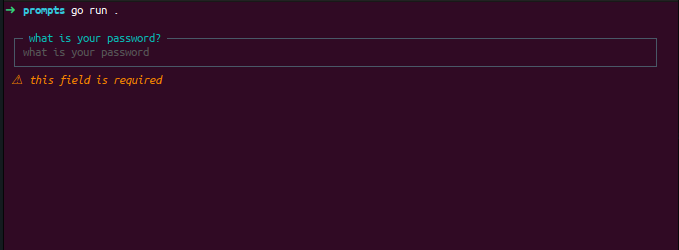
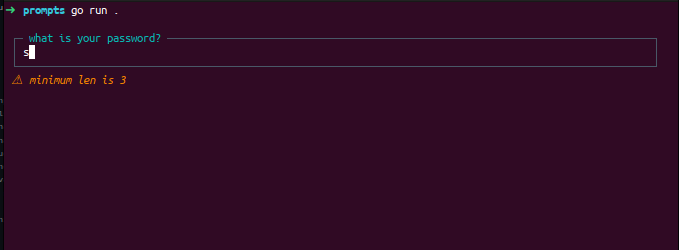
The input api allows you to prompt the user for an input , it returns the input value
- **Usage**:
```go
// [...]
value, err := prompts.InputBox(prompts.InputOptions{
Secure: false, // hides the user input, very common for passwords
Label: "what is your name?",
Placeholder: "what is your name",
Required: true,
Validator: func(value string) error {// will be called when user submit, and returned error will be displayed to the user below the input
if len(value) < 3{
return fmt.Errorf("minimum len is 3")
}
return nil
},
})
if err != nil{
log.Fatal(err)
}
fmt.Println("selected " + value)
```
- **Result**:
#
### Password Input
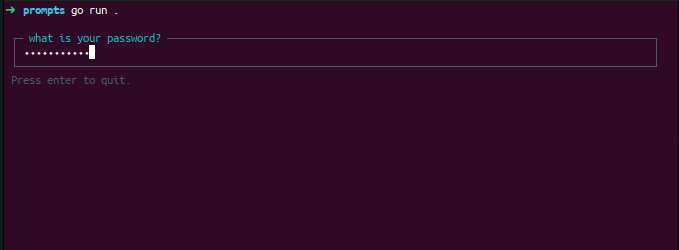
The password input api is just normal input but with `Secure` option set to `true` ,
- **Usage**:
```go
// [...]
value, err := prompts.InputBox(prompts.InputOptions{
Secure: true, // set password mode
Label: "what is your password?",
Placeholder: "what is your password",
Required: true,
Validator: func(value string) error {// will be called when user submit, and returned error will be displayed to the user below the input
if len(value) < 3{
return fmt.Errorf("minimum len is 3")
}
return nil
},
})
if err != nil{
log.Fatal(err)
}
fmt.Println("password : " + value)
```
- **Result**:
#
### Confirmation Input
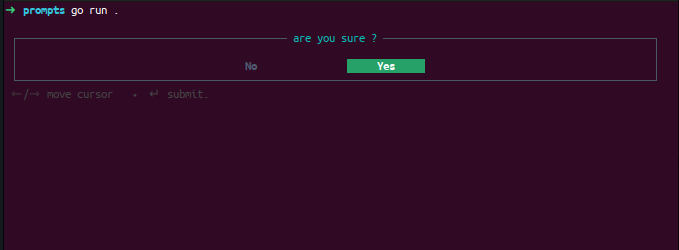
The confirmation api can be used to prompt the user for confirmation , it returns a boolean ,
- **Usage**:
```go
// [...]
const DEFAULT = true
value, err := prompts.ConfirmBox("are you sure ?", DEFAULT)
if err != nil {
log.Fatal(err)
}
fmt.Println("answer : ", value)
```
- **Result**:
#
### Radio Input
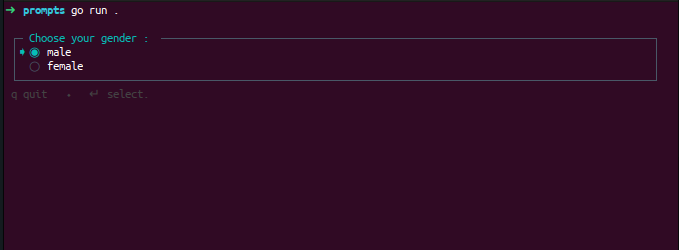
The radio api can be used to prompt the user to choose one of several options , it returns a the index of the checked option ,
- **Usage**:
```go
// [...]
genders := []string{"male", "female"}
value, err := prompts.RadioBox("Choose your gender : ", genders)
if err != nil {
log.Fatal(err)
}
fmt.Println("gender : ", genders[value])
```
- **Result**:
#
### Select Box
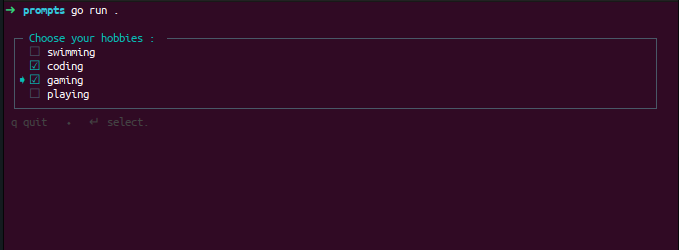
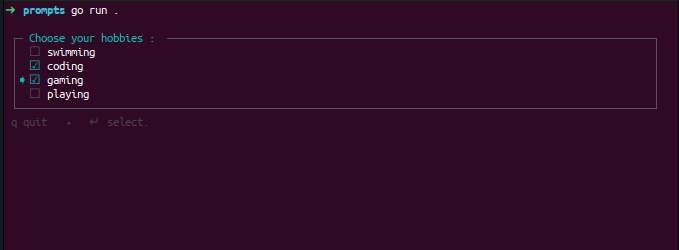
The select box api can be used to prompt the user to choose between several options , it returns a slice of selected indexes,
- **Usage**:
```go
// [...]
hobbies := []string{"swimming", "coding", "gaming", "playing"}
value, err := prompts.SelectBox("Choose your hobbies : ", hobbies)
if err != nil {
log.Fatal(err)
}
fmt.Println("gender : ", value)
```
- **Result**:
#
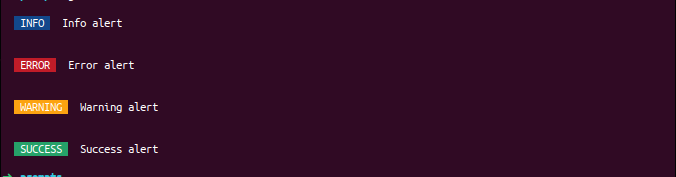
### Alerts
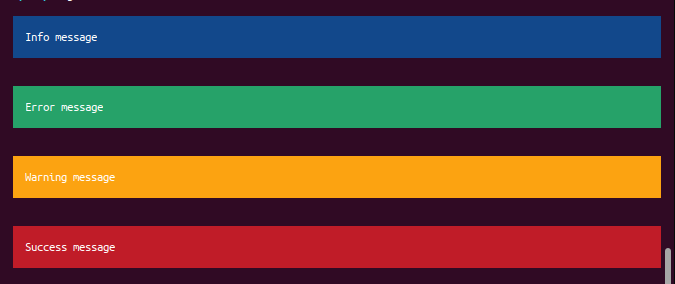
these are helper apis you can use for better alerts and messages.
```go
prompts.Info("Info alert")
prompts.Error("Error alert")
prompts.Warning("Warning alert")
prompts.Success("Success alert")
```
- **Result**:
```go
prompts.InfoMessage("Info message")
prompts.ErrorMessage("Error message")
prompts.WarningMessage("Warning message")
prompts.SuccessMessage("Success message")
```