https://github.com/yasslab/sample_apps
🎓 Railsチュートリアルの各章が終わった状態を集めたリポジトリです。
https://github.com/yasslab/sample_apps
demo japanese rails-tutorial rails7 ruby ruby-on-rails sample
Last synced: about 1 year ago
JSON representation
🎓 Railsチュートリアルの各章が終わった状態を集めたリポジトリです。
- Host: GitHub
- URL: https://github.com/yasslab/sample_apps
- Owner: yasslab
- License: other
- Created: 2015-02-01T03:30:01.000Z (over 11 years ago)
- Default Branch: main
- Last Pushed: 2025-04-14T03:48:39.000Z (about 1 year ago)
- Last Synced: 2025-04-14T18:14:01.711Z (about 1 year ago)
- Topics: demo, japanese, rails-tutorial, rails7, ruby, ruby-on-rails, sample
- Language: Ruby
- Homepage: https://railstutorial.jp
- Size: 9.1 MB
- Stars: 351
- Watchers: 20
- Forks: 312
- Open Issues: 0
-
Metadata Files:
- Readme: README.md
- Funding: .github/FUNDING.yml
- License: LICENSE.md
- Code of conduct: CODE_OF_CONDUCT.md
Awesome Lists containing this project
README
[](https://railstutorial.jp/)
# Rails チュートリアル sample_app コード集
[Railsチュートリアル](https://railstutorial.jp/)の各章が終わった状態を集めたリポジトリです。
『Railsチュートリアルって何?』という方は[公式YouTubeチャンネル](https://www.youtube.com/channel/UCgSPCgA1ksSPKg1Jp99EEFw)をご参照ください :tv: :sparkles:
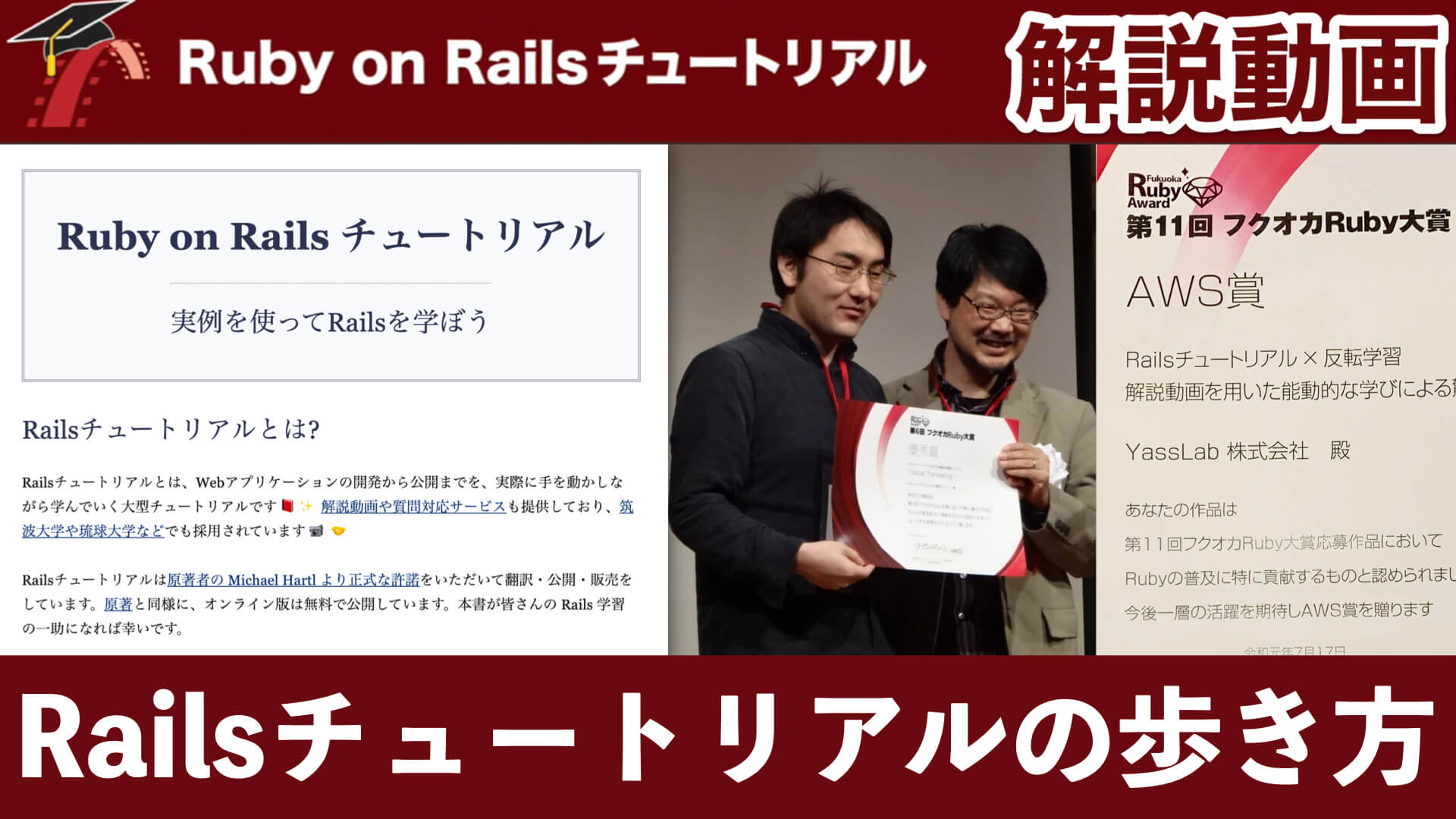
Sample App の開発途中でエラーの原因がどうしても分からないときや、[Railsチュートリアル解説動画](https://railstutorial.jp/screencast)を視聴するときなどにご活用ください。(解説動画は[お試し視聴](https://railstutorial.jp/trial)もできます)
## :open_file_folder: 各章とディレクトリ名の対応関係
対応しているRailsのバージョン毎にディレクトリを分けております。具体的な対応関係は次のとおりです。
- [Rails 7.0 対応](https://github.com/yasslab/sample_apps/tree/main/7_0) (第7版)
- [Rails 6.1 対応](https://github.com/yasslab/sample_apps/tree/main/6_1) (第6版)
- [Rails 6.0 対応](https://github.com/yasslab/sample_apps/tree/main/6_0) (第6版)
- [Rails 5.1 対応](https://github.com/yasslab/sample_apps/tree/main/5_1) (第4版)
- [Rails 5.0 対応](https://github.com/yasslab/sample_apps/tree/main/5_0) (第4版)
- [Rails 4.2 対応](https://github.com/yasslab/sample_apps/tree/main/4_2) (第3版)
- [Rails 4.0 対応](https://github.com/yasslab/sample_apps/tree/main/4_0) (第2版)
上記の各ディレクトリの中に **各章が終わった状態の** `sample_app` を置いています。例えば `6_1` ディレクトリの場合は、次のようになります。
- `ch01`: 第1章が終わった状態
- `ch02`: 第2章が終わった状態
- `ch03`: 第3章が終わった状態
- `ch04`: 第4章が終わった状態
- `ch05`: 第5章が終わった状態
- `ch06`: 第6章が終わった状態
- `ch07`: 第7章が終わった状態
- `ch08`: 第8章が終わった状態
- `ch09`: 第9章が終わった状態
- `ch10`: 第10章が終わった状態
- `ch11`: 第11章が終わった状態
- `ch12`: 第12章が終わった状態
- `ch13`: 第13章が終わった状態
- `ch14`: 第14章が終わった状態
なお、各章の[演習](https://railstutorial.jp/chapters/beginning#sec-exercises_rails_server)の結果や、[プロ品質のデプロイ](https://railstutorial.jp/chapters/sign_up?version=7.0#sec-professional_grade_deployment)などは反映されておりません。
## :white_check_mark: 動作環境と注意事項
**本リポジトリにあるサンプルコードは、第7版では [Railsチュートリアル用にカスタマイズしたGitHub Codespaces](https://github.com/yasslab/codespaces-railstutorial) 上で、第6版以前は [AWS Cloud9](https://aws.amazon.com/jp/cloud9/) 上で動作確認しています。** macOS や Windows などのローカル環境では下記の手順で動かないこともあります。あらかじめご了承ください。
- :scroll: [開発環境(GitHub Codespaces) - Railsチュートリアル](https://railstutorial.jp/chapters/beginning#sec-development_environment)
- :scroll: [AWS Cloud9 を使って開発する - Railsチュートリアル](https://railstutorial.jp/help#aws-cloud9)
また**2022年9月より VS Code + Docker 環境でもチャレンジできる**ようになりました。詳細は下記の note 記事をご参照ください。
🐳 [devcontainerを使って開発してみよう - note](https://note.com/yasslab/n/n5dcbd7eb43c6)
## :wrench: アプリを動かす方法
版番号や章番号ごとにセットアップ方法は異なります。例えば Codespaces を利用して[Rails 7.0 対応](#open_file_folder-各章とディレクトリ名の対応関係)の第11章を動かす場合は次のようになります。
Codespacesの操作について詳しくは[『1.2.1開発環境』](https://railstutorial.jp/chapters/beginning?version=7.0#sec-development_environment)が、GitおよびGitHubについて詳しくは[『Git/GitHub編』](https://railstutorial.jp/git) が参考になります。
1. 本リポジトリをフォークしてからPCなどにクローンし、該当のディレクトリへ移動します。移動したディレクトリでGitの初期化からコミットまでを行います。
```
$ git clone https://github.com/<あなたのアカウント名>/sample_apps.git
$ cd 7_0/ch11
$ git init
$ git add .
$ git commit -m "第11章動作確認"
```
1. GitHubで、アプリを動かすための[リポジトリを作成](https://github.com/new)します。ここではリポジトリ名をsample_ch11としておきます。
1. 手順2で作成したリポジトリで表示されるURLをリモートリポジトリURLとして設定し、プッシュします。
```
# HTTPS接続の場合
$ git remote add origin https://github.com/<あなたのアカウント名>/sample_ch11.git
$ git remote -v
origin https://github.com/<あなたのアカウント名>/sample_ch11.git (fetch)
origin https://github.com/<あなたのアカウント名>/sample_ch11.git (push)
$ git push -u origin main
```
1. 手順2で作成したリポジトリで、「Code」から「Codespaces」タブに移動し、「Create codespace on main」をクリックすると環境構築がスタートします。しばらく待つとシンプルブラウザに「ActiveRecord::PendingMigrationError」が表示されるので、少し下の「Run pending migrations」ボタンをクリックするか、ターミナルを開いて以下のコマンドを実行するとデータベースが移行されます。
```
$ rails db:migrate
```
1. テストを実行して、正しく動作していることを確認します。
```
$ rails test
```
1. サンプルユーザーをデータベースに`seed`します。
```
$ rails db:seed
```
結果はシンプルブラウザにも表示されていますが、実際のブラウザとは表示が異なる場合もあるので、シンプルブラウザのタブか「ポート」タブから実際のブラウザ(Chromeのタブなど)を開いておくと良いでしょう。無事にセットアップが完了できていれば、トップ画面が表示されます。ログインページから以下のメールアドレスとパスワードを入力するとログインできます。
ここをクリックすると Codespaces 以外の環境で動かす場合の参考情報が開きます。
1. 本リポジトリをクローンし、該当のディレクトリへ移動します。
```
$ git clone https://github.com/yasslab/sample_apps.git
$ cd 7_0/ch11
```
2. 本番環境でのみ必要なgemはスキップして`bundle install`します。
```
$ bundle install --without production
```
3. データベースを移行します。
```
$ rails db:migrate
```
4. テストを実行して、正しく動作していることを確認します。
```
$ rails test
```
5. サンプルユーザーをデータベースに`seed`して、アプリを実行する準備が整いました。
```
$ rails db:seed
$ rails server
```
無事にセットアップが完了できていれば、ブラウザから [localhost:3000](http://localhost:3000/) にアクセスするとトップ画面が表示されます。
- メールアドレス: `example@railstutorial.org`
- パスワード: `foobar`
なお、第13章以降のSample Appを本番環境にデプロイする場合は、別途[Amazon S3のセットアップ](https://github.com/yasslab/sample_apps/blob/f797b502de9e033be5d14b5f34429e48ce453dea/6_0/ch13/config/storage.yml#L11-L14)が必要になります。
## :mortar_board: 関連リンク/関連レポジトリ
- 🎓 [Ruby on Railsチュートリアル](https://railstutorial.jp)
- 📖 [Railsチュートリアル電子書籍](https://railstutorial.jp/ebook)
- 📹 [Railsチュートリアル解説動画](https://railstutorial.jp/screencast)
- 👥 [Railsチュートリアル研修支援](https://railstutorial.jp/business)
- :octocat: [yasslab/codespaces-railstutorial (公開リポジトリ)](https://github.com/yasslab/codespaces-railstutorial)
- 📕 [Ruby on Railsガイド](https://railsguides.jp)
- 📖 [Railsガイド電子書籍](https://railsguides.jp/ebook)
- 🔍 [Railsガイド『Proプラン』](https://railsguides.jp/pro)
- 🤝 [Railsガイド『協賛プラン』](https://railsguides.jp/sponsors)
- :octocat: [yasslab/railsguides.jp (公開リポジトリ)](https://github.com/yasslab/railsguides.jp)
## :octocat: 本リポジトリのライセンス
The [MIT License](https://ja.wikipedia.org/wiki/MIT_License)
Copyright © [YassLab Inc.](https://yasslab.jp)
[](https://yasslab.jp)
## :octocat: Sample Appのライセンス
Ruby on Rails Tutorial: Learn Web Development with Rails.
All source code in the Ruby on Rails Tutorial is available jointly under the MIT License and the Beerware License.
Copyright © [Michael Hartl](https://www.michaelhartl.com/)