https://github.com/yazgoo/presbeus
command line client for pushbullet
https://github.com/yazgoo/presbeus
command-line-tool pushbullet
Last synced: 11 months ago
JSON representation
command line client for pushbullet
- Host: GitHub
- URL: https://github.com/yazgoo/presbeus
- Owner: yazgoo
- Created: 2017-08-18T23:28:57.000Z (almost 9 years ago)
- Default Branch: master
- Last Pushed: 2019-09-12T13:08:43.000Z (over 6 years ago)
- Last Synced: 2024-03-22T18:42:21.891Z (about 2 years ago)
- Topics: command-line-tool, pushbullet
- Language: Ruby
- Homepage:
- Size: 49.8 KB
- Stars: 3
- Watchers: 3
- Forks: 1
- Open Issues: 0
-
Metadata Files:
- Readme: README.md
Awesome Lists containing this project
README
[](https://badge.fury.io/rb/presbeus)
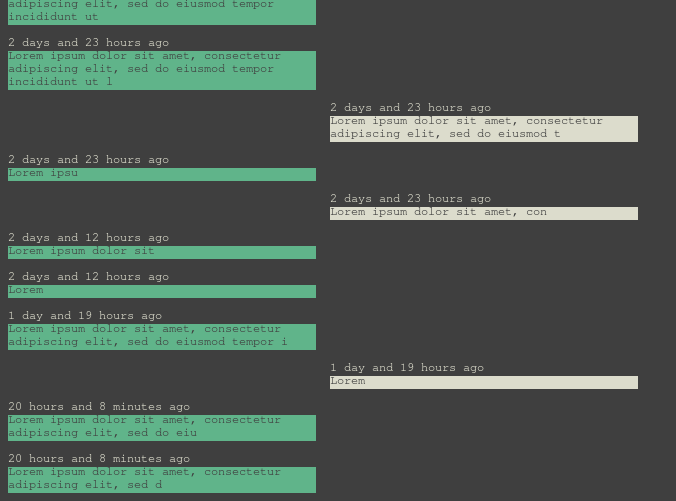
Screenshot
==========
installing
==========
```shell
gem install presbeus
```
configuring
===========
you need to create `~/.config/presbeus.yml` with:
```yaml
password_command: /command_line/outputing/your/api/key
```
For example, if the api key is `my-api-key` it could be (though it is not secure):
```yaml
password_command: echo my-api-key
```
You can configure a default device (see presbeus devices in `using`)
```yaml
default_device: uYourDefaultDeviceID
```
using
=====
list your devices:
```shell
$ presbeus devices
mydeviceid MYDEVICE
```
list your SMS threads or a given device:
```shell
$ presbeus threads mydeviceid
1 Someone
2 Someone Else
```
list your SMS for a given device / thread:
```shell
$ presbeus thread mydeviceid 2
```
send an SMS:
```shell
presbeus sms mydeviceid phonenumber text for your SMS
```
show last active thread
```shell
$ presbeus last mydeviceid
```
To enable desktop notifications, you need to add to `~/.config/presbeus.yml`:
```yaml
notify_command: notify-send
```
And then you need to start presbeus in realtime mode:
```shell
$ presbeus realtime
```