https://github.com/ycabrera90/marvelapp
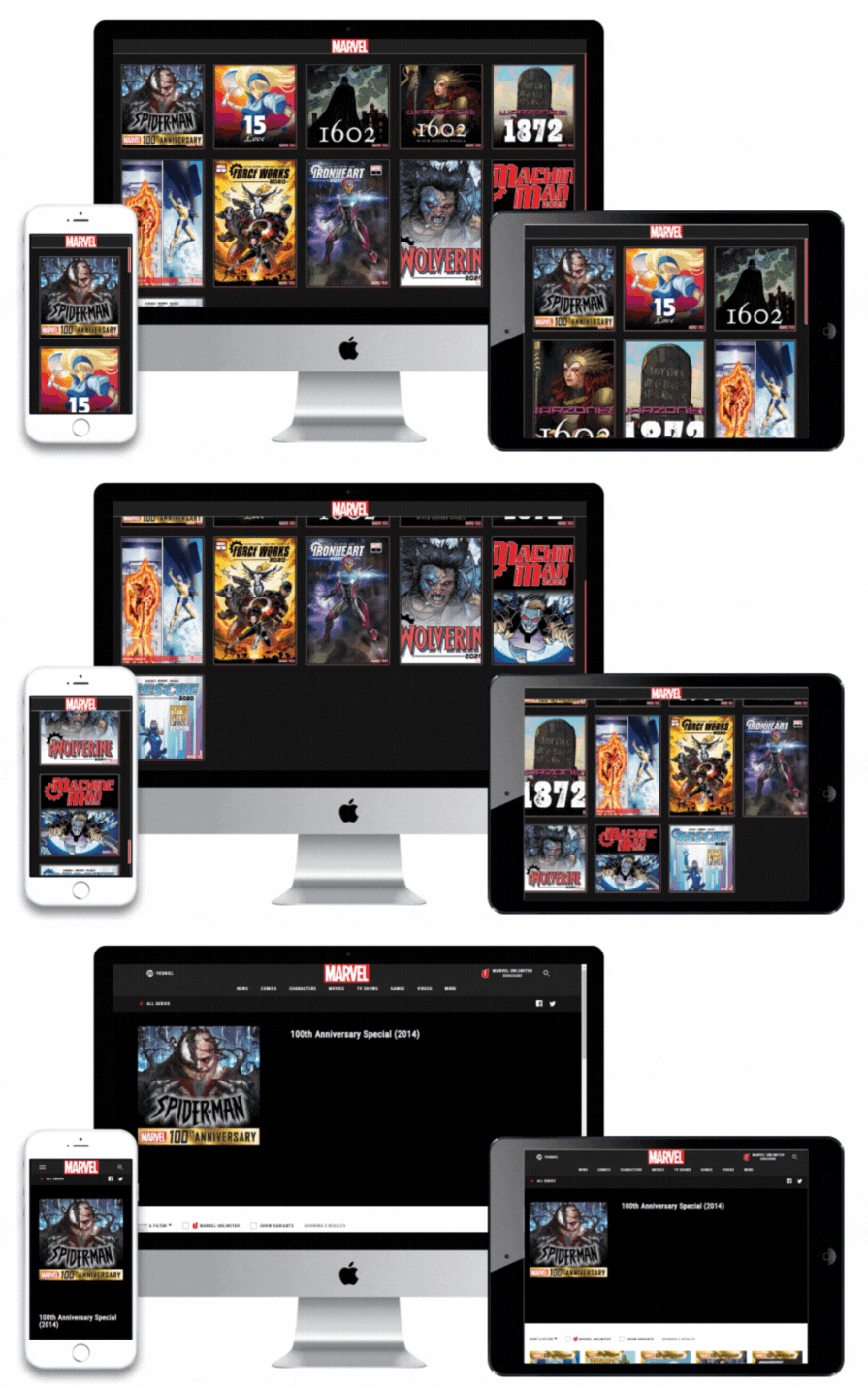
View of Marvel's most popular series
https://github.com/ycabrera90/marvelapp
css-modules firebase-hosting jest react react-testing-library redux-toolkit sass typescript
Last synced: 2 months ago
JSON representation
View of Marvel's most popular series
- Host: GitHub
- URL: https://github.com/ycabrera90/marvelapp
- Owner: ycabrera90
- Created: 2022-10-18T17:09:53.000Z (over 3 years ago)
- Default Branch: master
- Last Pushed: 2024-07-02T10:43:31.000Z (almost 2 years ago)
- Last Synced: 2025-01-17T07:10:12.746Z (over 1 year ago)
- Topics: css-modules, firebase-hosting, jest, react, react-testing-library, redux-toolkit, sass, typescript
- Language: TypeScript
- Homepage: https://eip-marvel-app.web.app/
- Size: 566 KB
- Stars: 0
- Watchers: 1
- Forks: 0
- Open Issues: 0
-
Metadata Files:
- Readme: README.md
Awesome Lists containing this project
README
# Marvel App

On this [website](https://marvel-app.yosniel-dev.com/) you can see the most popular Marvel series and have all the details of the series that you like the most

## Built with

* [React](https://es.reactjs.org/docs/getting-started.html) - Javascript Library (Framework!)

* [Sass](https://sass-lang.com/) - CSS extension language

* [Node.Js](https://nodejs.org/en/docs/) - JavaScript runtime environment

* [Firebase](https://firebase.google.com/) - Deployment platform


## Server Side

If you are interested in the server side part of this project you can find the repository [here](https://github.com/ycabrera90/MarvelApp-bkEnd.git).

## Clone and run app

These instructions will allow you to obtain a copy of the project on your local machine for development and test purposes.

Look the [**deployment**](https://marvel-app.yosniel-dev.com/) so you can see the final result.

#### Pre-requirements

For run this project you must have installed the following packages in your local machine

* [NodeJs](https://nodejs.org/en/)

* [NPM](https://docs.npmjs.com/downloading-and-installing-node-js-and-npm)

#### Clone and serve

For clone and serve the project you need open a terminal, go to the folder which you want to work and put the follows commands

```

git clone https://github.com/ycabrera90/MarvelApp.git

cd MarvelApp

npm install

npm start

```

## Authors

* [**Yosniel Cabrera**](https://www.linkedin.com/in/eip-studios/) - *React Developer*


## License

This project is **public** and only for academic purposes.

## Read More 🎁

* You can find the documentation of the APIS in the following [link](https://developer.marvel.com/).


[⬆ Back to top](#marvel-app)


---

yosniel.ch@gmail.com