https://github.com/yeaeun23/sales-management
영업 관리 시스템 '더게이지(The Gauge)'
https://github.com/yeaeun23/sales-management
aws bootstrap javascript material-ui mysql nodejs reactjs scss
Last synced: 3 months ago
JSON representation
영업 관리 시스템 '더게이지(The Gauge)'
- Host: GitHub
- URL: https://github.com/yeaeun23/sales-management
- Owner: yeaeun23
- Created: 2022-09-28T01:47:48.000Z (almost 4 years ago)
- Default Branch: master
- Last Pushed: 2024-07-27T09:05:55.000Z (almost 2 years ago)
- Last Synced: 2025-03-25T21:45:44.283Z (over 1 year ago)
- Topics: aws, bootstrap, javascript, material-ui, mysql, nodejs, reactjs, scss
- Language: JavaScript
- Homepage: http://thegauge.co.kr
- Size: 22.3 MB
- Stars: 0
- Watchers: 2
- Forks: 1
- Open Issues: 0
-
Metadata Files:
- Readme: README.md
Awesome Lists containing this project
README
# sales-management
### 1. 기여도
- 화면 디자인, DB 설계, 개발 100%
- 기획 50%
- 서버 구축 50%
### 2. 개발 기간
- 2022.10 ~ 2023.03 (사이드 프로젝트로 총 6개월)
### 3. 특징
- 영업 관리 시스템 '더 게이지(The Gauge)'의 실사용자는 영업 컨설턴트 및 영업 사원입니다.
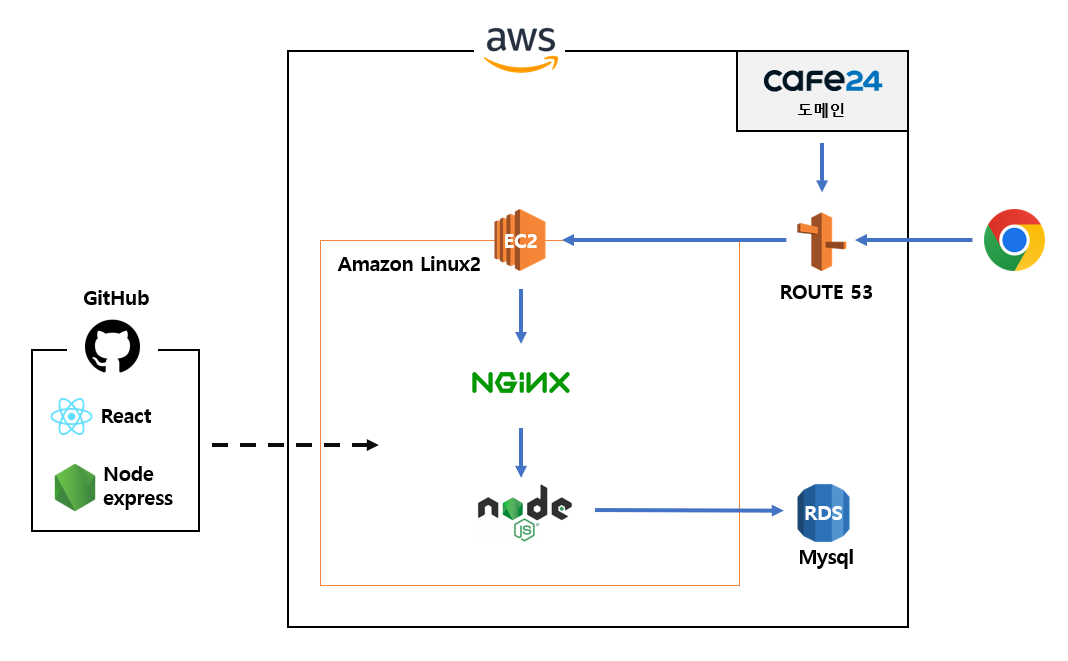
- 기존에 MS Excel로 작성하던 시트를 React+Node.js+AWS 기반의 웹으로 구현한 시스템입니다.
- 사용자가 시트를 작성하며 어떤 항목에 강점/약점/불명확 사인(Sign)을 체크하면, 전략 분석 항목에 자동으로 입력됩니다.
- 연도별/거래처별/TGP별 수주 금액을 한눈에 볼 수 있습니다.
### 4. 웹서비스 구조
## 주요 기능
### 1. 로그인
- 아이디와 비밀번호를 체크합니다.
- 로그인 시 활성/비활성/관리자 계정을 구분합니다.

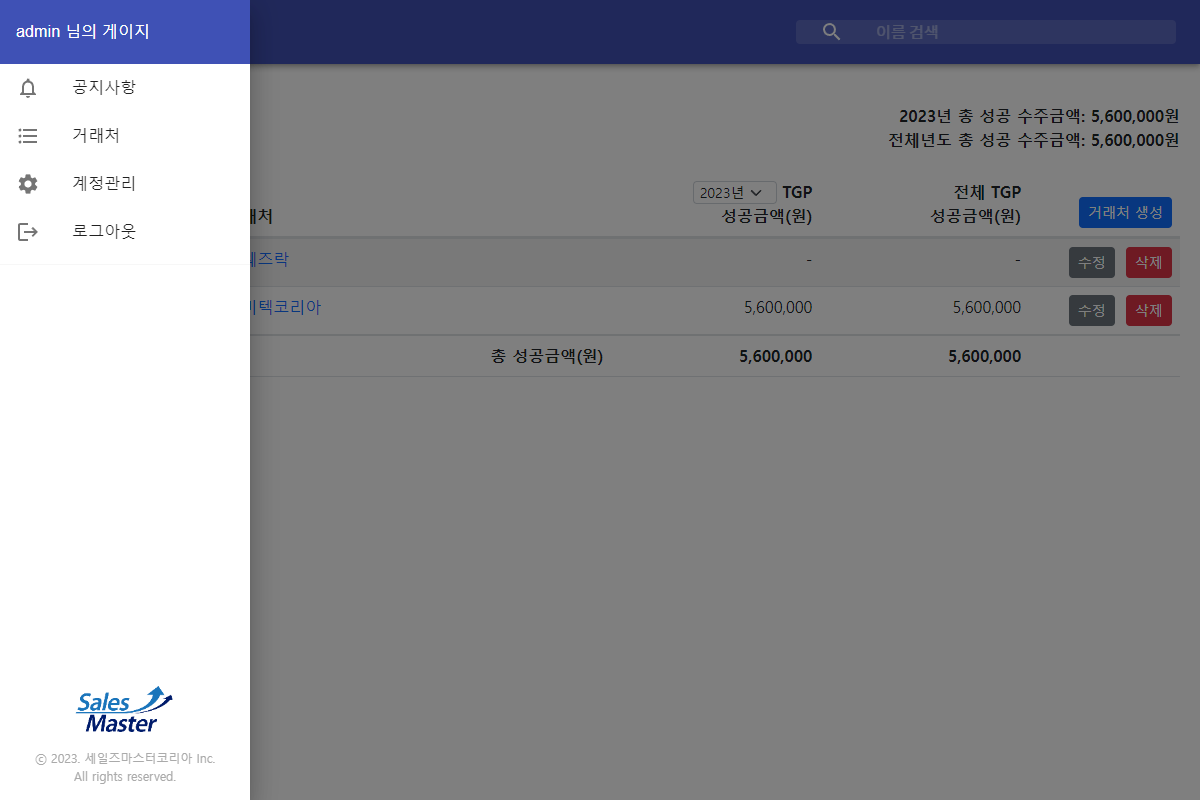
### 2. 메뉴
- 공지사항, 거래처, 계정관리, 로그아웃
### 3. 거래처 목록
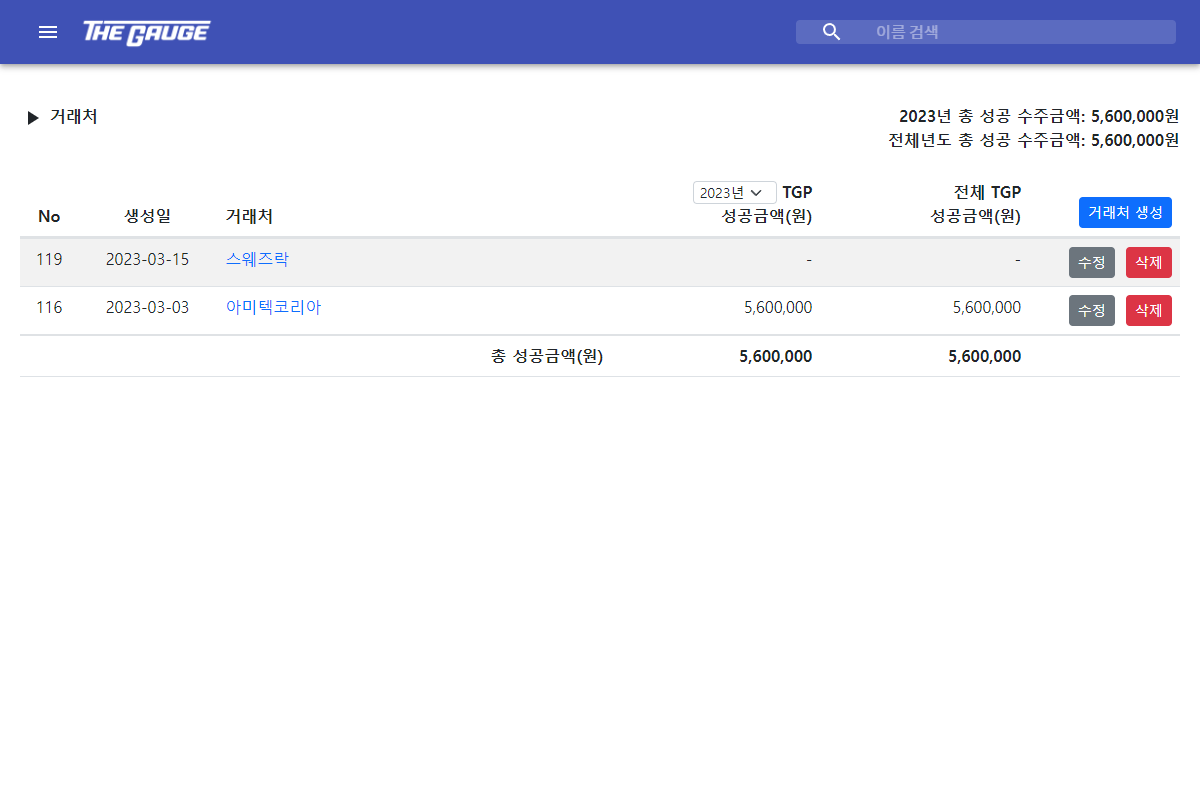
- 거래처를 생성하고, 이름을 수정할 수 있습니다.
- 연도별/거래처별 성공 수주 금액을 한눈에 볼 수 있습니다.
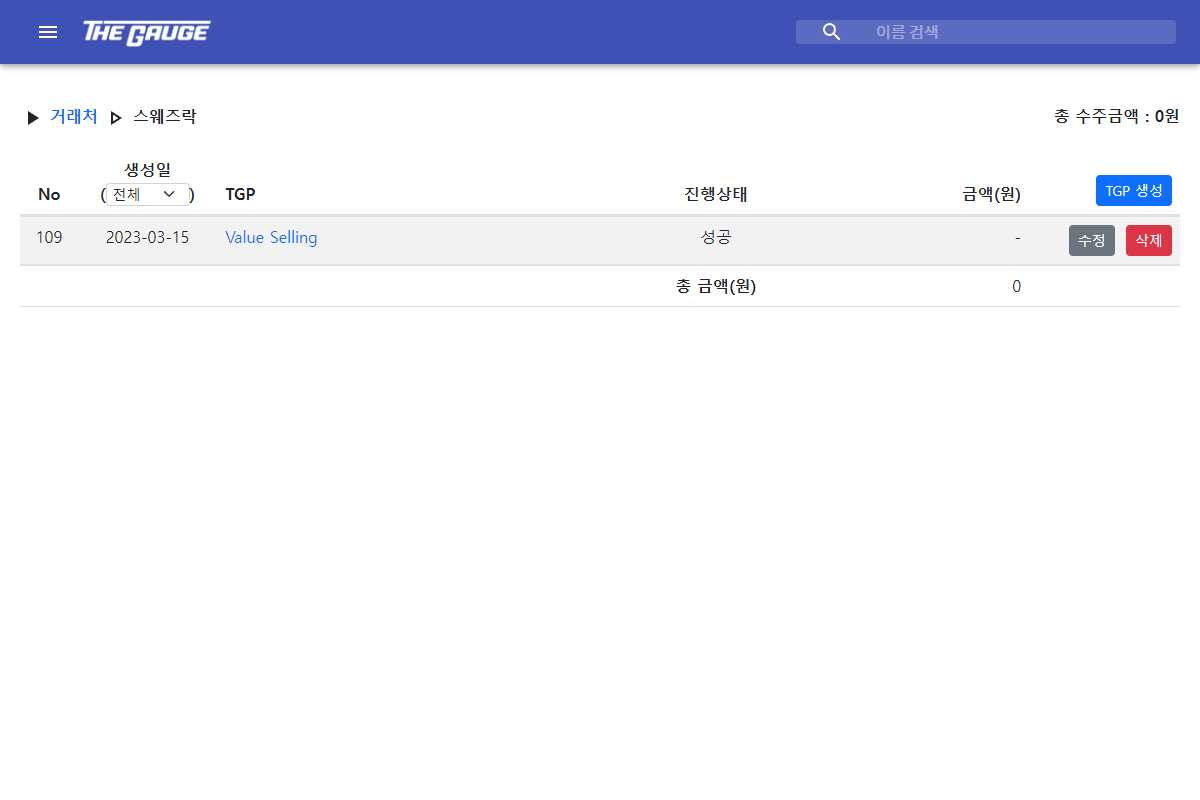
### 4. 거래처 > TGP 목록
- TGP를 생성하고, 이름과 진행 상태를 수정할 수 있습니다.
- 연도별/TGP별로 진행 상태와 수주 금액을 한눈에 볼 수 있습니다.
### 5. 거래처 > TGP > 시트
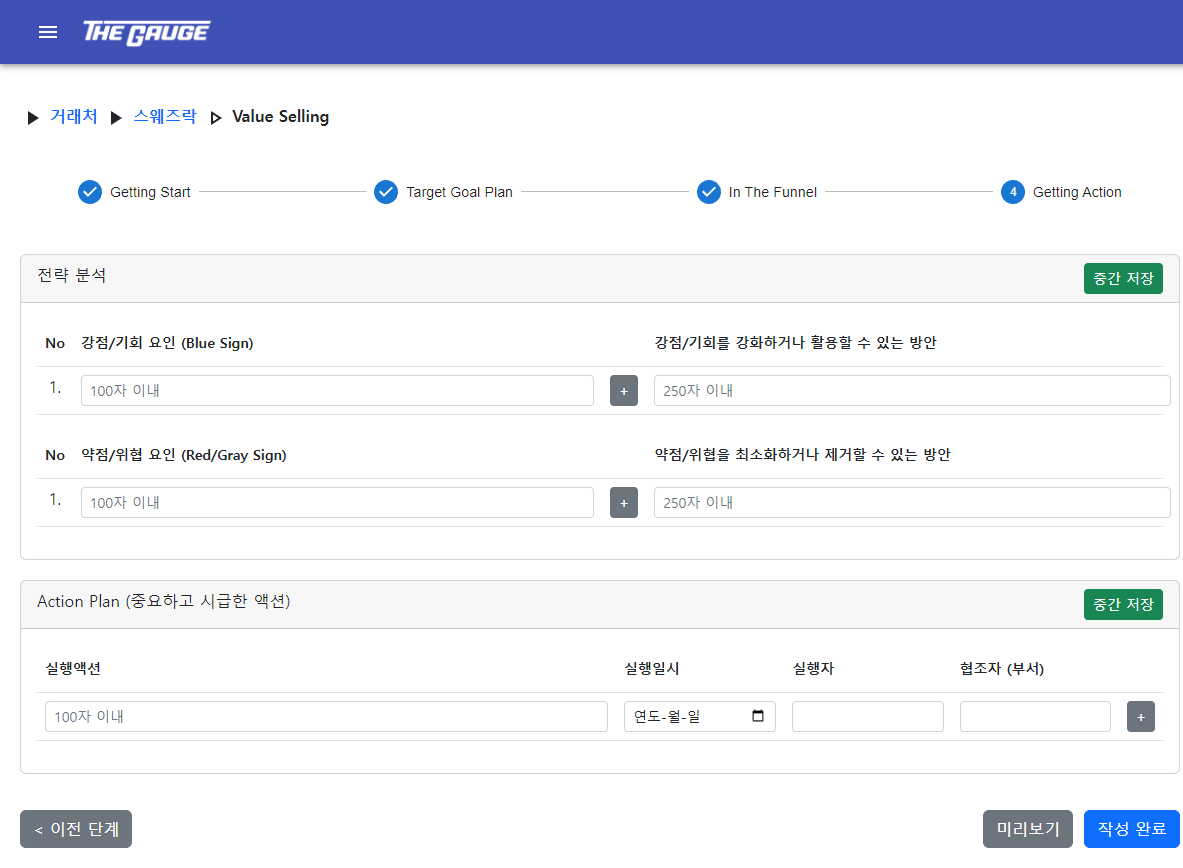
- 중간 저장한 시트를 이어서 작성하거나, 이어서 작성할게 없으면(완료되었으면) 새로 작성할 수 있습니다.
- 완료된 시트를 복사 후 불러올 수 있습니다.
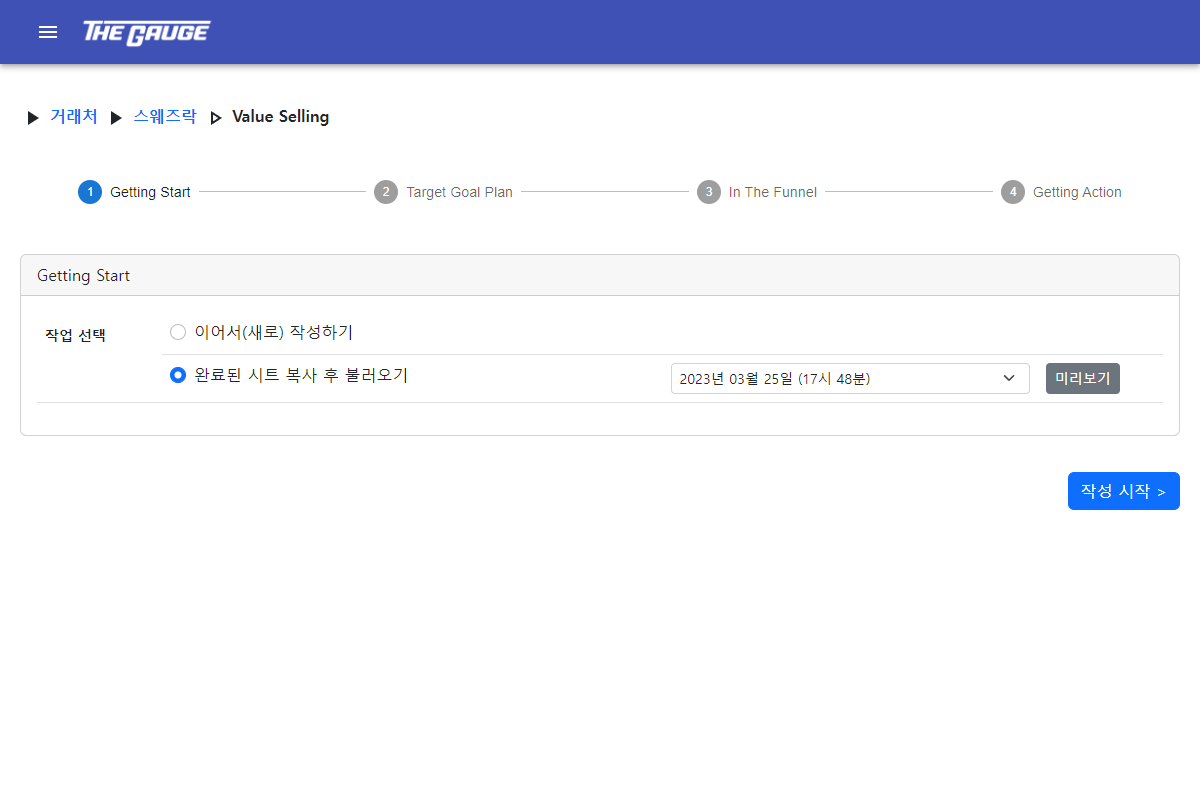
- 시트는 총 3단계로 나누어 작성하며, 중간 저장이 가능합니다.
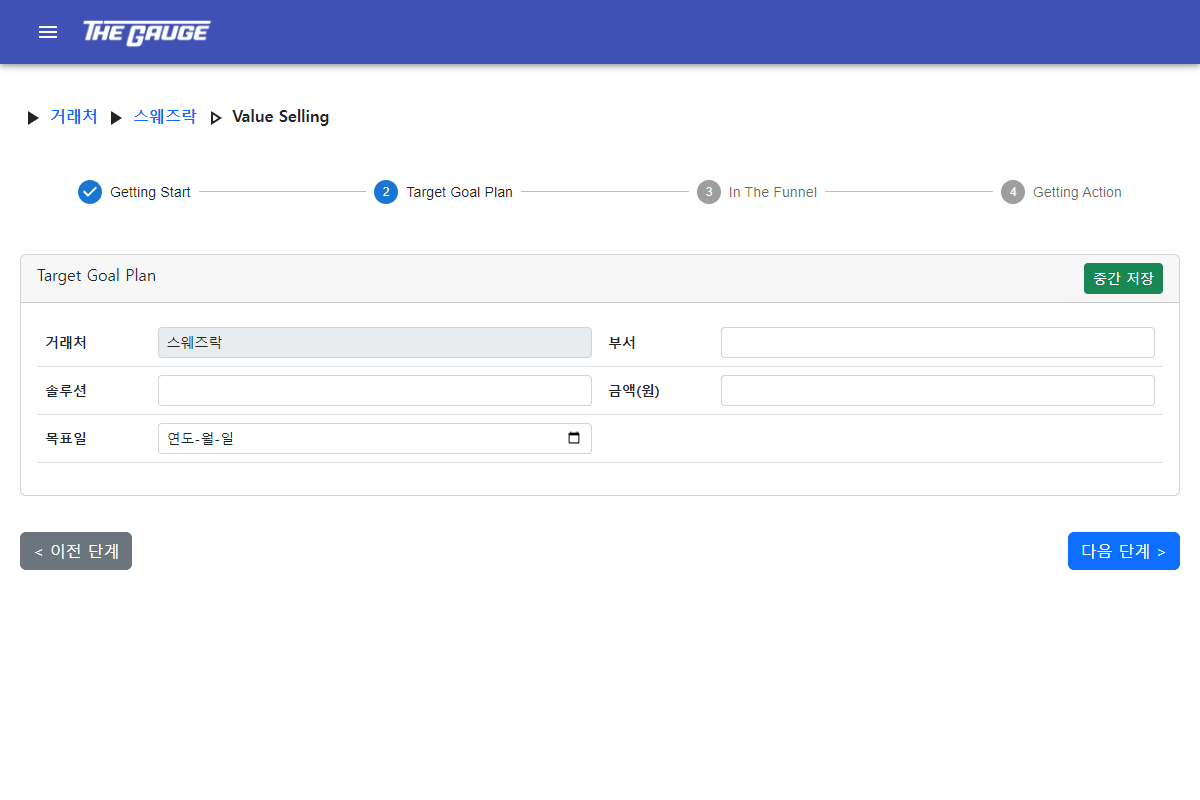
- 필요한 항목마다 행 추가/삭제를 할 수 있습니다.
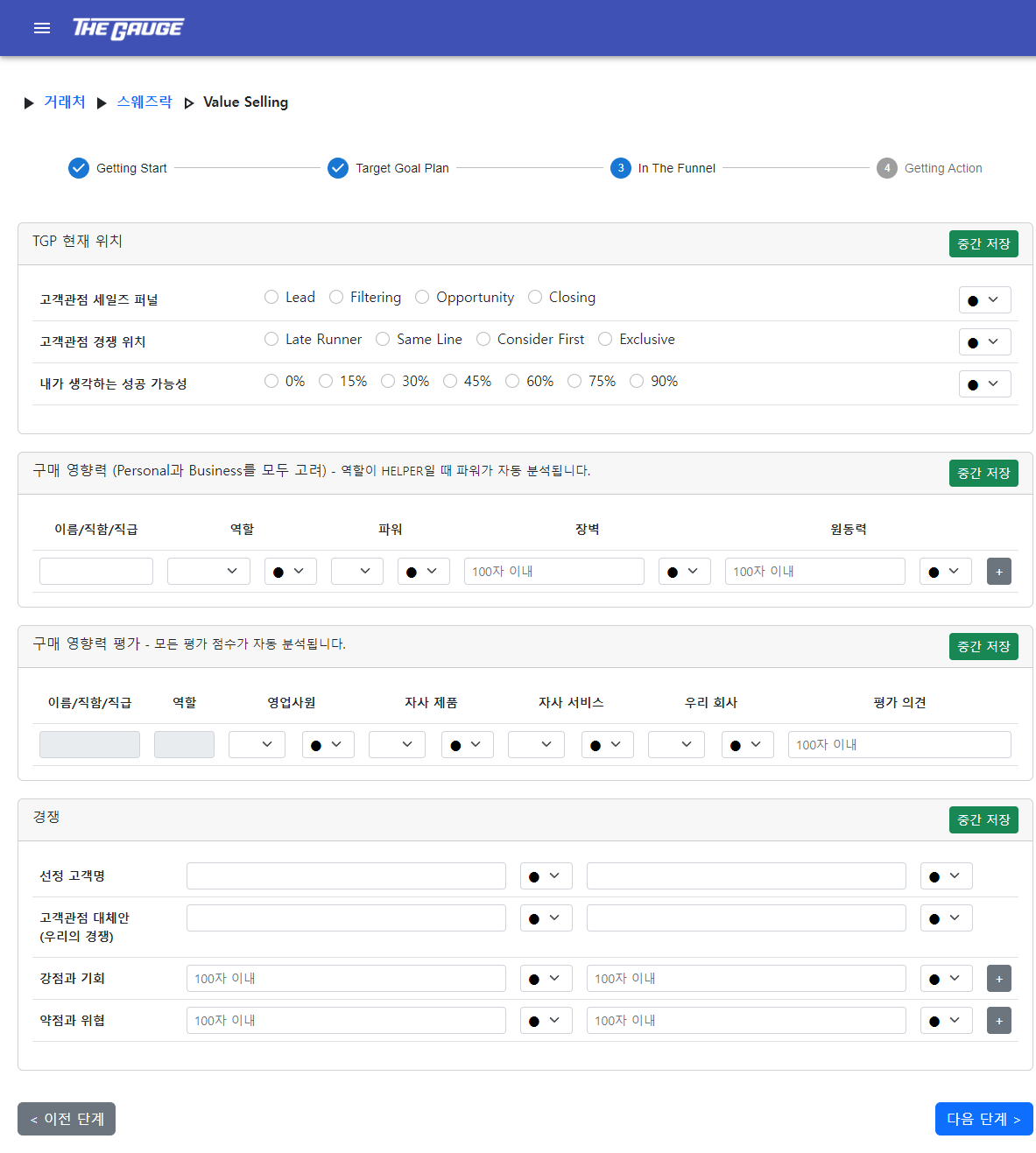
- 2단계에서 체크한 강점/약점/불명확 사인(Sign)이 3단계에서 전략 분석 항목으로 자동 입력됩니다.
### 6. 거래처 > TGP > 시트 미리보기
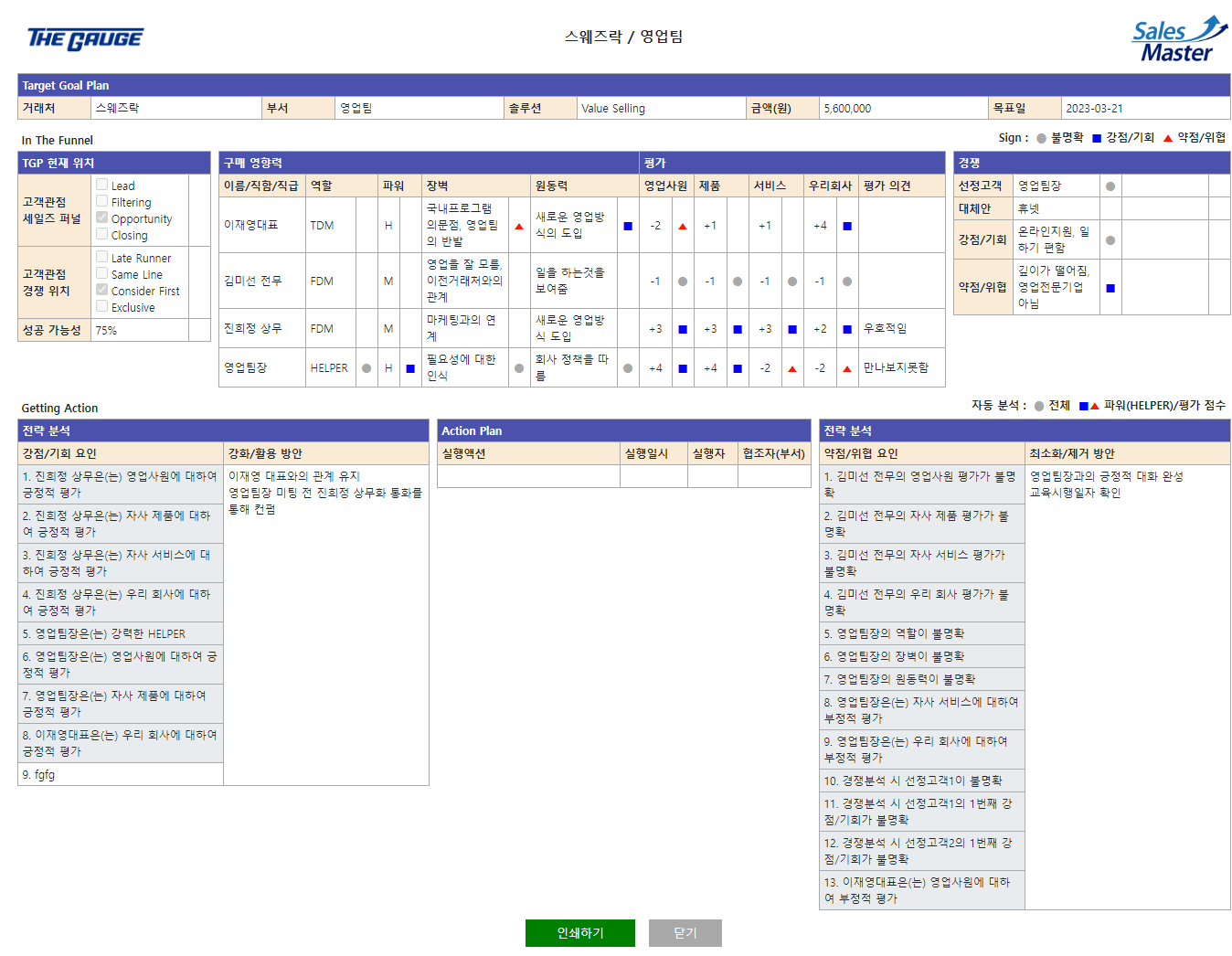
- 작성한 시트를 한눈에 보고, 인쇄할 수 있습니다.
- 3단계 전략 분석에서 음영 처리된 칸이 자동으로 입력된 항목입니다.
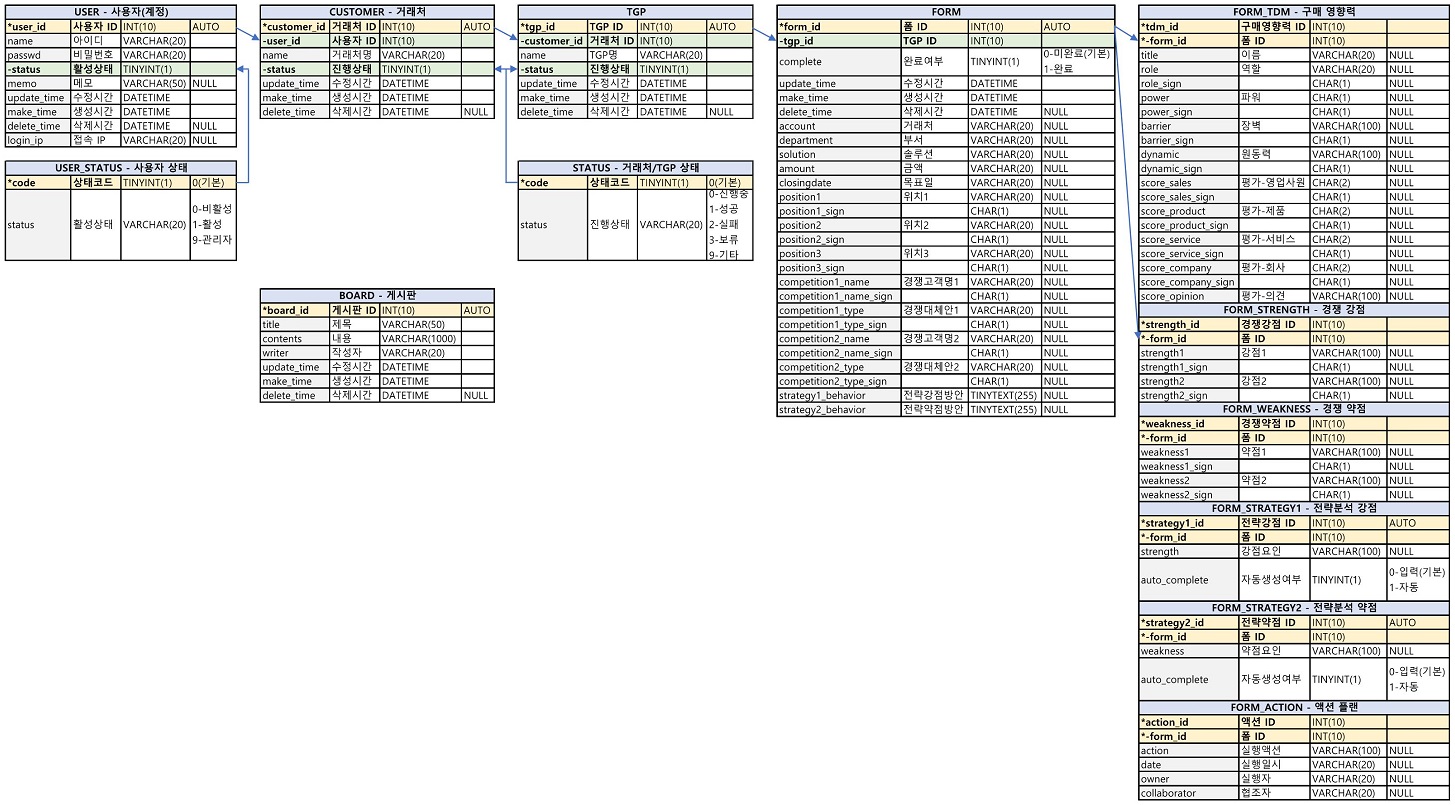
## DB 설계
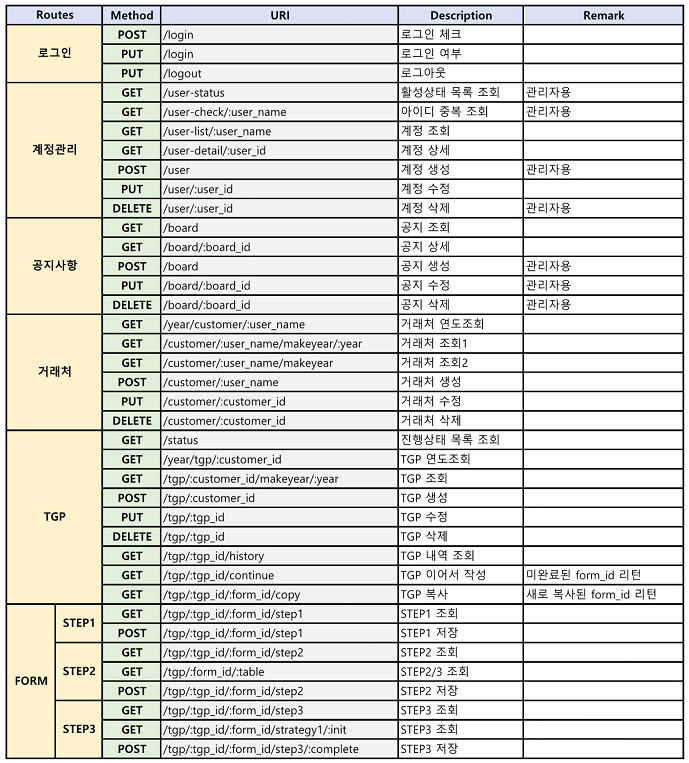
## API 설계