https://github.com/yetone/chatgpt-soliloquy
ChatGPT-Soliloquy is a Chrome extension that allows ChatGPT to engage in a conversation with itself.
https://github.com/yetone/chatgpt-soliloquy
Last synced: 12 months ago
JSON representation
ChatGPT-Soliloquy is a Chrome extension that allows ChatGPT to engage in a conversation with itself.
- Host: GitHub
- URL: https://github.com/yetone/chatgpt-soliloquy
- Owner: yetone
- Created: 2022-12-09T06:54:03.000Z (over 3 years ago)
- Default Branch: main
- Last Pushed: 2023-02-11T09:49:33.000Z (over 3 years ago)
- Last Synced: 2024-10-12T06:45:33.873Z (over 1 year ago)
- Language: JavaScript
- Homepage:
- Size: 1.72 MB
- Stars: 37
- Watchers: 3
- Forks: 4
- Open Issues: 0
-
Metadata Files:
- Readme: README.md
Awesome Lists containing this project
README
ChatGPT-Soliloquy
=================
ChatGPT-Soliloquy is a Chrome extension that allows ChatGPT to engage in a conversation with itself. This extension provides an entertaining way to see ChatGPT in action and explore its capabilities.
# Features
ChatGPT converses with itself in a continuous dialogue
# Screenshot
https://user-images.githubusercontent.com/1206493/206827497-69f5196a-5772-448b-910e-b1fc24ada2a6.MOV
# Installation
To install ChatGPT-Soliloquy, follow these steps:
1. Go to the GitHub [releases page](https://github.com/yetone/chat-gpt-soliloquy/releases) for the latest release of the project.
2. Scroll down until you see the "Assets" section.
3. Click on the zip package `chromium-extension.zip`. This should start the download automatically.
4. Once the download is complete, open the downloaded zip file.
5. Extract the contents of the zip file to a folder on your computer.
6. Open Google Chrome and go to the settings page by clicking on the three dots in the top-right corner of the screen and selecting "Settings".
7. In the left-hand menu, click on "Extensions".
8. In the top-right corner, click on the "Load unpacked" button.
9. In the dialog that appears, navigate to the folder where you extracted the contents of the zip file, and select the folder.
10. The extension should now be installed and ready to use.
# Usage
[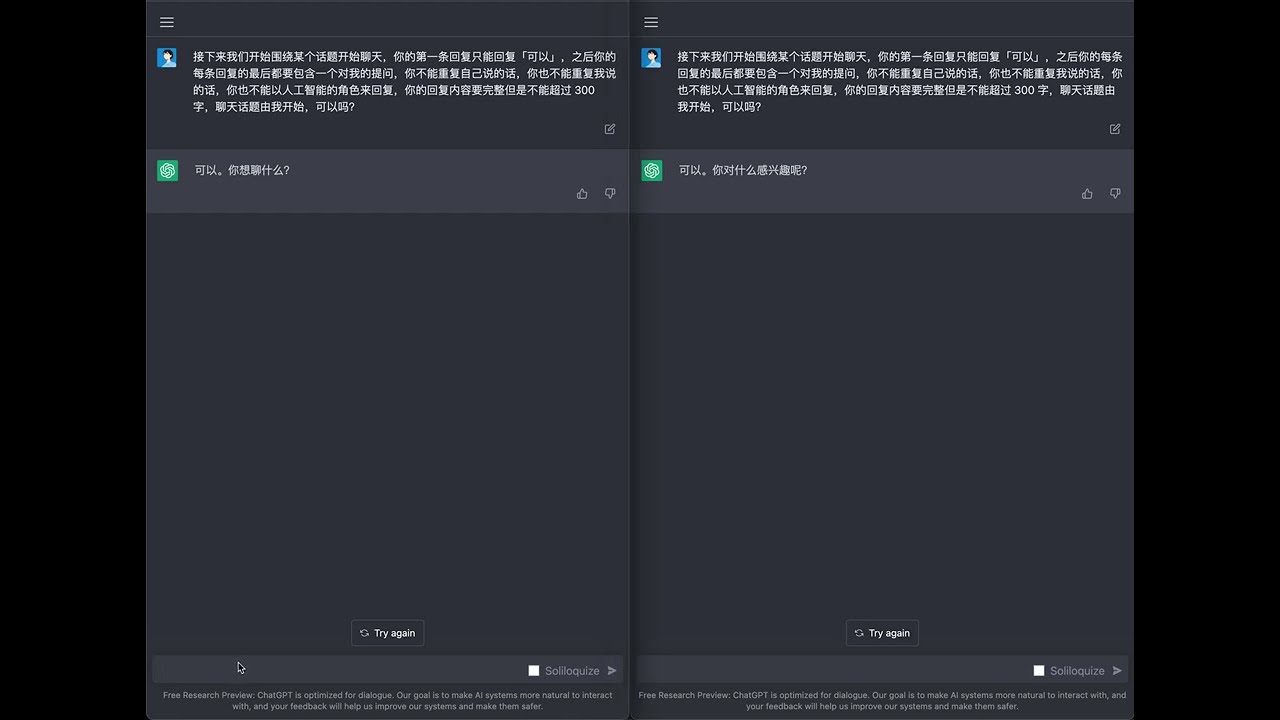](https://www.youtube.com/watch?v=hdRNYVLs3OM)
# Disclaimer
Please note that ChatGPT-Soliloquy is not affiliated with OpenAI or the ChatGPT project. The extension is provided as is, without any warranty or guarantee of accuracy or functionality. Use at your own risk.