https://github.com/yiqu/ng-busy-watch
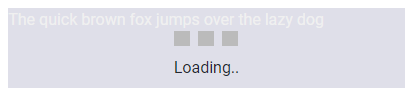
⏱️ NgBusyWatch is used for displaying a loading indicator for a long-lived Observable or boolean. Unlike other busy libraries, NgBusyWatch will not wait till the Observable to complete, instead NgBusyWatch will watch the long-lived Observable's value and show the loading indicator as long as the value is ever truthy.
https://github.com/yiqu/ng-busy-watch
angular angularbusy angularloading busy directive loadingmask loadmask ng ngbusy
Last synced: 3 months ago
JSON representation
⏱️ NgBusyWatch is used for displaying a loading indicator for a long-lived Observable or boolean. Unlike other busy libraries, NgBusyWatch will not wait till the Observable to complete, instead NgBusyWatch will watch the long-lived Observable's value and show the loading indicator as long as the value is ever truthy.
- Host: GitHub
- URL: https://github.com/yiqu/ng-busy-watch
- Owner: yiqu
- Created: 2021-12-25T17:50:28.000Z (over 4 years ago)
- Default Branch: master
- Last Pushed: 2022-03-07T14:41:30.000Z (over 4 years ago)
- Last Synced: 2025-09-28T09:59:52.670Z (10 months ago)
- Topics: angular, angularbusy, angularloading, busy, directive, loadingmask, loadmask, ng, ngbusy
- Language: TypeScript
- Homepage: https://yiqu.github.io/ng-busy-watch/
- Size: 1.84 MB
- Stars: 2
- Watchers: 2
- Forks: 0
- Open Issues: 0
-
Metadata Files:
- Readme: README.md
Awesome Lists containing this project
README
ng-busy-watch


DEMO: https://yiqu.github.io/ng-busy-watch/
## Features
- Works for long-lived Observables. Loading indicator will be shown when value is evaluated to `true`, hide if `false`.
- Will also take in a simple boolean value.
- Customizable loading message.
- Add your own CSS class to customize colors and background of loading indicator.
## Dependencies
Latest version available for each version of Angular
| ngx-busy-watch | Angular |
| ---------- | ----------- |
| 13.x.x | 13.x.x |
| 10.x.x | < 13.x.x |
## Install
```bash
npm install ng-busy-watch --save
```
## Usage
Using ng-busy-watch with `Subjects`:
```typescript
@Component({
selector: 'app-root',
templateUrl: './app.component.html',
styleUrls: ['./app.component.scss']
})
export class AppComponent {
private busySubject: BehaviorSubject = new BehaviorSubject(false);
public busy$ = this.overAllBusyIndicator.asObservable();
}
```
```html
...
```
Using ng-busy-watch with NgRx `selectors`:
```typescript
@Component({
selector: 'app-root',
templateUrl: './app.component.html',
styleUrls: ['./app.component.scss']
})
export class AppComponent {
public loading$ = this.store.select(fromSelectors.isLoading);
constructor(private store: Store) {
}
}
```
```html
...
```
Using ng-busy-watch with `Boolean`:
```typescript
@Component({
selector: 'app-root',
templateUrl: './app.component.html',
styleUrls: ['./app.component.scss']
})
export class AppComponent {
public loading: boolean = true;
}
```
```html
...
```
## Customizable Global Options
| Option | Type | Default | Description |
| ----------------------- | ------- | ---------------------------------- | ------------------------------------------------------------------ |
| extraCssClass | string | empty | Extra CSS class for loading indicator |
| message | string | Please wait... | Loading indicator text |
| showSpinner | boolean | true | Whether to show loading animation SVG |
### Setting Global Options
Pass values to `NgBusyWatchModule.forRoot()`
```typescript
// root app NgModule
imports: [
NgBusyWatchModule.forRoot({
extraCssClass: 'cool-css-class',
message: 'Loading..',
showSpinner: true
}),
],
```
Or just leave it as `NgBusyWatchModule` to use its default values.
```typescript
// root app NgModule
imports: [
NgBusyWatchModule
],