https://github.com/yonet/ayar
Augmented Reality Demo
https://github.com/yonet/ayar
angular augmented-reality threejs webgl
Last synced: over 1 year ago
JSON representation
Augmented Reality Demo
- Host: GitHub
- URL: https://github.com/yonet/ayar
- Owner: Yonet
- Created: 2017-09-18T05:54:04.000Z (almost 9 years ago)
- Default Branch: main
- Last Pushed: 2023-01-01T08:21:01.000Z (over 3 years ago)
- Last Synced: 2025-02-28T11:56:55.847Z (over 1 year ago)
- Topics: angular, augmented-reality, threejs, webgl
- Language: JavaScript
- Homepage: https://yonet.github.io/ayAR/
- Size: 8.91 MB
- Stars: 26
- Watchers: 3
- Forks: 13
- Open Issues: 31
-
Metadata Files:
- Readme: README.md
Awesome Lists containing this project
README
# AyAR
[AR.JS](https://github.com/jeromeetienne/AR.js) and [Angular](https://angular.io/) integration example to attach a model to a marker.
You can learn more about the Mixed Reality Development at the below links:
* [Mixed Reality Documentation](https://docs.microsoft.com/windows/mixed-reality/?WT.mc_id=aiml-0000-ayyonet)
* [Mixed Reality Resources](https://github.com/Yonet/MixedRealityResources)
Live Demo: http://bit.ly/ng-ar-demo
## SetUp to view
* Make sure your browser is up to date. You can check which browsers support WebXR and WebVR at [CanIUse.com](https://caniuse.com/#search=webxr).
* Navigate to http://bit.ly/ng-ar-demo.
* Point your camera to the [Hiro image](src/assets/HIRO.jpg).

* You should be seeing the below animation:
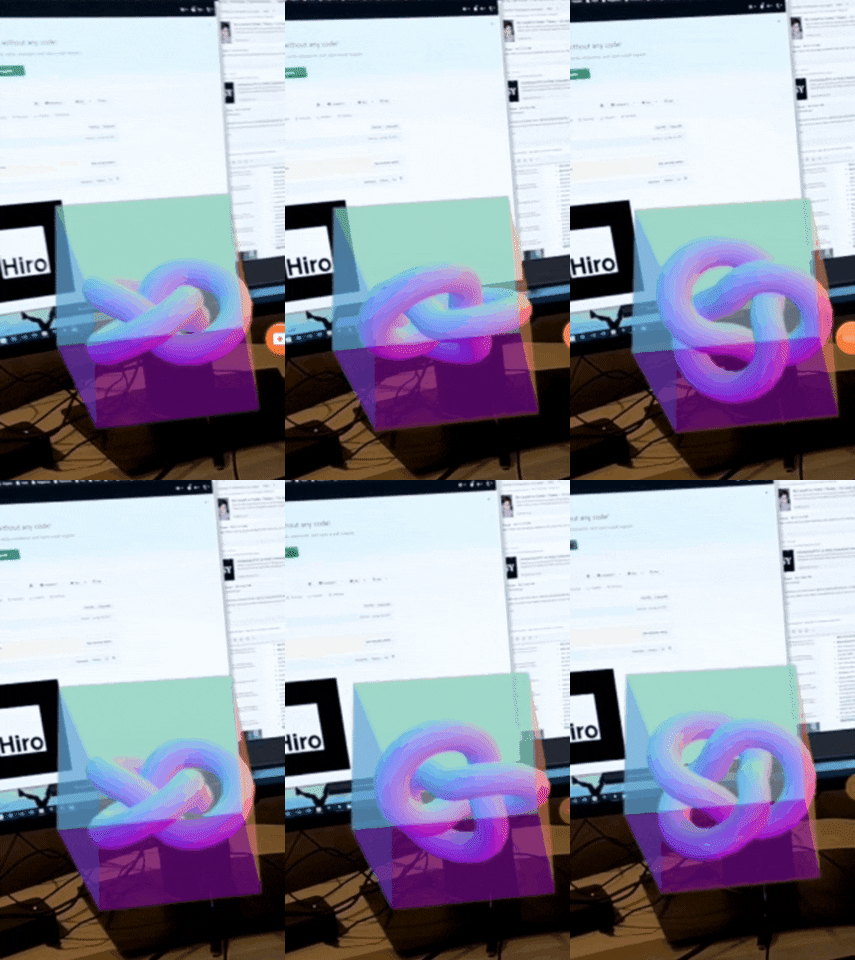
## Development server
Run `ng serve` for a dev server. Navigate to `http://localhost:4200/`. The app will automatically reload if you change any of the source files.
## Using Custom Markers
You can create your own markers by uploading an image to [marker generator](https://jeromeetienne.github.io/AR.js/three.js/examples/marker-training/examples/generator.html).
You also need to save the generated marker file under the [assets folder](src/assets/).
In the [ArJsService file](src/app/arjs.service.ts), you need to point Camera Controls patternUrl to your custom file.
## Code scaffolding
Run `ng generate component component-name` to generate a new component. You can also use `ng generate directive|pipe|service|class|guard|interface|enum|module`.
## Build
Run `ng build` to build the project. The build artifacts will be stored in the `dist/` directory. Use the `-prod` flag for a production build.
## Running unit tests
Run `ng test` to execute the unit tests via [Karma](https://karma-runner.github.io).
## Running end-to-end tests
Run `ng e2e` to execute the end-to-end tests via [Protractor](http://www.protractortest.org/).
Before running the tests make sure you are serving the app via `ng serve`.
## Further help
To get more help on the Angular CLI use `ng help` or go check out the [Angular CLI README](https://github.com/angular/angular-cli/blob/master/README.md).