https://github.com/younes-dro/wp-plugin-reactjs
A WordPress Plugin starter for developers who want to use ReactJS in the development of WordPress Plugins.
https://github.com/younes-dro/wp-plugin-reactjs
babel boilerplate boilerplate-react npm reactjs webpack5 wordpress wordpress-boilerplate wordpress-plugin
Last synced: about 2 months ago
JSON representation
A WordPress Plugin starter for developers who want to use ReactJS in the development of WordPress Plugins.
- Host: GitHub
- URL: https://github.com/younes-dro/wp-plugin-reactjs
- Owner: younes-dro
- License: gpl-3.0
- Created: 2019-08-22T17:06:58.000Z (almost 7 years ago)
- Default Branch: master
- Last Pushed: 2026-02-08T18:46:52.000Z (5 months ago)
- Last Synced: 2026-02-09T00:28:55.030Z (5 months ago)
- Topics: babel, boilerplate, boilerplate-react, npm, reactjs, webpack5, wordpress, wordpress-boilerplate, wordpress-plugin
- Language: JavaScript
- Homepage:
- Size: 957 KB
- Stars: 33
- Watchers: 5
- Forks: 14
- Open Issues: 5
-
Metadata Files:
- Readme: README.md
- License: LICENSE
Awesome Lists containing this project
README
# Starter WordPress Plugin ReactJS
A ready-to-use WordPress Plugin that makes it easy to integrate React JS into the development of a WordPress Plugin. You can create your JSX components and compile them into JavaScript, which will be enqueued by WordPress.
---
## Requirements
Install the module bundler Webpack v5+ and webpack-cli ***globally***:
```bash
npm install -g webpack
npm install -g webpack-cli
```
---
## Installation
1. Clone the repository to the Plugins directory of your WordPress installation: `/wp-content/plugins/`.
2. Install the dependencies:
```bash
npm install
```
3. Use the provided npm scripts to build the project:
- **For development**:
```bash
npm run dev
```
This will generate the `public/bundle.js` file with source maps for debugging.
- **For production**:
```bash
npm run build
```
This will generate the optimized and minified `dist/public/bundle.js` file.
- **To watch for file changes**:
```bash
npm run watch
```
Automatically rebuilds the development bundle when changes are detected.
- **To clean the output**:
```bash
npm run clean
```
Removes old build files from the `public/` and `dist/public/` directories.
---
## View
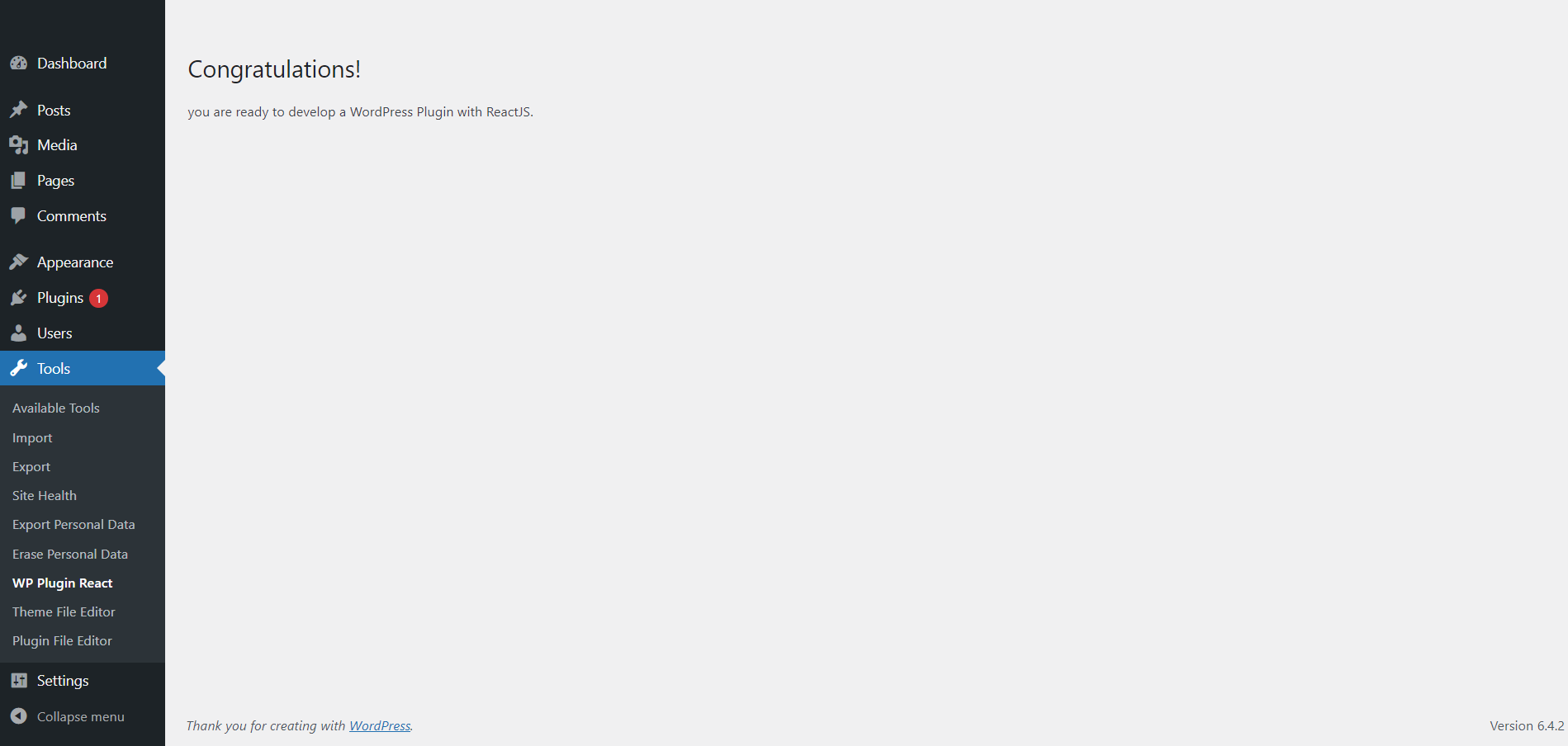
The plugin creates a menu entry under `Tools -> WP Plugin React`. Visit this page to see the result of your React components.
---
## Features
1. **Container Component for Dynamic Component Management**:
- Introduces a `Container` component that dynamically loads and renders multiple components in a structured layout.
- Works seamlessly with the `DynamicLoader` to fetch and render components from the centralized registry.
**How It Works:**
- The `Container` defines a list of component names:
```javascript
const componentsToLoad = ["Default", "PostFetcher"];
```
- Each component is dynamically loaded using `DynamicLoader`.
**Example: Adding a New Component**
1. Create your component in the `src/components/` directory:
```javascript
const MyNewComponent = () =>
Hello from MyNewComponent!;
export default MyNewComponent;
```
2. Register it in `src/registry/registerComponents.js`:
```javascript
import { registerComponent } from "./componentRegistry";
import MyNewComponent from "../components/MyNewComponent";
registerComponent("MyNewComponent", MyNewComponent);
```
3. Add the component name to `componentsToLoad` in `Container.jsx`:
```javascript
const componentsToLoad = ["Default", "PostFetcher", "MyNewComponent"];
```
2. **Dynamic Component Loading**:
- Allows developers to register and dynamically load React components without modifying the plugin core.
- Uses a centralized registry (`src/registry/componentRegistry.js`) to manage components.
- The `DynamicLoader` component loads components by their registered names.
**Example: Registering a Component**
```javascript
import { registerComponent } from "./src/registry/componentRegistry";
import MyComponent from "./src/components/MyComponent";
registerComponent("MyComponent", MyComponent);
```
**Dynamic Loading Example:**
```javascript
```
3. **React Context API for Global State Management**:
- Provides a global state management solution using React's Context API.
- Includes a generic `AppContext` and `AppProvider` for managing state across components.
**Example: Using Context API in a Component**
```javascript
import React, { useContext } from "react";
import { AppContext } from "../context/AppContext";
const MyComponent = () => {
const { state, updateState } = useContext(AppContext);
return (
Current Value: {state.exampleKey}
updateState("exampleKey", "New Value")}>
Update Value
);
};
```
4. **Dynamic Configurations**:
- Supports dynamic plugin configurations using a centralized `src/config.js` file.
- Merges static defaults with dynamic values provided by WordPress via `wp_localize_script`.
**Usage Example:**
```javascript
import config from "../config";
console.log(config.apiBaseUrl); // Access dynamic configurations
```
5. **Flexible Build System**:
- Includes `dev`, `build`, `clean`, and `watch` npm scripts for easy development and deployment.
---
## Troubleshooting
### Script Execution Policy Error in PowerShell
If you encounter an error related to the script execution policy when running `webpack` in PowerShell, the error typically looks like:
```plaintext
webpack: Unable to load the file C:\Users\YourUsername\AppData\Roaming\npm\webpack.ps1 because
script execution is disabled on this system.
```
**Solution**:
1. Open PowerShell as an administrator.
2. Run the following command to set the execution policy for the current user:
```powershell
Set-ExecutionPolicy -Scope CurrentUser -ExecutionPolicy RemoteSigned
```
---
## Workflow
1. Edit your React components in the `src/components/` directory.
2. Register new components in `src/registry/registerComponents.js`.
3. Use the `Container` to dynamically render multiple components.
4. Use `npm run dev` during development for faster builds.
5. Use `npm run build` to generate a production-ready bundle.
6. Configure plugin settings in `src/config.js` and pass dynamic values from WordPress using `wp_localize_script`.
7. Visit the `Tools -> WP Plugin React` page to see your changes in action.
---