https://github.com/yuichiroaoki/github-actions-example
PythonでのGithub Actions
https://github.com/yuichiroaoki/github-actions-example
api fastapi python
Last synced: 3 months ago
JSON representation
PythonでのGithub Actions
- Host: GitHub
- URL: https://github.com/yuichiroaoki/github-actions-example
- Owner: yuichiroaoki
- License: mit
- Created: 2021-08-03T12:16:13.000Z (almost 5 years ago)
- Default Branch: main
- Last Pushed: 2021-09-12T07:16:52.000Z (almost 5 years ago)
- Last Synced: 2025-03-21T22:45:40.565Z (over 1 year ago)
- Topics: api, fastapi, python
- Language: Python
- Homepage:
- Size: 28.3 KB
- Stars: 0
- Watchers: 2
- Forks: 0
- Open Issues: 0
-
Metadata Files:
- Readme: README.md
- License: LICENSE
Awesome Lists containing this project
README
# Github ActionsでのCI/CDパイプライン構築

source: https://github.co.jp/features/actions
## Github Actionsとは
Github社が提供するCI/CDツールです。
### CI/CDとは
ビルド、テスト、デプロイを自動化するシステム
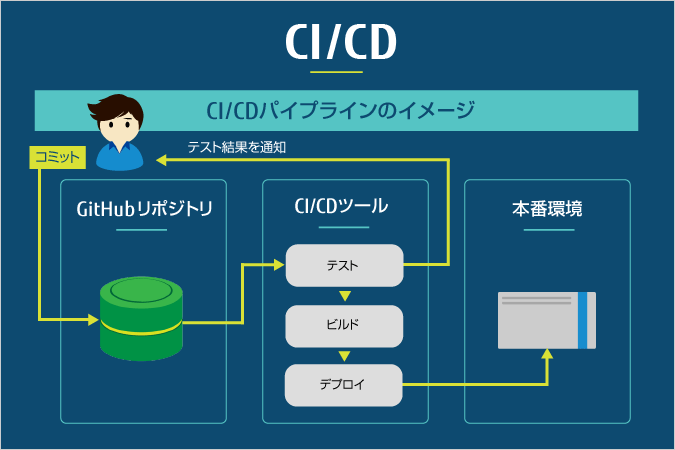
source: NIF CLOUD
利点
* 手動でビルド、テスト、デプロイする手間が省ける
* いち早くバグやmergeコンフリクトを防ぐことができる
ー> 迅速なソフトウェア開発につながる
### Github Actionsの特徴
* 導入の手軽さ
* 安い
* テンプレートが豊富
参考
* https://github.com/marketplace?category=&query=&type=actions&verification=
* https://docs.github.com/ja/actions/guides/building-and-testing-python
* https://github.co.jp/features/actions
* https://github.com/marketplace/circleci/
* https://github.com/marketplace/travis-ci
## Github Actionsの始め方
.github/workflows/ ディレクトリ以下にyamlファイルを配置するのみ
### Pythonワークフローのテンプレート
```yaml
name: Python package
on: [push]
jobs:
build:
runs-on: ubuntu-latest
strategy:
matrix:
python-version: [2.7, 3.5, 3.6, 3.7, 3.8]
steps:
- uses: actions/checkout@v2
- name: Set up Python ${{ matrix.python-version }}
uses: actions/setup-python@v2
with:
python-version: ${{ matrix.python-version }}
- name: Install dependencies
run: |
python -m pip install --upgrade pip
pip install flake8 pytest
if [ -f requirements.txt ]; then pip install -r requirements.txt; fi
- name: Lint with flake8
run: |
# Python 構文エラーまたは未定義の名前がある場合はビルドを停止する
flake8 . --count --select=E9,F63,F7,F82 --show-source --statistics
# exit-zero はすべてのエラーを警告として扱う。 GitHub エディタの幅は 127 文字
flake8 . --count --exit-zero --max-complexity=10 --max-line-length=127 --statistics
- name: Test with pytest
run: |
pytest
```
source: https://docs.github.com/ja/actions/guides/building-and-testing-python#starting-with-the-python-workflow-template
1. GitHubホストランナー上で各バージョンのpythonをセットアップ
2. requirements.txtからライブラリをインストール
3. pythonの構文チェック
4. pytestでコードのテスト
#### どのように役に立つか
例1. ライブラリのバージョンコンフリクトを検知
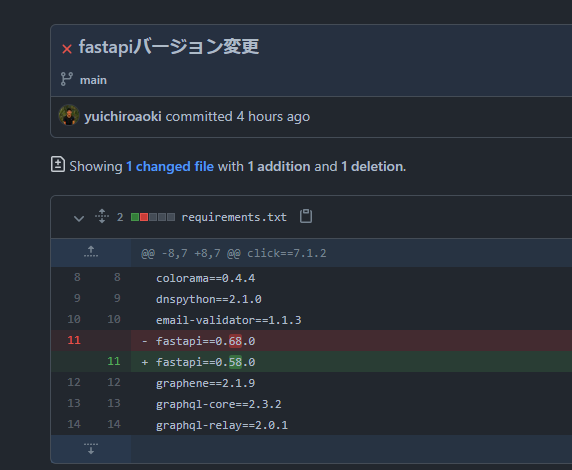
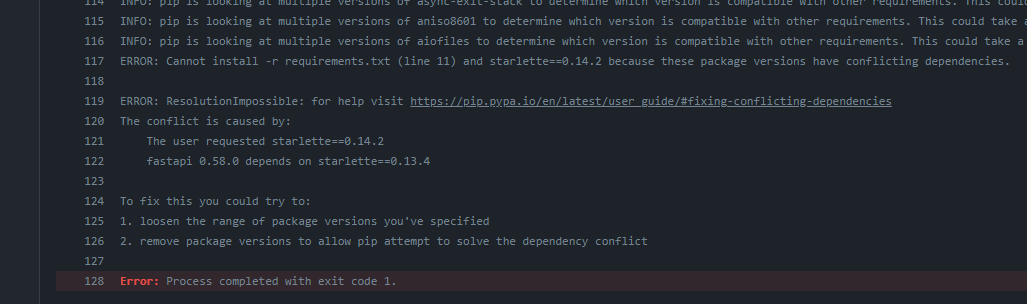
例2.pytestによるエラー
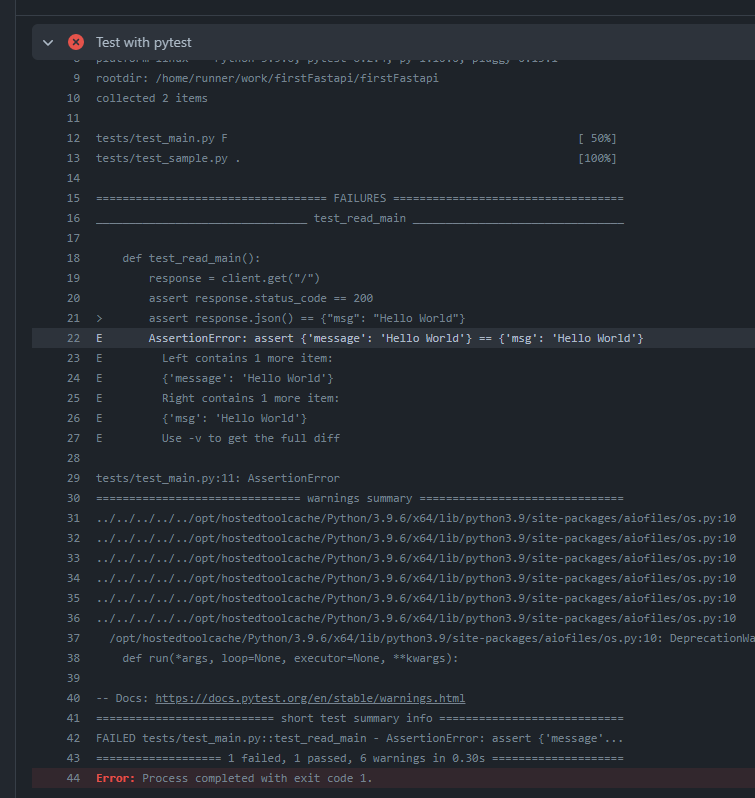
例3.自動でデプロイ
```yaml
- id: deploy
uses: google-github-actions/deploy-appengine@main
with:
credentials: ${{ secrets.gcp_credentials }}
```
https://github.com/yuichiroaoki/github-actions-example/blob/bb716ae502dee12b9af23a7910eaebc34a5687da/.github/workflows/python.yml#L46-L49
https://github.com/marketplace/actions/deploy-to-app-engine
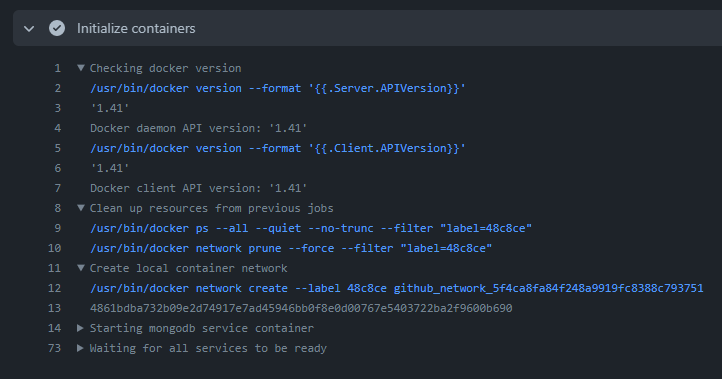
例4.他のDockerコンテナ(DB、RabbitMQなどのメッセージングサーバーなど)との連携のテストができ
以下のようにポートを指定しmongodbのコンテナを起動させ、データのやり取りができる
```yaml
services:
mongodb:
image: mongo
ports:
- 27017:27017
```
参考
* https://docs.github.com/ja/actions
* https://docs.github.com/ja/actions/guides/building-and-testing-python
* https://docs.github.com/ja/billing/managing-billing-for-github-actions/about-billing-for-github-actions