https://github.com/yuokada/py-spy-sample
https://github.com/yuokada/py-spy-sample
Last synced: 4 months ago
JSON representation
- Host: GitHub
- URL: https://github.com/yuokada/py-spy-sample
- Owner: yuokada
- Created: 2018-09-08T05:46:05.000Z (over 7 years ago)
- Default Branch: master
- Last Pushed: 2025-02-01T08:17:30.000Z (12 months ago)
- Last Synced: 2025-02-01T09:18:40.152Z (12 months ago)
- Language: Python
- Size: 1.3 MB
- Stars: 0
- Watchers: 3
- Forks: 0
- Open Issues: 3
-
Metadata Files:
- Readme: README.md
Awesome Lists containing this project
README
## py-spyとは?
[benfred/py-spy: Sampling profiler for Python programs](https://github.com/benfred/py-spy)
- Rust製のpythonプロファイリング・ツール
- 対応しているpythonのバージョンは`2.3-2.7`、`3.3-3.7` と幅広い
## Install
自分はRustユーザーではないのでpip経由でインストールします。
```
$ pip3 install py-spy
```
## Flask
Flaskで次のようなエントリーポイントを作成してアプリケーションを立ち上げる。
```python
@app.route('/name/.json')
def hello_world(name):
greet = "Hello %s from flask!" % name
result = {
"ResultSet": {
"Result": {
"Greeting": greet
}
}
}
response = Response(json.dumps(result))
response.headers['Content-Type'] = "application/json"
return response
```
https://github.com/yuokada/py-spy-sample
```shell
$ python3 server.py
```
次に別のターミナルを立ち上げてpy-spyを実行する。
```bash
$ py-spy -h
py-spy 0.1.4
A sampling profiler for Python programs
USAGE:
py-spy [FLAGS] [OPTIONS] --pid [python_program]...
FLAGS:
-d, --dump Dump the current stack traces to stdout
-F, --function Aggregate samples by function name instead of by line number
-h, --help Prints help information
-V, --version Prints version information
OPTIONS:
-d, --duration The number of seconds to sample for when generating a flame graph [default: 2]
-f, --flame Generate a flame graph and write to a file
-p, --pid PID of a running python program to spy on
-r, --rate The number of samples to collect per second [default: 1000]
ARGS:
... commandline of a python program to run
```
```
# 20秒間で秒間1万個サンプリングをとって結果をprofile.svgとして出力する。
$ sudo py-spy --flame profile.svg -d 20 -r 10000 -p 77170
Sampling process 10000 times a second for 20 seconds
███████████████████████████████████████████████████████████████████████████████████████████████████████████████████ 200000/200000
Wrote flame graph 'profile.svg'. Samples: 200000 Errors: 0
```
### py-spyからアプリを立ち上げる方法について
`py-spy` からアプリを起動する方法も紹介されているが
`py-spy`が終了する時にサーバープロセスが残り続ける問題があった。
```
$ sudo py-spy --flame profile.svg -d 20 -r 10000 \
-- python3 server.py
```
なので、サーバープロセスからプロファイリングするときは`py-spy`から立ち上げない方が良さ気。
## Request
`py-spy`を立ち上げたらさらに別のターミナルから`ab`コマンドでサーバーにリクエストを送ってプロファイリングを取得する。
プロファイリングの時間が20秒なので5万リクエスト程度でプロファイリング中はずっとリクエストを受けている状態になる。
```shell
$ ab -n 50000 "http://127.0.0.1:8888/name/john.json"
```
## SVGでの結果の確認
生成された`profile.svg`をブラウザで開けば結果を確認出来る。
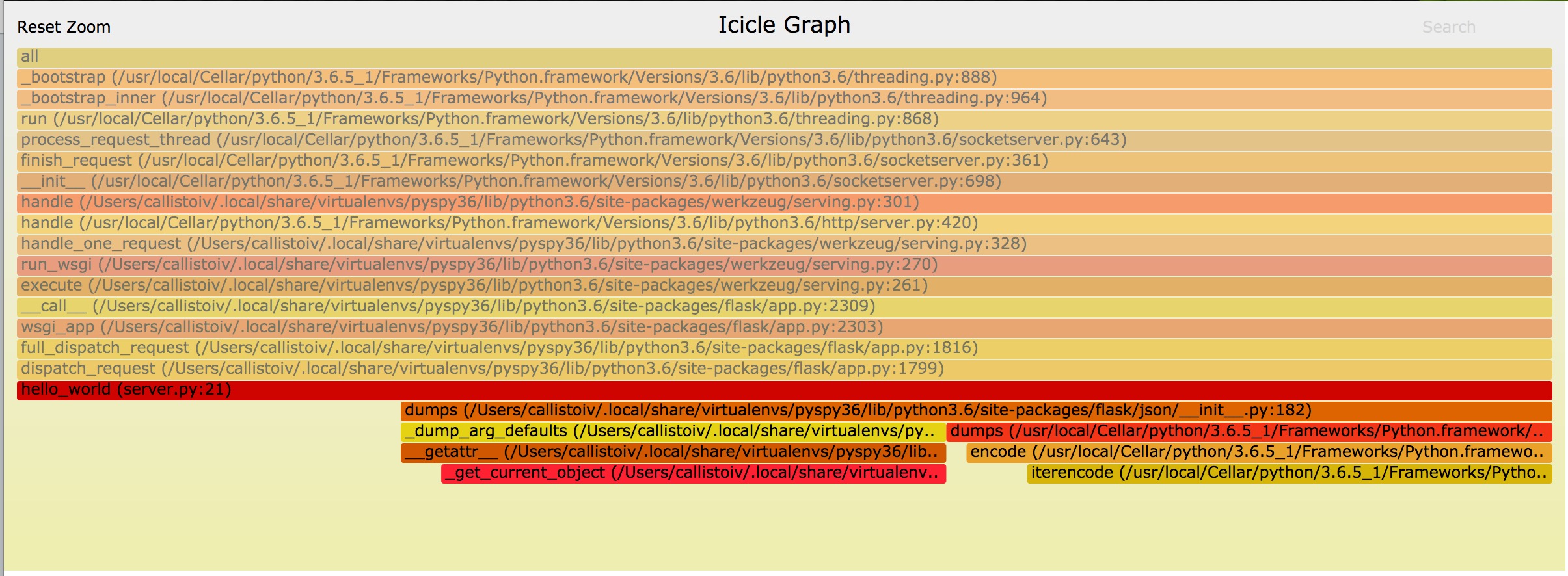
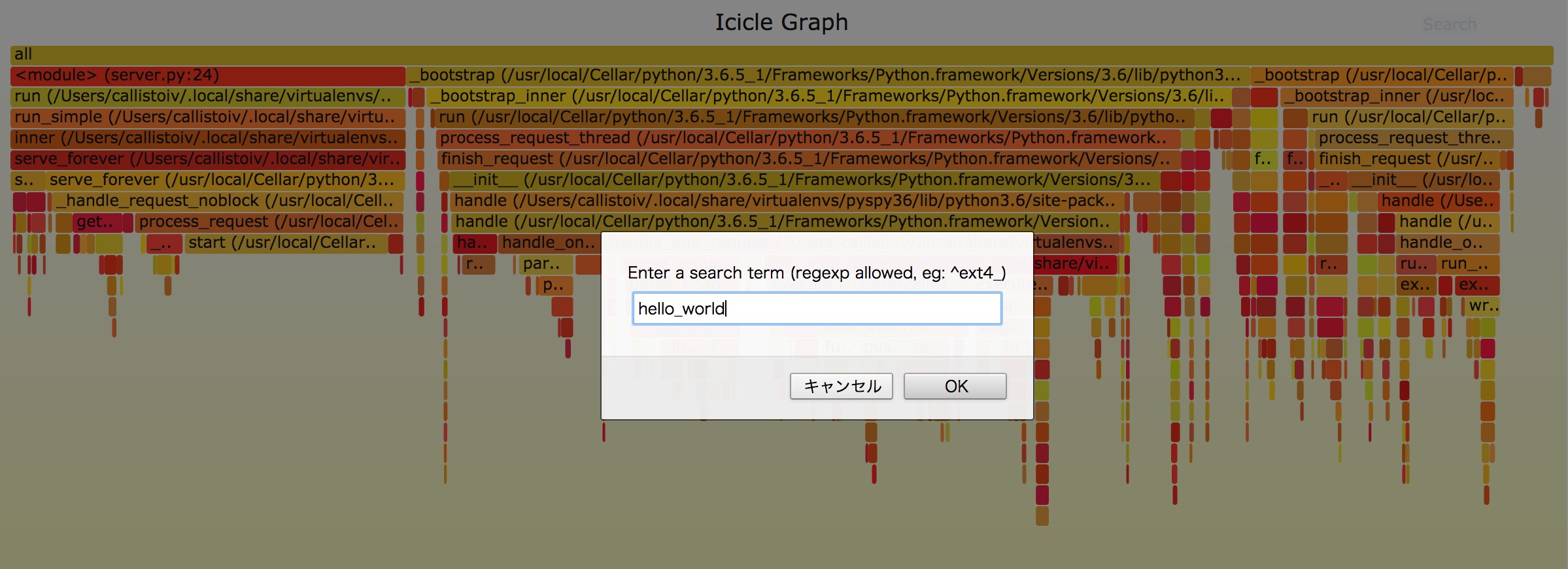
svgの右上に検索機能があるのでそこに今回実装したエントリーポイントの関数名`hello_world`を入力するとそこがピンク色にハイライトされる。
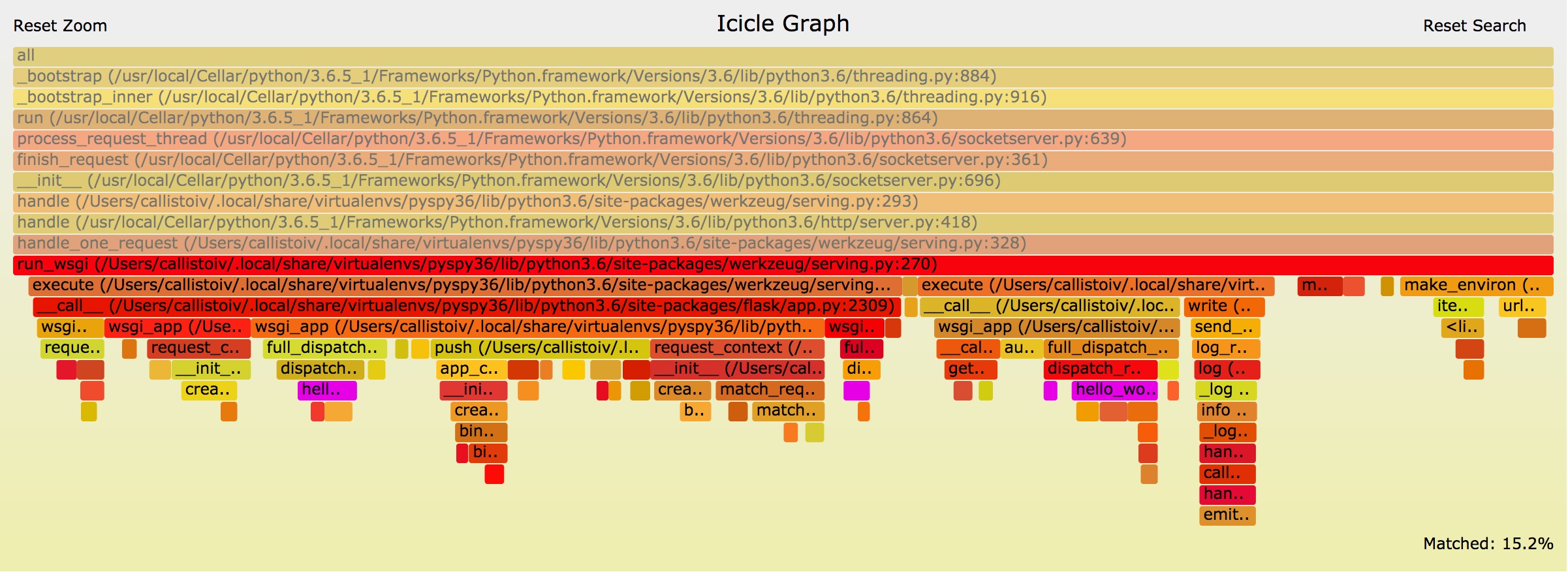
プロファイリングの結果から今回実装したアプリケーションは非常にシンプルなもののためアプリケーション全体としては全く時間を占めていないことが分かった。
## まとめ
`py-spy`は手軽に導入出来て幅広いpythonのバージョンに対応していることから
`2.X`から`3.x`への移行時などにパフォーマンス・レグレッションが起きたりしていないか確認などに使えそうという感想が得られた。